AnyDeskAnyDesk Software
|
SecureDeskRubix Technology
|
|||||
Related Products
|
||||||
About
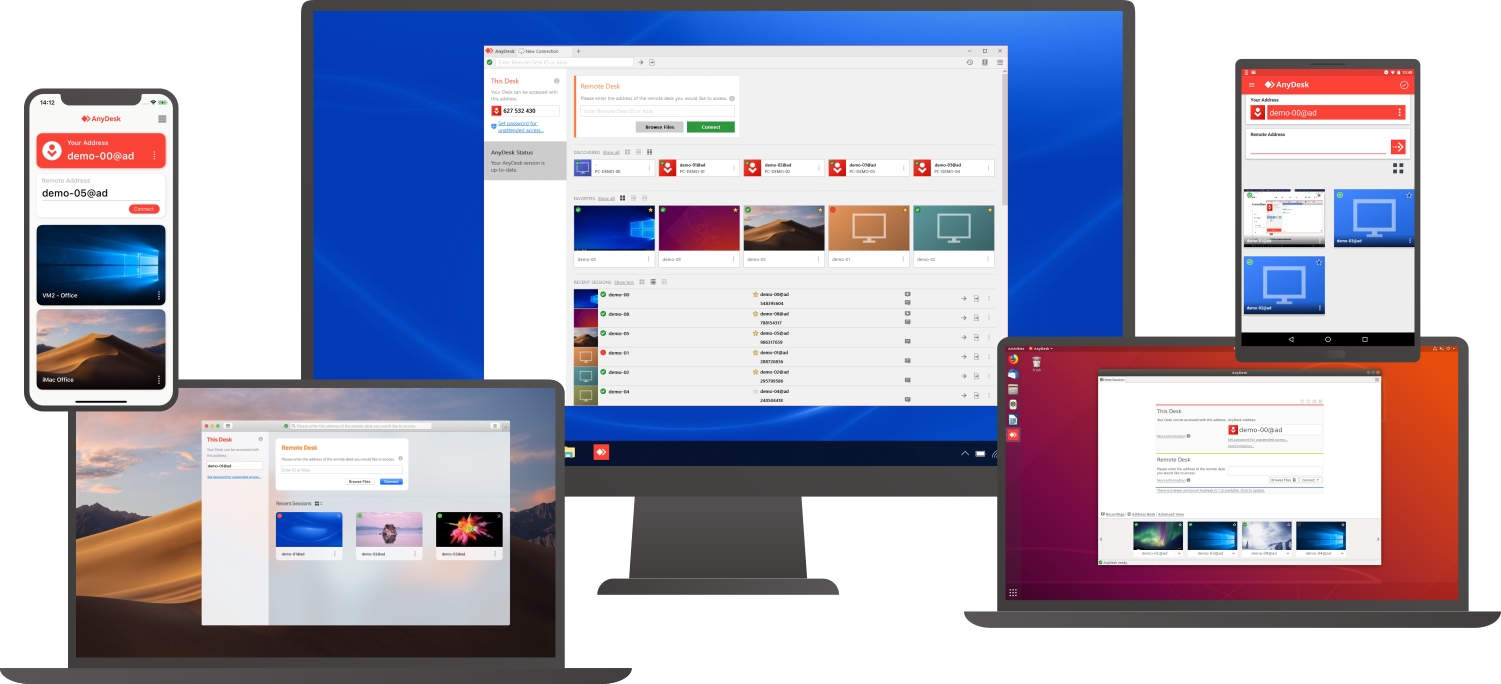
Connect to a computer remotely, be it from the other end of the office or halfway around the world. AnyDesk ensures secure and reliable remote desktop connections for IT professionals and on-the-go individuals alike. AnyDesk works across all your devices and operating systems: Windows, macOS, iOS, Android, Linux, FreeBSD and even your Raspberry Pi! Collaborate and communicate with ease, whether you’re holding online meetings and presentations or working on the same document from the other side of the world. Simply copy and paste or use the new transfer tab to transfer files between computers. No administrative privileges or installation needed. Simply download the 3MB file and you’re off. Require unattended access to your computer when you’re on the road? No problem, you’ll just need to install and set a password. Customize the AnyDesk user interface to give customers a remote desktop experience consistent with your brand.
|
About
SecureDesk is a self-hosted remote support and device management platform for Windows environments, built so the operator's own infrastructure, not a third-party cloud sits in the middle of every session.
It supports two connection modes: attended sessions for real-time, on-demand remote assistance where the end user is present to approve the connection, and unattended access for managing devices that aren't actively staffed, such as servers or kiosks. For deeper troubleshooting, technicians can drop into a SYSTEM-level shell to run administrative commands directly on the endpoint.
The core of its design is the encryption model: both the technician's console and the remote endpoint generate their own AES-256-GCM keys, and endpoints connect outbound-only. The self-hosted relay that brokers each session only ever forwards ciphertext it holds no key for, so even the relay operator can't see or decrypt session content.
|
|||||
Platforms Supported
Windows
Supported
Mac
Supported
Linux
Supported
Cloud
Supported
On-Premises
Not Supported
iPhone
Supported
iPad
Supported
Android
Supported
Chromebook
Not Supported
|
Platforms Supported
Windows
Supported
Mac
Not Supported
Linux
Not Supported
Cloud
Not Supported
On-Premises
Not Supported
iPhone
Not Supported
iPad
Not Supported
Android
Not Supported
Chromebook
Not Supported
|
|||||
Audience
Companies that need a remote support, remote desktop, screen sharing, and presentation tool
|
Audience
IT support teams, help desks, and managed service providers (MSPs) responsible for Windows environments — anyone doing remote troubleshooting or device management who wants to avoid routing session data through a third-party cloud. It's a strong fit for organizations in privacy- and compliance-sensitive industries (healthcare, finance, legal, government) where visibility into remote-support traffic is a real security concern, since the relay itself can't decrypt session content. It also suits solo technicians and small IT shops via the free tier (one technician, three devices), as well as larger teams needing unattended access to unstaffed devices like servers and kiosks.
|
|||||
Support
Phone Support
Supported
24/7 Live Support
Not Supported
Online
Supported
|
Support
Phone Support
Not Supported
24/7 Live Support
Not Supported
Online
Supported
|
|||||
API
Offers API
Not Supported
|
API
Offers API
Not Supported
|
|||||
Screenshots and Videos |
Screenshots and VideosNo images available
|
|||||
Pricing
$10.99 per month
Free Version
Supported
Free Trial
Supported
|
Pricing
$249/year
For small IT teams and MSPs — unattended fleets, elevation and SSO.
≈ $21/mo · billed annually Up to 10 operators
Free Version
Supported
Free Trial
Not Supported
|
|||||
Reviews/
|
Reviews/
|
|||||
Pros & Cons from Real UsersPros
Cons
|
||||||
Training
Documentation
Supported
Webinars
Not Supported
Live Online
Not Supported
In Person
Not Supported
|
Training
Documentation
Supported
Webinars
Not Supported
Live Online
Not Supported
In Person
Not Supported
|
|||||
Company InformationAnyDesk Software
Founded: 2013
Germany
anydesk.com
|
Company InformationRubix Technology
Founded: 2012
United States
www.rubixtechnology.com
|
|||||
Alternatives |
Alternatives |
|||||
|
|
|
|||||
|
|
|
|||||
|
|
|
|||||
Categories |
Categories |
|||||
Remote Support Features
Diagnostic Tools
Not Supported
File Transfer
Supported
Live Chat
Not Supported
Real-time Chat
Not Supported
Remote Control
Supported
Screen Sharing
Supported
Session Recording
Supported
Session Transfer
Supported
Surveys & Feedback
Not Supported
Remote Desktop Features
Chat
Not Supported
Cross-Platform Access
Supported
File Transfer
Supported
Group View
Not Supported
Mobile Device Access
Not Supported
Multi Monitor Support
Not Supported
Record Remote Sessions
Supported
Remote Print
Not Supported
Remote Wake
Not Supported
User Management
Supported
Screen Sharing Features
Annotations / Drawing Tools
Not Supported
Desktop / Browser Sharing
Supported
Mobile Screen Sharing
Not Supported
Presenter Control Management
Supported
Remote Control
Supported
Screen Capture
Not Supported
Screen Mirroring
Not Supported
Screen Recording
Supported
|
Remote Support Features
Diagnostic Tools
Not Supported
File Transfer
Supported
Live Chat
Supported
Real-time Chat
Supported
Remote Control
Supported
Screen Sharing
Supported
Session Recording
Supported
Session Transfer
Not Supported
Surveys & Feedback
Not Supported
|
|||||
Integrations
Atera
Supported
Coronium
Supported
Devolutions Remote Desktop Manager
Supported
Halo Service Desk
Supported
HaloCSM
Supported
HaloITSM
Supported
HaloPSA
Supported
StoreApp
Supported
Truto
Supported
XEOX
Supported
|
Integrations
Atera
Not Supported
Coronium
Not Supported
Devolutions Remote Desktop Manager
Not Supported
Halo Service Desk
Not Supported
HaloCSM
Not Supported
HaloITSM
Not Supported
HaloPSA
Not Supported
StoreApp
Not Supported
Truto
Not Supported
XEOX
Not Supported
|
|||||
|
|
|