
Audience
Call centers and businesses looking for a cloud remote support software solution for customer and employee support.
About ScreenMeet
The leading enterprise cloud-native remote support platform, embedded in ServiceNow, Salesforce, Tanium, and more.
Empower your IT Help Desk and Contact Center teams to resolve 32% more issues in the first call. With a sleek UX and multi-channel support, agents launch in a single click with no downloads necessary. Since ScreenMeet is browser-based and embedded in your current CRM and ITSM, your IT Help Desk and Contact Center teams connect in seconds, thanks to our low latency, global cloud infrastructure.
Authentication within platforms like Salesforce and ServiceNow ensures credentials adhere to your strict internal password policies, and it’s configurable to let you store data in your cloud in designated geographies.
Enterprise-grade security
-Built on Amazon Web Services (AWS), the leading cloud solution
-Data transmission: TLS and DTLS 1.2+ with AES-256-bit encryption
-Authentication with Salesforce & ServiceNow for added security
-Store data in your preferred cloud


Pricing
ScreenMeet Content Hub
Case Studies and Customer Success Stories
Videos and Screen Captures


Interactive Demo
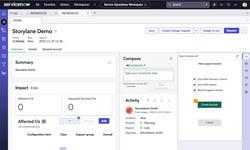
Try the ScreenMeet demo now
Interact with a demo created by ScreenMeet without leaving SourceForge
View DemoProduct Details
ScreenMeet Frequently Asked Questions
ScreenMeet Product Features
Customer Service
Screen Share and Cobrowse for Website and Mobile App Assistance: ScreenMeet revolutionizes customer communication and support by making digital interactions feel as personal as in-person sessions. Easily integrate video calls, screen sharing, and cobrowsing into your customer support with fully embedded ScreenMeet. Adding these additional channels boosts First Call Resolution, CSAT, and NPS across industries. Operate securely from your existing Agent workspace—view and annotate the customer's screen, mask sensitive information, and remotely control peripherals when needed, all without compromising data security or privacy. Connect quickly with customers through their preferred channels, enhancing resolution times and overall customer satisfaction. ScreenMeet is embedded in the most popular CRM/CSM platforms, so sessions launch seamlessly and session data is automatically recorded right in your existing system.
Help Desk
Diagnose and Resolve IT Issues in Real Time: ScreenMeet's integrated applications support your IT Help Desk in managing hybrid work environments efficiently, enabling service delivery to employees both onsite and remotely. It acts as an effortless extension to your existing IT Service Delivery Platform, enhancing engagement between employees and agents. With ScreenMeet's combination of video calling, screen sharing, and remote desktop capabilities, you can swiftly identify and address hardware and software. All activities are managed within your current IT Help Desk ticketing system, eliminating the need for extra user accounts and data storage concerns—all data is stored in your established system of record. Launching directly within the platform without any agent downloads and authenticated within the platform, ScreenMeet offers a smooth, virtual in-person experience for both agents and employees. This seamless integration ensures quick onboarding and efficient IT issue resolution.
IT Service
Remote Desktop
Remote Support
Is your software adapting to modern needs? Many remote support solutions are outdated, initially designed for specific hardware like appliances and desktops, lacking the necessary connectivity and integration for smooth incorporation into daily workflows. ScreenMeet stands out by facilitating exceptional employee experiences, enabling easy work-from-home or work-from-anywhere capabilities on any device. As a cloud-native platform built on AWS's global infrastructure with enterprise-grade security, it allows agents to efficiently operate from a single platform. Minimize employee downtime and interruptions by addressing issues promptly. With ScreenMeet, you can quickly manage and resolve issues on a global scale across all major platforms—Mac, Windows, Android, and iOS. Our intuitive user interface is crafted to enhance productivity by tackling problems early, significantly saving time and improving workflows.