AnyDesk

AnyDesk

AnyDesk Software
HelpWire

HelpWire

Electronic Team, Inc.
+
+

Related Products

  • Zoho Assist
    2,149 Ratings
    Visit Website
  • ScreenMeet
    34 Ratings
    Visit Website
  • NinjaOne
    5,368 Ratings
    Visit Website
  • ManageEngine Endpoint Central
    3,189 Ratings
    Visit Website
  • Atera
    2,094 Ratings
    Visit Website
  • Thinfinity Workspace
    14 Ratings
    Visit Website
  • Admin By Request Endpoint Privilege Management
    94 Ratings
    Visit Website
  • SuperOps
    223 Ratings
    Visit Website
  • CrankWheel
    220 Ratings
    Visit Website
  • Kasm Workspaces
    127 Ratings
    Visit Website

About

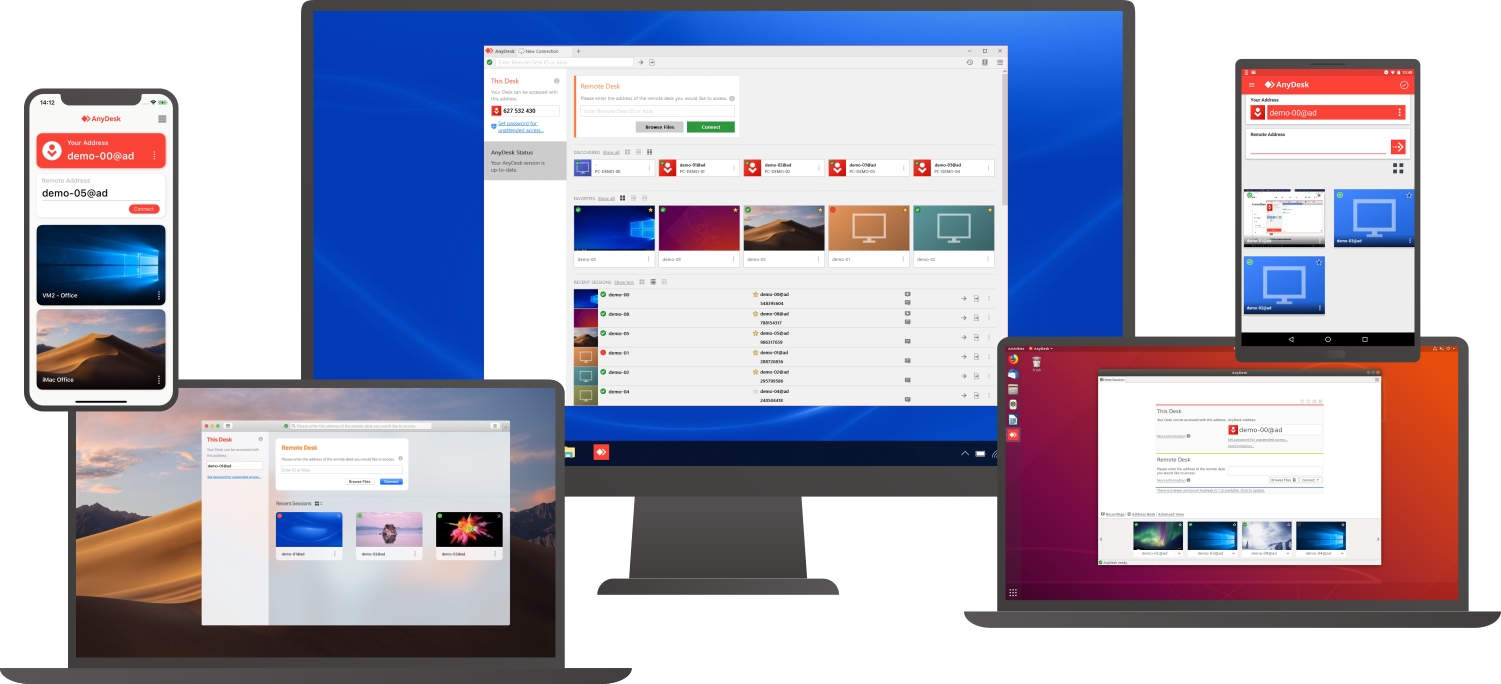
Connect to a computer remotely, be it from the other end of the office or halfway around the world. AnyDesk ensures secure and reliable remote desktop connections for IT professionals and on-the-go individuals alike. AnyDesk works across all your devices and operating systems: Windows, macOS, iOS, Android, Linux, FreeBSD and even your Raspberry Pi! Collaborate and communicate with ease, whether you’re holding online meetings and presentations or working on the same document from the other side of the world. Simply copy and paste or use the new transfer tab to transfer files between computers. No administrative privileges or installation needed. Simply download the 3MB file and you’re off. Require unattended access to your computer when you’re on the road? No problem, you’ll just need to install and set a password. Customize the AnyDesk user interface to give customers a remote desktop experience consistent with your brand.

About

HelpWire is remote access software for IT teams and technicians providing support across Windows, macOS, and Linux. Sessions start through a link: the remote user joins without creating an account or entering credentials, which reduces the coordination overhead. HelpWire sessions rely on direct peer-to-peer connections whenever possible, with relay fallback as a backup. For follow-up, unattended access lets technicians return to a device later without the remote user present, including after reboots. – No sign-up for the remote user – Reboot & reconnect – UAC elevation support – File transfer – Wayland support on Linux – Concurrent sessions – Multi-screen view – Two-factor authentication (2FA) – Firewall-friendly connections

Platforms Supported

Windows
Mac
Linux
Cloud
On-Premises
iPhone
iPad
Android
Chromebook

Platforms Supported

Windows
Mac
Linux
Cloud
On-Premises
iPhone
iPad
Android
Chromebook

Audience

Companies that need a remote support, remote desktop, screen sharing, and presentation tool

Audience

Developers, Support, Tech support, remote support

Support

Phone Support
24/7 Live Support
Online

Support

Phone Support
24/7 Live Support
Online

API

Offers API

API

Offers API

Screenshots and Videos

Screenshots and Videos

Pricing

$10.99 per month
Free Version
Free Trial

Pricing

$0
The product is completely free of charge, no fees and no ads
Free Version
Free Trial

Reviews/Ratings

Overall 4.7 / 5
ease 4.9 / 5
features 4.8 / 5
design 4.7 / 5
support 4.5 / 5

Reviews/Ratings

Overall 5.0 / 5
ease 5.0 / 5
features 4.9 / 5
design 4.8 / 5
support 5.0 / 5

Pros & Cons from Real Users

Pros

  • Intuitive interface & easy setup for ad hoc remote access needs, Low latency sharing even in poor connections.
  • It exceptional speed & low latency make remote connection feel almost as responsive to local ones. Its cross platform compatibility allows for seamless connections between various operating systems.
  • It enables fast & reliable remote access to allow seamless connection between various operating systems. The low latency connection is the most standout feature, making tasks like real time collaboration feasible & efficient.
  • I found AnyDesk is the smallest quickest, and easiest remote desktop solution. It works smoothly in almost low bandwidth and smaller desktops. My best experience with it is it can be integrated with mobile, so even if you are away from your desktop, you can operate it. Furthermore, file transferring, desktop sharing, and whiteboarding is very easy and proficient features.
  • It is convenient to use AnyDesk's Access a computer feature, and because the software is so lightweight, it runs well on most systems. In addition, anyone can use the system, regardless of their tech proficiency.

Cons

  • Lack of robust access controls & auditing capabilities, Limited multi-monitor & file transfer support.
  • The free version has limitations such as restricted file transfer & limited access options which doesn't lets people try the full potential of AnyDesk before purchasing the full version.
  • The remote connection heavily relies on High speed internet, which creates dissatisfaction sometimes while even having a bit slow internet. Also it lacks some advanced customization options as its peers may have in the same range.
  • It is worth saying that I could not find any technical drawback to mention here. However, I would suggest the peers seeking an online remote solution. AnyDesk is the best choice.
  • It is not optimal that mobile support is not as rich as would like. Additionally, lag and slower loading times can often be experienced with slower connections due to a slower internet connection.

Pros & Cons from Real Users

Pros

  • HelpWire has truly impressed me with their excellent service. Their platform is straightforward and user-friendly, which made managing my tasks easy. The highlight, however, was their customer support: quick, attentive, and effective. They addressed my concerns with precision and made the entire process smooth. For anyone in need of reliable and efficient assistance, HelpWire is the way to go. Thanks for the outstanding support and seamless experience!
  • HelpWire is a fantastic software that saves both time and money. Its efficient automation of repetitive tasks allows our team to focus on higher-value work, significantly reducing the time spent on administrative duties. The cost savings are notable, as it minimizes the need for additional staff and reduces errors. The user-friendly interface and reliable performance make it an essential tool in our operations, providing excellent value and efficiency. Highly recommended for any organization.
  • Cross-Platform Support: HelpWire offers seamless support across both Windows and macOS, making it versatile for assisting users on different operating systems. User-Friendly Interface: The intuitive design of the tool allows for quick initiation of support sessions, which is particularly useful when helping less tech-savvy clients. Strong Security Measures: The use of TLS/SSL protocols and AES-256 encryption ensures secure data transmission, protecting sensitive information during remote sessions. File Sharing and Multi-Display Control: The ability to share files and control multiple displays simultaneously enhances productivity and efficiency in troubleshooting and support. Dependable Tool: Overall, HelpWire is a reliable tool that meets the needs of remote support teams, providing a consistent and robust experience.
  • HelpWire lives up to its name as a comprehensive all-in-one software, catering to diverse support needs with efficiency. It integrates robust diagnostic tools, a unified interface, and seamless knowledge base access. This platform excels in simplifying troubleshooting processes and enhancing team collaboration through its intuitive design and real-time communication features. Whether for technical support or organizational efficiency, HelpWire proves indispensable with its versatility and user-centric approach, making it a standout choice in the realm of integrated support solutions.
  • Explaining software downloads and login procedures to clients can be quite difficult. This is why I prefer HelpWire. It eliminates these complications with its one-click connection, requiring no client login. This not only simplifies my workflow but also greatly improves client comfort and satisfaction.

Cons

  • There is nothing much to mention about HelpWire application.
  • Sometime lag problems are bit annoying but it not effect much in you work
  • Occasional Performance Lags: There are sometimes performance lags during peak periods, which can hinder the support experience. Potential Learning Curve for New Users: While the interface is user-friendly, there may still be a learning curve for new users unfamiliar with remote support tools. Cost Considerations: Depending on the pricing structure, the cost of using HelpWire might be a concern for smaller teams or businesses with limited budgets. Dependence on Internet Stability: Like any remote support tool, HelpWire's performance can be affected by the quality and stability of the internet connection. Limited Customization Options: Users seeking specific customization features might find HelpWire's options limited compared to some other remote support tools.
  • There isn't much of it, but occasionally lag problems can be noticed.
  • So far, I haven’t experienced any major issues. As a writer, having a seamless and efficient remote connection is essential. Despite the usual limitations of any software, HelpWire has been excellent for my daily needs.

Training

Documentation
Webinars
Live Online
In Person

Training

Documentation
Webinars
Live Online
In Person

Company Information

AnyDesk Software
Founded: 2013
Germany
anydesk.com

Company Information

Electronic Team, Inc.
Founded: 2001
United States
www.helpwire.app/

Alternatives

Alternatives

SetMe

SetMe

Techinline
DualDesk

DualDesk

Advantig

Categories

Categories

Remote Support Features

Diagnostic Tools
File Transfer
Live Chat
Real-time Chat
Remote Control
Screen Sharing
Session Recording
Session Transfer
Surveys & Feedback

Remote Desktop Features

Chat
Cross-Platform Access
File Transfer
Group View
Mobile Device Access
Multi Monitor Support
Record Remote Sessions
Remote Print
Remote Wake
User Management

Screen Sharing Features

Annotations / Drawing Tools
Desktop / Browser Sharing
Mobile Screen Sharing
Presenter Control Management
Remote Control
Screen Capture
Screen Mirroring
Screen Recording

Remote Support Features

Diagnostic Tools
File Transfer
Live Chat
Real-time Chat
Remote Control
Screen Sharing
Session Recording
Session Transfer
Surveys & Feedback

Integrations

Atera
Coronium
Devolutions Remote Desktop Manager
Halo Service Desk
HaloCRM
HaloITSM
HaloPSA
StoreApp
Truto
XEOX

Integrations

Atera
Coronium
Devolutions Remote Desktop Manager
Halo Service Desk
HaloCRM
HaloITSM
HaloPSA
StoreApp
Truto
XEOX
Claim AnyDesk and update features and information
Claim HelpWire and update features and information