Related Products
|
||||||
About
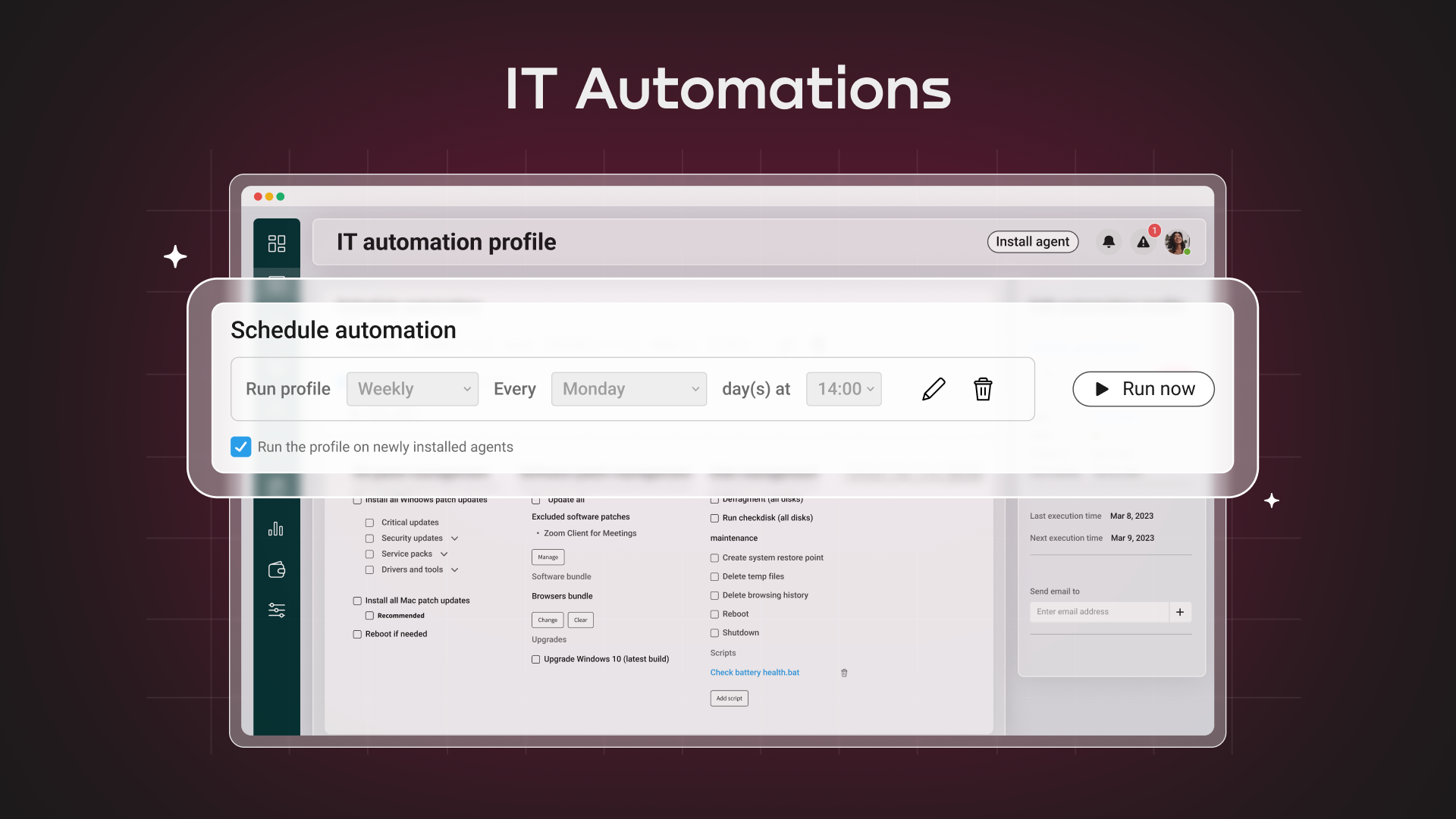
Atera, the first and only Agentic AI platform for IT management, offers IT teams and MSPs a digital workforce of AI agents to preemptively and autonomously manage their entire IT operations. Its all-in-one platform combines RMM, helpdesk, ticketing, and automation to reduce downtime, improve SLAs, and free IT teams to focus on strategic work over mundane tasks.
At the core of Atera’s platform are two powerful AI agents built to enhance every layer of IT operations. AI Copilot helps technicians troubleshoot devices, run diagnostics, and generate actionable solutions in real time. IT Autopilot delivers 24/7/365, autonomously resolving Tier-1 issues and reducing IT workload by up to 40%. It acts like a personal AI technician for every employee, freeing your team to focus on what really matters.
Trusted by 13K+ customers in over 120 countries, Atera scales with your needs while maintaining the highest security and compliance standards.
|
About
TeamViewer is a popular remote access and support software that enables users to connect to and control computers and devices from anywhere in the world. It is widely used for troubleshooting technical issues, managing IT services, and providing customer support. The software allows for secure file sharing, real-time collaboration, and remote desktop access across different platforms, including Windows, macOS, Linux, iOS, and Android. TeamViewer's security features include end-to-end encryption and two-factor authentication, ensuring safe and reliable remote connections. It is used by individuals, IT professionals, and large organizations to enhance productivity, offer remote support, and manage devices efficiently.
|
|||||
Platforms Supported
Windows
Supported
Mac
Supported
Linux
Supported
Cloud
Supported
On-Premises
Not Supported
iPhone
Supported
iPad
Supported
Android
Supported
Chromebook
Not Supported
|
Platforms Supported
Windows
Supported
Mac
Supported
Linux
Supported
Cloud
Supported
On-Premises
Not Supported
iPhone
Supported
iPad
Supported
Android
Supported
Chromebook
Supported
|
|||||
Audience
Ideal for internal IT departments or managed service providers (MSPs)
|
Audience
Companies in almost every country looking for a remote support and remote access solution. TeamViewer is available in over 30 languages
|
|||||
Support
Phone Support
Not Supported
24/7 Live Support
Supported
Online
Supported
|
Support
Phone Support
Supported
24/7 Live Support
Not Supported
Online
Supported
|
|||||
API
Offers API
Supported
|
API
Offers API
Supported
|
|||||
Screenshots and Videos |
Screenshots and Videos |
|||||
Pricing
30-DAY FREE TRIAL
Fixed cost — per technician-based pricing with unlimited endpoints.
Free Version
Not Supported
Free Trial
Supported
|
Pricing
$24.90 per month
Ideal for on-the-go professionals looking for an economical, easy remote work solution.
1 Licensed User 1 Concurrent connection (channel) 3 Managed devices Unlimited devices to connect from 3 Computers to connect to (add-on available) 3 Concurrent sessions (in tabs) per concurrent connection
Free Version
Supported
Free Trial
Supported
|
|||||
Reviews/
|
Reviews/
|
|||||
Pros & Cons from Real UsersPros
Cons
|
Pros & Cons from Real UsersPros
Cons
|
|||||
Training
Documentation
Supported
Webinars
Supported
Live Online
Supported
In Person
Not Supported
|
Training
Documentation
Supported
Webinars
Supported
Live Online
Supported
In Person
Not Supported
|
|||||
Company InformationAtera
Founded: 2011
Israel
www.atera.com
|
Company InformationTeamViewer
Founded: 2005
Germany
www.teamviewer.com
|
|||||
Alternatives |
Alternatives |
|||||
|
|
||||||
|
|
||||||
|
|
|
|||||
|
|
||||||
Categories |
Categories |
|||||
IT Management Features
Capacity Monitoring
Supported
Compliance Management
Supported
Event Logs
Supported
Hardware Inventory
Supported
IT Budgeting
Not Supported
License Management
Supported
Patch Management
Supported
Remote Access
Supported
Scheduling
Supported
Software Inventory
Supported
User Activity Monitoring
Supported
Remote Desktop Features
Chat
Supported
Cross-Platform Access
Supported
File Transfer
Supported
Group View
Not Supported
Mobile Device Access
Supported
Multi Monitor Support
Supported
Record Remote Sessions
Supported
Remote Print
Supported
Remote Wake
Supported
User Management
Supported
Remote Support Features
Diagnostic Tools
Supported
File Transfer
Supported
Live Chat
Supported
Real-time Chat
Supported
Remote Control
Supported
Screen Sharing
Supported
Session Recording
Supported
Session Transfer
Supported
Surveys & Feedback
Supported
System Monitoring Features
Alerts / Notifications
Supported
Antivirus Management
Supported
Data Backup / Recovery
Supported
Device Monitoring
Supported
Inventory Management
Supported
Patch Management
Supported
Policy-based Automation
Supported
Remote Monitoring
Supported
Reporting / Analytics
Supported
Risk Analysis
Supported
Server Monitoring
Supported
Service Configuration Management
Supported
Application Performance Monitoring (APM) Features
Baseline Manager
Supported
Diagnostic Tools
Supported
Full Transaction Diagnostics
Not Supported
Performance Control
Supported
Resource Management
Supported
Root-Cause Diagnosis
Supported
Server Performance
Supported
Trace Individual Transactions
Supported
Help Desk Features
Alerts / Escalation
Supported
Automated Routing
Supported
Community Forums
Not Supported
Customizable Branding
Supported
Document Storage
Supported
Email Integration
Supported
Incident Management
Supported
Interaction Tracking
Supported
IT Asset Management
Supported
Knowledge Base
Supported
Known Issue Management
Supported
Live Chat
Supported
Multi-Channel Communication
Supported
Multiple Brands / Products
Supported
Network Monitoring
Supported
Real-time Chat
Supported
Self Service Portal
Supported
Service Level Agreement (SLA) Management
Supported
Ticket Management
Supported
IT Asset Management Features
Asset Tracking
Supported
Audit Management
Not Supported
Compliance Management
Supported
Configuration Management
Not Supported
Contract/License Management
Supported
Cost Tracking
Not Supported
Depreciation Management
Not Supported
Inventory Management
Supported
IT Service Management
Supported
Maintenance Management
Not Supported
Procurement Management
Not Supported
Requisition Management
Not Supported
Supplier Management
Not Supported
IT Service Features
Contract Management
Supported
Incident Management
Supported
IT Asset Management
Supported
Knowledge Management
Supported
Release Management
Supported
Self Service Portal
Supported
Service Catalog
Not Supported
Service Reporting
Supported
Ticket Management
Supported
ITSM Features
Asset Tracking
Supported
Availability Management
Not Supported
Change Management
Supported
Configuration Management
Not Supported
Contract/License Management
Supported
Dashboard
Supported
Incident Management
Supported
Problem Management
Supported
Project Management
Not Supported
Release & Deployment Management
Not Supported
Self Service Portal
Supported
MSP Features
Backup Management
Supported
Billing & Invoicing
Supported
CRM
Supported
Dashboard
Supported
Help Desk
Supported
Issue Management
Supported
Live Chat
Supported
Patch Management
Supported
Privileged Access Management (PAM)
Not Supported
Project Management
Supported
Remote Access
Supported
Remote Systems Monitoring
Supported
Scheduling
Supported
Network Mapping Features
Color Codes / Icons
Not Supported
Compliance Management
Not Supported
Device Auto Discovery
Supported
Hierarchical Mapping
Supported
Location-Based Mapping
Not Supported
Map Exporting
Not Supported
On-Demand Mapping
Supported
Reporting/Analytics
Supported
Self-Updating Maps
Not Supported
Web Traffic Reporting
Not Supported
Network Monitoring Features
Bandwidth Monitoring
Supported
Baseline Manager
Supported
Diagnostic Tools
Supported
Internet Usage Monitoring
Not Supported
IP Address Monitoring
Not Supported
Real Time Analytics
Supported
Resource Management
Supported
Server Monitoring
Supported
SLA Monitoring
Supported
Uptime Monitoring
Supported
Web Traffic Reporting
Not Supported
Network Troubleshooting Features
Alerts / Escalation
Supported
Bandwidth Troubleshooting
Supported
Change Management
Not Supported
Configuration Management
Not Supported
Connectivity Management
Not Supported
Data Visualization
Not Supported
Historical Audit
Not Supported
Mobile Network Troubleshooting
Not Supported
Network Analysis
Not Supported
Network Monitoring
Supported
Patch Management Features
Alerts/Notifications
Supported
Automatic Approval
Supported
Automatic Patch Deployment
Supported
Automatic Scans
Supported
Compliance Management
Supported
Custom Patches
Supported
Dashboard
Supported
Network Wide Management
Supported
Patch Prioritization
Supported
Patch Testing
Supported
Remote Access/Control
Supported
Vulnerability Scanning
Supported
Professional Services Automation Features
Billing & Invoicing
Supported
Client Portal
Supported
Collaboration Tools
Not Supported
CRM
Not Supported
Document Management
Supported
Portfolio Management
Not Supported
Project Management
Not Supported
Proposal Generation
Supported
Quote Management
Not Supported
Resource Management
Not Supported
Time & Expense Tracking
Supported
RMM Features
Deployment Management
Supported
For MSPs
Supported
IT Asset Management
Supported
Mobile Access
Supported
Network Monitoring
Supported
Patch Management
Supported
Real-time Alerts
Supported
Remediation Management
Supported
SaaS Management Features
License Management
Not Supported
Onboarding
Supported
Renewal Management
Supported
SaaS Operations Management
Not Supported
Shadow IT Detection
Not Supported
Spend Management
Not Supported
Subscription Management
Not Supported
Usage Tracking / Analytics
Supported
Vendor Management
Not Supported
Server Management Features
CPU Monitoring
Supported
Credential Management
Supported
Database Servers
Supported
Email Monitoring
Supported
Event Logs
Supported
History Tracking
Supported
Patch Management
Supported
Scheduling
Supported
User Activity Monitoring
Supported
Virtual Machine Monitoring
Supported
Service Desk Features
Change Management
Not Supported
CMDB
Not Supported
Incident Management
Supported
IT Asset Management
Supported
Knowledge Base
Supported
Mobile Access
Supported
Procurement Management
Not Supported
Remote Control
Supported
Self Service Portal
Supported
SLA Management
Supported
|
IT Management Features
Capacity Monitoring
Supported
Compliance Management
Supported
Event Logs
Supported
Hardware Inventory
Supported
IT Budgeting
Supported
License Management
Supported
Patch Management
Supported
Remote Access
Supported
Scheduling
Supported
Software Inventory
Supported
User Activity Monitoring
Supported
Remote Desktop Features
Chat
Supported
Cross-Platform Access
Supported
File Transfer
Supported
Group View
Supported
Mobile Device Access
Supported
Multi Monitor Support
Supported
Record Remote Sessions
Supported
Remote Print
Supported
Remote Wake
Supported
User Management
Supported
Remote Support Features
Diagnostic Tools
Supported
File Transfer
Supported
Live Chat
Supported
Real-time Chat
Supported
Remote Control
Supported
Screen Sharing
Supported
Session Recording
Supported
Session Transfer
Supported
Surveys & Feedback
Supported
Collaboration Features
Brainstorming
Not Supported
Calendar Management
Supported
Chat / Messaging
Supported
Contact Management
Supported
Content Management
Not Supported
Document Management
Supported
Project Management
Not Supported
Real Time Editing
Supported
Task Management
Supported
Version Control
Not Supported
Video Conferencing
Supported
Meeting Features
Action Item Tracking
Not Supported
Agenda Management
Not Supported
Attendee Management
Supported
Board Meetings
Supported
Committee Meetings
Supported
Internal Meetings
Supported
Invitation Management
Supported
Legislative Meetings
Supported
Materials Management
Not Supported
Meeting Feedback
Not Supported
Meeting Preparation Tools
Not Supported
Meeting Room Booking
Supported
Minutes Management
Not Supported
Post-Meeting Tools
Not Supported
Scheduling
Supported
Travel Management
Not Supported
Voting Management
Not Supported
Remote Work Features
Collaboration
Supported
Credential Management
Supported
Electronic Signature
Not Supported
Employee Monitoring
Not Supported
Live Chat
Supported
Meeting Management
Supported
Project Management
Not Supported
Remote Access
Supported
Remote Support
Supported
Screen Sharing
Supported
Softphone
Not Supported
Task Management
Supported
Time Zone Tracking
Not Supported
Video Chat
Supported
Web Conferencing
Supported
Video Conferencing Features
Electronic Hand Raising
Not Supported
Mobile Access
Supported
On-Demand Webcasting
Not Supported
Presentation Streaming
Supported
Presentation Tools
Supported
Private Chat
Supported
Real-Time Chat
Supported
Record & Playback Ability
Supported
Screen Sharing
Supported
Two-Way Audio & Video
Supported
Video Conferencing
Supported
Whiteboard
Supported
Web Conferencing Features
Electronic Hand Raising
Not Supported
Mobile Access
Supported
On-Demand Webcasting
Not Supported
Presentation Streaming
Supported
Presentation Tools
Supported
Private Chat
Supported
Real-Time Chat
Supported
Record & Playback Ability
Supported
Screen Sharing
Supported
Two-Way Audio & Video
Supported
Video Conferencing
Supported
Whiteboard
Supported
|
|||||
Integrations
Control D
Supported
Robin by Atera
Supported
ServiceNow
Supported
Active Directory
Not Supported
AppTec EMM
Not Supported
Bitdefender GravityZone
Supported
Deepser
Not Supported
HaloITSM
Not Supported
Jira
Not Supported
LT3Raptor
Not Supported
|
Integrations
Control D
Supported
Robin by Atera
Supported
ServiceNow
Supported
Active Directory
Supported
AppTec EMM
Supported
Bitdefender GravityZone
Not Supported
Deepser
Supported
HaloITSM
Supported
Jira
Supported
LT3Raptor
Supported
|
|||||
|
|
|