
Audience
Google Docs is ideal for businesses, educators, remote teams, students, content creators, and organizations seeking AI-powered document creation and real-time collaboration tools
About Google Docs
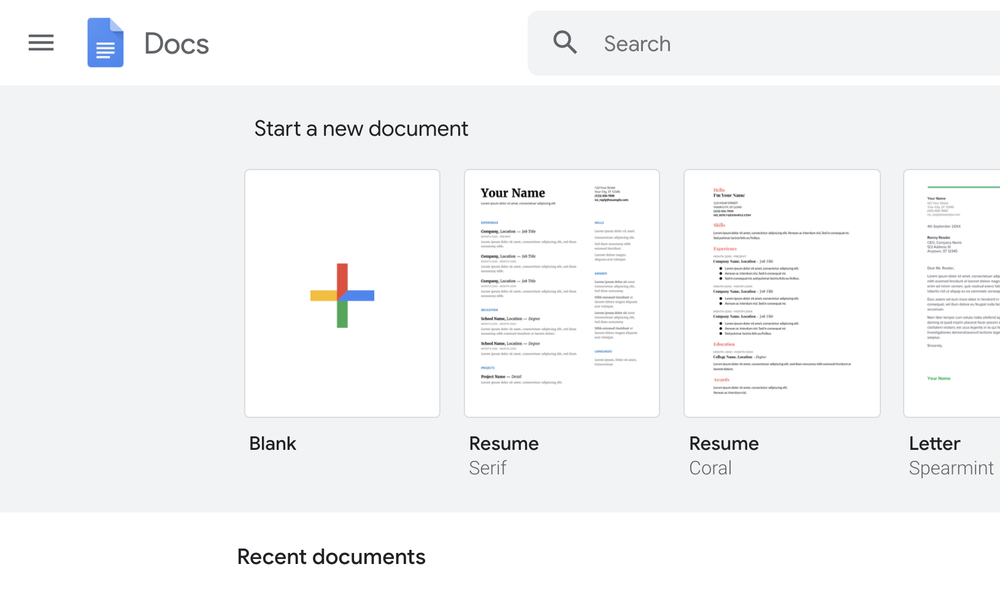
Google Docs is an AI-powered online document platform designed to help individuals and teams create, edit, and collaborate on content in real time. The platform includes Gemini AI features that assist users with drafting documents, organizing ideas, refining writing styles, and generating polished content using simple prompts. Google Docs offers collaborative tools such as live editing, comments, version history, document sharing controls, and integrated video meetings to help teams work together efficiently from any location. Users can streamline workflows with templates, smart building blocks, electronic signatures, meeting notes integration, and reusable content snippets for faster document creation. The platform also supports importing and editing popular file formats including Microsoft Word documents and PDFs while maintaining collaborative editing capabilities.
Pricing
Company Information
Videos and Screen Captures

Product Details
Google Docs Frequently Asked Questions
Google Docs Product Features
Document Collaboration
Productivity
Remote Work
Google Docs Verified User Reviews
Write a Review-
Probability You Would Recommend?1 2 3 4 5 6 7 8 9 10
"I love using Google Docs" Posted 2022-07-22
Pros: In Google Docs I like that you have the ability to add things on tho help you with grammar and stuff. I also like how easy it is to use.
Cons: The inability to make it dark mode. And also the inability to change background colors.
Overall: Great, good, excellent. I love to use docs for school and writing down notes. Also it helps me relieve stress sometimes I'll just type a whole bunch of things stressing me out into a doc to vent....
Read More... -
Probability You Would Recommend?1 2 3 4 5 6 7 8 9 10
"Good product, but not a complete Microsoft Word Replacement for us." Posted 2020-06-28
Pros: Google Docs is tightly integrated in the Google Apps ecosystem making it easy to manage, share and backup documents. Google Docs easily handles basic correspondence, document creation and editing. The ability to share and work on a document at the same time is very helpful. The ability to create and save Templates is very helpful for common tasks. Google Docs on Chromebooks is just as usable as on a desktop unlike Office365.
Cons: Google Docs does not manage images as well as Microsoft office. This is important when creating documentation and forms with integrated images. Google has made great strides with "Track changes" features, but Microsoft Word has a more robust system for tracking and accepting changes.
Overall: We have been using Google Apps as individuals and now in both our businesses. I'm able to use Google Docs for 90% of my word processing tasks. That 10% has required that we maintain a separate Office365 subscription. As Google updates/adds features, I'm hoping that we'll be able to take all our work onto Google Docs.
Read More... -
Probability You Would Recommend?1 2 3 4 5 6 7 8 9 10
"The light weight alternative to Word" Posted 2020-06-18
Pros: - The fact that it is cloud based makes it so much easy to access and edit from anywhere without having to backup so many files.
Cons: - The web version of Google Docs has not facility to even create folders etc. for organizing the documents better.
Overall: Another piece of software from Google that helps you become much more productive at no cost. Definitely better than mailing word documents around.
Read More... -
Probability You Would Recommend?1 2 3 4 5 6 7 8 9 10
"Google Docs - Review" Posted 2020-06-06
Pros: (+) Easy to use and adapt.
(+) Powerful recommendation system for layouts and designs.
(+) Online collaboration with multiple stakeholders, one can be edit, read access, multiple people can work at a time.
(+) One can export the file into desired formats like pdf, doc, text.
(+) Autosave of document really helps when there are power cuts or internet outages.Cons: (-) Completely dependant on the internet in cases of online collaborations.
(-) Sometimes editing becomes too hard because of the online recommendation.
(-) Affects productivity in collaborations.Overall: I have been using Google Docs ever since its launch. The ability to collaborate from multiple collaborators and the ability to share a link instead of the document clears all the security concerns. Also, you can set barriers on viewing and editing where the person has to put a request to access the document.
Read More...
At times of internet outages, the collaborations get effected but on an overall level, Google Docs work in a very efficient manner. I would definitely recommend it to everyone. -
Probability You Would Recommend?1 2 3 4 5 6 7 8 9 10
"Great Alternative to Microsoft Word" Posted 2020-05-27
Pros: I love that it is basically the same thing as Microsoft Word, but it is free, makes documents easily shareable, and saves them to your drive.
Cons: I sometimes have issues with the formatting, and when re-opened in another platform it will extend onto a second page, etc.
Overall: Love it. I use it almost everyday. Is great for doing anything needed that you would in Microsoft Word plus more sharing and saving features.
Read More... -
Probability You Would Recommend?1 2 3 4 5 6 7 8 9 10
"Documentation made easy" Posted 2020-05-23
Pros: I have been using Google Docs for the past 3 years and I am fully satisfied with it. Unlike other applications which needs to be installed on your computer It is fully cloud-based and easy to access. The documents are saved safely and you can decide whom to share it with and what level of rights to give them. The Google Docs mobile application is easy to install as well as view saved documents.
Cons: Although the Google Docs is great on desktop It still struggles on mobile phone. It is difficult to edit the files on mobile phone. It as very limited features compared to its competitors such as Microsoft Word.
Overall: It's a great tool for creating various types of documents quickly. You won't need to worry about saving files considering it is cloud based and all files will be stored in your Google Drive. Overall it's a very helpful application from Google.
Read More... -
Probability You Would Recommend?1 2 3 4 5 6 7 8 9 10
"Collaboration genius" Posted 2020-04-28
Pros: Works very well for when you need to work on a document as a team. You can see in real-time what's being done.
Cons: It would be nice if there was more customization options like word.
Overall: It's great and we use it for everything and for all clients all the time. it has never let us down.
Read More... -
Probability You Would Recommend?1 2 3 4 5 6 7 8 9 10
"Best for collaboration" Posted 2020-04-21
Pros: Such an easy way to collaborate on a document. Stores previous versions as well so you can always revert back
Cons: There isn't much I dislike, maybe add more customization options?
Overall: Overall it's an awesome tool and i've never had any issues with it. Works seamless with groups or within companies.
Read More... -
Probability You Would Recommend?1 2 3 4 5 6 7 8 9 10
"Google Docs - online documents" Edited 2020-04-13
Pros: Very nice software for documentation.
Has very good features.
No need to install the software, we can use it from the website also.Cons: I think the Android application could be implemented in a better way.
Overall: Overall it is a good website and application for documentation purposes. We can use this software for free.
Read More... -
Probability You Would Recommend?1 2 3 4 5 6 7 8 9 10
"Good for Documentation" Posted 2020-04-09
Pros: Google Docs is very good for writing documents and access them from anywhere in the world.
We can store all the documents online and access them online.
We can share links of our documents to others to view and edit.Cons: Google Docs is perfect but when it comes to editing the google docs document in the local office suite then the font and structure go away.
Overall: It's a very good online platform for writing documents, sharing and editing documents online. All our documents are linked to our Google account.
Read More...
- Previous
- You're on page 1
- Next
