PhotoCraftArtCraft
|
||||||
Related Products
|
||||||
About
PhotoCraft is a free, open-source raster image editor for photographers, digital artists, designers, and other creative users. It provides layers, masks, adjustment layers, layer styles, text, vector tools, and brushes in a native desktop application, with a WebAssembly build that can be hosted separately. Users can make non-destructive edits with adjustment layers and live-preview filters, select subjects and objects on-device, and refine masks locally. The editor opens and saves layered PSD and PSB documents, supports smart objects and smart filters, and includes color-management tools for RGB, CMYK, Lab, and grayscale documents at 8-, 16-, and 32-bit depths. PhotoCraft is available for macOS, Windows, and Linux, and is distributed as free, open-source software.
|
About
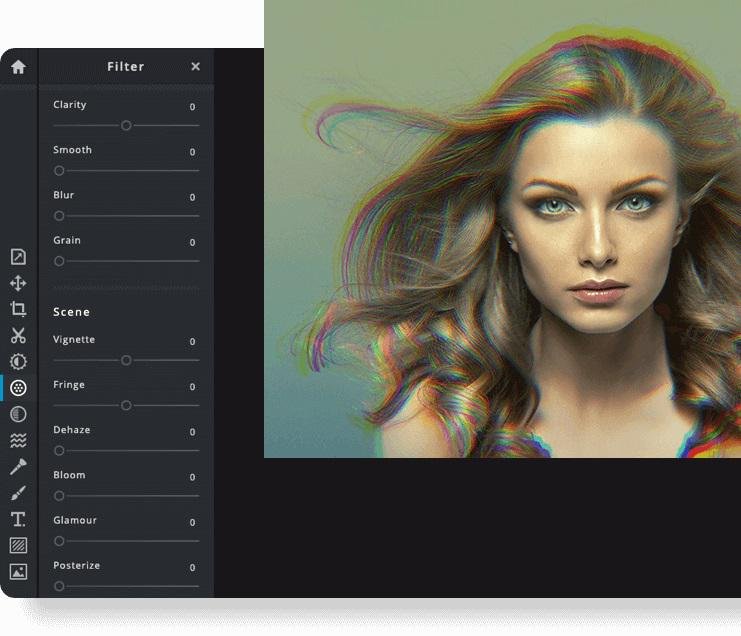
Pixlr the Online Photo Editor that lets you edit photos and create great designs right in your browser for Free. Experience next level, intuitive photo editing and graphical design with AI-powered tools for quick yet professional edits. Our editor opens almost any image format such as PSD (Photoshop), PXD, JPEG, PNG (transparent), WebP, SVG and more. Start from an empty canvas or select one of our professionally crafted templates. Say goodbye to boring and repetitive editing tasks with AI design tools. One click is all it takes to remove backgrounds perfectly from your photos, cut out every strand of hair and more! Let AI and Machine Learning take your photo editing and background removal to a new level! Simpler steps, equally stunning results. Just toggle on and off, or drag sliders from left to right to edit your photos. Achieving unique aesthetic photo effects becomes so much simpler with Pixlr.
|
|||||
Platforms Supported
Windows
Supported
Mac
Supported
Linux
Supported
Cloud
Not Supported
On-Premises
Not Supported
iPhone
Not Supported
iPad
Not Supported
Android
Not Supported
Chromebook
Not Supported
|
Platforms Supported
Windows
Not Supported
Mac
Not Supported
Linux
Not Supported
Cloud
Supported
On-Premises
Not Supported
iPhone
Supported
iPad
Supported
Android
Supported
Chromebook
Not Supported
|
|||||
Audience
Photographers, digital artists, designers, and other users who need layered raster-image editing.
|
Audience
Anyone interested in intuitive online photo editing platform with AI-powered tools
|
|||||
Support
Phone Support
Not Supported
24/7 Live Support
Not Supported
Online
Not Supported
|
Support
Phone Support
Not Supported
24/7 Live Support
Not Supported
Online
Supported
|
|||||
API
Offers API
Supported
|
API
Offers API
Not Supported
|
|||||
Screenshots and Videos |
Screenshots and Videos |
|||||
Pricing
Free
Free to download and use; open source. No subscription is required.
Free Version
Supported
Free Trial
Not Supported
|
Pricing
$2.49 per month
$1.49/month if billed annually
Free Version
Not Supported
Free Trial
Supported
|
|||||
Reviews/
|
Reviews/
|
|||||
Pros & Cons from Real UsersPros
Cons
|
Pros & Cons from Real UsersPros
Cons
|
|||||
Training
Documentation
Not Supported
Webinars
Not Supported
Live Online
Not Supported
In Person
Not Supported
|
Training
Documentation
Supported
Webinars
Not Supported
Live Online
Supported
In Person
Not Supported
|
|||||
Company InformationArtCraft
getartcraft.com/apps/photocraft
|
Company InformationPixlr
Founded: 2008
Sweden
pixlr.com
|
|||||
Alternatives |
Alternatives |
|||||
|
|
||||||
|
|
|
|||||
|
|
||||||
|
|
||||||
Categories |
Categories |
|||||
Integrations
Gmail
Not Supported
Google Drive
Not Supported
Model Context Protocol (MCP)
Supported
Prodia
Not Supported
YouTube
Not Supported
|
Integrations
Gmail
Supported
Google Drive
Supported
Model Context Protocol (MCP)
Not Supported
Prodia
Supported
YouTube
Supported
|
|||||
|
|
|