About
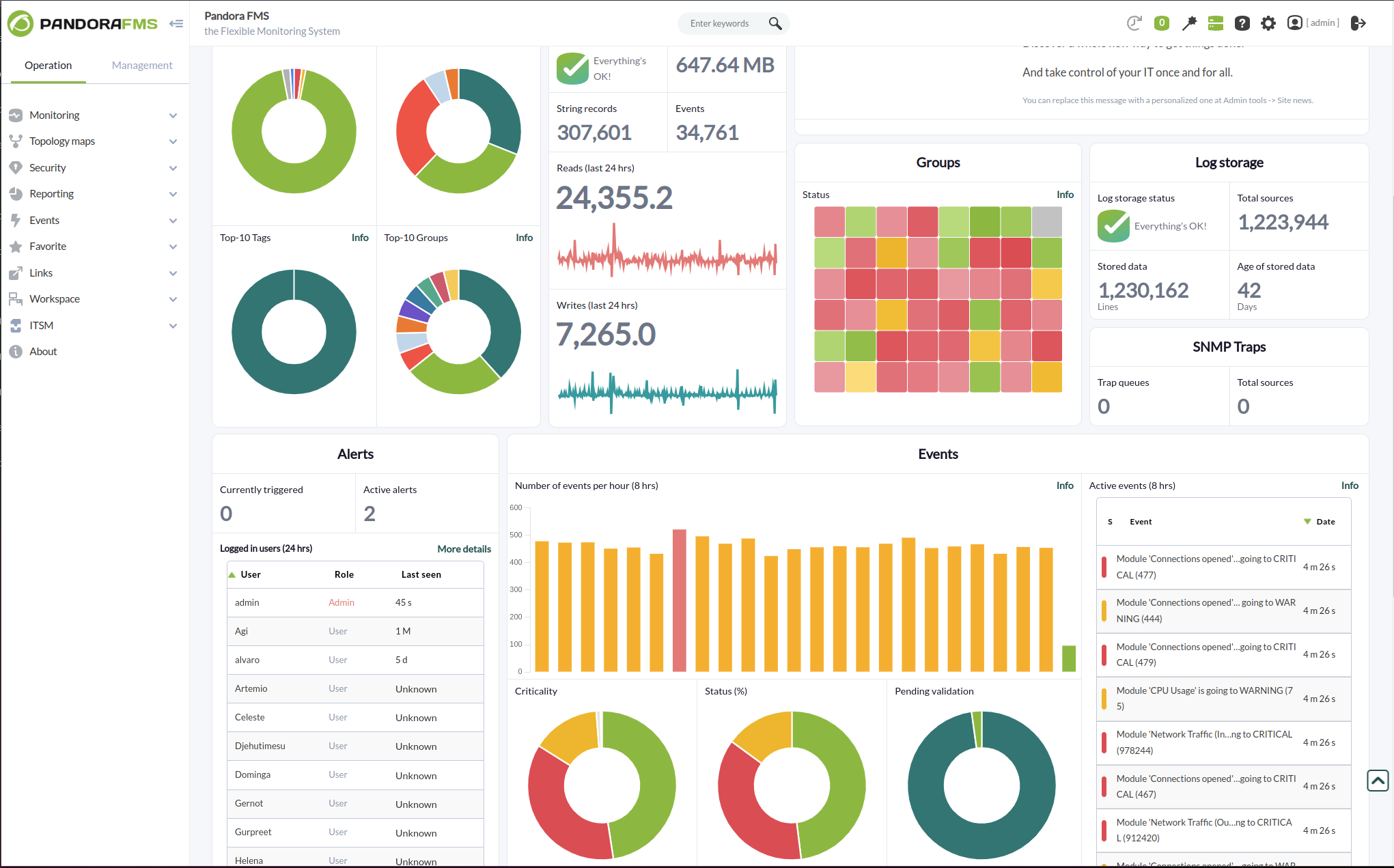
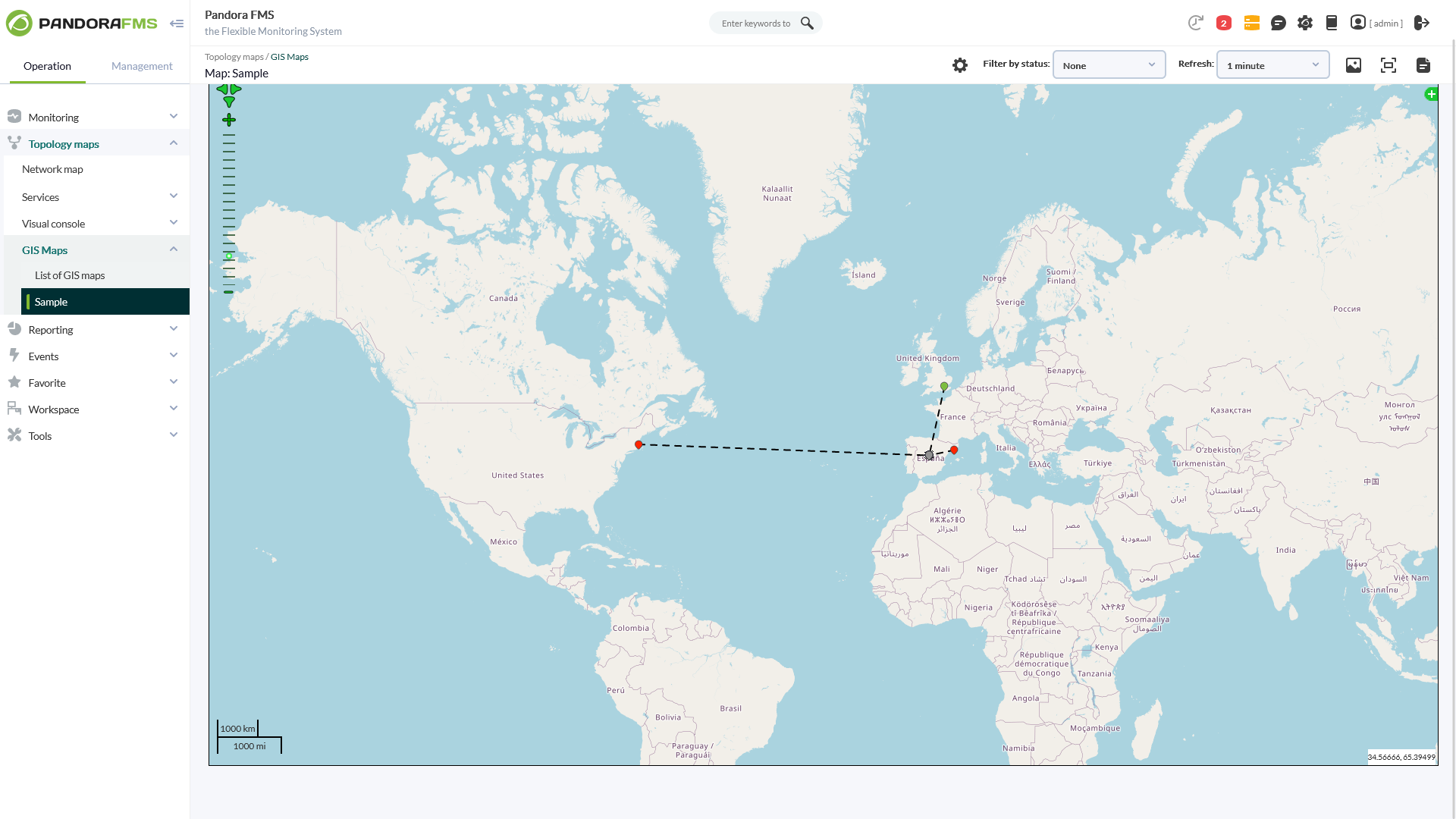
With more than 50,000 customer installations across the five continents, Pandora FMS is a truly all-in-one monitoring solution, covering all traditional silos for specific monitoring: servers, networks, applications, logs, synthetic/transactional, remote control, inventory, etc.
Pandora FMS gives you the agility to find and solve problems quickly, scaling them so they can be derived from any source, on-premise, multi cloud or both of them mixed. Now you have that capability across your entire IT stack and analytics to find any problem, even the ones that are hard to find.
Thanks to more than 500 plugins available, you can control and manage any application and technology, from SAP, Oracle, Lotus, Citrix or Jboss to VMware, AWS, SQL Server, Redhat, Websphere, etc.
|
About
SuperOps is the AI-native unified platform for modern MSPs and internal IT teams. It replaces the typical four-to-six-tool IT operations stack - PSA, RMM, helpdesk, MDM, asset tracking, network monitoring, patch management and IT documentation - with a single, built-as-one platform on a shared data layer.
That architectural choice is what makes the rest of the platform work, particularly its agentic AI. Monica AI, SuperOps' intelligence layer, was designed alongside the platform from day one. It triages tickets, surfaces patch and CVE risks, drafts worklogs, suggests knowledge base articles, and increasingly handles fully autonomous workflows for routine work.
SuperOps supports Windows, macOS, Linux, iOS, iPadOS and Android, integrates with the IT and MSP ecosystem (Slack, Teams, Azure AD, Okta, QuickBooks, Xero, Bitdefender, SentinelOne and more), and bundles Splashtop and ISL Online remote access free. Transparent pricing, fast deployment, founder-led product investment.
|
|||||
Platforms Supported
Windows
Mac
Linux
Cloud
On-Premises
iPhone
iPad
Android
Chromebook
|
Platforms Supported
Windows
Mac
Linux
Cloud
On-Premises
iPhone
iPad
Android
Chromebook
|
|||||
Audience
All kind of IT environments, from just a few to several thousand devices
|
Audience
Managed Service Providers
|
|||||
Support
Phone Support
24/7 Live Support
Online
|
Support
Phone Support
24/7 Live Support
Online
|
|||||
API
Offers API
|
API
Offers API
|
|||||
Screenshots and Videos |
Screenshots and Videos |
|||||
Pricing
€90/month
On-premise, SaaS and subscription models available.
Free Version
Free Trial
|
Pricing
$79/tech/month
Free Version
Free Trial
|
|||||
Reviews/
|
Reviews/
|
|||||
Pros & Cons from Real UsersPros
Cons
|
Pros from Real UsersPros
|
|||||
Training
Documentation
Webinars
Live Online
In Person
|
Training
Documentation
Webinars
Live Online
In Person
|
|||||
Company InformationPandora FMS
Founded: 2005
Spain
pandorafms.com
|
Company InformationSuperOps
Founded: 2020
United States
www.superops.com
|
|||||
Alternatives |
Alternatives |
|||||
|
|
|
|||||
|
|
||||||
|
|
|
|||||
Categories |
Categories |
|||||
IT Alerting Features
Alert Noise Reduction
Alert Routing
Dynamic Notifications
Enriched Incident Context
Escalation Policies
Incident History Audit
Multi-User Alerting
Multiple Alert Types
On-Call Management
Rich HTML Email Notifications
Network Monitoring Features
Bandwidth Monitoring
Baseline Manager
Diagnostic Tools
Internet Usage Monitoring
IP Address Monitoring
Real Time Analytics
Resource Management
Server Monitoring
SLA Monitoring
Uptime Monitoring
Web Traffic Reporting
RMM Features
Deployment Management
For MSPs
IT Asset Management
Mobile Access
Network Monitoring
Patch Management
Real-time Alerts
Remediation Management
System Monitoring Features
Alerts / Notifications
Antivirus Management
Data Backup / Recovery
Device Monitoring
Inventory Management
Patch Management
Policy-based Automation
Remote Monitoring
Reporting / Analytics
Risk Analysis
Server Monitoring
Service Configuration Management
Business Activity Monitoring Features
Alerts / Notifications
Business Process Management
Cross Application Analysis
Email Monitoring
Events Monitoring
KPI Monitoring
Pre-Configured Events
Reporting / Analytics
Workflow Management
Cloud Management Features
Access Control
Billing & Provisioning
Capacity Analytics
Cost Management
Demand Monitoring
Multi-Cloud Management
Performance Analytics
SLA Management
Supply Monitoring
Workflow Approval
Database Monitoring Features
Anomaly Detection
Autodiscovery
Capacity Planning
Dashboard
Dependency Tracking
Historical Trend Analysis
Multitenancy
Notifications / Alerts
Performance Monitoring
Permissions / Access Controls
Predictive Analytics
Prioritization
Query Analysis
Resource Optimization
Troubleshooting
IT Infrastructure Monitoring Features
Alerts / Notifications
Application Monitoring
Bandwidth Monitoring
Capacity Planning
Configuration Change Management
Data Movement Monitoring
Health Monitoring
Multi-Platform Support
Performance Monitoring
Point-in-Time Visibility
Reporting / Analytics
Virtual Machine Monitoring
Network Mapping Features
Color Codes / Icons
Compliance Management
Device Auto Discovery
Hierarchical Mapping
Location-Based Mapping
Map Exporting
On-Demand Mapping
Reporting/Analytics
Self-Updating Maps
Web Traffic Reporting
Server Management Features
CPU Monitoring
Credential Management
Database Servers
Email Monitoring
Event Logs
History Tracking
Patch Management
Scheduling
User Activity Monitoring
Virtual Machine Monitoring
Website Monitoring Features
Availability Testing
Event Logs
Event-Based Notifications
FTP Monitoring
Mail Server Monitoring
Maintenance Scheduling
Performance Metrics
Real Time Monitoring
Transaction Monitoring
Uptime Reporting
|
RMM Features
Deployment Management
For MSPs
IT Asset Management
Mobile Access
Network Monitoring
Patch Management
Real-time Alerts
Remediation Management
System Monitoring Features
Alerts / Notifications
Antivirus Management
Data Backup / Recovery
Device Monitoring
Inventory Management
Patch Management
Policy-based Automation
Remote Monitoring
Reporting / Analytics
Risk Analysis
Server Monitoring
Service Configuration Management
IT Asset Management Features
Asset Tracking
Audit Management
Compliance Management
Configuration Management
Contract/License Management
Cost Tracking
Depreciation Management
Inventory Management
IT Service Management
Maintenance Management
Procurement Management
Requisition Management
Supplier Management
IT Management Features
Capacity Monitoring
Compliance Management
Event Logs
Hardware Inventory
IT Budgeting
License Management
Patch Management
Remote Access
Scheduling
Software Inventory
User Activity Monitoring
IT Service Features
Contract Management
Incident Management
IT Asset Management
Knowledge Management
Release Management
Self Service Portal
Service Catalog
Service Reporting
Ticket Management
MSP Features
Backup Management
Billing & Invoicing
CRM
Dashboard
Help Desk
Issue Management
Live Chat
Patch Management
Privileged Access Management (PAM)
Project Management
Remote Access
Remote Systems Monitoring
Scheduling
Patch Management Features
Alerts/Notifications
Automatic Approval
Automatic Patch Deployment
Automatic Scans
Compliance Management
Custom Patches
Dashboard
Network Wide Management
Patch Prioritization
Patch Testing
Remote Access/Control
Vulnerability Scanning
Professional Services Automation Features
Billing & Invoicing
Client Portal
Collaboration Tools
CRM
Document Management
Portfolio Management
Project Management
Proposal Generation
Quote Management
Resource Management
Time & Expense Tracking
Service Desk Features
Change Management
CMDB
Incident Management
IT Asset Management
Knowledge Base
Mobile Access
Procurement Management
Remote Control
Self Service Portal
SLA Management
|
|||||
Integrations
Alfresco Digital Business Platform
Amazon Web Services (AWS)
Apache Kafka
Azure API Management
Cisco Nexus Dashboard Fabric Controller
FreeBSD
Hudu
IBM WebSphere Application Server
Konnectify
Kubernetes
|
Integrations
Alfresco Digital Business Platform
Amazon Web Services (AWS)
Apache Kafka
Azure API Management
Cisco Nexus Dashboard Fabric Controller
FreeBSD
Hudu
IBM WebSphere Application Server
Konnectify
Kubernetes
|
|||||
|
|