ManageEngine OS DeployerManageEngine
|
||||||
Related Products
|
||||||
About
ManageEngine OS Deployer is a software program that enables you to deploy operating systems anywhere across the globe. It also functions as a comprehensive hard drive cloning software. It allows you to create a single golden image of the OS and deploy it to desktops and servers from a central location.
You can customize the image for deployment according to the organization's department and user roles. This software helps you save time and effort by seamlessly migrating user profiles. It provides reliable and convenient driver management to collect and distribute drivers automatically.
You can perform live disk imaging where you can image a machine when it's live and functioning in the network and can also perform offline imaging if needed. You can also deploy OS to multiple machines independent of vendor make or model.
|
About
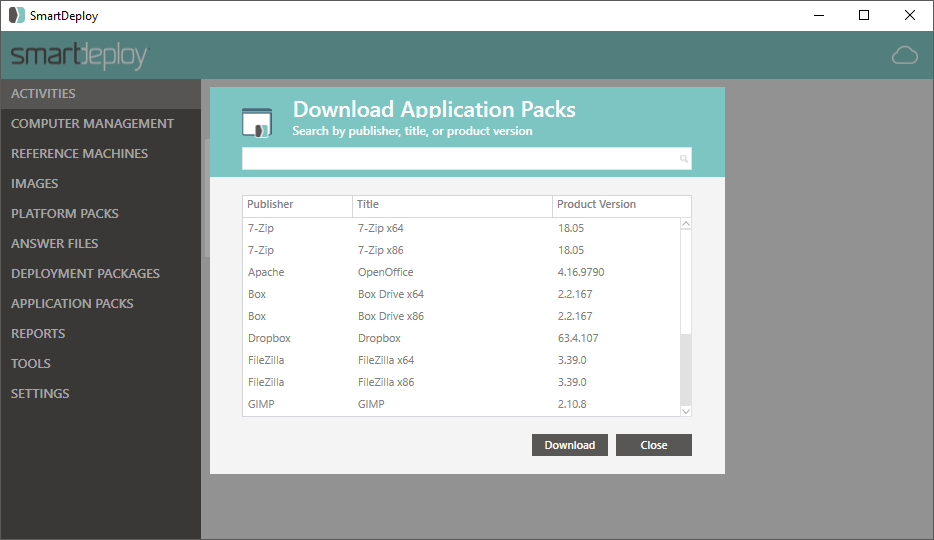
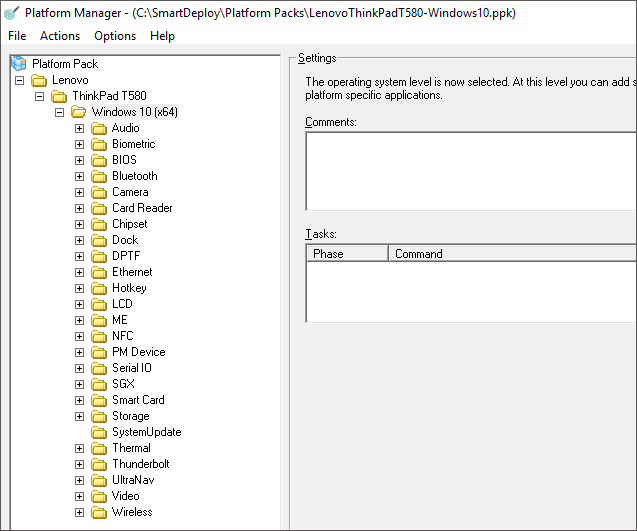
SmartDeploy is a leading provider of modern endpoint management solutions. With a flexible layered architecture, IT can achieve centralized, single-image management to support 50 - 50,000 endpoints. SmartDeploys award-winning technology combines the best of progressive solutions like SCCM, centralized solutions like VDI and legacy imaging solutions like Ghost, without the common drawbacks. More than 3,000 organizations trust SmartDeploy to deploy and manage their end user devices. With over 1500 ready-to-use driver packs from top manufacturers, SmartDeploy helps streamline your disk cloning for remote and in-house employees.
|
|||||
Platforms Supported
Windows
Supported
Mac
Not Supported
Linux
Not Supported
Cloud
Supported
On-Premises
Supported
iPhone
Not Supported
iPad
Not Supported
Android
Not Supported
Chromebook
Not Supported
|
Platforms Supported
Windows
Supported
Mac
Not Supported
Linux
Not Supported
Cloud
Supported
On-Premises
Not Supported
iPhone
Not Supported
iPad
Not Supported
Android
Not Supported
Chromebook
Not Supported
|
|||||
Audience
Any organization with an IT infrastructure can use OS Deployer to significantly reduce the amount of manual work and costs incurred. It can be used during employee onboarding, machine upgrade, OS upgrade, security issues, or device backup
|
Audience
IT teams that manage 50 to 50,000 Windows machines
|
|||||
Support
Phone Support
Supported
24/7 Live Support
Supported
Online
Supported
|
Support
Phone Support
Supported
24/7 Live Support
Not Supported
Online
Supported
|
|||||
API
Offers API
Not Supported
|
API
Offers API
Not Supported
|
|||||
Screenshots and Videos |
Screenshots and Videos |
|||||
Pricing
$6/Year/Single Workstation
Free Version
Not Supported
Free Trial
Supported
|
Pricing
$1020/50 machines
Free, fully-functioning trial is available at the download on our website.
Free Version
Not Supported
Free Trial
Supported
|
|||||
Reviews/
|
Reviews/
|
|||||
Pros & Cons from Real UsersPros
Cons
|
||||||
Training
Documentation
Supported
Webinars
Supported
Live Online
Supported
In Person
Not Supported
|
Training
Documentation
Supported
Webinars
Supported
Live Online
Supported
In Person
Not Supported
|
|||||
Company InformationManageEngine
Founded: 1995
India
www.manageengine.com/products/os-deployer/
|
Company InformationSmartDeploy
Founded: 2008
United States
www.smartdeploy.com
|
|||||
Alternatives |
Alternatives |
|||||
|
|
|
|||||
|
|
|
|||||
|
|
|
|||||
|
|
||||||
Categories |
Categories |
|||||
Disk Imaging Features
Backup Scheduling
Supported
Bare-Metal Restore
Supported
Compression
Supported
Differential Backup
Supported
Disk Cloning
Supported
Encryption
Supported
Image Deployment
Supported
Incremental Backup
Not Supported
Web Access / Restoration
Supported
|
Disk Imaging Features
Backup Scheduling
Not Supported
Bare-Metal Restore
Not Supported
Compression
Not Supported
Differential Backup
Not Supported
Disk Cloning
Supported
Encryption
Not Supported
Image Deployment
Supported
Incremental Backup
Not Supported
Web Access / Restoration
Not Supported
IT Asset Management Features
Asset Tracking
Supported
Audit Management
Not Supported
Compliance Management
Not Supported
Configuration Management
Supported
Contract/License Management
Not Supported
Cost Tracking
Not Supported
Depreciation Management
Not Supported
Inventory Management
Not Supported
IT Service Management
Supported
Maintenance Management
Supported
Procurement Management
Not Supported
Requisition Management
Not Supported
Supplier Management
Not Supported
IT Management Features
Capacity Monitoring
Not Supported
Compliance Management
Not Supported
Event Logs
Not Supported
Hardware Inventory
Supported
IT Budgeting
Not Supported
License Management
Not Supported
Patch Management
Supported
Remote Access
Not Supported
Scheduling
Supported
Software Inventory
Not Supported
User Activity Monitoring
Not Supported
|
|||||
Integrations
Box
Not Supported
Dropbox
Not Supported
Google Drive
Not Supported
Microsoft OneDrive
Not Supported
|
Integrations
Box
Supported
Dropbox
Supported
Google Drive
Supported
Microsoft OneDrive
Supported
|
|||||
|
|
|