Related Products
|
||||||
About
Element is a secure communications platform built on Matrix: a decentralised and end-to-end encrypted protocol. Bring your teams together, boost productivity and workplace satisfaction, while retaining complete ownership of your data.
Element is a leader in the Forrester Wave: Secure Communications report.
Easily collaborate with your partners, suppliers or clients with video calls and instant messaging: like email for the 21st century. You can even connect your Slack, MS Teams, WhatsApp accounts. On the other hand Element can be closed for high security environments using secure border and cross domain gateways, and even air-gapped deployments.
Being built on Matrix, there is no single point of failure for the network thanks to the decentralised network architecture, making it perfect for mission-critical environments.
Please contact us to explore how your business can benefit from Element.
|
About
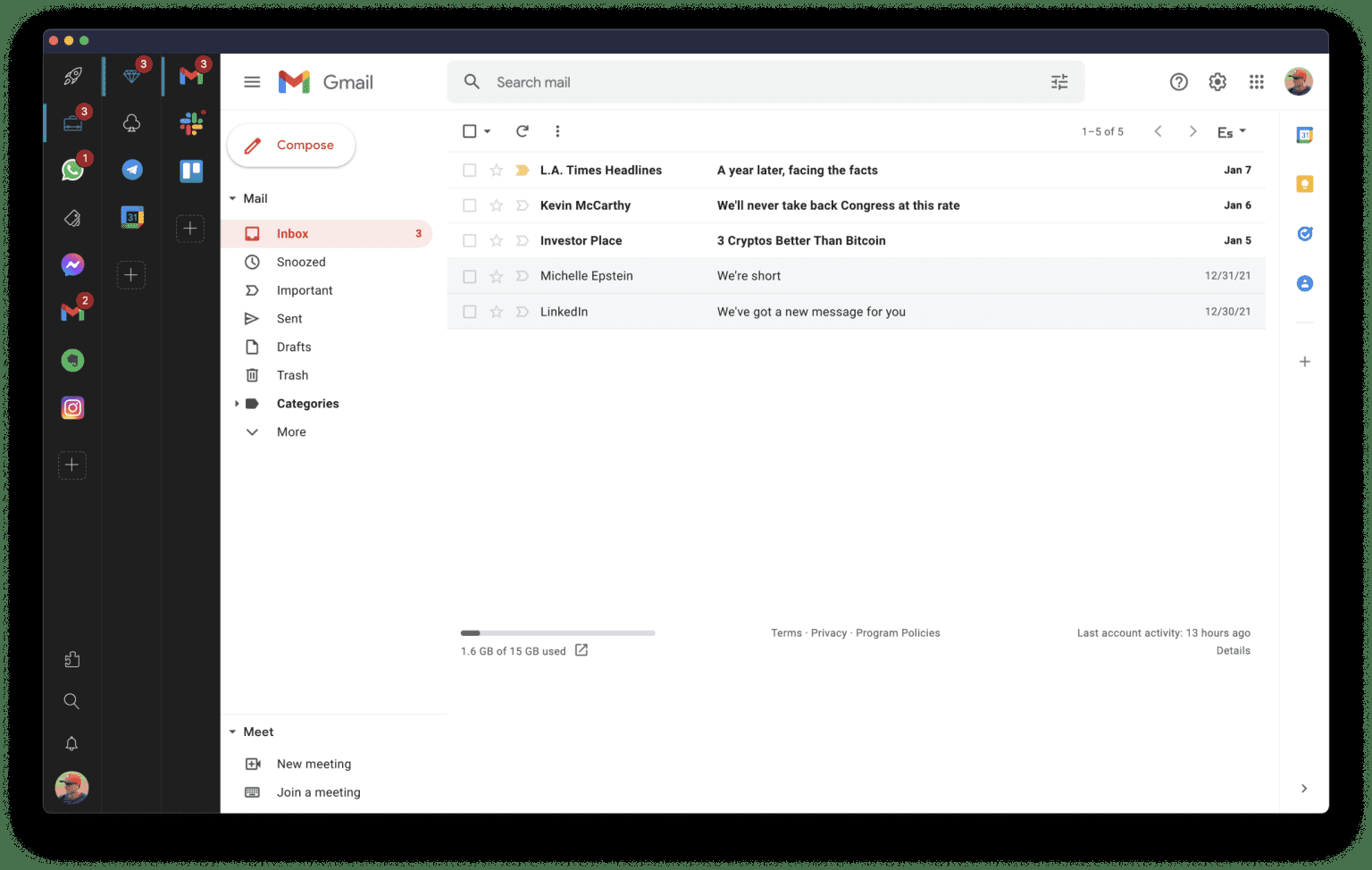
Rambox is a digital workspace organizer that boosts productivity for professionals who use web apps frequently. It centralizes all your apps, making it easy to organize and access frequently used applications in one place.
With over 700 pre-configured apps, including Gmail, WhatsApp, Facebook, iCloud, and more, you can instantly add them to your workspace. And if your app isn't listed, no problem - you can add any custom app in a few easy steps.
Rambox synchronizes app configurations and can disable notifications across all devices in the user dashboard, automatically hibernating inactive apps to free up memory. Plus, users can apply CSS styling and JS code to improve each app's design and performance.
Other features include: dark mode, do not disturb mode, spell checking, ad blocking, password management, notification management, and keyboard shortcuts.
|
|||||
Platforms Supported
Windows
Supported
Mac
Supported
Linux
Supported
Cloud
Supported
On-Premises
Supported
iPhone
Supported
iPad
Supported
Android
Supported
Chromebook
Supported
|
Platforms Supported
Windows
Supported
Mac
Supported
Linux
Supported
Cloud
Not Supported
On-Premises
Supported
iPhone
Not Supported
iPad
Not Supported
Android
Not Supported
Chromebook
Not Supported
|
|||||
Audience
For enterprises and governments that want secure communication and flexible federation, protected by end-to-end encryption.
|
Audience
Professionals that work many hours online using multiple apps across different projects. Examples are freelancers, developers, designers, or marketers looking to streamline their app usage.
|
|||||
Support
Phone Support
Supported
24/7 Live Support
Supported
Online
Supported
|
Support
Phone Support
Not Supported
24/7 Live Support
Not Supported
Online
Supported
|
|||||
API
Offers API
Supported
|
API
Offers API
Not Supported
|
|||||
Screenshots and Videos |
Screenshots and Videos |
|||||
Pricing
$5 Per Monthly Active User
Flexibility between self-hosted or fully-managed in the cloud, with additional collaboration add-ons and bridges available.
Free Version
Supported
Free Trial
Supported
|
Pricing
$7 per user per month
Or $5.83 per user per month if billed annually
Free Version
Supported
Free Trial
Supported
|
|||||
Reviews/
|
Reviews/
|
|||||
Pros & Cons from Real UsersPros
Cons
|
Pros & Cons from Real UsersPros
Cons
|
|||||
Training
Documentation
Supported
Webinars
Not Supported
Live Online
Not Supported
In Person
Not Supported
|
Training
Documentation
Supported
Webinars
Not Supported
Live Online
Not Supported
In Person
Not Supported
|
|||||
Company InformationElement
Founded: 2017
United Kingdom
element.io
|
Company InformationRambox
Founded: 2016
United States
rambox.app/
|
|||||
Alternatives |
Alternatives |
|||||
|
|
||||||
|
|
|
|||||
Categories |
Categories |
|||||
Messaging Features
End-to-End Encryption (E2EE)
Supported
File Sharing
Supported
Groups / Channels
Supported
Payments
Not Supported
Search / Filter
Supported
Self-Destructing Messages
Not Supported
Stickers / GIFs
Supported
Threaded Discussion
Supported
Video Conferencing
Supported
Voice Calling
Supported
Team Chat Features
End-to-End Encryption (E2EE)
Supported
File Sharing
Supported
Groups / Channels
Supported
Payments
Not Supported
Search / Filter
Supported
Self-Destructing Messages
Not Supported
Stickers / GIFs
Supported
Threaded Discussion
Supported
Video Conferencing
Supported
Voice Calling
Supported
Employee Communication Tools Features
Activity / News Feed
Not Supported
Audio / Video Conferencing
Supported
Blogs
Not Supported
Chat / Messaging
Supported
Employee Directory
Supported
Event Calendar
Not Supported
File Sharing
Supported
Knowledge Management
Not Supported
Newsletter Management
Not Supported
Surveys & Feedback
Not Supported
Internal Communications Features
App Integration
Supported
Blogs
Not Supported
Chat/Messaging
Supported
Email Management
Supported
Employee Directory
Supported
Event Calendar
Not Supported
Newsletter Management
Not Supported
Photo Gallery
Not Supported
Social Sharing
Supported
Survey Management
Not Supported
Telephony
Supported
Video Chat
Supported
Voice Chat
Supported
Team Communication Features
Activity / News Feed
Not Supported
Audio Calls
Supported
Calendar Management
Not Supported
Chat / Messaging
Supported
Discussion Threads
Supported
File Sharing
Supported
Mobile Access
Supported
Push Notifications
Supported
Search
Supported
Surveys & Feedback
Not Supported
Task Management
Not Supported
Video Conferencing
Supported
Video Conferencing Features
Electronic Hand Raising
Supported
Mobile Access
Supported
On-Demand Webcasting
Not Supported
Presentation Streaming
Not Supported
Presentation Tools
Supported
Private Chat
Supported
Real-Time Chat
Supported
Record & Playback Ability
Not Supported
Screen Sharing
Supported
Two-Way Audio & Video
Supported
Video Conferencing
Supported
Whiteboard
Not Supported
Web Conferencing Features
Electronic Hand Raising
Supported
Mobile Access
Supported
On-Demand Webcasting
Not Supported
Presentation Streaming
Not Supported
Presentation Tools
Supported
Private Chat
Supported
Real-Time Chat
Supported
Record & Playback Ability
Not Supported
Screen Sharing
Supported
Two-Way Audio & Video
Supported
Video Conferencing
Supported
Whiteboard
Not Supported
|
Messaging Features
End-to-End Encryption (E2EE)
Not Supported
File Sharing
Supported
Groups / Channels
Not Supported
Payments
Not Supported
Search / Filter
Supported
Self-Destructing Messages
Not Supported
Stickers / GIFs
Not Supported
Threaded Discussion
Not Supported
Video Conferencing
Supported
Voice Calling
Not Supported
Team Chat Features
End-to-End Encryption (E2EE)
Not Supported
File Sharing
Supported
Groups / Channels
Not Supported
Payments
Not Supported
Search / Filter
Supported
Self-Destructing Messages
Not Supported
Stickers / GIFs
Not Supported
Threaded Discussion
Not Supported
Video Conferencing
Supported
Voice Calling
Not Supported
Digital Workplace Features
Activity / News Feed
Not Supported
Calendar Management
Supported
Chat / Messaging
Supported
Content Management
Not Supported
Document Management
Supported
Employee Directory
Not Supported
File Sharing
Supported
Knowledge Management
Not Supported
Surveys & Feedback
Not Supported
Task Management
Supported
Productivity Features
Collaboration
Supported
Database Creation
Not Supported
Document Creation
Not Supported
File Sharing
Supported
Notes Management
Not Supported
Office Suite
Supported
Presentation Tools
Supported
Project Management
Supported
Task Management
Not Supported
Team Chat
Not Supported
|
|||||
Integrations
Discord
Supported
GitHub
Supported
GitLab
Supported
Google Calendar
Supported
Slack
Supported
Telegram
Supported
WhatsApp
Supported
Aircall
Not Supported
Azendoo
Not Supported
Campaign Monitor
Not Supported
|
Integrations
Discord
Supported
GitHub
Supported
GitLab
Supported
Google Calendar
Supported
Slack
Supported
Telegram
Supported
WhatsApp
Supported
Aircall
Supported
Azendoo
Supported
Campaign Monitor
Supported
|
|||||
|
|
|