Related Products
|
||||||
About
Action1 is an autonomous endpoint management platform trusted by many Fortune 500 companies. Cloud-native, infinitely scalable, highly secure, and configurable in 5 minutes—it just works and is always free for the first 200 endpoints, with no functional limits. By pioneering autonomous OS and third-party patching with peer-to-peer patch distribution and real-time vulnerability assessment without needing a VPN, it eliminates routine labor, preempts ransomware and security risks, and protects the digital employee experience.
In 2025, Action1 was recognized by Inc. 5000 as the fastest-growing private software company in America. The company is founder-led by Alex Vovk and Mike Walters, American entrepreneurs who previously founded Netwrix, a multi-billion-dollar cybersecurity company.
|
About
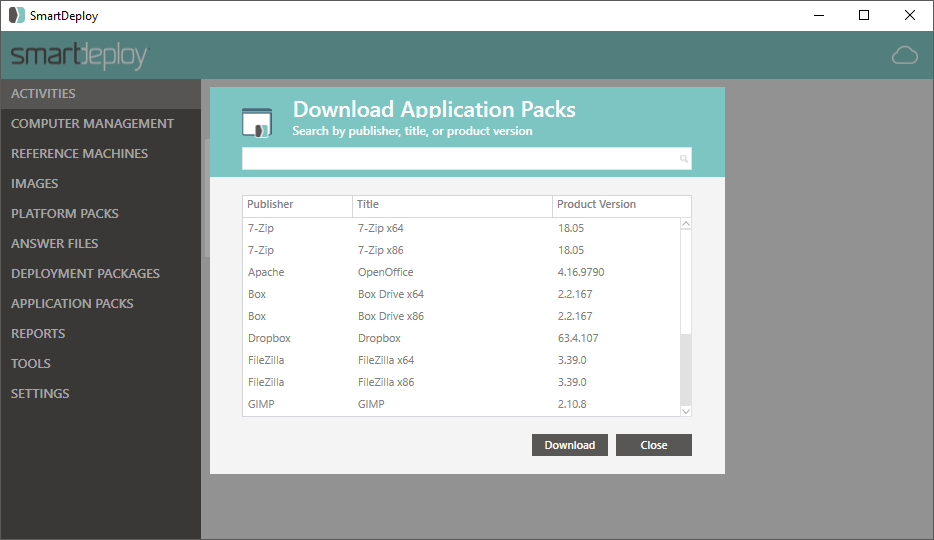
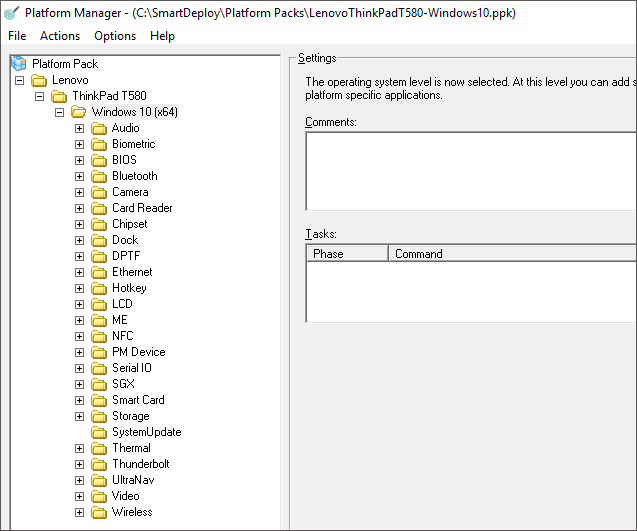
SmartDeploy is a leading provider of modern endpoint management solutions. With a flexible layered architecture, IT can achieve centralized, single-image management to support 50 - 50,000 endpoints. SmartDeploys award-winning technology combines the best of progressive solutions like SCCM, centralized solutions like VDI and legacy imaging solutions like Ghost, without the common drawbacks. More than 3,000 organizations trust SmartDeploy to deploy and manage their end user devices. With over 1500 ready-to-use driver packs from top manufacturers, SmartDeploy helps streamline your disk cloning for remote and in-house employees.
|
|||||
Platforms Supported
Windows
Supported
Mac
Supported
Linux
Not Supported
Cloud
Supported
On-Premises
Not Supported
iPhone
Not Supported
iPad
Not Supported
Android
Not Supported
Chromebook
Not Supported
|
Platforms Supported
Windows
Supported
Mac
Not Supported
Linux
Not Supported
Cloud
Supported
On-Premises
Not Supported
iPhone
Not Supported
iPad
Not Supported
Android
Not Supported
Chromebook
Not Supported
|
|||||
Audience
IT administrators, MSPs
|
Audience
IT teams that manage 50 to 50,000 Windows machines
|
|||||
Support
Phone Support
Supported
24/7 Live Support
Not Supported
Online
Supported
|
Support
Phone Support
Supported
24/7 Live Support
Not Supported
Online
Supported
|
|||||
API
Offers API
Not Supported
|
API
Offers API
Not Supported
|
|||||
Screenshots and Videos |
Screenshots and Videos |
|||||
Pricing
$0 USD/per device/per month
Pricing is available upon request
Free Version
Supported
Free Trial
Not Supported
|
Pricing
$1020/50 machines
Free, fully-functioning trial is available at the download on our website.
Free Version
Not Supported
Free Trial
Supported
|
|||||
Reviews/
|
Reviews/
|
|||||
Pros & Cons from Real UsersPros
Cons
|
Pros & Cons from Real UsersPros
Cons
|
|||||
Training
Documentation
Supported
Webinars
Supported
Live Online
Supported
In Person
Not Supported
|
Training
Documentation
Supported
Webinars
Supported
Live Online
Supported
In Person
Not Supported
|
|||||
Company InformationAction1
Founded: 2018
United States
www.action1.com
|
Company InformationSmartDeploy
Founded: 2008
United States
www.smartdeploy.com
|
|||||
Alternatives |
Alternatives |
|||||
|
|
|
|||||
|
|
|
|||||
|
|
||||||
|
|
||||||
CategoriesDiscover Action1 Endpoint Management Software, the cloud-native solution designed for secure, efficient management of work-from-anywhere enterprises. With its streamlined patching, deployment, monitoring and remote access, Action1 eliminates the need for extensive training. Its modern, lightweight design avoids unnecessary bloat, offering dozens of pre-built apps, scripts, reports and alerts to simplify IT tasks. Trusted by organizations worldwide, Action1 is SOC 2 Type II and ISO 27001:2022 certified, ensuring the highest security standards. Empower your team with an easy-to-use platform that keeps your business agile and protected Experience the ease of Action1 Enterprise Patch Management Software. We offer unified cross-OS and third-party patching with real-time assessment of missing patches and compliance status. Customize application patching through an intuitive Software Repository, all without needing a VPN—even for remote, off-site devices. With bandwidth-efficient P2P software update distribution, Action1 ensures seamless, efficient patch management across your enterprise. Keep your systems secure and up-to-date with a solution designed for modern IT environments. Safeguard your organization with Action1 Vulnerability Management and Remediation Software, combining real-time vulnerability detection with built-in remediation capabilities. Conduct a free initial vulnerability assessment for unlimited endpoints and seamlessly patch OS and application vulnerabilities without requiring a VPN. Automate compensating controls to address risks efficiently while maintaining compliance with industry standards. Backed by SOC 2 Type II, ISO 27001:2022 and GDPR certifications, Action1 ensures secure, trusted protection for your IT environment. Stay ahead of threats with an all-in-one solution designed for proactive vulnerability management. |
Categories |
|||||
IT Management Features
Capacity Monitoring
Not Supported
Compliance Management
Not Supported
Event Logs
Not Supported
Hardware Inventory
Not Supported
IT Budgeting
Not Supported
License Management
Not Supported
Patch Management
Supported
Remote Access
Supported
Scheduling
Not Supported
Software Inventory
Not Supported
User Activity Monitoring
Not Supported
Patch Management Features
Alerts/Notifications
Supported
Automatic Approval
Supported
Automatic Patch Deployment
Supported
Automatic Scans
Supported
Compliance Management
Supported
Custom Patches
Supported
Dashboard
Supported
Network Wide Management
Not Supported
Patch Prioritization
Supported
Patch Testing
Supported
Remote Access/Control
Supported
Vulnerability Scanning
Supported
RMM Features
Deployment Management
Supported
For MSPs
Supported
IT Asset Management
Supported
Mobile Access
Not Supported
Network Monitoring
Supported
Patch Management
Supported
Real-time Alerts
Supported
Remediation Management
Not Supported
Remote Desktop Features
Chat
Not Supported
Cross-Platform Access
Not Supported
File Transfer
Not Supported
Group View
Not Supported
Mobile Device Access
Not Supported
Multi Monitor Support
Supported
Record Remote Sessions
Not Supported
Remote Print
Not Supported
Remote Wake
Not Supported
User Management
Supported
Vulnerability Management Features
Asset Discovery
Not Supported
Asset Tagging
Not Supported
Network Scanning
Not Supported
Patch Management
Supported
Policy Management
Not Supported
Prioritization
Not Supported
Risk Management
Not Supported
Vulnerability Assessment
Not Supported
Web Scanning
Not Supported
|
IT Management Features
Capacity Monitoring
Not Supported
Compliance Management
Not Supported
Event Logs
Not Supported
Hardware Inventory
Supported
IT Budgeting
Not Supported
License Management
Not Supported
Patch Management
Supported
Remote Access
Not Supported
Scheduling
Supported
Software Inventory
Not Supported
User Activity Monitoring
Not Supported
Disk Imaging Features
Backup Scheduling
Not Supported
Bare-Metal Restore
Not Supported
Compression
Not Supported
Differential Backup
Not Supported
Disk Cloning
Supported
Encryption
Not Supported
Image Deployment
Supported
Incremental Backup
Not Supported
Web Access / Restoration
Not Supported
IT Asset Management Features
Asset Tracking
Supported
Audit Management
Not Supported
Compliance Management
Not Supported
Configuration Management
Supported
Contract/License Management
Not Supported
Cost Tracking
Not Supported
Depreciation Management
Not Supported
Inventory Management
Not Supported
IT Service Management
Supported
Maintenance Management
Supported
Procurement Management
Not Supported
Requisition Management
Not Supported
Supplier Management
Not Supported
|
|||||
Integrations
Sysinfo PDF Recovery Tool
Supported
Amazon Web Services (AWS)
Supported
Bitdefender Antivirus Plus
Supported
Box
Not Supported
Dropbox
Not Supported
Google Drive
Not Supported
Josys
Supported
Microsoft Azure
Supported
Microsoft OneDrive
Not Supported
Microsoft Teams
Supported
|
Integrations
Sysinfo PDF Recovery Tool
Not Supported
Amazon Web Services (AWS)
Not Supported
Bitdefender Antivirus Plus
Not Supported
Box
Supported
Dropbox
Supported
Google Drive
Supported
Josys
Not Supported
Microsoft Azure
Not Supported
Microsoft OneDrive
Supported
Microsoft Teams
Not Supported
|
|||||
|
|
|