
Menu
▾
▴
gnuplot-info — For questions and discussion about gnuplot
You can subscribe to this list here.
| 2003 |
Jan
|
Feb
|
Mar
|
Apr
|
May
|
Jun
|
Jul
|
Aug
|
Sep
|
Oct
(2) |
Nov
(2) |
Dec
|
|---|---|---|---|---|---|---|---|---|---|---|---|---|
| 2004 |
Jan
(3) |
Feb
(1) |
Mar
(2) |
Apr
(22) |
May
(52) |
Jun
(43) |
Jul
(36) |
Aug
(59) |
Sep
(37) |
Oct
(55) |
Nov
(39) |
Dec
(36) |
| 2005 |
Jan
(64) |
Feb
(40) |
Mar
(62) |
Apr
(58) |
May
(256) |
Jun
(77) |
Jul
(80) |
Aug
(39) |
Sep
(56) |
Oct
(36) |
Nov
(113) |
Dec
(68) |
| 2006 |
Jan
(43) |
Feb
(64) |
Mar
(69) |
Apr
(60) |
May
(71) |
Jun
(53) |
Jul
(63) |
Aug
(63) |
Sep
(76) |
Oct
(85) |
Nov
(82) |
Dec
(73) |
| 2007 |
Jan
(75) |
Feb
(82) |
Mar
(84) |
Apr
(104) |
May
(67) |
Jun
(101) |
Jul
(107) |
Aug
(138) |
Sep
(128) |
Oct
(106) |
Nov
(112) |
Dec
(112) |
| 2008 |
Jan
(94) |
Feb
(87) |
Mar
(146) |
Apr
(169) |
May
(75) |
Jun
(26) |
Jul
(26) |
Aug
(7) |
Sep
(18) |
Oct
(53) |
Nov
(42) |
Dec
(19) |
| 2009 |
Jan
(43) |
Feb
(39) |
Mar
(18) |
Apr
(45) |
May
(66) |
Jun
(87) |
Jul
(56) |
Aug
(41) |
Sep
(56) |
Oct
(139) |
Nov
(98) |
Dec
(88) |
| 2010 |
Jan
(81) |
Feb
(79) |
Mar
(83) |
Apr
(97) |
May
(124) |
Jun
(84) |
Jul
(53) |
Aug
(85) |
Sep
(89) |
Oct
(50) |
Nov
(98) |
Dec
(78) |
| 2011 |
Jan
(97) |
Feb
(74) |
Mar
(68) |
Apr
(54) |
May
(63) |
Jun
(59) |
Jul
(65) |
Aug
(58) |
Sep
(37) |
Oct
(40) |
Nov
(59) |
Dec
(35) |
| 2012 |
Jan
(16) |
Feb
(56) |
Mar
(63) |
Apr
(25) |
May
(48) |
Jun
(58) |
Jul
(20) |
Aug
(13) |
Sep
(43) |
Oct
(35) |
Nov
(20) |
Dec
(17) |
| 2013 |
Jan
(22) |
Feb
(11) |
Mar
(51) |
Apr
(34) |
May
(57) |
Jun
(27) |
Jul
(70) |
Aug
(30) |
Sep
(38) |
Oct
(53) |
Nov
(40) |
Dec
(25) |
| 2014 |
Jan
(26) |
Feb
(35) |
Mar
(60) |
Apr
(12) |
May
(17) |
Jun
(15) |
Jul
(9) |
Aug
(18) |
Sep
(46) |
Oct
(18) |
Nov
(19) |
Dec
(15) |
| 2015 |
Jan
(17) |
Feb
(28) |
Mar
(21) |
Apr
(54) |
May
(36) |
Jun
(8) |
Jul
(30) |
Aug
(13) |
Sep
(3) |
Oct
(28) |
Nov
(3) |
Dec
(3) |
| 2016 |
Jan
(11) |
Feb
(9) |
Mar
(29) |
Apr
(10) |
May
(8) |
Jun
(5) |
Jul
(50) |
Aug
(57) |
Sep
(13) |
Oct
(5) |
Nov
(17) |
Dec
(11) |
| 2017 |
Jan
(3) |
Feb
(23) |
Mar
(16) |
Apr
(7) |
May
(15) |
Jun
(12) |
Jul
(48) |
Aug
(15) |
Sep
(3) |
Oct
(20) |
Nov
(28) |
Dec
(21) |
| 2018 |
Jan
(13) |
Feb
(21) |
Mar
(21) |
Apr
(7) |
May
(3) |
Jun
(7) |
Jul
(27) |
Aug
(38) |
Sep
(4) |
Oct
(30) |
Nov
(22) |
Dec
|
| 2019 |
Jan
(5) |
Feb
(16) |
Mar
(1) |
Apr
(9) |
May
(7) |
Jun
(20) |
Jul
(13) |
Aug
(3) |
Sep
(2) |
Oct
(2) |
Nov
(2) |
Dec
(4) |
| 2020 |
Jan
(6) |
Feb
(11) |
Mar
(1) |
Apr
(18) |
May
(4) |
Jun
(5) |
Jul
(12) |
Aug
(1) |
Sep
(3) |
Oct
(7) |
Nov
(1) |
Dec
(17) |
| 2021 |
Jan
(1) |
Feb
(11) |
Mar
(16) |
Apr
(6) |
May
(5) |
Jun
(1) |
Jul
(1) |
Aug
(2) |
Sep
(8) |
Oct
(10) |
Nov
(4) |
Dec
(4) |
| 2022 |
Jan
(9) |
Feb
(35) |
Mar
(4) |
Apr
|
May
(3) |
Jun
(49) |
Jul
(11) |
Aug
|
Sep
(5) |
Oct
(2) |
Nov
(16) |
Dec
(13) |
| 2023 |
Jan
|
Feb
(8) |
Mar
(3) |
Apr
|
May
(8) |
Jun
|
Jul
(5) |
Aug
|
Sep
|
Oct
(2) |
Nov
|
Dec
(2) |
| 2024 |
Jan
(6) |
Feb
(9) |
Mar
|
Apr
(26) |
May
(24) |
Jun
|
Jul
(4) |
Aug
(2) |
Sep
(1) |
Oct
(10) |
Nov
(9) |
Dec
|
| 2025 |
Jan
|
Feb
(22) |
Mar
|
Apr
(1) |
May
|
Jun
|
Jul
|
Aug
|
Sep
(1) |
Oct
(1) |
Nov
|
Dec
(4) |
| 2026 |
Jan
|
Feb
(24) |
Mar
(20) |
Apr
(18) |
May
(2) |
Jun
(2) |
Jul
(2) |
Aug
(3) |
Sep
(6) |
Oct
(3) |
Nov
|
Dec
|
|
From: Hernán De A. <var...@gm...> - 2026-10-15 05:58:52
|
Thank you, Ethan. As you write below the build did not end with a failure but waited for a manual confirmation to skip the patch. I have a batch of automatized builds and this meant the process stopped to wait for my manual input. In any case I see that this has been changed and gnuplot builds smoothly as without any need of intervention as always. H. Den 2026-10-14 kl. 18:16, skrev Ethan Merritt: > This error message comes from the Makefile rule that rebuilds the > Japaneses language user manual: > > [~/git/gnuplot/docs] make allterm-ja.h > mkdir ja > mkdir ja/docs; > cp ../docs/doc2rtf.c ja/docs > cp ../docs/term-ja.diff ja > cp -r ../term ja/term/ > ( cd ja ; patch -p0 < term-ja.diff ) > can't find file to patch at input line 3000 > Perhaps you used the wrong -p or --strip option? > The text leading up to this was: > -------------------------- > |diff -ru term/grass.trm.ORG <http://grass.trm.ORG> term/grass.trm > |--- term/grass.trm2026-08-26.ORG <http://2026-08-26.ORG> > 13:48:46.000000000 +0900 > |+++ term/grass.trm2026-08-26 20:03:57.740277000 +0900 > -------------------------- > File to patch: > Skip this patch? [y] > Skipping patch. > 2 out of 2 hunks ignored > > The grass terminal was indeed removed from the repository in a recent > commit. > That terminal has not been maintained for many years and no longer > compiles > even if selected. The Japanese documentation scripts and files get > updated > periodically but not so frequently as to have already caught up to > last week's > commits. > > However when I rebuild the Japanese documentation here I only see that > as a warning message. It does not prevent completion of the "make" > command > and it does create the file gnuplot-ja.pdf. If your are seeing a > failure rather than > warning+success, perhaps you have a more strict warning=>error condition > active during your builds? > > > On Wed, Oct 14, 2026 at 1:21 AM Hernán De Angelis > <var...@gm...> wrote: > > Hi > > Building master I get this message: > > > - - - - > > patching file term/gpic.trm > can't find file to patch at input line 3000 > Perhaps you used the wrong -p or --strip option? > The text leading up to this was: > -------------------------- > |diff -ru term/grass.trm.ORG <http://grass.trm.ORG> term/grass.trm > |--- term/grass.trm 2026-08-26.ORG <http://2026-08-26.ORG> > 13:48:46.000000000 +0900 > |+++ term/grass.trm 2026-08-26 20:03:57.740277000 +0900 > -------------------------- > File to patch: > > > - - - - > > > But there seems not to be term/grass.trm file in the code tree. > > > H. > _______________________________________________ > gnuplot-info mailing list > gnu...@li... > Membership management via: > https://lists.sourceforge.net/lists/listinfo/gnuplot-info > |
|
From: Ethan M. <eam...@gm...> - 2026-10-14 16:16:26
|
This error message comes from the Makefile rule that rebuilds the Japaneses language user manual: [~/git/gnuplot/docs] make allterm-ja.h mkdir ja mkdir ja/docs; cp ../docs/doc2rtf.c ja/docs cp ../docs/term-ja.diff ja cp -r ../term ja/term/ ( cd ja ; patch -p0 < term-ja.diff ) can't find file to patch at input line 3000 Perhaps you used the wrong -p or --strip option? The text leading up to this was: -------------------------- |diff -ru term/grass.trm.ORG term/grass.trm |--- term/grass.trm 2026-08-26.ORG 13:48:46.000000000 +0900 |+++ term/grass.trm 2026-08-26 20:03:57.740277000 +0900 -------------------------- File to patch: Skip this patch? [y] Skipping patch. 2 out of 2 hunks ignored The grass terminal was indeed removed from the repository in a recent commit. That terminal has not been maintained for many years and no longer compiles even if selected. The Japanese documentation scripts and files get updated periodically but not so frequently as to have already caught up to last week's commits. However when I rebuild the Japanese documentation here I only see that as a warning message. It does not prevent completion of the "make" command and it does create the file gnuplot-ja.pdf. If your are seeing a failure rather than warning+success, perhaps you have a more strict warning=>error condition active during your builds? On Wed, Oct 14, 2026 at 1:21 AM Hernán De Angelis < var...@gm...> wrote: > Hi > > Building master I get this message: > > > - - - - > > patching file term/gpic.trm > can't find file to patch at input line 3000 > Perhaps you used the wrong -p or --strip option? > The text leading up to this was: > -------------------------- > |diff -ru term/grass.trm.ORG term/grass.trm > |--- term/grass.trm 2026-08-26.ORG 13:48:46.000000000 +0900 > |+++ term/grass.trm 2026-08-26 20:03:57.740277000 +0900 > -------------------------- > File to patch: > > > - - - - > > > But there seems not to be term/grass.trm file in the code tree. > > > H. > _______________________________________________ > gnuplot-info mailing list > gnu...@li... > Membership management via: > https://lists.sourceforge.net/lists/listinfo/gnuplot-info > |
|
From: Hernán De A. <var...@gm...> - 2026-10-14 08:20:51
|
Hi Building master I get this message: - - - - patching file term/gpic.trm can't find file to patch at input line 3000 Perhaps you used the wrong -p or --strip option? The text leading up to this was: -------------------------- |diff -ru term/grass.trm.ORG term/grass.trm |--- term/grass.trm 2026-08-26.ORG 13:48:46.000000000 +0900 |+++ term/grass.trm 2026-08-26 20:03:57.740277000 +0900 -------------------------- File to patch: - - - - But there seems not to be term/grass.trm file in the code tree. H. |
|
From: Geoff K. <ge...@ka...> - 2026-09-25 23:43:08
|
My code for setting up a contour plot of matrix data is:

reset session
set datafile missing "?.????"
set xtics ...; set ytics ...

set zrange [-1.:1.0] set ztics -1.0, 0.1, 1.0 format "%3.1f";

unset key;
ltitle = "   {/Symbol l}_{xy}"
set key outside title ltitle offset -4.0, -0.2

set view map; set contour; set xyplane 0.0
set grid; set cntrparam levels 20; set isosamples 150

splot [X_min:X_max][Y_min:Y_max] 'matrixdata' nonuniform matrix
nosurface title " " w linesp

All works as expected apart from the key:

1. The format of the z values is d.d, apart from z=0.0: displayed as "0"
How do I format the z values in the key?

2. The plot shows the contour lines with data point symbols. These are
missing from the key.
Can splot show the data point symbols, or do I have to create my own key
using set object?

You can view the plot image at www.kaniuk.co.uk/gptest/splot-contour.eps
If you need to see the exact .gp script I can provide that.

Your help is much appreciated!

Geoff
|
|
From: Geoff K. <ge...@ka...> - 2026-09-23 22:03:18
|
Thank you! I added 'w linesp' to the splot command.  I found that in my
case 'nocontours' was not needed. The main missing setting was
'nonuniform matrix'.

So Ethan, thank you very much for the help.

Geoff

On 23/09/2026 21:44, Ethan Merritt wrote:
> You were close.  The 'missing' corner of the input matrix data is
> ignored but must be present (i.e. non-blank).
>
> Here is an example showing both the data format and the addition of
> contour lines on the surface. For clarity I draw the surface and the
> contours in separate clauses of the splot command.  This also allows me
> to specify thicker lines for the contours.
>
> On Wed, Sep 23, 2026 at 11:48 AM Geoff Kaniuk <ge...@ka...
> <mailto:ge...@ka...>> wrote:
>
>     Yes, today the plane was in the right position with no change in code.
>
>     Regarding the matrix format, I have seen examples in "Gnuplot in
>     Action"
>     and web searches, which I copied. I have now added the Y coordinate row
>     and X coordinate column - but this still left an empty surface.
>
>     In my example, x and y start at the same value, so I was able to set
>     M00
>     to -19.0.  But there seems to be an issue if the ranges have different
>     start points: eg  y in [1.0,4.0], x in [0.2,0.6]
>     ??  1.0 2.0 3.0 4.0
>     0.2  a   b   c   d
>     0.4  b   c   d   a
>     0.6  c   d   a   b
>
>     What value would ?? be?  I tried omotting it and then get the 'data is
>     not a matrix message'
>
>     I was hoping to find a show command which tells me what gnuplot decides
>     its zrange is, but show zrange says numeric.
>
>     Why should Gnuplot think I want to do anything other than plot the
>     surface showing coordinate lines?
>     I noticed in my code that I had omiited 'set surface'.  I have now
>     added
>     that to no effect.
>
>     Is there anything I should be setting to display the surface?
>
>     You, of course, are right that I do actually want to see the contour
>     map. That is how I started with all the settings that are needed for
>     that. When I got nowhere, I decided to simplify and just plot the
>     surface, then the cotour could follow.
>
>     In the meantime I really do want to get this surface map working.
>
>     There must be some basic setting I am missing?
>
>     Geoff
>
>     On 23/09/2026 04:40, Ethan Merritt wrote:
>      > The easy part first.
>      >
>      > The "set xyplane" command has two forms.
>      > "set xyplane <foo>"  interprets <foo> as some fraction of the
>     current z-
>      > range and places the plane at that fraction of the zrange (I
>     never use
>      > this and may have described it slightly wrong)
>      > "set xyplane at <zval>" does exactly what it looks like - places the
>      > plane at z=zval.
>      >
>      > Now the matrix.
>      > You have provided a matrix that contains only z values, no x or y.
>      > The program plots it assuming x = column_number, y = row_number.
>      > See "help matrix".
>      > So your surface is drawn in the area bounded by x=[0:8] and y=[0:8]
>      >
>      > I am assuming that you want to map it instead onto the x and y
>     ranges
>      > you have specified, but it is not clear to me (or to the program)
>     how
>      > you want to do that.   Without additional information about the
>     eventual
>      > use case and data source, it's hard to given specific suggestions
>     on how
>      > to proceed.
>      >
>      > One option is to accept that the program will use xrange [0:8],
>     as in
>      > your example, but manually adjust the labels on the x axis:
>      >      set xtics ("-18.5" 0,  "-13.5" 8)
>      > And so on for the y axis labels.   That puts the burden on you to
>     sort
>      > out what the labels should be, so it's probably not the best
>     solution.
>      >
>      > Another option is to reformat the data so that it is contains x
>     and y
>      > coordinates as well as z.  There are at least two different formats
>      > accepted by gnuplot that should work.  See "help matrix uniform"
>     "help
>      > matrix nonuniform".
>      >   - Ethan
>      >
>      > On Tue, Sep 22, 2026 at 4:08 PM Geoff Kaniuk <ge...@ka...
>     <mailto:ge...@ka...>
>      > <mailto:ge...@ka... <mailto:ge...@ka...>>> wrote:
>      >
>      >     I am attempting to plot a surface from data in a file. The plot
>      >     produced
>      >     shows the correct X,Y, Z axes and key. But no surface and the
>     base
>      >     plane
>      >     is not where I expect it to be.
>      >
>      >     For simplicity I am testing with the data inline using:
>      >     splot [X_min:X_max][Y_min:Y_max] '-' matrix
>      >     0.0046  -0.067  -0.1375 -0.2081 -0.2587 -0.3094 -0.3702
>     -0.4311 -0.495
>      >     0.097   0.026   -0.043  -0.1129 -0.1617 -0.2087 -0.2577
>     -0.3123 -0.3891
>      >     0.1774  0.0877  0.0226  -0.0425 -0.1011 -0.1598 -0.2069
>     -0.254  -0.3127
>      >     0.2578  0.1498  0.0882  0.0278  -0.0405 -0.1085 -0.1561
>     -0.1989 -0.2363
>      >     0.3034  0.2022  0.1448  0.0875  0.0233  -0.0408 -0.0947
>     -0.1486 -0.1892
>      >     0.3491  0.2587  0.2015  0.1438  0.0872  0.0285  -0.0333
>     -0.0951 -0.1421
>      >     0.4093  0.3214  0.256   0.1905  0.1377  0.085   0.0251
>     -0.0349 -0.0886
>      >     0.4695  0.3912  0.3104  0.2381  0.1883  0.1378  0.0834
>     0.0263  -0.0351
>      >     0.47660 0.4624  0.3798  0.2972  0.2372  0.1772  0.1293
>     0.0814  0.0225
>      >
>      >     The preamble and  splot call is contained in a gp script file
>     like so:
>      >     [plot-xy-surface.gp <http://plot-xy-surface.gp> <http://plot-
>     xy-surface.gp <http://plot-xy-surface.gp>>]
>      >     #!/usr/bin/gnuplot -persist
>      >     reset session
>      >     set terminal wxt 1 persist enhanced
>      >
>      >     X_min=-18.5; X_max=-13.5; Y_min=-18.5; Y_max=-13.5;
>      >     Z_min=-0.6; Z_max=0.6
>      >
>      >     unset xtics;
>      >     set xrange [X_min:X_max]; set xtics X_min,0.5,X_max; set
>     xlabel "X"
>      >     unset ytics;
>      >     set yrange [Y_min:Y_max]; set ytics Y_min,0.5,Y_max; set
>     ylabel "Y"
>      >     set zrange [Z_min:Z_max]; set ztics Z_min,0.1,Z_max; set
>     zlabel "Z"
>      >
>      >     unset key; set key outside
>      >
>      >     set xyplane 0.0
>      >     set grid; set cntrparam levels 13; set isosamples 100
>      >     splot ....
>      >
>      >     The terminal session is:
>      >     gnuplot> call "plot-xy-surface.gp <http://plot-xy-surface.gp>
>     <http://plot-xy-surface.gp <http://plot-xy-surface.gp>>"
>      >     gnuplot> show surface
>      >              surface is drawn
>      >
>      >     I have tried many variations, and have now drawn a blank!  As
>     mentioned
>      >     above there is no surface, and the base plane is set at Z_min
>     rather
>      >     than 0.0 as requested!
>      >
>      >     Is there any option that I should be turning on or indeed off?
>      >
>      >     For reference:
>      >     GNUPLOT:        gnuplot 5.4 patchlevel 4
>      >     OS:             Debian 12  bookworm
>      >     DESKTOP         Mate 1.26.0
>      >
>      >     I have no problem using splot with functions.
>      >
>      >     Any input much appreciated.
>      >
>      >     --
>      >     Geoff
>      >
>      >
>      >
>      >     _______________________________________________
>      >     gnuplot-info mailing list
>      > gnu...@li... <mailto:gnuplot-
>     in...@li...> <mailto:gnuplot- <mailto:gnuplot->
>      > in...@li... <mailto:in...@li...>>
>      >     Membership management via: https://lists.sourceforge.net/
>     lists/ <https://lists.sourceforge.net/lists/>
>      >     listinfo/gnuplot-info <https://lists.sourceforge.net/lists/
>     listinfo/ <https://lists.sourceforge.net/lists/listinfo/>
>      >     gnuplot-info>
>      >
>
|
|
From: Ethan M. <eam...@gm...> - 2026-09-23 20:45:06
|
You were close.  The 'missing' corner of the input matrix data is ignored
but must be present (i.e. non-blank).

Here is an example showing both the data format and the addition of contour
lines on the surface. For clarity I draw the surface and the contours in
separate clauses of the splot command.  This also allows me to specify
thicker lines for the contours.

On Wed, Sep 23, 2026 at 11:48 AM Geoff Kaniuk <ge...@ka...> wrote:

> Yes, today the plane was in the right position with no change in code.
>
> Regarding the matrix format, I have seen examples in "Gnuplot in Action"
> and web searches, which I copied. I have now added the Y coordinate row
> and X coordinate column - but this still left an empty surface.
>
> In my example, x and y start at the same value, so I was able to set M00
> to -19.0.  But there seems to be an issue if the ranges have different
> start points: eg  y in [1.0,4.0], x in [0.2,0.6]
> ??  1.0 2.0 3.0 4.0
> 0.2  a   b   c   d
> 0.4  b   c   d   a
> 0.6  c   d   a   b
>
> What value would ?? be?  I tried omotting it and then get the 'data is
> not a matrix message'
>
> I was hoping to find a show command which tells me what gnuplot decides
> its zrange is, but show zrange says numeric.
>
> Why should Gnuplot think I want to do anything other than plot the
> surface showing coordinate lines?
> I noticed in my code that I had omiited 'set surface'.  I have now added
> that to no effect.
>
> Is there anything I should be setting to display the surface?
>
> You, of course, are right that I do actually want to see the contour
> map. That is how I started with all the settings that are needed for
> that. When I got nowhere, I decided to simplify and just plot the
> surface, then the cotour could follow.
>
> In the meantime I really do want to get this surface map working.
>
> There must be some basic setting I am missing?
>
> Geoff
>
> On 23/09/2026 04:40, Ethan Merritt wrote:
> > The easy part first.
> >
> > The "set xyplane" command has two forms.
> > "set xyplane <foo>"  interprets <foo> as some fraction of the current z-
> > range and places the plane at that fraction of the zrange (I never use
> > this and may have described it slightly wrong)
> > "set xyplane at <zval>" does exactly what it looks like - places the
> > plane at z=zval.
> >
> > Now the matrix.
> > You have provided a matrix that contains only z values, no x or y.
> > The program plots it assuming x = column_number, y = row_number.
> > See "help matrix".
> > So your surface is drawn in the area bounded by x=[0:8] and y=[0:8]
> >
> > I am assuming that you want to map it instead onto the x and y ranges
> > you have specified, but it is not clear to me (or to the program) how
> > you want to do that.   Without additional information about the eventual
> > use case and data source, it's hard to given specific suggestions on how
> > to proceed.
> >
> > One option is to accept that the program will use xrange [0:8], as in
> > your example, but manually adjust the labels on the x axis:
> >      set xtics ("-18.5" 0,  "-13.5" 8)
> > And so on for the y axis labels.   That puts the burden on you to sort
> > out what the labels should be, so it's probably not the best solution.
> >
> > Another option is to reformat the data so that it is contains x and y
> > coordinates as well as z.  There are at least two different formats
> > accepted by gnuplot that should work.  See "help matrix uniform" "help
> > matrix nonuniform".
> >   - Ethan
> >
> > On Tue, Sep 22, 2026 at 4:08 PM Geoff Kaniuk <ge...@ka...
> > <mailto:ge...@ka...>> wrote:
> >
> >     I am attempting to plot a surface from data in a file. The plot
> >     produced
> >     shows the correct X,Y, Z axes and key. But no surface and the base
> >     plane
> >     is not where I expect it to be.
> >
> >     For simplicity I am testing with the data inline using:
> >     splot [X_min:X_max][Y_min:Y_max] '-' matrix
> >     0.0046  -0.067  -0.1375 -0.2081 -0.2587 -0.3094 -0.3702 -0.4311
> -0.495
> >     0.097   0.026   -0.043  -0.1129 -0.1617 -0.2087 -0.2577 -0.3123
> -0.3891
> >     0.1774  0.0877  0.0226  -0.0425 -0.1011 -0.1598 -0.2069 -0.254
> -0.3127
> >     0.2578  0.1498  0.0882  0.0278  -0.0405 -0.1085 -0.1561 -0.1989
> -0.2363
> >     0.3034  0.2022  0.1448  0.0875  0.0233  -0.0408 -0.0947 -0.1486
> -0.1892
> >     0.3491  0.2587  0.2015  0.1438  0.0872  0.0285  -0.0333 -0.0951
> -0.1421
> >     0.4093  0.3214  0.256   0.1905  0.1377  0.085   0.0251  -0.0349
> -0.0886
> >     0.4695  0.3912  0.3104  0.2381  0.1883  0.1378  0.0834  0.0263
> -0.0351
> >     0.47660 0.4624  0.3798  0.2972  0.2372  0.1772  0.1293  0.0814
> 0.0225
> >
> >     The preamble and  splot call is contained in a gp script file like
> so:
> >     [plot-xy-surface.gp <http://plot-xy-surface.gp>]
> >     #!/usr/bin/gnuplot -persist
> >     reset session
> >     set terminal wxt 1 persist enhanced
> >
> >     X_min=-18.5; X_max=-13.5; Y_min=-18.5; Y_max=-13.5;
> >     Z_min=-0.6; Z_max=0.6
> >
> >     unset xtics;
> >     set xrange [X_min:X_max]; set xtics X_min,0.5,X_max; set xlabel "X"
> >     unset ytics;
> >     set yrange [Y_min:Y_max]; set ytics Y_min,0.5,Y_max; set ylabel "Y"
> >     set zrange [Z_min:Z_max]; set ztics Z_min,0.1,Z_max; set zlabel "Z"
> >
> >     unset key; set key outside
> >
> >     set xyplane 0.0
> >     set grid; set cntrparam levels 13; set isosamples 100
> >     splot ....
> >
> >     The terminal session is:
> >     gnuplot> call "plot-xy-surface.gp <http://plot-xy-surface.gp>"
> >     gnuplot> show surface
> >              surface is drawn
> >
> >     I have tried many variations, and have now drawn a blank!  As
> mentioned
> >     above there is no surface, and the base plane is set at Z_min rather
> >     than 0.0 as requested!
> >
> >     Is there any option that I should be turning on or indeed off?
> >
> >     For reference:
> >     GNUPLOT:        gnuplot 5.4 patchlevel 4
> >     OS:             Debian 12  bookworm
> >     DESKTOP         Mate 1.26.0
> >
> >     I have no problem using splot with functions.
> >
> >     Any input much appreciated.
> >
> >     --
> >     Geoff
> >
> >
> >
> >     _______________________________________________
> >     gnuplot-info mailing list
> >     gnu...@li... <mailto:gnuplot-
> >     in...@li...>
> >     Membership management via: https://lists.sourceforge.net/lists/
> >     listinfo/gnuplot-info <https://lists.sourceforge.net/lists/listinfo/
> >     gnuplot-info>
> >
>
>
|
|
From: Geoff K. <ge...@ka...> - 2026-09-23 18:48:46
|
Yes, today the plane was in the right position with no change in code.

Regarding the matrix format, I have seen examples in "Gnuplot in Action"
and web searches, which I copied. I have now added the Y coordinate row
and X coordinate column - but this still left an empty surface.

In my example, x and y start at the same value, so I was able to set M00
to -19.0.  But there seems to be an issue if the ranges have different
start points: eg  y in [1.0,4.0], x in [0.2,0.6]
??  1.0 2.0 3.0 4.0
0.2  a   b   c   d
0.4  b   c   d   a
0.6  c   d   a   b

What value would ?? be?  I tried omotting it and then get the 'data is
not a matrix message'

I was hoping to find a show command which tells me what gnuplot decides
its zrange is, but show zrange says numeric.

Why should Gnuplot think I want to do anything other than plot the
surface showing coordinate lines?
I noticed in my code that I had omiited 'set surface'.  I have now added
that to no effect.

Is there anything I should be setting to display the surface?

You, of course, are right that I do actually want to see the contour
map. That is how I started with all the settings that are needed for
that. When I got nowhere, I decided to simplify and just plot the
surface, then the cotour could follow.

In the meantime I really do want to get this surface map working.

There must be some basic setting I am missing?

Geoff

On 23/09/2026 04:40, Ethan Merritt wrote:
> The easy part first.
>
> The "set xyplane" command has two forms.
> "set xyplane <foo>"  interprets <foo> as some fraction of the current z-
> range and places the plane at that fraction of the zrange (I never use
> this and may have described it slightly wrong)
> "set xyplane at <zval>" does exactly what it looks like - places the
> plane at z=zval.
>
> Now the matrix.
> You have provided a matrix that contains only z values, no x or y.
> The program plots it assuming x = column_number, y = row_number.
> See "help matrix".
> So your surface is drawn in the area bounded by x=[0:8] and y=[0:8]
>
> I am assuming that you want to map it instead onto the x and y ranges
> you have specified, but it is not clear to me (or to the program) how
> you want to do that.   Without additional information about the eventual
> use case and data source, it's hard to given specific suggestions on how
> to proceed.
>
> One option is to accept that the program will use xrange [0:8], as in
> your example, but manually adjust the labels on the x axis:
>      set xtics ("-18.5" 0,  "-13.5" 8)
> And so on for the y axis labels.   That puts the burden on you to sort
> out what the labels should be, so it's probably not the best solution.
>
> Another option is to reformat the data so that it is contains x and y
> coordinates as well as z.  There are at least two different formats
> accepted by gnuplot that should work.  See "help matrix uniform" "help
> matrix nonuniform".
>   - Ethan
>
> On Tue, Sep 22, 2026 at 4:08 PM Geoff Kaniuk <ge...@ka...
> <mailto:ge...@ka...>> wrote:
>
>     I am attempting to plot a surface from data in a file. The plot
>     produced
>     shows the correct X,Y, Z axes and key. But no surface and the base
>     plane
>     is not where I expect it to be.
>
>     For simplicity I am testing with the data inline using:
>     splot [X_min:X_max][Y_min:Y_max] '-' matrix
>     0.0046  -0.067  -0.1375 -0.2081 -0.2587 -0.3094 -0.3702 -0.4311 -0.495
>     0.097   0.026   -0.043  -0.1129 -0.1617 -0.2087 -0.2577 -0.3123 -0.3891
>     0.1774  0.0877  0.0226  -0.0425 -0.1011 -0.1598 -0.2069 -0.254  -0.3127
>     0.2578  0.1498  0.0882  0.0278  -0.0405 -0.1085 -0.1561 -0.1989 -0.2363
>     0.3034  0.2022  0.1448  0.0875  0.0233  -0.0408 -0.0947 -0.1486 -0.1892
>     0.3491  0.2587  0.2015  0.1438  0.0872  0.0285  -0.0333 -0.0951 -0.1421
>     0.4093  0.3214  0.256   0.1905  0.1377  0.085   0.0251  -0.0349 -0.0886
>     0.4695  0.3912  0.3104  0.2381  0.1883  0.1378  0.0834  0.0263  -0.0351
>     0.47660 0.4624  0.3798  0.2972  0.2372  0.1772  0.1293  0.0814  0.0225
>
>     The preamble and  splot call is contained in a gp script file like so:
>     [plot-xy-surface.gp <http://plot-xy-surface.gp>]
>     #!/usr/bin/gnuplot -persist
>     reset session
>     set terminal wxt 1 persist enhanced
>
>     X_min=-18.5; X_max=-13.5; Y_min=-18.5; Y_max=-13.5;
>     Z_min=-0.6; Z_max=0.6
>
>     unset xtics;
>     set xrange [X_min:X_max]; set xtics X_min,0.5,X_max; set xlabel "X"
>     unset ytics;
>     set yrange [Y_min:Y_max]; set ytics Y_min,0.5,Y_max; set ylabel "Y"
>     set zrange [Z_min:Z_max]; set ztics Z_min,0.1,Z_max; set zlabel "Z"
>
>     unset key; set key outside
>
>     set xyplane 0.0
>     set grid; set cntrparam levels 13; set isosamples 100
>     splot ....
>
>     The terminal session is:
>     gnuplot> call "plot-xy-surface.gp <http://plot-xy-surface.gp>"
>     gnuplot> show surface
>              surface is drawn
>
>     I have tried many variations, and have now drawn a blank!  As mentioned
>     above there is no surface, and the base plane is set at Z_min rather
>     than 0.0 as requested!
>
>     Is there any option that I should be turning on or indeed off?
>
>     For reference:
>     GNUPLOT:        gnuplot 5.4 patchlevel 4
>     OS:             Debian 12  bookworm
>     DESKTOP         Mate 1.26.0
>
>     I have no problem using splot with functions.
>
>     Any input much appreciated.
>
>     --
>     Geoff
>
>
>
>     _______________________________________________
>     gnuplot-info mailing list
>     gnu...@li... <mailto:gnuplot-
>     in...@li...>
>     Membership management via: https://lists.sourceforge.net/lists/
>     listinfo/gnuplot-info <https://lists.sourceforge.net/lists/listinfo/
>     gnuplot-info>
>
|
|
From: Ethan M. <eam...@gm...> - 2026-09-23 03:40:32
|
The easy part first.

The "set xyplane" command has two forms.
"set xyplane <foo>"  interprets <foo> as some fraction of the current
z-range and places the plane at that fraction of the zrange (I never use
this and may have described it slightly wrong)
"set xyplane at <zval>" does exactly what it looks like - places the plane
at z=zval.

Now the matrix.
You have provided a matrix that contains only z values, no x or y.
The program plots it assuming x = column_number, y = row_number.
See "help matrix".
So your surface is drawn in the area bounded by x=[0:8] and y=[0:8]

I am assuming that you want to map it instead onto the x and y ranges you
have specified, but it is not clear to me (or to the program) how you want
to do that.   Without additional information about the eventual use case
and data source, it's hard to given specific suggestions on how to proceed.

One option is to accept that the program will use xrange [0:8], as in your
example, but manually adjust the labels on the x axis:
    set xtics ("-18.5" 0,  "-13.5" 8)
And so on for the y axis labels.   That puts the burden on you to sort out
what the labels should be, so it's probably not the best solution.

Another option is to reformat the data so that it is contains x and y
coordinates as well as z.  There are at least two different formats
accepted by gnuplot that should work.  See "help matrix uniform" "help
matrix nonuniform".

 - Ethan

On Tue, Sep 22, 2026 at 4:08 PM Geoff Kaniuk <ge...@ka...> wrote:

> I am attempting to plot a surface from data in a file. The plot produced
> shows the correct X,Y, Z axes and key. But no surface and the base plane
> is not where I expect it to be.
>
> For simplicity I am testing with the data inline using:
> splot [X_min:X_max][Y_min:Y_max] '-' matrix
> 0.0046  -0.067  -0.1375 -0.2081 -0.2587 -0.3094 -0.3702 -0.4311 -0.495
> 0.097   0.026   -0.043  -0.1129 -0.1617 -0.2087 -0.2577 -0.3123 -0.3891
> 0.1774  0.0877  0.0226  -0.0425 -0.1011 -0.1598 -0.2069 -0.254  -0.3127
> 0.2578  0.1498  0.0882  0.0278  -0.0405 -0.1085 -0.1561 -0.1989 -0.2363
> 0.3034  0.2022  0.1448  0.0875  0.0233  -0.0408 -0.0947 -0.1486 -0.1892
> 0.3491  0.2587  0.2015  0.1438  0.0872  0.0285  -0.0333 -0.0951 -0.1421
> 0.4093  0.3214  0.256   0.1905  0.1377  0.085   0.0251  -0.0349 -0.0886
> 0.4695  0.3912  0.3104  0.2381  0.1883  0.1378  0.0834  0.0263  -0.0351
> 0.47660 0.4624  0.3798  0.2972  0.2372  0.1772  0.1293  0.0814  0.0225
>
> The preamble and  splot call is contained in a gp script file like so:
> [plot-xy-surface.gp]
> #!/usr/bin/gnuplot -persist
> reset session
> set terminal wxt 1 persist enhanced
>
> X_min=-18.5; X_max=-13.5; Y_min=-18.5; Y_max=-13.5;
> Z_min=-0.6; Z_max=0.6
>
> unset xtics;
> set xrange [X_min:X_max]; set xtics X_min,0.5,X_max; set xlabel "X"
> unset ytics;
> set yrange [Y_min:Y_max]; set ytics Y_min,0.5,Y_max; set ylabel "Y"
> set zrange [Z_min:Z_max]; set ztics Z_min,0.1,Z_max; set zlabel "Z"
>
> unset key; set key outside
>
> set xyplane 0.0
> set grid; set cntrparam levels 13; set isosamples 100
> splot ....
>
> The terminal session is:
> gnuplot> call "plot-xy-surface.gp"
> gnuplot> show surface
>         surface is drawn
>
> I have tried many variations, and have now drawn a blank!  As mentioned
> above there is no surface, and the base plane is set at Z_min rather
> than 0.0 as requested!
>
> Is there any option that I should be turning on or indeed off?
>
> For reference:
> GNUPLOT:        gnuplot 5.4 patchlevel 4
> OS:             Debian 12  bookworm
> DESKTOP         Mate 1.26.0
>
> I have no problem using splot with functions.
>
> Any input much appreciated.
>
> --
> Geoff
>
>
>
> _______________________________________________
> gnuplot-info mailing list
> gnu...@li...
> Membership management via:
> https://lists.sourceforge.net/lists/listinfo/gnuplot-info
>
|
|
From: Geoff K. <ge...@ka...> - 2026-09-22 23:07:38
|
I am attempting to plot a surface from data in a file. The plot produced shows the correct X,Y, Z axes and key. But no surface and the base plane is not where I expect it to be. For simplicity I am testing with the data inline using: splot [X_min:X_max][Y_min:Y_max] '-' matrix 0.0046 -0.067 -0.1375 -0.2081 -0.2587 -0.3094 -0.3702 -0.4311 -0.495 0.097 0.026 -0.043 -0.1129 -0.1617 -0.2087 -0.2577 -0.3123 -0.3891 0.1774 0.0877 0.0226 -0.0425 -0.1011 -0.1598 -0.2069 -0.254 -0.3127 0.2578 0.1498 0.0882 0.0278 -0.0405 -0.1085 -0.1561 -0.1989 -0.2363 0.3034 0.2022 0.1448 0.0875 0.0233 -0.0408 -0.0947 -0.1486 -0.1892 0.3491 0.2587 0.2015 0.1438 0.0872 0.0285 -0.0333 -0.0951 -0.1421 0.4093 0.3214 0.256 0.1905 0.1377 0.085 0.0251 -0.0349 -0.0886 0.4695 0.3912 0.3104 0.2381 0.1883 0.1378 0.0834 0.0263 -0.0351 0.47660 0.4624 0.3798 0.2972 0.2372 0.1772 0.1293 0.0814 0.0225 The preamble and splot call is contained in a gp script file like so: [plot-xy-surface.gp] #!/usr/bin/gnuplot -persist reset session set terminal wxt 1 persist enhanced X_min=-18.5; X_max=-13.5; Y_min=-18.5; Y_max=-13.5; Z_min=-0.6; Z_max=0.6 unset xtics; set xrange [X_min:X_max]; set xtics X_min,0.5,X_max; set xlabel "X" unset ytics; set yrange [Y_min:Y_max]; set ytics Y_min,0.5,Y_max; set ylabel "Y" set zrange [Z_min:Z_max]; set ztics Z_min,0.1,Z_max; set zlabel "Z" unset key; set key outside set xyplane 0.0 set grid; set cntrparam levels 13; set isosamples 100 splot .... The terminal session is: gnuplot> call "plot-xy-surface.gp" gnuplot> show surface surface is drawn I have tried many variations, and have now drawn a blank! As mentioned above there is no surface, and the base plane is set at Z_min rather than 0.0 as requested! Is there any option that I should be turning on or indeed off? For reference: GNUPLOT: gnuplot 5.4 patchlevel 4 OS: Debian 12 bookworm DESKTOP Mate 1.26.0 I have no problem using splot with functions. Any input much appreciated. -- Geoff |
|
From: Ethan M. <eam...@gm...> - 2026-08-13 06:32:52
|
Look in the documentation for the command "set datafile fortran" The `set datafile fortran` command enables a special check for values in the input file expressed as Fortran D or Q constants. This extra check slows down the input process, and should only be selected if you do in fact have datafiles containing Fortran D or Q constants. The option can be disabled again using `unset datafile fortran`. On Wed, Aug 12, 2026 at 6:06 PM Al Conle <fa...@gm...> wrote: > Hi Gnuplot, > > Minor problem while using gnuplot6.0.0 > > I have a larger txt file of 10 data columns showing a problem and a > file with a fix. > Below is a "tail" of both files : > cat tailBad+Good.txt > #==> badFile.txt <== > -0.00064 -0.00890 -25.9 -878.3 -1729.7 599.0 1995 22013. > 0.4542704D-04 0.9625114D-01 > -0.00065 -0.00890 -26.6 -877.8 -1730.0 598.8 1997 22070. > 0.4531073D-04 0.9634200D-01 > -0.00065 -0.00890 -26.6 -878.0 -1730.0 598.6 1998 22101. > 0.4524784D-04 0.9638724D-01 > -0.00065 -0.00890 -26.6 -877.7 -1730.0 598.5 1999 22134. > 0.4517834D-04 0.9643242D-01 > -0.00065 -0.00889 -26.9 -877.7 -1728.4 598.5 2000 22134. > 0.4517834D-04 0.9647760D-01 > > #==> goodFile.txt <== > -0.00064 -0.00890 -25.9 -878.8 -1729.7 599.2 1994 21957. 0.000046 > 0.096206 > -0.00064 -0.00890 -25.9 -878.3 -1729.7 599.0 1995 22013. 0.000045 > 0.096251 > -0.00065 -0.00890 -26.6 -877.8 -1730.0 598.8 1997 22070. 0.000045 > 0.096342 > -0.00065 -0.00890 -26.6 -878.0 -1730.0 598.6 1998 22101. 0.000045 > 0.096387 > -0.00065 -0.00890 -26.6 -877.7 -1730.0 598.5 1999 22134. 0.000045 > 0.096432 > -0.00065 -0.00889 -26.9 -877.7 -1728.4 598.5 2000 22134. 0.000045 > 0.096478 > > > When plotted with command: > plot "tailBad+Good.txt" u 7:10 w l > > > the plot shows two lines. It seems that the *D-01" exponent is not > correctly interpreted. If I change all the "D" to "E" and replot, the > lines are on top of each other. > > I am downloading and installing 6.5 tomorrow and will check if the > problem is solved in that version. > > Thanks for creating a great Gnuplot ! > It is a wonderful, useful tool ! > > Al Conle > > _______________________________________________ > gnuplot-info mailing list > gnu...@li... > Membership management via: > https://lists.sourceforge.net/lists/listinfo/gnuplot-info > |
|
From: Al C. <fa...@gm...> - 2026-08-13 01:05:35
|
Hi Gnuplot,

Minor problem while using gnuplot6.0.0

I have a larger txt file of 10 data columns showing a problem and a
file with a fix.
Below is  a  "tail"  of both files :
cat tailBad+Good.txt
#==> badFile.txt <==
-0.00064 -0.00890   -25.9  -878.3 -1729.7   599.0    1995   22013.
 0.4542704D-04  0.9625114D-01
-0.00065 -0.00890   -26.6  -877.8 -1730.0   598.8    1997   22070.
 0.4531073D-04  0.9634200D-01
-0.00065 -0.00890   -26.6  -878.0 -1730.0   598.6    1998   22101.
 0.4524784D-04  0.9638724D-01
-0.00065 -0.00890   -26.6  -877.7 -1730.0   598.5    1999   22134.
 0.4517834D-04  0.9643242D-01
-0.00065 -0.00889   -26.9  -877.7 -1728.4   598.5    2000   22134.
 0.4517834D-04  0.9647760D-01

#==> goodFile.txt <==
-0.00064 -0.00890   -25.9  -878.8 -1729.7   599.2    1994   21957. 0.000046
0.096206
-0.00064 -0.00890   -25.9  -878.3 -1729.7   599.0    1995   22013. 0.000045
0.096251
-0.00065 -0.00890   -26.6  -877.8 -1730.0   598.8    1997   22070. 0.000045
0.096342
-0.00065 -0.00890   -26.6  -878.0 -1730.0   598.6    1998   22101. 0.000045
0.096387
-0.00065 -0.00890   -26.6  -877.7 -1730.0   598.5    1999   22134. 0.000045
0.096432
-0.00065 -0.00889   -26.9  -877.7 -1728.4   598.5    2000   22134. 0.000045
0.096478


When plotted with command:
    plot "tailBad+Good.txt" u 7:10 w l


the plot shows two lines.  It seems that the   *D-01"  exponent is not
correctly interpreted.   If I change all the  "D"  to "E" and replot, the
lines are on top of each other.

I am downloading  and installing 6.5 tomorrow and will check if the
problem is solved in that version.

Thanks for creating a great Gnuplot !
It is a wonderful, useful tool !

Al Conle
|
|
From: Walter H. <wh...@bf...> - 2026-08-12 14:46:31
|
I have seen this type of request the last years alot. I never implemented it but you may like to try ... People often forget that gnuplot can be used in a pipe. So you can write your programm using pipe() and some defaults hardcoded in your programm. The result will be shown in a window controled by gnuplot. If you need access to the window, you may try to open a shared memory (no idea if that can be done with GTK). maybe that help some what CU ________________________________________ Von: monkeyking9872 <mon...@gm...> Gesendet: Donnerstag, 2. Juli 2026 20:00:32 An: gnu...@li... Betreff: [Gnuplot-info] Graphing with GNUPlot with GTK4 UI Library Hi All, This is my first time posting here, so my apologies if this has already been discussed. I was wondering if anyone has used the graphing/plotting abilities of GNUPlot with the GTK4 UI library. In particular, I am writing my program in C. My first approach is going to be attempting to read in data in gnuplot from the standard input (stdin), since I believe that is how data is being re-directed to gnuplot in this example of live-plotting with GNUPlot: http://hxcaine.com/blog/2013/02/28/running-gnuplot-as-a-live-graph-with-automatic-updates/ Let me know if there are cleaner methods anyone knows of. Thank you, MonkeyMan _______________________________________________ gnuplot-info mailing list gnu...@li... Membership management via: https://lists.sourceforge.net/lists/listinfo/gnuplot-info |
|
From: Al C. <fa...@gm...> - 2026-07-03 17:06:28
|
One way we solved this problem in a realtime test was to write all the data to a file, and the using a Linux "tail" command (in a script) on that file, grab the latest data, and execute a gnuplot script, whenever we wanted a fresh plot. The linux script could loop with a timer I guess. On Fri, Jul 3, 2026 at 8:34 AM <gnu...@li...> wrote: > Send gnuplot-info mailing list submissions to > gnu...@li... > > To subscribe or unsubscribe via the World Wide Web, visit > https://lists.sourceforge.net/lists/listinfo/gnuplot-info > or, via email, send a message with subject or body 'help' to > gnu...@li... > > You can reach the person managing the list at > gnu...@li... > > When replying, please edit your Subject line so it is more specific > than "Re: Contents of gnuplot-info digest..." > > > Today's Topics: > > 1. Graphing with GNUPlot with GTK4 UI Library (monkeyking9872) > > > ---------------------------------------------------------------------- > > Message: 1 > Date: Thu, 2 Jul 2026 13:00:32 -0500 > From: monkeyking9872 <mon...@gm...> > To: gnu...@li... > Subject: [Gnuplot-info] Graphing with GNUPlot with GTK4 UI Library > Message-ID: > < > CAO...@ma...> > Content-Type: text/plain; charset="UTF-8" > > Hi All, > > This is my first time posting here, so my apologies if this has already > been discussed. > > I was wondering if anyone has used the graphing/plotting abilities of > GNUPlot with the GTK4 UI library. In particular, I am writing my program in > C. > > My first approach is going to be attempting to read in data in gnuplot from > the standard input (stdin), since I believe that is how data is being > re-directed to gnuplot in this example of live-plotting with GNUPlot: > > http://hxcaine.com/blog/2013/02/28/running-gnuplot-as-a-live-graph-with-automatic-updates/ > > Let me know if there are cleaner methods anyone knows of. > > Thank you, > MonkeyMan > > > ------------------------------ > > > > ------------------------------ > > Subject: Digest Footer > > _______________________________________________ > gnuplot-info mailing list > gnu...@li... > Membership management via: > https://lists.sourceforge.net/lists/listinfo/gnuplot-info > > > ------------------------------ > > End of gnuplot-info Digest, Vol 215, Issue 1 > ******************************************** > |
|
From: monkeyking9872 <mon...@gm...> - 2026-07-02 18:00:52
|
Hi All, This is my first time posting here, so my apologies if this has already been discussed. I was wondering if anyone has used the graphing/plotting abilities of GNUPlot with the GTK4 UI library. In particular, I am writing my program in C. My first approach is going to be attempting to read in data in gnuplot from the standard input (stdin), since I believe that is how data is being re-directed to gnuplot in this example of live-plotting with GNUPlot: http://hxcaine.com/blog/2013/02/28/running-gnuplot-as-a-live-graph-with-automatic-updates/ Let me know if there are cleaner methods anyone knows of. Thank you, MonkeyMan |
|
From: Norwid B. <nb...@ya...> - 2026-06-23 08:44:58
|
Hello Nicolas In your instance, does it help if you switch the definition of the upper / lower level of corresponding axis? Your post does not provide (synthetic / anonymized) data to work with, nor the script deployed. This is the reason why I departed from one examples about the sync(u,v) functions of the [demo page] (with the [complete script]). Line 25 reading ``` set zrange [ -0.500000 : 1.00000 ] noreverse writeback ``` was replaced by ``` set zrange [ 1.0 : -0.5 ] noreverse writeback ``` To generate a permanent record (gnuplot 6.0 patchlevel 3 as packaged for Linux Debian 14/forky), the first two lines of the script were decommented, too. By this, the cone now is a deep depression, the direction of the vertical axis is inverted: ``` set terminal pngcairo transparent enhanced font "arial,10" fontscale 1.0 size 600, 400 set output 'surface1.16.png' set dummy u, v set label 1 "This is equal to 1" at -5.00000, -2.00000, 1.50000 center norotate back nopoint set arrow 1 from -5.00000, -2.10000, 1.40000 to 0.00000, 0.00000, 1.00000 head back nofilled linewidth 1.000 dashtype solid set view 70, 20, 1, 1 set samples 51, 51 set isosamples 21, 21 set style data lines set ztics norangelimit -1.00000,0.25 ,1.00000 set title "Sinc function" set trange [ * : * ] noreverse nowriteback set urange [ * : * ] noreverse nowriteback set vrange [ * : * ] noreverse nowriteback set xlabel "X axis" set xlabel offset character -3, -2, 0 font "" textcolor lt -1 norotate set xrange [ -1.00000 : 1.00000 ] noreverse nowriteback set x2range [ * : * ] noreverse writeback set ylabel "Y axis" set ylabel offset character 3, -2, 0 font "" textcolor lt -1 rotate set yrange [ -1.00000 : 1.00000 ] noreverse nowriteback set y2range [ * : * ] noreverse writeback set zlabel "Z axis" set zlabel offset character -5, 0, 0 font "" textcolor lt -1 norotate # set zrange [ -0.500000 : 1.00000 ] noreverse writeback set zrange [ 1.0 : -0.5 ] noreverse writeback # line edited set cbrange [ * : * ] noreverse writeback set rrange [ * : * ] noreverse writeback set colorbox vertical origin screen 0.9, 0.2 size screen 0.05, 0.6 front noinvert bdefault sinc(u,v) = sin(sqrt(u**2+v**2)) / sqrt(u**2+v**2) VERSION = "gnuplot version 6.0.3" NO_ANIMATION = 1 ## Last datafile plotted: "$grid" splot [-12:12.01] [-12:12.01] sinc(u,v) ``` Best regards, Norwid [demo page]: https://gnuplot.sourceforge.net/demo_6.0/surface1.html [complete script]: https://gnuplot.sourceforge.net/demo_6.0/surface1.16.gnu |
|
From: Nicholas E. <nic...@gm...> - 2026-06-22 22:48:38
|
I'm using windows + version 6 wgnuplot.exe. I have a 4D data file where -Z data is up and +Z data is down. Any combination of "set zrange [a:b] c" makes no difference whether a = +/- 2, b = -/+ 2, and c=reverse or (blank space), the Z axis always plots with -2 down and +2 up. How to splot with the Z axis + numbers down and - numbers up? |
|
From: Dmitry <unk...@gm...> - 2026-05-25 13:28:29
|
Hi everyone,
I am trying to increase the font size in my plots so that they remain
readable when combined into a multi-plot grid for an article.
Here is a minimal example of my Gnuplot script:

> set terminal tikz noclip tightboundingbox standalone size 8cm,11cm
> set output 'test.tex'
>
> set grid
> set xrange [0:10]
>
> set key outside right top horizontal Left reverse keywidth graph 1.0
> samplen 1
> set tics font ",24"
> set xlabel font ",24\"
> set ylabel font ",124"
> plot \
>     cos(x) notitle lc rgb "red" dashtype 2

The problem is that this script produces a plot with misaligned tick
labels (please see the attachment). The numbers along both the X and Y
axes are shifted upwards.
I managed to find a workaround online by changing the terminal settings:

> set terminal tikz noclip tightboundingbox standalone size 8cm,11cm
> charsize 0.4,0.8 preamble '\tikzset{gp node right/.style={anchor=east,
> align=right, font=\large, inner sep=0pt, outer sep=0pt}}'
However, I have some concerns: is it possible that using a non-standard
|charsize| and redefining the |\tikzset| style could break other
elements of the plot, such as shifting error bars or other elements?

Thanks!
|
|
From: Alan <ala...@gm...> - 2026-05-06 18:54:35
|
Despite some help at `sampling`, there is not a real Help entry for `sample`, and perhaps as a result, I may be misusing it. In a single chart, I want to plot a function (f) and an array (xs). I can plot sample[i=1:10] '+' u (xs[i]):(xs[i+1]) w steps, [0:1.5] f(x) But I want to plot the function first and then the array. The following does not work (error: undefined variable: sample): plot [0:1.5] f(x), sample[i=1:10] '+' u (xs[i]):(xs[i+1]) w steps How shd I reverse the order of the plots? Thanks! gnuplot 6.0 patchlevel 4 |
|
From: Alan <ala...@gm...> - 2026-04-30 21:06:04
|
In gnuplot 6.0 patchlevel 4, I have to
    `set key samplen -1`
to suppress the sample. (Instead of 0.)
Is this expected behavior?

Thanks!
|
|
From: Richard H. <rjh...@ya...> - 2026-04-27 21:43:35
|
hi Folks, I want to share Gnuplot SVG output - with hyperlinks. However, because the file is large it is difficult to share and slow to render. I wrote this script to rasterize and down-sample the non-hyperlink bits of the Gnuplot SVG but retain the hyperlinks (and text): https://github.com/richardhenwood/downsample-gnuplot-svg best regards,Richard |
|
From: Philipp K. J. <ph...@ja...> - 2026-04-24 15:40:29
|
On Wed, 22 Apr 2026 14:43:17 +0000 Patrick Alken via gnuplot-info <gnu...@li...> wrote: For gradients: set palette defined ( 0 "red", 0.1 "white", 1 "blue" ) For sharp transitions, double the position param: set palette defined ( 0 "red", 0.1 "red", 0.1 "white", 0.2 "white", 0.2 "blue", 1 "blue" ) Either way: plot "data" u 1:2:3 lc pal Also check: test palette Note: The positions w/in "set palette" are relative, they do not (automatically) correspond to values from the plot range. Also consider: set cbrange Best, Ph. > Hello, > > I am struggling to make a plot with a nonlinear color bar. I want > the colors themselves to be nonlinear rather than the tic marks. My > detailed question is here: > > https://stackoverflow.com/questions/79929626/how-to-make-a-nonlinear-color-bar > > Any help is appreciated, > Patrick > > _______________________________________________ > gnuplot-info mailing list > gnu...@li... > Membership management via: > https://lists.sourceforge.net/lists/listinfo/gnuplot-info -- Philipp K. Janert www.janert.me |
|
From: Patrick A. <pat...@co...> - 2026-04-23 21:07:01
|
I don't understand how to do that. What I am looking for is a color bar similar to the "mag" palette from GMT: https://docs.generic-mapping-tools.org/6.3/_images/GMT_App_M_1a.png ________________________________ From: DeForest, Craig E. <cra...@sw...> Sent: Wednesday, April 22, 2026 10:46 AM To: Patrick Alken <pat...@co...>; gnu...@li... <gnu...@li...> Subject: Re: Nonlinear color bar question [External email - use caution] PDL::Gnuplot does this by generating an explicit color lookup table, from which gnuplot interpolates values. You can always fall back on that brute-force approach. Get Outlook for iOS<https://aka.ms/o0ukef> ________________________________ From: Patrick Alken via gnuplot-info <gnu...@li...> Sent: Wednesday, April 22, 2026 8:43:17 AM To: gnu...@li... <gnu...@li...> Subject: [Gnuplot-info] Nonlinear color bar question [EXTERNAL EMAIL] Hello, I am struggling to make a plot with a nonlinear color bar. I want the colors themselves to be nonlinear rather than the tic marks. My detailed question is here: https://stackoverflow.com/questions/79929626/how-to-make-a-nonlinear-color-bar Any help is appreciated, Patrick _______________________________________________ gnuplot-info mailing list gnu...@li... Membership management via: https://lists.sourceforge.net/lists/listinfo/gnuplot-info |
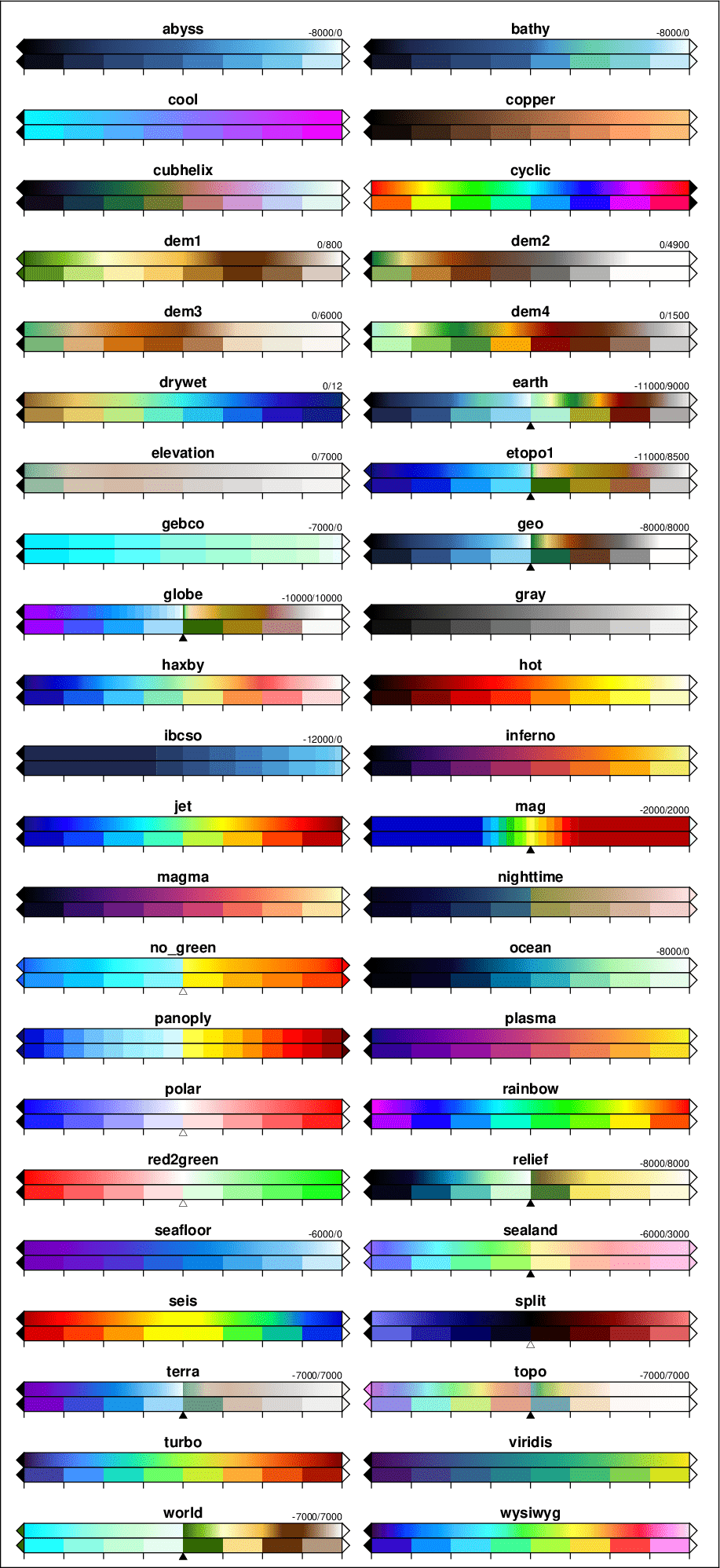
|
From: Patrick A. <pat...@co...> - 2026-04-22 15:15:47
|
Hello, I am struggling to make a plot with a nonlinear color bar. I want the colors themselves to be nonlinear rather than the tic marks. My detailed question is here: https://stackoverflow.com/questions/79929626/how-to-make-a-nonlinear-color-bar Any help is appreciated, Patrick |
|
From: Hernán De A. <var...@gm...> - 2026-04-13 05:48:46
|
Hi Ethan, Thanks for the response. I will dig a bit more in this and see if the problem is as you suggest. H. Den 2026-04-13 kl. 06:35, skrev Ethan Merritt: > I cannot reproduce this problem by cut-and-paste from the text in > the previous message. For me it succeeds using gnuplot executables with > and without the previous fix. I tested with executables as far back as 5.4. > > So I don't know what might be causing your problem. > Is it possible there is some issue with whitespace or non-printing > characters that did not survive being embedded in Email? > > Ethan > >> /H. >> >> Den 2026-04-12 kl. 15:12, skrev Hernán De Angelis: >>> Hi >>> >>> We recently had some discussion on problems with long commands. If I >>> understand correctly it had to do with cases where a file had no data >>> and notitle was passed. >>> >>> I am now encountering a similar problem with a script that uses a long >>> plot command. I use this script often and that never previously had >>> issues with it. The script has a long plot command involving 52 small >>> files (5 of which currently have no data points) to be plotted as >>> boxes where all calls have the "notitle" tag (see below). >>> >>> The script works if no title tag is passed, but it will fail with the >>> notitle tag (as below), or with some title (e.g. "title 'title'"). >>> >>> It seems that the fix done recently may require a different approach >>> but I am unsure what that may be. In my case I wish the "notitle" tag >>> could be passed and understood by gnuplot as before. >>> >>> Any hint will be appreciated. >>> >>> Thanks >>> >>> Hernán >>> >>> PS: this occurs while using main branch >>> >>> >>> gnuplot script: >>> >>> set terminal pngcairo enhanced size 960,640 font "DejaVu-Sans,9" >>> set output 'file.png' >>> set title 'my title' font "DejaVu-Sans-Bold,12" >>> set key left >>> set grid >>> set xrange [0.5:52.5] >>> set xtics 2 >>> set ylabel "qty" >>> set style fill transparent solid 0.5 >>> plot 'foo-0.dat' u (0):1 w boxplot lw 2 notitle, 'foo-1.dat' u (1):1 >>> w boxplot lw 2 notitle, 'foo-2.dat' u (2):1 w boxplot lw 2 notitle, >>> 'foo-3.dat' u (3):1 w boxplot lw 2 notitle, 'foo-4.dat' u (4):1 w >>> boxplot lw 2 notitle, 'foo-5.dat' u (5):1 w boxplot lw 2 notitle, >>> 'foo-6.dat' u (6):1 w boxplot lw 2 notitle, 'foo-7.dat' u (7):1 w >>> boxplot lw 2 notitle, 'foo-8.dat' u (8):1 w boxplot lw 2 notitle, >>> 'foo-9.dat' u (9):1 w boxplot lw 2 notitle, 'foo-10.dat' u (10):1 w >>> boxplot lw 2 notitle, 'foo-11.dat' u (11):1 w boxplot lw 2 notitle, >>> 'foo-12.dat' u (12):1 w boxplot lw 2 notitle, 'foo-13.dat' u (13):1 w >>> boxplot lw 2 notitle, 'foo-14.dat' u (14):1 w boxplot lw 2 notitle, >>> 'foo-15.dat' u (15):1 w boxplot lw 2 notitle, 'foo-16.dat' u (16):1 w >>> boxplot lw 2 notitle, 'foo-17.dat' u (17):1 w boxplot lw 2 notitle, >>> 'foo-18.dat' u (18):1 w boxplot lw 2 notitle, 'foo-19.dat' u (19):1 w >>> boxplot lw 2 notitle, 'foo-20.dat' u (20):1 w boxplot lw 2 notitle, >>> 'foo-21.dat' u (21):1 w boxplot lw 2 notitle, 'foo-22.dat' u (22):1 w >>> boxplot lw 2 notitle, 'foo-23.dat' u (23):1 w boxplot lw 2 notitle, >>> 'foo-24.dat' u (24):1 w boxplot lw 2 notitle, 'foo-25.dat' u (25):1 w >>> boxplot lw 2 notitle, 'foo-26.dat' u (26):1 w boxplot lw 2 notitle, >>> 'foo-27.dat' u (27):1 w boxplot lw 2 notitle, 'foo-28.dat' u (28):1 w >>> boxplot lw 2 notitle, 'foo-29.dat' u (29):1 w boxplot lw 2 notitle, >>> 'foo-30.dat' u (30):1 w boxplot lw 2 notitle, 'foo-31.dat' u (31):1 w >>> boxplot lw 2 notitle, 'foo-32.dat' u (32):1 w boxplot lw 2 notitle, >>> 'foo-33.dat' u (33):1 w boxplot lw 2 notitle, 'foo-34.dat' u (34):1 w >>> boxplot lw 2 notitle, 'foo-35.dat' u (35):1 w boxplot lw 2 notitle, >>> 'foo-36.dat' u (36):1 w boxplot lw 2 notitle, 'foo-37.dat' u (37):1 w >>> boxplot lw 2 notitle, 'foo-38.dat' u (38):1 w boxplot lw 2 notitle, >>> 'foo-39.dat' u (39):1 w boxplot lw 2 notitle, 'foo-40.dat' u (40):1 w >>> boxplot lw 2 notitle, 'foo-41.dat' u (41):1 w boxplot lw 2 notitle, >>> 'foo-42.dat' u (42):1 w boxplot lw 2 notitle, 'foo-43.dat' u (43):1 w >>> boxplot lw 2 notitle, 'foo-44.dat' u (44):1 w boxplot lw 2 notitle, >>> 'foo-45.dat' u (45):1 w boxplot lw 2 notitle, 'foo-46.dat' u (46):1 w >>> boxplot lw 2 notitle, 'foo-47.dat' u (47):1 w boxplot lw 2 notitle, >>> 'foo-48.dat' u (48):1 w boxplot lw 2 notitle, 'foo-49.dat' u (49):1 w >>> boxplot lw 2 notitle, 'foo-50.dat' u (50):1 w boxplot lw 2 notitle, >>> 'foo-51.dat' u (51):1 w boxplot lw 2 notitle, 'foo-52.dat' u (52):1 w >>> boxplot lw 2 notitle, >>> >>> >>> >>> Stdout: >>> >>> "gnuplot.conf" line 11: invalid command >>> >>> >> _______________________________________________ >> gnuplot-info mailing list >> gnu...@li... >> Membership management via:https://lists.sourceforge.net/lists/listinfo/gnuplot-info >> > > > |
|
From: Hernán De A. <var...@gm...> - 2026-04-13 05:48:33
|
Hi Ethan, Thanks for the response. I will dig a bit more in this and see if the problem is as you suggest. Hernán Den 2026-04-13 kl. 06:35, skrev Ethan Merritt: > I cannot reproduce this problem by cut-and-paste from the text in > the previous message. For me it succeeds using gnuplot executables with > and without the previous fix. I tested with executables as far back as 5.4. > > So I don't know what might be causing your problem. > Is it possible there is some issue with whitespace or non-printing > characters that did not survive being embedded in Email? > > Ethan > >> /H. >> >> Den 2026-04-12 kl. 15:12, skrev Hernán De Angelis: >>> Hi >>> >>> We recently had some discussion on problems with long commands. If I >>> understand correctly it had to do with cases where a file had no data >>> and notitle was passed. >>> >>> I am now encountering a similar problem with a script that uses a long >>> plot command. I use this script often and that never previously had >>> issues with it. The script has a long plot command involving 52 small >>> files (5 of which currently have no data points) to be plotted as >>> boxes where all calls have the "notitle" tag (see below). >>> >>> The script works if no title tag is passed, but it will fail with the >>> notitle tag (as below), or with some title (e.g. "title 'title'"). >>> >>> It seems that the fix done recently may require a different approach >>> but I am unsure what that may be. In my case I wish the "notitle" tag >>> could be passed and understood by gnuplot as before. >>> >>> Any hint will be appreciated. >>> >>> Thanks >>> >>> Hernán >>> >>> PS: this occurs while using main branch >>> >>> >>> gnuplot script: >>> >>> set terminal pngcairo enhanced size 960,640 font "DejaVu-Sans,9" >>> set output 'file.png' >>> set title 'my title' font "DejaVu-Sans-Bold,12" >>> set key left >>> set grid >>> set xrange [0.5:52.5] >>> set xtics 2 >>> set ylabel "qty" >>> set style fill transparent solid 0.5 >>> plot 'foo-0.dat' u (0):1 w boxplot lw 2 notitle, 'foo-1.dat' u (1):1 >>> w boxplot lw 2 notitle, 'foo-2.dat' u (2):1 w boxplot lw 2 notitle, >>> 'foo-3.dat' u (3):1 w boxplot lw 2 notitle, 'foo-4.dat' u (4):1 w >>> boxplot lw 2 notitle, 'foo-5.dat' u (5):1 w boxplot lw 2 notitle, >>> 'foo-6.dat' u (6):1 w boxplot lw 2 notitle, 'foo-7.dat' u (7):1 w >>> boxplot lw 2 notitle, 'foo-8.dat' u (8):1 w boxplot lw 2 notitle, >>> 'foo-9.dat' u (9):1 w boxplot lw 2 notitle, 'foo-10.dat' u (10):1 w >>> boxplot lw 2 notitle, 'foo-11.dat' u (11):1 w boxplot lw 2 notitle, >>> 'foo-12.dat' u (12):1 w boxplot lw 2 notitle, 'foo-13.dat' u (13):1 w >>> boxplot lw 2 notitle, 'foo-14.dat' u (14):1 w boxplot lw 2 notitle, >>> 'foo-15.dat' u (15):1 w boxplot lw 2 notitle, 'foo-16.dat' u (16):1 w >>> boxplot lw 2 notitle, 'foo-17.dat' u (17):1 w boxplot lw 2 notitle, >>> 'foo-18.dat' u (18):1 w boxplot lw 2 notitle, 'foo-19.dat' u (19):1 w >>> boxplot lw 2 notitle, 'foo-20.dat' u (20):1 w boxplot lw 2 notitle, >>> 'foo-21.dat' u (21):1 w boxplot lw 2 notitle, 'foo-22.dat' u (22):1 w >>> boxplot lw 2 notitle, 'foo-23.dat' u (23):1 w boxplot lw 2 notitle, >>> 'foo-24.dat' u (24):1 w boxplot lw 2 notitle, 'foo-25.dat' u (25):1 w >>> boxplot lw 2 notitle, 'foo-26.dat' u (26):1 w boxplot lw 2 notitle, >>> 'foo-27.dat' u (27):1 w boxplot lw 2 notitle, 'foo-28.dat' u (28):1 w >>> boxplot lw 2 notitle, 'foo-29.dat' u (29):1 w boxplot lw 2 notitle, >>> 'foo-30.dat' u (30):1 w boxplot lw 2 notitle, 'foo-31.dat' u (31):1 w >>> boxplot lw 2 notitle, 'foo-32.dat' u (32):1 w boxplot lw 2 notitle, >>> 'foo-33.dat' u (33):1 w boxplot lw 2 notitle, 'foo-34.dat' u (34):1 w >>> boxplot lw 2 notitle, 'foo-35.dat' u (35):1 w boxplot lw 2 notitle, >>> 'foo-36.dat' u (36):1 w boxplot lw 2 notitle, 'foo-37.dat' u (37):1 w >>> boxplot lw 2 notitle, 'foo-38.dat' u (38):1 w boxplot lw 2 notitle, >>> 'foo-39.dat' u (39):1 w boxplot lw 2 notitle, 'foo-40.dat' u (40):1 w >>> boxplot lw 2 notitle, 'foo-41.dat' u (41):1 w boxplot lw 2 notitle, >>> 'foo-42.dat' u (42):1 w boxplot lw 2 notitle, 'foo-43.dat' u (43):1 w >>> boxplot lw 2 notitle, 'foo-44.dat' u (44):1 w boxplot lw 2 notitle, >>> 'foo-45.dat' u (45):1 w boxplot lw 2 notitle, 'foo-46.dat' u (46):1 w >>> boxplot lw 2 notitle, 'foo-47.dat' u (47):1 w boxplot lw 2 notitle, >>> 'foo-48.dat' u (48):1 w boxplot lw 2 notitle, 'foo-49.dat' u (49):1 w >>> boxplot lw 2 notitle, 'foo-50.dat' u (50):1 w boxplot lw 2 notitle, >>> 'foo-51.dat' u (51):1 w boxplot lw 2 notitle, 'foo-52.dat' u (52):1 w >>> boxplot lw 2 notitle, >>> >>> >>> >>> Stdout: >>> >>> "gnuplot.conf" line 11: invalid command >>> >>> >> _______________________________________________ >> gnuplot-info mailing list >> gnu...@li... >> Membership management via:https://lists.sourceforge.net/lists/listinfo/gnuplot-info >> > > > |
635 messages has been excluded from this view by a project administrator.
