+
+

Related Products

  • CompanyCam
    5,584 Ratings
    Visit Website
  • WERX
    35 Ratings
    Visit Website
  • InEight
    136 Ratings
    Visit Website
  • HSI Donesafe
    176 Ratings
    Visit Website
  • STACK
    1,426 Ratings
    Visit Website
  • Bidtracer
    39 Ratings
    Visit Website
  • WEX Field Service Management
    67 Ratings
    Visit Website
  • SiteDocs
    290 Ratings
    Visit Website
  • Visual Planning
    116 Ratings
    Visit Website
  • Buildxact
    261 Ratings
    Visit Website

About

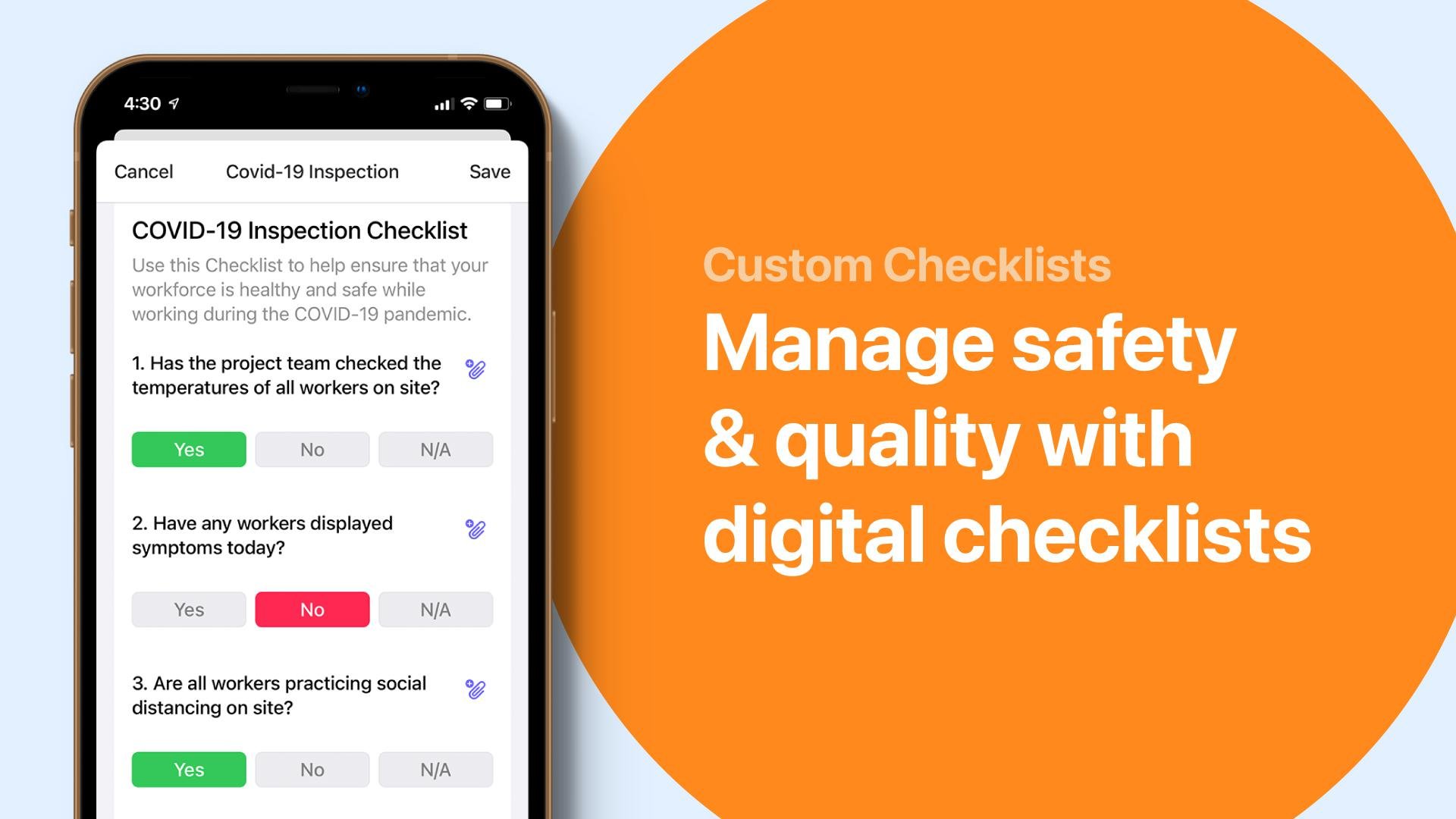
What is Raken? Raken’s field management software helps you collect accurate project data in real time. From digital documentation and production tracking to safety tools, you’ll have the insights you need to improve your projects—and reduce costs. No more messy paperwork. The mobile field apps for iOS and Android make remote collaboration easy, too. With the mobile app, field crews can input project data on the go. They can even upload time-stamped photos, videos, and notes for better visibility. Then, all that data is automatically uploaded to the web app for the office. With everything stored in one place, you’ll have accurate records to protect your business from litigation or risk. More than 4,500 construction companies use Raken to connect the field to the office. Empower everyone to do their jobs more efficiently with Raken today.

About

Traqspera is a cloud-based construction management software for contractors who want to save time for their construction projects. Traqspera has key features that include asset management, training and certification management, time and billing, and safety management. Traqspera features real-time job reports and analytics for contractors to use in monitoring their projects. Accessible anywhere, Traqspera can be accessed in the office, on site, or on the side of the road with all of the information contractors need.

Platforms Supported

Windows
Mac
Linux
Cloud
On-Premises
iPhone
iPad
Android
Chromebook

Platforms Supported

Windows
Mac
Linux
Cloud
On-Premises
iPhone
iPad
Android
Chromebook

Audience

Construction Management Professionals

Audience

Construction industry, contractors

Support

Phone Support
24/7 Live Support
Online

Support

Phone Support
24/7 Live Support
Online

API

Offers API

API

Offers API

Screenshots and Videos

Screenshots and Videos

Pricing

No information available.
Free Version
Free Trial

Pricing

$100/month
starts at $10/month/employee - paid annually
Free Version
Free Trial

Reviews/Ratings

Overall 5.0 / 5
ease 5.0 / 5
features 5.0 / 5
design 5.0 / 5
support 5.0 / 5

Reviews/Ratings

Overall 4.8 / 5
ease 4.7 / 5
features 4.7 / 5
design 4.7 / 5
support 5.0 / 5

Pros & Cons from Real Users

Pros

  • Super easy to use, very awesome tool and record of project information. I tell my staff our minds can only hold so much information, note anything of importance in your daily report. Some long term projects incur the Groundhog Day effect, Raken is a great tool to detail all aspects of construction, labor force, equipment and much more.
  • I have used Raken at more than one company. It was so good at the first company I tried it, that when I changed companies, I took it with me. I even paid for it out of pocket to show my new bosses how great it was. They switched after receiving my first daily report. We are now working on connecting it with another one of our online products we use daily as well. Excellent people who do the follow up to make sure you're happy.
  • Ease of use from the Management side as well as the Field daily inputting side. Trackability from anywhere you have connectivity. Ability to see overruns and forecast accordingly. The reports that can be generated are highly professional.
  • Ease of use, ease of setup, speed, talk to text, customer service, photo storage, time card functionality.
  • Customization to fit the needs of the company. Extremely easy to use. Great support if needed with very quick replies.

Cons

  • Employee's logging out forgetting their login passwords. I have had maybe 3 minor tech issues, 2 logins and one editing issue. All three issues were worked on within minutes of contacting Raken and resolved shortly after.
  • Not sure I can complain about anything. Maybe the cost could be changed to an annual charge with unlimited users within our company.
  • The struggles we had to get the payroll aspect of the system to recognize and tabulate days of subsistence to pay out to the employee(s) each day/week. The work around we are using seems to be working well for us now.
  • We would like a little more features for the timecard module. We reached out to Raken and this is actually in the works!
  • Nothing so far. I have used this program at 2 different companies now and am still looking for a con.

Pros & Cons from Real Users

Pros

  • Traqspera is very easy to use and has a seamless and fast export/import into Spectrum (our accounting/payroll software). The support staff are excellent, very fast to reply and fix any issues we've had. The Traqspera team regularly updates the system to improve service, design and reporting.
  • That employee and contractor hours and costs along with 3rd party invoices, asset and other charges can be input to creat a Labour, Equipment & Materials (LEM) report that summarizes all job costs and provides a detailed invoice backup.
  • Traqspera helps us manage our projects and get everyone on the same page. Before everything was a manual process, but now we can see everything real-time. We used to have all of our timecards come through on fax and then payroll had to work through a huge stack of paper, with over 140+ sheets. Now everything is captured in the field electronically. We use Spectrum for our accounting software, and Traqspera seamlessly syncs everything so there is no double entry or extra work. It's like two clicks once it's approved, and it's done.
  • The ability to track time on jobs, ease of running reports for payroll and costing of jobs and the ability to have this software customized to the company needs.
  • Traqspera is extremely easy to set up and learn. Our employees implement the timesheet by using an app on their phone that is easy to understand. The admin side can see employee hours and material spent per job in real time. I can login from my phone or laptop at any time to check job status, enter information and see timesheets. The program keeps track of employee certifications, safety, and company equipment as well.

Cons

  • Sometimes the system runs a bit slow. Also, former employees are still able to be added to current timesheets. It would be better if inactive employees did not appear in the employee search list.
  • Just small things such as drop down lists showing closed jobs and not having asset listings in numerical order.
  • I have found a couple minor changes that can help improve the product, but they are very receptive to feedback and resolving any issue as soon as it comes up. I asked about adding a button to make it easier to filter employees in the training report, and they added that right away.
  • Date order of time sheets when employees are reviewing their time entered and having the ability to delete entire time sheets instead of each individual entry
  • There are past employees in the drop down menu which is cumbersome when assigning jobs to a specific employee. I would like to be able to make past employees invisible from the list.

Training

Documentation
Webinars
Live Online
In Person

Training

Documentation
Webinars
Live Online
In Person

Company Information

RAKEN
Founded: 2014
United States
www.rakenapp.com/

Company Information

Traqspera
Founded: 2014
Canada
traqspera.com

Alternatives

ALMobile

ALMobile

Austin Lane Technologies

Alternatives

Procore

Procore

Procore Technologies
Procore

Procore

Procore Technologies
RedTeam Flex

RedTeam Flex

RedTeam Software
Fieldwire

Fieldwire

Hilti

Categories

Categories

Construction Management Features

Accounting Integration
Budget Tracking/Job Costing
Change Orders
Commercial
Contract Management
Contractors
CRM
Equipment Tracking
Estimating
Incident Reporting
Mobile Access
Offline Access
Residential
RFI & Submittals
Subcontractor Management
Timesheets

Field Service Management Features

Billing & Invoicing
Contact Database
Contract Management
Customer Database
Dispatch Management
Electronic Signature
Inventory Management
Mobile Access
Payment Collection in the Field
Quotes / Estimates
Routing
Scheduling
Service History Tracking
Time Clock
Work Order Management

Construction Management Features

Accounting Integration
Budget Tracking/Job Costing
Change Orders
Commercial
Contract Management
Contractors
CRM
Equipment Tracking
Estimating
Incident Reporting
Mobile Access
Offline Access
Residential
RFI & Submittals
Subcontractor Management
Timesheets

Contractor Management Features

Contractor Database
Insurance Tracking
License Tracking
Permit Tracking
Skills & Competencies
Task Management
Work Hour Tracking

Construction CRM Features

Client Tracking
Contract Management
Forecasting
Project Management
Quote Management
Sales Management
Scheduling
Time Management

Integrations

ADP Workforce Now
Box
DataXchange
Dropbox
EarthCam
Egnyte
Google Drive
Microsoft Dynamics SL
Microsoft Excel
Microsoft OneDrive
QuickBooks Online
Sage 50
Viewpoint Spectrum

Integrations

ADP Workforce Now
Box
DataXchange
Dropbox
EarthCam
Egnyte
Google Drive
Microsoft Dynamics SL
Microsoft Excel
Microsoft OneDrive
QuickBooks Online
Sage 50
Viewpoint Spectrum
Claim RAKEN and update features and information
Claim Traqspera and update features and information