Best CRM Software
View:

CRM software is a type of software that businesses use to manage and analyze customer interactions and data. It helps businesses improve customer service by tracking customer information, analyzing trends, and providing customized communications for customers. CRM software also helps organizations to manage sales leads, track contacts, and automate certain customer-facing activities. Many CRM solutions offer automated workflows that streamline processes such as marketing campaigns and customer onboarding. Compare and read user reviews of the best CRM software currently available using the table below. This list is updated regularly.
Pipedrive
ShareCRM
Planfix
Top Echelon Software
Act!
Shape Software
Odoo
Creatio
Pipelinersales Corporation
ActiveCampaign
ClickUp
Tremendous
Sage Intacct
Forethought
Jotform
SiteMinder
Eurekos
Dynamo Software
Centrex Software
Birdeye
Miles IT
Dun & Bradstreet
Plauti
rezStream
FirstPromoter
Numa
Roofr
Buildxact
KonstructIQ
AddSearch
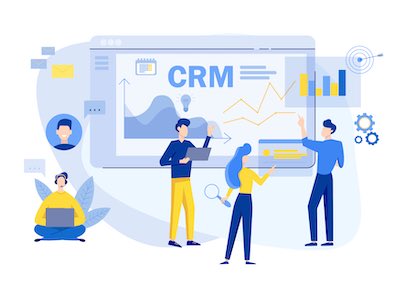
Today’s technology is enabling small to midsize businesses to operate more efficiently, thereby saving on expenses and time. Among the most beneficial of these new developments is customer relationship management (CRM) software. CRM software enables businesses to manage existing customers, potential clients, sales opportunities, and contacts from a single solution. CRM software can organize and analyze vast amounts of data with lightning speed, improve workflow, and boost customer relationships to new levels. It all adds up to more streamlined business management and effective customer relationships.
Handling relationships with customers and contacts in these ways was unachievable before these advances in technology without preparing extensive spreadsheets and devoting considerable time, energy and staff resources to do so.
A key to the effectiveness of CRM software is in gathering extensive and detailed information about customers and potential clients, followed by organizing, recording and effectively using that information. CRM software retains information not just on customers’ basic details, but also on each contact or lead that a company maintains, whether by telephone or email. It monitors their interests and their purchasing habits. It provides the tools for following up, cross selling, developing marketing campaigns and strategies, and tracking invoices more effectively. Some CRM solutions can even go so far as to prompt sales reps to email or telephone customers at around the time at which they have called the company.
The applications also can scan web traffic and social media to identify potential clients based on such aspects as their interests and hobbies. Instead of an employee trying to remember details on customers or searching for it in randomly gathered papers scattered on an office desk or hidden in computer folders with meaningless names, the software retains this information in a central place. Not only is it retained, but it is well ordered in an efficient and logical way. So, for example, the software will automatically send a gift card or message to customers or contacts on their birthdays. New or improved products or services can be broadcast immediately on their release.
CRM software goes even further than organizing information on customers and contacts and maintaining relationships with them. It provides the ability to aim messages to specific demographic groups, such as millennials and seniors. Information also can be directed to specific geographic areas, such as a city, county or state, quickly and efficiently without having to develop spreadsheets to do so or having an employee going through the information and select those who should be served with the information. In addition, CRM software enables employees to set and measure sales targets, track customer interactions, develop effective marketing techniques, and even to scan internet traffic and social media for potential leads.
As a result, staff can be freed up to concentrate on the more personal face-to-face aspects of marketing and sales without having to spend their time on inputting vast amounts of information, assessing results, and maintaining regular communications with customers. The result is enhanced sales ability, greater productivity, and more satisfied customers.
Many CRM systems have been developed and a large number are available. Sorting through the various CRM software can run up costs and eat up time. But it is essential that the programs chosen are the most appropriate to a company’s needs. Here are guidelines to help a business make the right selection.
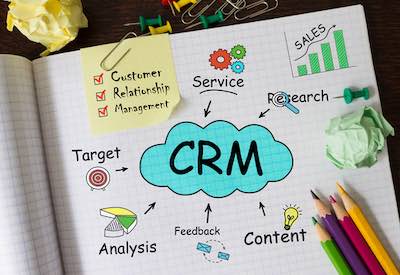
Clearly small and mid-sized companies will want to take into account the cost of CRM software. But there is more to the software than the cost itself. The price needs to be balanced against the benefits of the features that are incorporated in the software. The features required by a company depend on the nature of the business that it conducts. Some features will be of little or no use to a particular company, while others will be of significant advantage to it.
In addition to checking out the benefits, a company might want to consider some of the newer CRM software that offer affordable entry points. As the company grows and it becomes acquainted with the software, more features can be added. A company can choose whether the new features are worth the additional costs in terms of the returns it might receive from them. A company will also want to take into account hidden costs, such as the degree of training that is required to ensure that staff are using the software effectively. More complex software might mean spending considerable time on teaching staff to use it more efficiently. Ideally, the time taken to becoming fully acquainted with the software should be as short as possible and should be measured in days rather than weeks. Clearly a smaller business simply cannot afford to have staff spend large amounts of time becoming acquainted with the new CRM system.
To help answer these questions, it might be advisable to check the support documentation with the application. Just how complex a program is it? What kinds of problems will employees face as they implement it? Another method to determining a software’s cost effectiveness is to try out the application to determine just how long it will take for your staff to be up and running on it. Most customer relationship management software suites come with a free evaluation period. Use this time to import information into the CRM system, including accounts, and assign tasks to employees. Evaluate whether the software is effective for your company’s needs or whether it actually creates more work. You might also record how extensively you need to pore over the documentation that comes with it or how many times you need to call support for help. If one application fails the test, try another until you are satisfied with the return on investment it brings with it.
Another factor in evaluating software is whether the new CRM software will integrate with the systems that are currently being used by your company. Will it be necessary to buy new hardware or switch to new operating systems? Also, effective use of the software might require new smart phones or tablets, incurring additional costs. Even though CRM software is relatively new on the market, the rapid advancement of today’s technology has meant that the applications have become more varied and bring with them more options in addition to the basic benefits. Newer versions enable the software to be implemented in a Software-as-a-service (SaaS) model. Others offer the choice of storing information on the cloud rather than on your own computers or servers. Such a choice can save on costs, lessen complexity, and provide additional security. Another consideration is integrating the CRM software with your telephone system, enabling you to gather information from calls and conversations.
Here’s another aspect to consider. Industry-leading CRM software suites tend to integrate with third-party providers. Those providers operate many of the tools that you will be using. This adds to the costs of the overall application. It also means you might find yourself dealing with different support systems and you cannot always be sure that the varied applications work effectively alongside each other. Careful evaluation of each CRM will pay dividends in the long run. Rather than simply buying a CRM system that provides you with all the bells and whistles that today’s systems provide, it is wise to check carefully into the individual benefit of each, using the factors outlined here as a guide.

In addition to the cost and the features, a major consideration when selecting CRM software is to ensure that it is going to be relatively uncomplicated for you and your employees to use. Ideally, after an initial learning phase, staff should find it reasonably intuitive. To test a program’s usability, make sure you consult your employees on it. After all, they are the ones who will be tasked with using it. What might look simple on an initial examination of the program might prove difficult when it comes to actually using the program itself. The way the program works might take an inordinate time to learn.
Employees might find that menus are difficult to find or to use, are too many to go through for relatively simple tasks, or are far from intuitive. They might even find that gaining the information they need involves going through so many hoops that it takes more time than if they had done it themselves without using the program. Having discovered how one aspect of the program works they should be able to apply those basic principles to other aspects of the program. They might be frustrated to find that, for example, the menus work in one way on one aspect of the program, but work in another way on a different aspect.
Make sure, too, that the employees try out the CRM software in a variety of situations. In some cases, the tasks they are called upon to employ using the software might actually make their jobs harder. They might find, too, that they never use many of the features for which you are paying. CRM software also should be able to alert a user to any major errors, such as entering data in the wrong place. One way to determine usability is to learn the application yourself and then to teach someone how to operate it. Read the support documentation, scan through the FAQs, if any are available, as well as any user blogs you might come across. If — on completing all these tasks — you find it painstaking or even frustrating to teach someone the system, or if you find you cannot understand the system well enough yourself to teach someone to use it, alarm bells should sound.
Even if you find the CRM software relatively straightforward to use, it is nevertheless likely that at some point in the future you might need to call the support line for help. While evaluating the application, therefore, it is a good idea to call the support line when you get even slightly stuck to check out how valuable it is. Check out how long the wait time is, which hours they are available in your time zone, and ask numerous questions.
Not only will this enable you to become more familiar with the program, but you will be able to check out the availability and quality of the support that is provided.
Concentrate on those features of the CRM software that you will use and drill down on their practical use for your company. Try not to be blindsided by social media apps that are fashionable and said to be catching on. Chances are that email will continue to remain for the foreseeable future the best way you can communicate with your customers. Almost everyone has email on their desktop, laptop, tablet or phone, which they check regularly. Many of the new social media applications, however, are unavailable on desktops and laptops.
Another benefit of email is that it can convey information, including logos, graphics and pictures more effectively than apps such as Twitter or even Facebook. A well designed email can be appealing and inviting in a way that other apps are not. In short, you should understand the way in which the CRM software you choose will interact with customers and contacts over email. The application you choose should ensure that information contained in email messages is automatically captured and does not have to be manually gathered. Of course, this does not mean you should ignore mobile apps. They are a vital part of communicating today, but they are quite different than those applications that operate on desktops and laptops. So you should evaluate them as a separate entity.
Viewed from a different perspective, an important new feature that is being added to CRM software today is the ability for an employee to communicate on a mobile device with the data that is stored centrally, either on your servers or on the cloud. This ability should be as effective as if the employee were sitting in the office working on a desktop.
These applications mean that, by using a remote mobile device, such as a smart phone or tablet, staff will be able access all the CRM tools wherever they are in the world as long as they have access to the Internet and whenever they want to do so, even outside regular business hours. Sometimes the communication methods are different when working from a mobile device than they are when using a desktop computer. Switching from one to another can be a learning experience for employees. But for some companies, depending on the nature of their business, it is important that their employees need to be able to communicate in this way. For many, specially those who are constantly on the road, such communication is vital to them. If this is the case with your company, therefore, make sure that they have the ability to plug in to your CRM software from wherever they are using their mobile devices.
One of the advantages that CRM software is bringing with it is the ability to introduce automation to relationships with customers. In the past, sales representatives, or anyone who had a direct relationship with customers, needed carefully to record tasks to be performed. Examples would be following up a set time after a sales negotiation or at the ending of a trial test of a product or service. Questions might need to be answered, too.
Not only that, but emails would have to be written to each client, ensuring that they are provided with the correct information. Now CRM software performs many of these tasks automatically. In doing so it sharply lessens the prospect of contacts falling through the cracks as a result of neglecting to follow up in time or overlooking to keep track of them in a timely manner. It also can produce customized email templates for each situation or for special offers, making it unnecessary to write each email individually.
Such features are valuable when following up on leads. The reason: In many businesses, potential customers fail to respond to an initial sales attempt. They might set it aside with the intent to decide later. Following up becomes as important to closing the sale as the first lead generation was.
In some cases, potential clients ask questions about a product. Should they fail to receive an answer in a reasonable amount of time, they will move on and consider other products. Using CRM software, particularly when it is linked to a mobile app, staff will be prompted to respond quickly to questions. In the case of existing customers, too, it is often vital to respond as quickly as possible to problems or questions users might have.
Another example would be in the case of, say, a webinar that a company is planning to hold. CRM software can automatically remind those who have signed up for the webinar, delete those who might cancel before it is held, and follow up on those who took part to determine their feedback. Should a client cancel an account, CRM software will automatically try to assess the reason for the cancellation and gather feedback that the disillusioned customer might have. Customer experience can be tracked via CRM. Such applications could also try to persuade customers to return should the problem they faced be resolved. In all cases, speed is of the essence. Here, the fast reaction time provided by CRM software can play a significant role.
These tasks can be undertaken by some CRM software using advanced methods of artificial intelligence, saving time and boosting productivity. A number of CRM applications include the ability to synchronize various email accounts into a central portal. They also can initiate email marketing campaigns and can include the ability to conduct chat sessions.
An essential element in selecting CRM software is to separate the features that will be provided by the software itself and those that will be delivered through a third-party provider. In doing so, you will need to determine the degree to which these add-ons will operate within the parameters of the system you already are using.
You almost certainly will want to connect email services provided by the application itself or add ons with the existing email apps you are using. If they will not do so, are you ready to switch to an app they will support? The same is true of a calendar or possibly newsletter management software. In some cases the application might indicate that it is compatible with apps you already use. They might describe this as “native integration,” meaning that the company has an application that you can select, download and use. Problem solved. But if the company does not provide such integration, you will have to do some detective work yourself.
A possibility is to have your IT staff (if you have such) investigate and see whether they can build integration with the software for you. You might decide that the software itself will be compatible with what you have, but you need to follow this up with assessing each of the third-party providers — if such exist — individually.
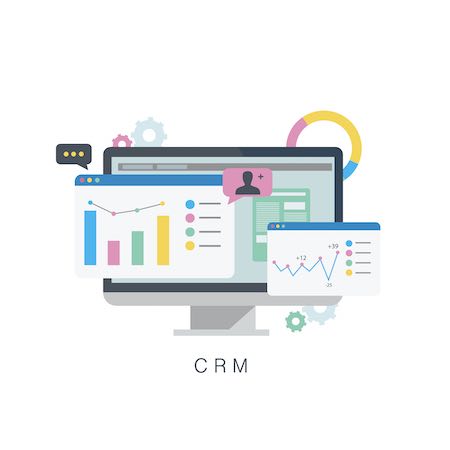
A critical aspect of CRM software is its ability to provide you with reports and analyses. They will help you not only to determine the results of what you have been able to achieve using the software, but will enable you better to determine how you should proceed in the future. To assess an application’s reporting ability, check on features that can be customized according to your business. In this way you can assess how your workers have been performing and how customers have been responding. You should be able to produce reports on net sales, demographics on your customers, and track profits in real time.
Ideally, these reports should be exportable. You should be able to save them and print them out if necessary. In addition, using any tool you prefer, you should be able to convert the data into graphic displays of various sorts, such as charts and dashboards. You can then present them to shareholders, partners or others interested in some way in the running of your company. The data will come alive and be more meaningful. An additional benefit will be to combine statistics so that the ratio of, say, email messages to actual sales can be determined.
In today’s world of hackers and loopholes in systems, security has become a paramount concern to most consumers. Failure adequately to protect customers information can be damaging to your reputation. It becomes essential, therefore, to asses a CRM software on its security. A relatively new aspect of security is the storing of data on the cloud. At one level, such storage is considerably more secure than anything saved on your hard drives, where it is vulnerable to theft, fire and other damage. But you need to feel satisfied with the security being provided by the program you are using, particularly where almost all the data is being stored in that way. After all, you are recording information on customers, some of which might be sensitive.
You can test the level of security provided by a CRM software provider in several ways.
One is to research the company providing the software. Check whether it has fallen foul to security failures and how they responded to them, if there were any. Another is to find out where your data will reside, who is ultimately responsible for its security, and what will happen if there is a problem. Among other ways to test the security is to check whether your CRM software fails to adequately record when users change their passwords. Another is to find out whether you can specify each user’s access controls. You can also check on how well the CRM software relates to your existing IT security software.
The cost of CRM software varies depending on the type of software and the features included. Generally, basic CRM software packages start at around $20 per user per month, while more complex CRM software packages can cost up to $150 per user per month.
Check on how others have evaluated and tested CRM software. Some will rate the best applications available, whereas others will evaluate them based on the features that they provide and yet others will examine them on cost. Go through the assessments carefully, checking those that crop up regularly on top-10 lists.
For example, some will provide a list of free CRM software, such as Hubspot CRM, Insightly, Zoho and Freshsales. Others will rate online CRM apps, such as OnePage, Airtable, SugarCRM, and Act! CRM. Yet others will provide a list of CRM software for small businesses, such as Pipeline, Keap, Salesforce, and AgileCRM.
Then there are categories of CRM software for real estate agents, for corporations, for sales people, for insurance agents…. you name it.
It is important to remember, however, that, even in select categories, each CRM has its own strengths and its own weaknesses. Some might specialize in outstanding email services, but if your business uses little email, the CRM might not be for you. Others are great for sales people, but if you have only a limited number of clients, you might need a different kind of CRM application.
Some might be free up to a certain level. If your business expands, you might need to start paying for the software and it’s best to check out what that might be.
Use the criteria outlined above to find the CRM software that will work best for you. Having looked into the pros and cons, try one out if possible before committing to it.
Once you have selected a CRM application and it works for you, chances are you will be opened to a whole new world of managing customer relationships. You will be left wondering why you had not jumped on board much earlier. But then, of course, a lot of this technology is new and was not available until a few years ago.
If commercial CRM software isn't what you're looking for, be sure to check out the free open source CRM software section.
