QuickReviewer

QuickReviewer

Clavis Technologies Pvt. Ltd.
+
+

Related Products

  • Wrike
    7,611 Ratings
    Visit Website
  • Zoho Projects
    1,870 Ratings
    Visit Website
  • Project Insight
    121 Ratings
    Visit Website
  • Planfix
    57 Ratings
    Visit Website
  • ClickUp
    17,695 Ratings
    Visit Website
  • Kantata
    2,276 Ratings
    Visit Website
  • Float
    3,716 Ratings
    Visit Website
  • Process Street
    1,119 Ratings
    Visit Website
  • Filecamp
    176 Ratings
    Visit Website
  • Visual Planning
    116 Ratings
    Visit Website

About

Get better control of your projects and deliver the best results with ProofHub. Robust and scalable, ProofHub allows teams to efficiently communicate and collaborate on projects in a centralized location. This software as a service (SaaS)-based project management solution features project collaboration, project management, and portfolio project management that includes task and resource management. Available for both iOS and Android, ProofHub makes it easier for remote teams to stay connected using any device, anywhere and at any time.

About

QuickReviewer is an online proofing software for teams that are looking for faster design approval process through more rapid feedback and approval. Review videos, HTML, PDFs, and images. It’s more than just an annotation tool – no more conflicting feedbacks! Organize feedback on creative projects without having to exchange multiple emails or files. Drag and drop to upload files and share them with any number of reviewers. Highlight text, pinpoint or add comments. Each reviewer is colour-coded for easy distinction, and they can reply or upvote on each other’s comments. QuickReviewer is mobile-responsive, so review or approve files from your mobile device anytime and anywhere.

Platforms Supported

Windows
Mac
Linux
Cloud
On-Premises
iPhone
iPad
Android
Chromebook

Platforms Supported

Windows
Mac
Linux
Cloud
On-Premises
iPhone
iPad
Android
Chromebook

Audience

ProofHub is ideal for freelancers as well as large-scale corporations from different business verticals. The solution is specifically designed to fit any corporate setup.

Audience

Marketing Teams, Media House, Graphic designers, Web Developers, Project Managers

Support

Phone Support
24/7 Live Support
Online

Support

Phone Support
24/7 Live Support
Online

API

Offers API

API

Offers API

Screenshots and Videos

Screenshots and Videos

Pricing

$45.00/month
Proivdes free trial. No contracts and no per-user fees.
Free Version
Free Trial

Pricing

$35 Per Month
Save $72 /yr
Free Version
Free Trial

Reviews/Ratings

Overall 4.9 / 5
ease 4.8 / 5
features 4.9 / 5
design 4.9 / 5
support 5.0 / 5

Reviews/Ratings

Overall 5.0 / 5
ease 5.0 / 5
features 5.0 / 5
design 5.0 / 5
support 5.0 / 5

Pros & Cons from Real Users

Pros

  • It is a tool with a great sense of administration, providing an extensive Kanban board that has given us the possibility of managing our work, accompanied by multiple other tools that provide comfort and a wide interface to push our work to the next level. Front page allows us to monitor processes by creating milestones and activities, where we integrate all our work and evaluate the progress of projects thanks to the generation of complete reports full of multiple interactive diagrams. He is, without a doubt, a great manager of our work, and thanks to collaboration tools, an activity panel, and document review, we have been able to integrate all our work, centralizing as much as possible the pending objectives in a single link and unifying the collaboration of all the teams. It also provides a messaging service that works completely in real time, opening communication possibilities to keep work active and in constant progress. It has helped us a lot that ProofHub has mobile access since we can update the progress of work projects from wherever we need to do it. Another good thing is the customer portal, it gives us the flexibility to use the platform to interact with our customers and not limit our contact options. A point in favor of ProofHub is the ease it has given us to share documents, it gives us the necessary speed to share the data we need and at the same time take that data to advance in things that each work team needs, without a doubt it is essential for us this to be able to keep our route and workflow always active.
  • ProofHub is an excellent project management platform. - It allows for collaboration ( chat, file sharing, project planning, and time tracking ). - Easy to manage projects with, status tracking, task, and document management. - Intuitive user interface. - Helps to keep projects on track.
  • ProofHub is a fantastic solution for project management. It has solid potential to help you manage multiple projects with maintaining productivity in the workspace. It was easy for me to import projects from the previous PM tool.
  • In the Project management platform, I found ProofHub to be the most powerful tool that provides the best Gantt charts and kanban board to get the full and the best information about added projects.
  • ProofHub enhances team communication as well as productivity. The ability to manage projects is outstanding. Proofhub made the remote works possible and effective. The progress tracker is the best addition to its power.

Cons

  • There are some options that I feel could be much more complete, for example being able to select the project planning industry, in this way we could be much more astute when carrying out the task just knowing which department it belongs to. Another important aspect would be the creation of much more automated and intuitive reports, which allow us to obtain information in real time for our work and which does not require too much time and investment of work to view all the complete data of the work that we have been carrying out. On the other hand, it is a slow-loading tool, it has multiple aspects that are quite heavy and could collectively load the interface a lot, so when I start, I need to take a long time to wait to be able to start working. As I said, it has millions of options with quite dynamic tools and strategies to use to manage work projects, however, the learning curve is quite high, and a lot of prior preparation is necessary to achieve good handling of the tools to be able to take advantage of them. of its function to the maximum. It can become overwhelming with so many things, but as we used it, this was no longer a major impediment to developing our work and we adjusted much more on its platform to adapt our work to a much more solid and constant pace of management. hand of ProofHub. So yes, it will probably be difficult at first, but with the passing of time, the use of the tool and the consequent appearance of the results, everything will become more enjoyable and comfortable.
  • There isn't anything to share about the cons of this.
  • Nothing so far, everyone on my team loved this tool.
  • There isn't anything I didn't like about Proofhub.
  • No cons to share. Had great experience with this solution.

Pros & Cons from Real Users

Pros

  • A design team can only be efficient and meet timelines if they can review drafts in time. QuickReviewer helped our team come together and work efficiently and collaboratively on a large customer project. With dozens of images to sort and place, QuickReviewer helped teams pinpoint, highlight and comment on items so that designers could quickly make the changes and finalize content. We completed our last project 20% faster than the previous one.
  • When working with a team, QuickReviewer is an excellent tool to utilise to gather feedback on creative proofs (both internal teams or clients). QuickReviewer gives you complete control over the creative review process by allowing you to establish unique creative workflows, distribute creative proofs easily, In addition, I believe their pricing is competitive.
  • What we like best about QuickReviewer is how simple it is to share videos and proofs with anyone, and they can add comments and recommendations on the timeline. We get emails when someone comments or approves the work; this is a huge time saver because we used to send like 20 emails back and forth to get the job done.
  • I enjoy how we can share work across our teams in different office locations, and they can critique my design in real time. Approving work has become considerably easier, and faster, especially with version control. I love the compare feature. I can see exactly what part of the document was changed, and it eliminates a lot of painful switching between PDFs or printing the files to identify the differences. The programme is extremely user-friendly, and my team members quickly learned how to use it.
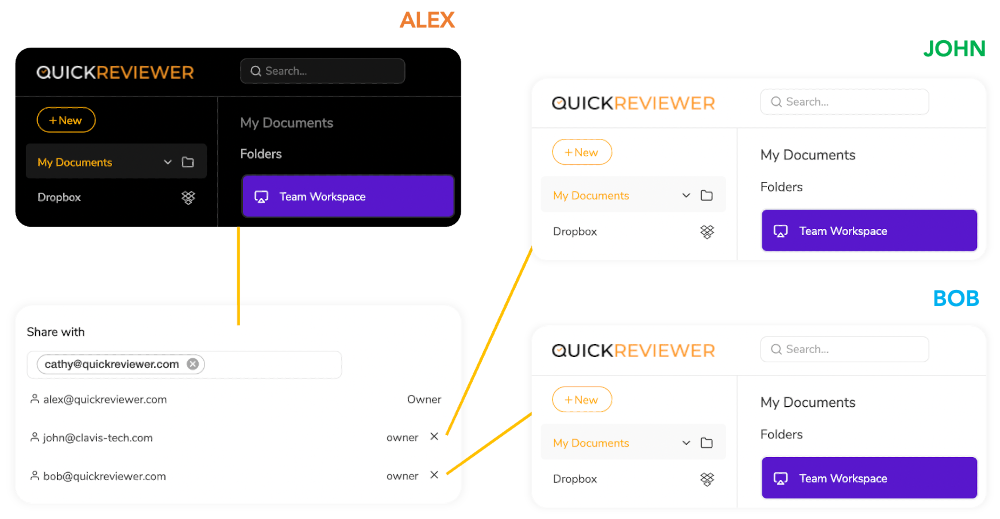
  • I like the flexibility and options to create workspaces and share them with my team. The workspace option is nice because not everyone wants to give access to everything all of the time. I particularly love that it supports Adobe files and connects with PhotoShop and InDesign.

Cons

  • Websites cannot be added for review without placing a code snippet or Wordpress plug in. If I'm sharing multiple sites for review, I feel it's tedious to add a plugin or a code snippet to each site.
  • It can take a few sessions to learn QuickReviewer if you're new to it. There is obviously a learning curve, as I have used other creative review programmes that are far more intuitive. Some features, for example, are buried in the platform, and without clear assistance from a QuickReviewer rep, I wouldn't know how to access them. However, now that I've had some experience with the tool, I can confidently state that this is no longer an issue. QuickReviewer's support and customer success teams are also quite helpful and responsive.
  • I don’t have any dislikes about QuickReviewer because it does what we require. I do have some feature recommendations that would take the product to the next level. Workflow and range based video comments would be two of them. We’ve shared them with the support team, and hope to see these features come out soon.
  • One drawback is that I can’t combine multiple documents into a single proof. That’s a feature I look forward to.
  • Setting a deadline for a proof isn’t intuitive. You have to right click on a file to choose that option, and it doesn’t give you the option to set reminders. As a feature request, I would like to send automated reminders before the deadlines. It would also be better if you move or add the deadline option to the share file window.

Training

Documentation
Webinars
Live Online
In Person

Training

Documentation
Webinars
Live Online
In Person

Company Information

ProofHub
Founded: 2011
United States
www.proofhub.com

Company Information

Clavis Technologies Pvt. Ltd.
Founded: 2011
India
www.quickreviewer.com

Alternatives

Alternatives

Notism

Notism

HarborNation
GoProof

GoProof

Oppolis Software

Categories

Categories

Online Proofing Features

Audit Trail
Due Date Tracking
File Sharing
Markup Tools
Role-Based Permissions
Status Tracking
Version Control

Collaboration Features

Brainstorming
Calendar Management
Chat / Messaging
Contact Management
Content Management
Document Management
Project Management
Real Time Editing
Task Management
Version Control
Video Conferencing

Project Management Features

Agile Methodologies
Budget Management
Client Portal
Collaboration Tools
Cost-to-Completion Tracking
Customizable Templates
Gantt Charts
Idea Management
Kanban Board
Milestone Tracking
Portfolio Management
Resource Management
Time & Expense Tracking
Traditional Methodologies

Project Planning Features

Agile Methodologies
Budget Management
Collaboration Tools
Due Date Tracking
Gantt Charts
Kanban Board
Prioritization
Progress Tracking
Resource Management
Task Management
Template Management
Traditional Methodologies

Team Management Features

Assignment Management
Commenting / Notes
Goal Setting / Tracking
Messaging
Productivity Analysis
Progress Tracking
Project Planning
Resource Management
Task Management
Third Party Integration
Time Tracking

Work Management Features

Access Roles / Permissions
Calendar Management
Collaboration Tools
CRM
File Storage / File Sharing
Kanban
Messaging / Discussion
Performance Metrics
Project Management
Reporting / Analytics
Resource Management
Strategic Planning
Task Management
Time Tracking
Version Control
Workflow Management

Online Proofing Features

Audit Trail
Due Date Tracking
File Sharing
Markup Tools
Role-Based Permissions
Status Tracking
Version Control

Integrations

Dropbox
Google Drive
Adobe Illustrator
Adobe InDesign
Adobe Photoshop
Adobe Premiere Pro
Bold BI
Box
ClicData
Desktop.com
Google Calendar
Microsoft OneDrive
Microsoft Outlook
QuickBooks Online
QuickBooks Online Advanced
Quickwork
Shift
Stackreaction
Workers by Delos

Integrations

Dropbox
Google Drive
Adobe Illustrator
Adobe InDesign
Adobe Photoshop
Adobe Premiere Pro
Bold BI
Box
ClicData
Desktop.com
Google Calendar
Microsoft OneDrive
Microsoft Outlook
QuickBooks Online
QuickBooks Online Advanced
Quickwork
Shift
Stackreaction
Workers by Delos
Claim ProofHub and update features and information
Claim QuickReviewer and update features and information