PDF Candy

PDF Candy

Icecream Apps
SODA PDF

SODA PDF

Avanquest
+
+

Related Products

  • MobiPDF
    7,544 Ratings
    Visit Website
  • PDF Guru
    89,072 Ratings
    Visit Website
  • PDFCreator
    557 Ratings
    Visit Website
  • Nutrient SDK
    111 Ratings
    Visit Website
  • Apryse PDF SDK
    158 Ratings
    Visit Website
  • Jotform
    8,643 Ratings
    Visit Website
  • RAD PDF
    3 Ratings
    Visit Website
  • MobiOffice
    15,149 Ratings
    Visit Website
  • Titan
    376 Ratings
    Visit Website
  • CloudFiler
    19 Ratings
    Visit Website

About

PDF Candy provides users all over the world with absolutely free online and offline tools for working with PDF files (converting, splitting, merging, rotating, etc ). PDF Candy is created by Icecream Apps team, which means proven reliability and high quality for processing PDF files. We used our offline software's best functionality to create this unique toolset to provide you with the best experience currently available online. All services are provided at no cost and are ads-free. All tools are very easy to use. You can always upload files from Dropbox, Google Drive or simply by drag and dropping them. Each tool can be added to 'Favorites' for faster access from the index page of the PDF Candy website.

About

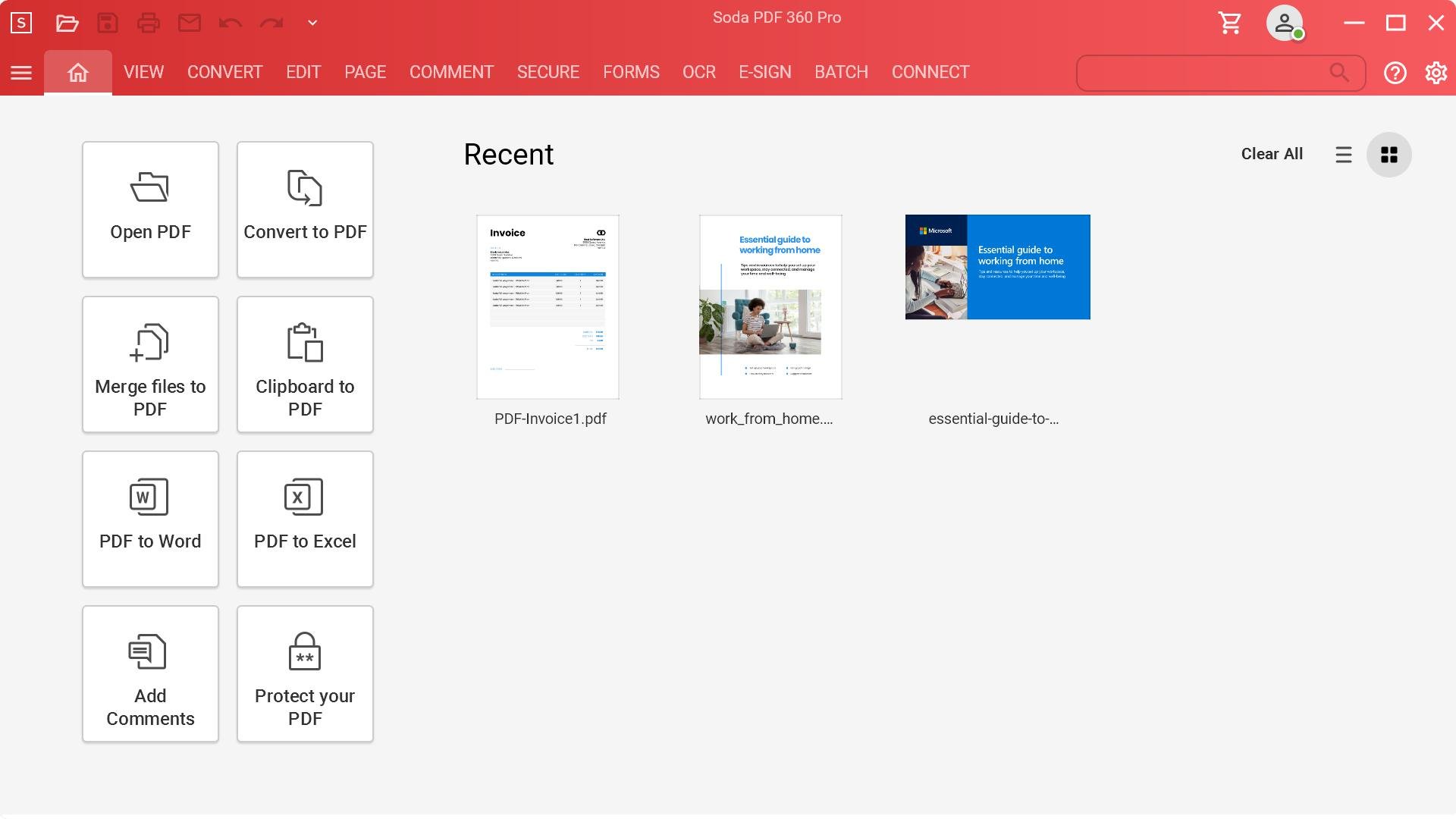
Soda PDF is the software solution that helps your business quickly achieve any document goal with ease. Edit, create, convert, merge, split, sign, or secure PDFs to your needs. Modify documents using the best PDF editor and PDF converter. Our easy-to-use PDF tools are made to streamline any document workflow with efficient results. With the fastest Microsoft Office to PDF converter on the market, our Batch tool helps you create or convert multiple PDFs at once, along with the ability to add page numbers, watermarks, Bates numbering & secure permissions to multiple files or folders in seconds. Keep a safe distance between people and paper by signing, managing & tracking electronic signatures remotely using our efficient E-Sign feature. Save time & avoid retyping with OCR Edit to quickly search, recognize & modify text contained within any scanned document or image file. Access Soda PDF’s entire suite of tools & services directly from your desktop, or from any device with a web browser.

Platforms Supported

Windows
Mac
Linux
Cloud
On-Premises
iPhone
iPad
Android
Chromebook

Platforms Supported

Windows
Mac
Linux
Cloud
On-Premises
iPhone
iPad
Android
Chromebook

Audience

Anyone who needs free but effective online PDF tools

Audience

Organizations of all sizes

Support

Phone Support
24/7 Live Support
Online

Support

Phone Support
24/7 Live Support
Online

API

Offers API

API

Offers API

Screenshots and Videos

Screenshots and Videos

Pricing

No information available.
Free Version
Free Trial

Pricing

Volume licensing available for 5+ licenses.
Free Version
Free Trial

Reviews/Ratings

Overall 1.0 / 5
ease 2.0 / 5
features 1.6 / 5
design 2.1 / 5
support 1.0 / 5

Reviews/Ratings

Overall 4.4 / 5
ease 4.3 / 5
features 4.4 / 5
design 4.2 / 5
support 4.5 / 5

Pros & Cons from Real Users

Pros

  • Advertised as a really good pdf editor. The few times I used it, I enjoyed it. It does what the acrobat editor does at a much lower cost.
  • NONE. This system did not do what I purchased it for.=
  • N/A.
  • The graphics look and sound user friendly. The upside in my experience is that I now know I can convert a word to PDF without any additional programs by using Microsoft print to PDF.
  • It could make PDFs from images, although the customization was limited and the PDF I made turned out to be uneditable even with their own software.

Cons

  • Paid 99 dollars for the lifetime use of the pdf editor. It was a rip off. I used it for about a month and then they told me I had used it on a second device. That was not true. So the bottom line is I used the 99 dollar product 2-3 times, and that was all I could use it for. Bad purchase. If it sounds too good to be true, it probably is too good to be true.
  • The Flattening option didn't work AT ALL, so I immediately tried to cancel and these people WILL NOT REFUND MY MONEY. This company is trying to force me to send them my personal laptop information and I absolutely REFUSE. DO NOT BUY FROM THIS COMPANY!!! BUY SEDJA INSTEAD.
  • Difficult user interface, couldn't merge files from a right click on the desktop.
  • It only looks and sounds user friendly. In actually it's worthless to me. I need to be able to convert a word doc to a JPG . First I tried converting to PDF and then used PDF to JPG. The conversions were not the same as the original. The tech support told me it was because I used the draw app. I did not use the draw app. Support said, in order to convert a word to pdf, I had to first use Microsoft print to PDF and then to use their PDF to PNG. What good is a PNG when there is no PNG to JPG option? In Adobe I could actually edit a PDF page i.e. remove text. It appears that is not a function of PDF Candy. If it is there, it's not an obvious method.
  • Expensive, missing the features it used to advertise the purchase to me, breaks when a file is too large despite every page saying that there are no limits on the desktop version. Sent a two sentence form letter and then did not follow up when I reported errors.

Pros & Cons from Real Users

Pros

  • Some of the functions that work are great, like merging documents, editing and other things that you cant do with a just a reader.
  • Interface very user friendly, easy installation and use. Very fast in getting the results after upload.
  • I much prefer Soda for its ease of use and great features. Customer support has been pretty good so far.
  • I have nothing to say but it has been a horrible experience dealing with this company. I regret ever using, if any, this software.
  • The representative I dealt with was professional and most respectful. I very much appreciate her attitude and help in settling my billing questions.

Cons

  • Most of the functions that were supposed to be included with the premium version have never worked, and it is so hard to get to customer service it's almost not worth it.
  • I tried it on several documents and the results were not satisfactory. I cancelled my account.
  • Sadly there is one missing feature that is crucial to me that I can only get on ABBYY PDF software or I would only use Soda since I find ABBYY not easy to use. But I require an OCR reader that will read Hebrew and allow me to copy Hebrew into other documents without turning it to something strange. If you ever got this fixed, I would definitely be a totally loyal fan.
  • Repeated issues with the software, poor customer support (none almost). Constantly re-installing the software, not working.
  • After everything is settled I believe it was a simple matter of misunderstanding.

Training

Documentation
Webinars
Live Online
In Person

Training

Documentation
Webinars
Live Online
In Person

Company Information

Icecream Apps
pdfcandy.com

Company Information

Avanquest
Founded: 1984
France
www.sodapdf.com

Alternatives

Alternatives

MobiPDF

MobiPDF

MobiSystems
PDF Studio

PDF Studio

Apryse
PDFescape

PDFescape

Red Software
SwifDoo PDF

SwifDoo PDF

SwifDoo Software
PDF2Go

PDF2Go

PDF2Go.com
Foxit PDF Editor

Foxit PDF Editor

Foxit Software

Categories

Categories

PDF Editors Features

Access Controls / Permissions
Annotations
Commenting / Notes
Compare Side-by-Side
Customizable Branding
Delete Pages
Electronic Signature
Forms Management
Full Text Search
Merge / Append
Offline Access
Optical Character Recognition (OCR)
Rearrange Pages
Rotate Pages
Watermarking

PDF Features

Annotations
Convert to PDF
Digital Signature
Encryption
Merge / Append
PDF Reader
Watermarking

PDF Editors Features

Access Controls / Permissions
Annotations
Commenting / Notes
Compare Side-by-Side
Customizable Branding
Delete Pages
Electronic Signature
Forms Management
Full Text Search
Merge / Append
Offline Access
Optical Character Recognition (OCR)
Rearrange Pages
Rotate Pages
Watermarking

Digital Signature Features

Audit Trail
Authentication
Auto Reminders
Customizable Templates
Document Analytics
Mobile Signature
Multi-Party Signing
Progress Tracking
Task Progress Tracking

Document Generation Features

Batch Processing
Collaboration
Digital Signature
Interaction Tracking
Multiple Output Formats
Templates

Document Management Features

Access Controls
Archiving & Retention
Collaboration Tools
Compliance Tracking
Document Archiving
Document Assembly
Document Capture
Document Conversion
Document Delivery
Document Indexing
Document Retention
Electronic Signature
Email Management
File Recovery
File Type Conversion
Forms Management
Full Text Search
Offline Access
Optical Character Recognition
Print Management
Version Control

Integrations

Box
Dropbox
Google Drive

Integrations

Box
Dropbox
Google Drive
Claim PDF Candy and update features and information
Claim SODA PDF and update features and information