NectoPanorama Software
|
||||||
Related Products
|
||||||
About
Panorama’s Necto, helps companies grow revenues, reduce costs and improve corporate performance by uncovering insights within their data, presenting it in beautiful dashboards with intuitive infographics, allowing users to view, drill down, slice and dice reports, and enabling sharing and collaboration. Necto’s centrally administered architecture provides full governance, a ‘single version of the truth’ and high level of security. Necto allows users to mashup all their data, employ unique recommendation and insight finding technologies that enable them to discover what they need to know and use collaboration capabilities to quickly address the issues found. To have “Collaborative BI” you must have a server that allows it. Otherwise you can end up sending Excel files and causing data leaks.
|
About
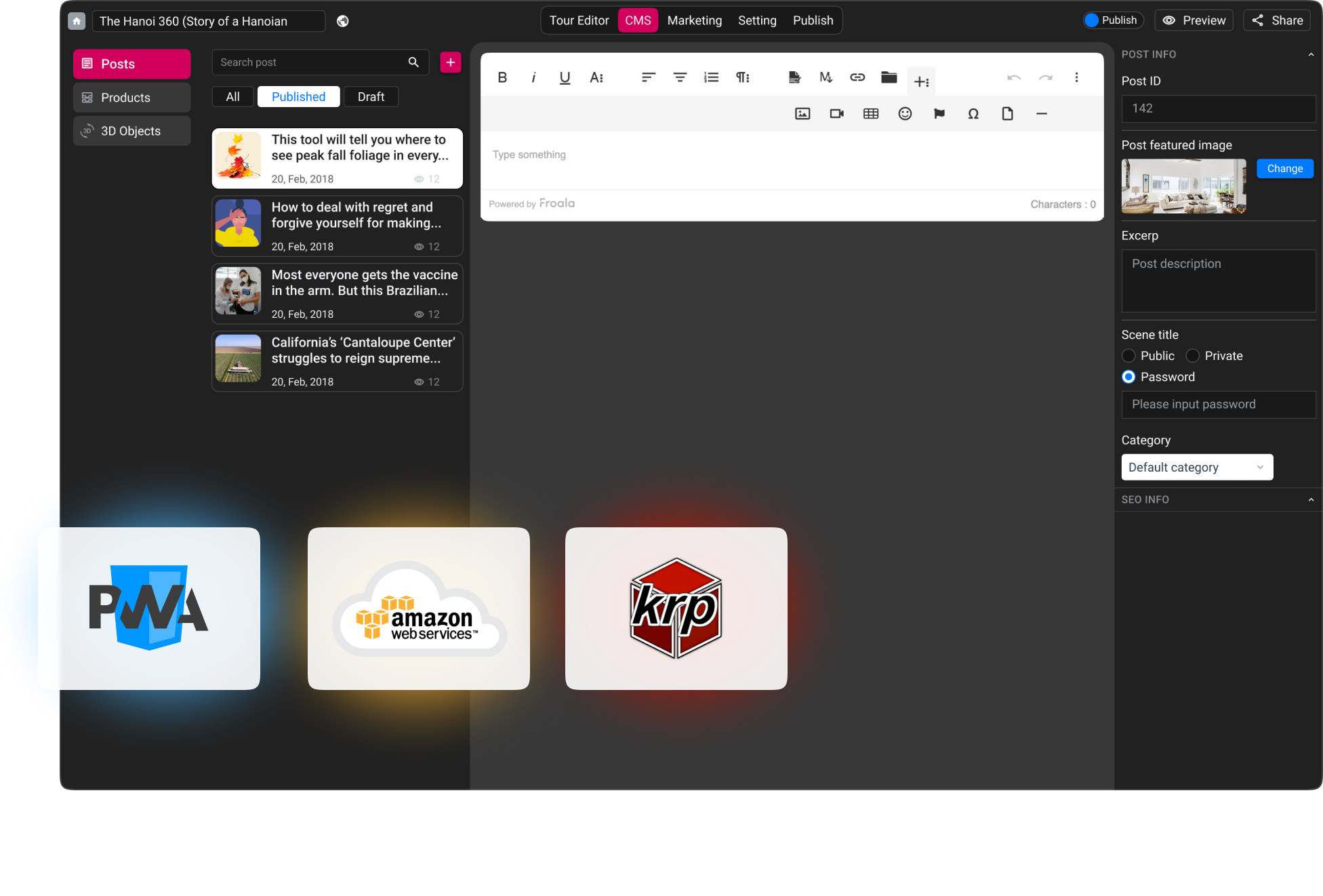
Panoee is a free next-gen Virtual Tour software that focus on helping both 360 photographers & end-users to edit & publish high-quality, versatile, beautiful, interactive 360 Virtual Tours in few minutes.
Panoee is the only cloud platform that support unlimited high-quality, multi-resolution panorama with zero-cost. Moreover, Panoee supports variant types of Hotspots including polygon Hotspot, media hotspot & product hotspot with lots of customization. Panoee has built-in CMS to manage all posts & data centrally, combining with multiple theme / template so users can design the Virtual Tours to match with business brand guideline. Panoee also allows users to setup all the interactive features they want including floorplan, auto-rotation, little planet intro, sound guide,...
Panoee's philosophy is giving full freedom to users, anyone can customize the Virtual Tour's URL the way they want without restriction, including their own copyright information and custom domain.
|
|||||
Platforms Supported
Windows
Supported
Mac
Supported
Linux
Not Supported
Cloud
Supported
On-Premises
Not Supported
iPhone
Supported
iPad
Supported
Android
Supported
Chromebook
Not Supported
|
Platforms Supported
Windows
Not Supported
Mac
Not Supported
Linux
Not Supported
Cloud
Supported
On-Premises
Not Supported
iPhone
Not Supported
iPad
Not Supported
Android
Not Supported
Chromebook
Not Supported
|
|||||
Audience
Business intelligence software for companies
|
Audience
Anyone that wants to create 360 degree Virtual Tours
|
|||||
Support
Phone Support
Supported
24/7 Live Support
Not Supported
Online
Supported
|
Support
Phone Support
Supported
24/7 Live Support
Supported
Online
Supported
|
|||||
API
Offers API
Not Supported
|
API
Offers API
Not Supported
|
|||||
Screenshots and Videos |
Screenshots and Videos |
|||||
Pricing
No information available.
Free Version
Not Supported
Free Trial
Not Supported
|
Pricing
$0
Free Version
Supported
Free Trial
Not Supported
|
|||||
Reviews/
|
Reviews/
|
|||||
Pros & Cons from Real UsersPros
Cons
|
||||||
Training
Documentation
Supported
Webinars
Not Supported
Live Online
Supported
In Person
Not Supported
|
Training
Documentation
Supported
Webinars
Not Supported
Live Online
Not Supported
In Person
Not Supported
|
|||||
Company InformationPanorama Software
Founded: 1996
Canada
www.panorama.com
|
Company InformationPanoee
Founded: 2020
Vietnam
panoee.com
|
|||||
Alternatives |
Alternatives |
|||||
|
|
||||||
|
|
|
|||||
|
|
||||||
Categories |
Categories |
|||||
Business Intelligence Features
Ad Hoc Reports
Supported
Benchmarking
Supported
Budgeting & Forecasting
Supported
Dashboard
Supported
Data Analysis
Supported
Key Performance Indicators
Supported
Natural Language Generation (NLG)
Not Supported
Performance Metrics
Supported
Predictive Analytics
Supported
Profitability Analysis
Supported
Strategic Planning
Supported
Trend / Problem Indicators
Supported
Visual Analytics
Supported
|
Virtual Tour Features
360-Site Stream
Not Supported
Conversion Tracking
Supported
Drag & Drop
Supported
Floor Plans & Maps
Supported
Flyer Templates
Not Supported
For Hospitality
Supported
For Real Estate
Supported
Hotspot
Supported
Lead Capture
Supported
Panoramas
Supported
Social Media Integration
Supported
Social Sharing
Supported
Virtual Reality
Supported
Voice-Over / Audio
Supported
|
|||||
Integrations
Google Analytics
Not Supported
Microsoft Azure
Supported
Microsoft Dynamics SL
Supported
Microsoft Excel
Supported
PayPal
Not Supported
Salesforce
Supported
Shopify
Not Supported
|
Integrations
Google Analytics
Supported
Microsoft Azure
Not Supported
Microsoft Dynamics SL
Not Supported
Microsoft Excel
Not Supported
PayPal
Supported
Salesforce
Not Supported
Shopify
Supported
|
|||||
|
|
|