LighthouseGoogle
|
||||||
Related Products
|
||||||
About
DebugBear is a web performance monitoring tools that helps companies keep their website fast and pass Google's Core Web Vitals assessment. Find out how to optimize your website and get alerted when there's a problem.
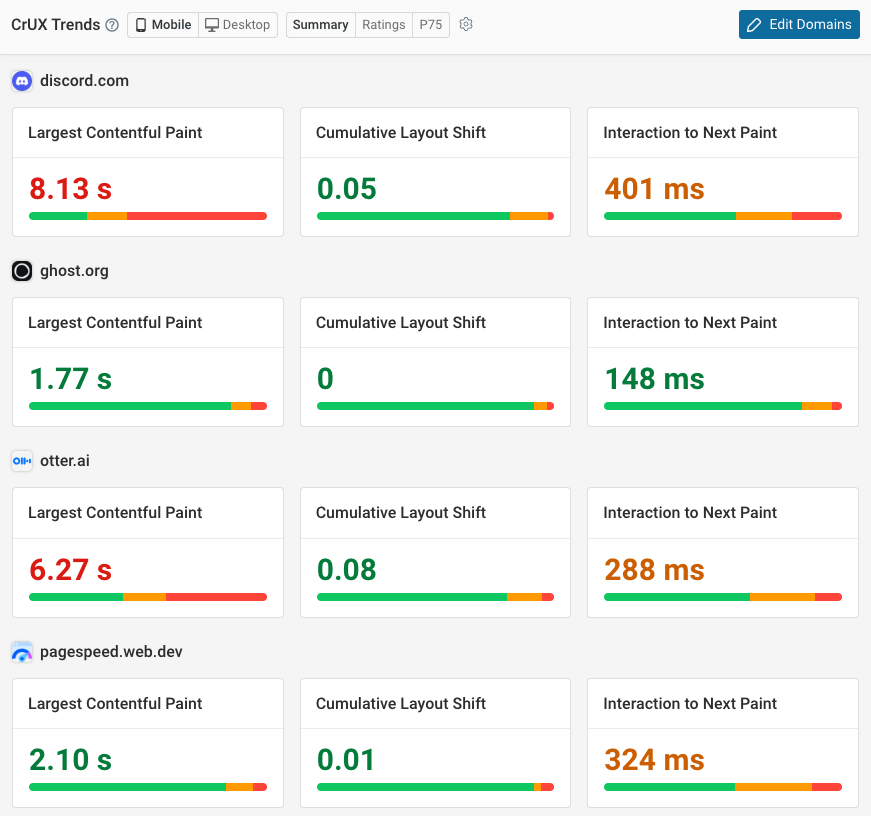
Run scheduled synthetic tests, monitor data from Google's Chrome User Experience Report (CrUX), and collect real user analytics directly on your website. Track Google Lighthouse scores over time and benchmark against your competition.
Get custom performance recommendations with detailed analysis, and quickly try out performance optimizations with page speed experiments – without deploying any code!
|
About
You can run it against any web page, be it public or require authentication. It has audits of performance, accessibility, progressive web apps, SEO and more. You can run Lighthouse in Chrome Devtools, from the command line, or as a Node. You simply give Lighthouse a URL to audit, it will run a series of audits against the page, and then generate a report on how good the page was. From there, use the audits that have failed as pointers on how to improvise the page. Each audit has a reference doc explaining why the audit is important, as well as how to fix it. Lighthouse Viewer requires the JSON output of a Lighthouse report. The following list explains how to get the output in JSON format depending on which Lighthouse stream you are using.
|
|||||
Platforms Supported
Windows
Not Supported
Mac
Not Supported
Linux
Not Supported
Cloud
Supported
On-Premises
Not Supported
iPhone
Not Supported
iPad
Not Supported
Android
Not Supported
Chromebook
Not Supported
|
Platforms Supported
Windows
Not Supported
Mac
Not Supported
Linux
Not Supported
Cloud
Supported
On-Premises
Not Supported
iPhone
Not Supported
iPad
Not Supported
Android
Not Supported
Chromebook
Not Supported
|
|||||
Audience
Online businesses, development and marketing teams
|
Audience
Website optimization tool for developers wanting to improve the quality of web pages
|
|||||
Support
Phone Support
Not Supported
24/7 Live Support
Not Supported
Online
Supported
|
Support
Phone Support
Not Supported
24/7 Live Support
Not Supported
Online
Supported
|
|||||
API
Offers API
Supported
|
API
Offers API
Not Supported
|
|||||
Screenshots and Videos |
Screenshots and Videos |
|||||
Pricing
$125/mo
Free Version
Not Supported
Free Trial
Supported
|
Pricing
No information available.
Free Version
Not Supported
Free Trial
Not Supported
|
|||||
Reviews/
|
Reviews/
|
|||||
Training
Documentation
Supported
Webinars
Not Supported
Live Online
Supported
In Person
Not Supported
|
Training
Documentation
Supported
Webinars
Not Supported
Live Online
Not Supported
In Person
Not Supported
|
|||||
Company InformationDebugBear
Founded: 2018
United Kingdom
www.debugbear.com
|
Company InformationGoogle
Founded: 1998
United States
developer.chrome.com/docs/lighthouse/overview/
|
|||||
Alternatives |
Alternatives |
|||||
|
|
||||||
Categories |
Categories |
|||||
Website Optimization Tools Features
Competitor Analysis
Supported
Content Management
Not Supported
Keyword Research Tools
Not Supported
Link Management
Not Supported
Performance Metrics
Supported
Problem Area Alerts
Supported
Website Monitoring Features
Availability Testing
Not Supported
Event Logs
Not Supported
Event-Based Notifications
Not Supported
FTP Monitoring
Not Supported
Mail Server Monitoring
Not Supported
Maintenance Scheduling
Not Supported
Performance Metrics
Supported
Real Time Monitoring
Supported
Transaction Monitoring
Supported
Uptime Reporting
Not Supported
|
||||||
Integrations
Google Chrome
Supported
DebugBear
Not Supported
Elite Site Optimizer
Not Supported
GitHub
Supported
Lighthouse
Supported
Netlify
Supported
Slack
Supported
Sourcetable
Not Supported
Trello
Supported
Tugboat QA
Not Supported
|
Integrations
Google Chrome
Supported
DebugBear
Supported
Elite Site Optimizer
Supported
GitHub
Not Supported
Lighthouse
Not Supported
Netlify
Not Supported
Slack
Not Supported
Sourcetable
Supported
Trello
Not Supported
Tugboat QA
Supported
|
|||||
|
|
|