Related Products
|
||||||
About
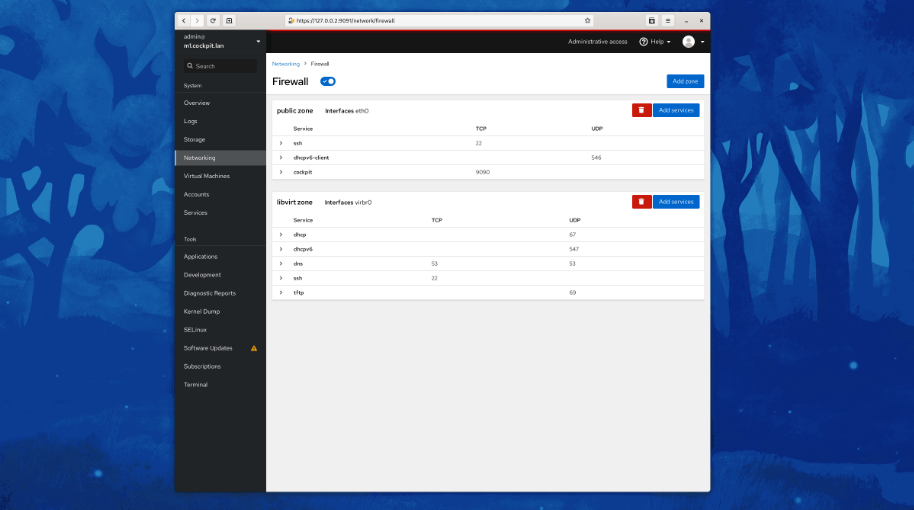
Cockpit is a web-based graphical interface for servers, intended for everyone, especially those who are new to Linux, familiar and expert admins. Thanks to Cockpit intentionally using system APIs and commands, a whole team of admins can manage a system in the way they prefer, including the command line and utilities right alongside Cockpit. See your server in a web browser and perform system tasks with a mouse. It’s easy to start containers, administer storage, configure networks, and inspect logs. Basically, you can think of Cockpit like a graphical “desktop interface”, but for individual servers. Have a favorite app or command-line tool that you use on your servers? Keep using the command line, Ansible, and your other favorite tools and add Cockpit to the mix with no issues. Cockpit uses the same system tooling you would use from the command line. You can switch back and forth between Cockpit and whatever else you like.
|
About
Vesta core is written in bash. It is native programming language of linux server administrators. They see dreams in bash, thats why vesta grows so fast. Server admins are those people who know how to fix problems and how server inner structure should look like. Bash and gpl allows Vesta to fix problems and implement new features very fast. Built in firewall resolves all common issues. It’s packed with enterprise-class features. For example it comes with smart filters for various services (apache, exim, ssh, etc) in order to ban any host IP address that makes too many login attempts. You can manage backups the way you want to. You can exclude some files or directories or specific account or even domain. Number of copies or backup frequency can be easily changed. By default you get 3 backups created by cron job at night.
|
About
Webmin is a web-based interface for system administration for Unix. Using any modern web browser, you can setup user accounts, Apache, DNS, file sharing and much more. Webmin removes the need to manually edit Unix configuration files like /etc/passwd, and lets you manage a system from the console or remotely. Usermin also provides web interfaces for viewing and managing data in MySQL and PostgreSQL databases, editing Apache .htaccess configuration files, and running commands on the server. The administrator has full control over which of these modules are available to users.
|
||||
Platforms Supported
Windows
Mac
Linux
Cloud
On-Premises
iPhone
iPad
Android
Chromebook
|
Platforms Supported
Windows
Mac
Linux
Cloud
On-Premises
iPhone
iPad
Android
Chromebook
|
Platforms Supported
Windows
Mac
Linux
Cloud
On-Premises
iPhone
iPad
Android
Chromebook
|
||||
Audience
Admins, professionals and anyone requiring a web-based graphical interface for their servers
|
Audience
IT teams looking for a Control Panel solution
|
Audience
IT teams in need of a system administration solution
|
||||
Support
Phone Support
24/7 Live Support
Online
|
Support
Phone Support
24/7 Live Support
Online
|
Support
Phone Support
24/7 Live Support
Online
|
||||
API
Offers API
|
API
Offers API
|
API
Offers API
|
||||
Screenshots and Videos |
Screenshots and Videos |
Screenshots and Videos |
||||
Pricing
No information available.
Free Version
Free Trial
|
Pricing
$3 per month
Free Version
Free Trial
|
Pricing
No information available.
Free Version
Free Trial
|
||||
Reviews/
|
Reviews/
|
Reviews/
|
||||
Training
Documentation
Webinars
Live Online
In Person
|
Training
Documentation
Webinars
Live Online
In Person
|
Training
Documentation
Webinars
Live Online
In Person
|
||||
Company InformationCockpit
cockpit-project.org
|
Company InformationVesta
vestacp.com
|
Company InformationWebmin
Founded: 1997
www.webmin.com
|
||||
Alternatives |
Alternatives |
Alternatives |
||||
|
|
||||||
|
|
||||||
|
|
||||||
Categories |
Categories |
Categories |
||||
Integrations
AWS Marketplace
Amazon EC2
Ansible
Azure Marketplace
CentOS
Debian
Fedora
Fedora CoreOS
Kamatera
MySQL
|
Integrations
AWS Marketplace
Amazon EC2
Ansible
Azure Marketplace
CentOS
Debian
Fedora
Fedora CoreOS
Kamatera
MySQL
|
Integrations
AWS Marketplace
Amazon EC2
Ansible
Azure Marketplace
CentOS
Debian
Fedora
Fedora CoreOS
Kamatera
MySQL
|
||||
|
|
|
|