AtomGitHub
|
PimNotePimtel
|
|||||
Related Products
|
||||||
About
Atom is a hackable text editor for the 21st century, built on Electron, and based on everything we love about our favorite editors. We designed it to be deeply customizable, but still approachable using the default configuration. A text editor is at the core of a developer’s toolbox, but it doesn't usually work alone. Work with Git and GitHub directly from Atom with the GitHub package. Create new branches, stage and commit, push and pull, resolve merge conflicts, view pull requests and more—all from within your editor. The GitHub package is already bundled with Atom, so you're ready to go! Atom works across operating systems. Use it on OS X, Windows, or Linux. Search for and install new packages or create your own right from Atom. Atom helps you write code faster with a smart and flexible autocomplete. Easily browse and open a single file, a whole project, or multiple projects in one window.
|
About
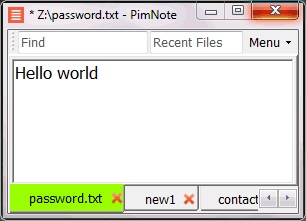
PimNote is a simple text editor for faster document access. It also combines the useful and lacking features of all other text editors.
Designed for knowledge management. One-click access to the recent file list helps you write a new idea to the related file quickly before forgetting it. The unlimited and searchable recent file list helps you easily reach an old file that was opened a long time ago. The one-click find history list and search help you type less.
Designed for remote working. No freezing from a remote file monitoring/opening/writing when disconnected. Files are cached for offline use by just closing the application without closing the tabs. Auto reconnect the network drive while opening the file. Repeated file notifications are informed politely on the top bar instead of a pop-up dialog box that requires frequent actions and tends to be mispressed.
|
|||||
Platforms Supported
Windows
Supported
Mac
Supported
Linux
Supported
Cloud
Not Supported
On-Premises
Not Supported
iPhone
Not Supported
iPad
Not Supported
Android
Not Supported
Chromebook
Not Supported
|
Platforms Supported
Windows
Supported
Mac
Not Supported
Linux
Not Supported
Cloud
Not Supported
On-Premises
Not Supported
iPhone
Not Supported
iPad
Not Supported
Android
Not Supported
Chromebook
Not Supported
|
|||||
Audience
Programmers and developers looking for a solution to edit text, code, and Markdown
|
Audience
Everyone who write text without coding especially remote workers
|
|||||
Support
Phone Support
Supported
24/7 Live Support
Not Supported
Online
Supported
|
Support
Phone Support
Not Supported
24/7 Live Support
Not Supported
Online
Supported
|
|||||
API
Offers API
Not Supported
|
API
Offers API
Not Supported
|
|||||
Screenshots and Videos |
Screenshots and Videos |
|||||
Pricing
Free
Free Version
Supported
Free Trial
Not Supported
|
Pricing
No information available.
Free Version
Supported
Free Trial
Not Supported
|
|||||
Reviews/
|
Reviews/
|
|||||
Pros & Cons from Real UsersPros
Cons
|
||||||
Training
Documentation
Supported
Webinars
Supported
Live Online
Not Supported
In Person
Supported
|
Training
Documentation
Supported
Webinars
Not Supported
Live Online
Not Supported
In Person
Supported
|
|||||
Company InformationGitHub
Founded: 2008
United States
atom.io
|
Company InformationPimtel
Founded: 2018
www.pimtel.com/pimnote/
|
|||||
Alternatives |
Alternatives |
|||||
|
|
|
|||||
|
|
||||||
|
|
|
|||||
|
|
||||||
Categories |
Categories |
|||||
Text Editors Features
API
Supported
Auto-Complete
Supported
Code Folding
Supported
Column Editing
Supported
Customizable Themes
Supported
Debugging
Supported
Formatting / Table Editing
Supported
Keyboard Shortcuts
Supported
Multi-Monitor Editing
Supported
Syntax Highlighting
Supported
WYSIWYG
Not Supported
|
||||||
Integrations
C#
Supported
Aggregator
Supported
COBOL
Supported
CSS
Supported
Code Time
Supported
Dash
Supported
Defold
Supported
Fat-Free Framework
Supported
HTML
Supported
Java
Supported
|
Integrations
C#
Supported
Aggregator
Not Supported
COBOL
Not Supported
CSS
Not Supported
Code Time
Not Supported
Dash
Not Supported
Defold
Not Supported
Fat-Free Framework
Not Supported
HTML
Not Supported
Java
Not Supported
|
|||||
|
|
|