
 Download
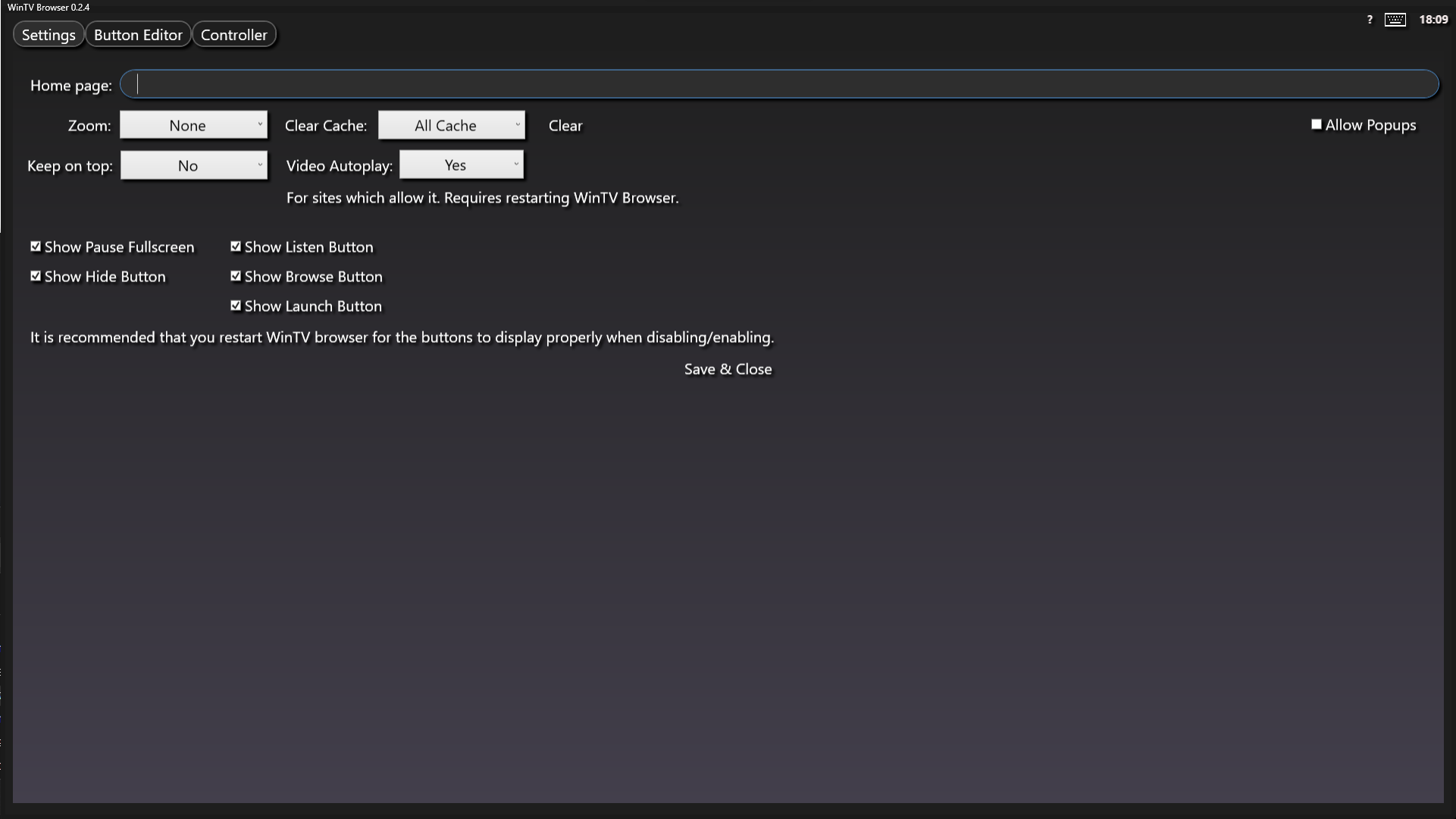
WinTV Browser is a TV like user interface for your home theatre PC. It aims to mimic the Android TV user interface or the user interface that is built into your smart TV.
It is in essence a Web Browser that uses WebView2, the Microsoft Chromium based browser. It operates smoothly and has excellent support for websites.
Use your XBOX controller to navigate the user interface. Your controller will act like a mouse, with some extra functions for some buttons.
Version 0.2.3 Changes:
Read more: https://sourceforge.net/p/wintvbrowser/wiki/Release%200.2.3%20Changelog/
Version 0.2.4 Changes:
Read more:
https://sourceforge.net/p/wintvbrowser/wiki/Release%200.2.4%20Changelog/
Features
- XBOX controller support to navigate the UI. Use the controller to move the mouse cursor, left and right click.
- On screen keyboard for controller use.
- Customise the buttons to point to any website.
- Each button can have a custom zoom level for each specific website.
- Create custom button images for each button.
- Launch menu allows you to launch applications on your PC, with arguments.
- Microsoft WebView2 chromium browser
Project Samples



License
GNU Free Documentation LicenseFollow WinTVBrowser
Other Useful Business Software
Ship Agents Faster
Gemini Enterprise Agent Platform lets you rapidly build, scale, govern and optimize production-ready agents grounded in your organization's data. The platform enables developers to build custom or pre-built agents for virtually any use case. New customers get $300 in free credits.
Rate This Project
Login To Rate This Project
User Reviews
Be the first to post a review of WinTVBrowser!
