Download
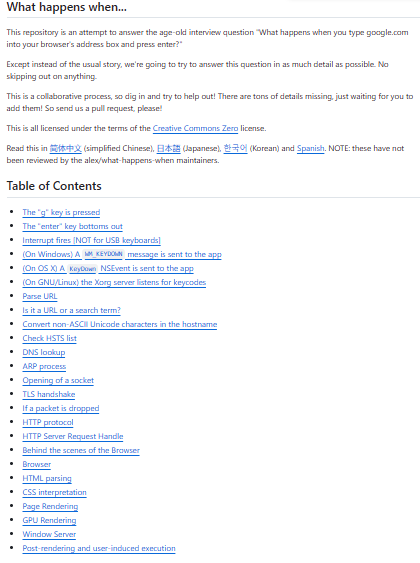
What happens when is a large collaborative documentation-style project that aims to answer in exhaustive detail the canonical interview/thought experiment question, “What happens when you type google into your browser and press Enter?” Rather than giving a high-level overview, the repository tries to break down every step in the process, from low-level events (keyboard press, OS events, keyboard interrupts), through OS-level handling (keyboard scan codes, key events), parsing, DNS lookup, networking (ARP, socket creation, TCP/TLS handshake), HTTP requests, browser behavior, HTML/CSS/JS parsing, rendering engine, GPU rendering, layout, to final drawing and user-visible output. The goal is to serve as a comprehensive resource for students and engineers to understand what happens under the hood, bridging from hardware and OS level up through network and application layers.
Features
- Deep, step-by-step breakdown of what happens when you enter a URL and press Enter (keyboard → OS → network → browser → rendering)
- Covers low-level OS/hardware events (key press, interrupt handling), network protocols (DNS, socket, TLS, HTTP), browser internals (parsing, rendering, layout, GPU, DOM, JS execution)
- Multi-language README — available in multiple human languages (English, simplified Chinese, Japanese, Korean, Spanish) to reach diverse developers
- Collaborative and community-driven: open for contributions to fill missing steps, correct details, expand explanations
- Licensed under Creative Commons Zero (CC0), making it free to reuse and redistribute without restrictions
- Serves as educational resource — useful for interviews, teaching, understanding web stack internals
Project Samples