
 Download
Comparison plugin for Notepad++ editor.
Features
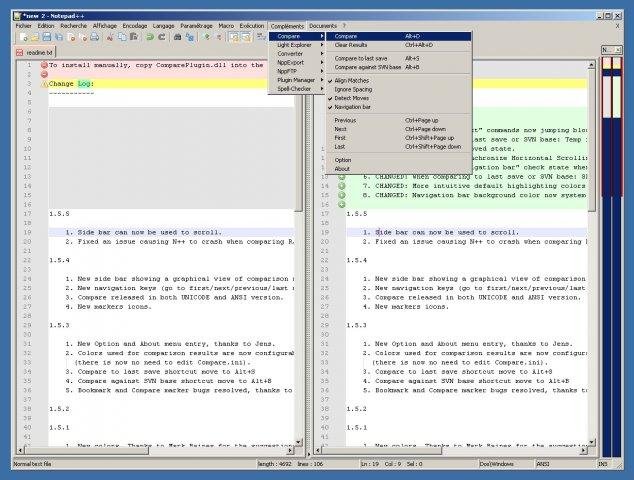
- Side-by-side visual differencing
- Comparison against SVN database
- Highlight differences inside lines
- Navigation bar shows a map of compared files
- Moved line detection
- Easy navigation between differences
- Customizable results presentation
Project Samples


Categories
Word ProcessorsLicense
GNU General Public License version 3.0 (GPLv3)Follow Notepad++ Compare plugin
Other Useful Business Software
Veeam Data Platform v13.1
Try Veeam Data Platform today. Experience the unified platform that's secure by design, portable by default, and proven to recover clean, fast, and anywhere.
Rate This Project
Login To Rate This Project
User Reviews
-
This plugin is interesting but ComparePlus is better and from the same editor.
-
Bad colorized funcional compare
-
Does not work with 64bit Notepad++ Besides, the docs recommend installing the plugin to C:\Program Files - we do not install any software, except system, drivers and codecs on the system drive.
-
Thanks great plugin great work compared to Notepad standard
-
Nice plugin :) You can get the 64 bit version from here: github.com/pnedev/compare-plugin/releases/tag/v2.0.0
