
 Download
Comparison plugin for Notepad++ editor.
Features
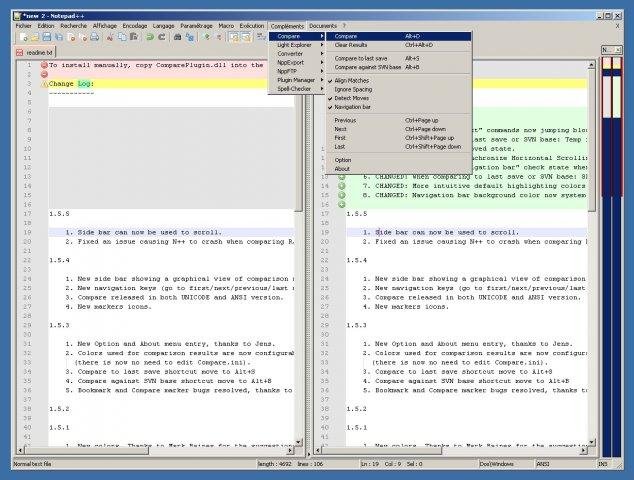
- Side-by-side visual differencing
- Comparison against SVN database
- Highlight differences inside lines
- Navigation bar shows a map of compared files
- Moved line detection
- Easy navigation between differences
- Customizable results presentation
Project Samples


Categories
Word ProcessorsLicense
GNU General Public License version 3.0 (GPLv3)Follow Notepad++ Compare plugin
Other Useful Business Software
Gemini 3 and 200+ AI Models on One Platform
Build generative AI apps with Vertex AI. Switch between models without switching platforms.
Rate This Project
Login To Rate This Project
User Reviews
-
This plugin is interesting but ComparePlus is better and from the same editor.
-
Bad colorized funcional compare
-
Does not work with 64bit Notepad++ Besides, the docs recommend installing the plugin to C:\Program Files - we do not install any software, except system, drivers and codecs on the system drive.
-
Thanks great plugin great work compared to Notepad standard
-
Nice plugin :) You can get the 64 bit version from here: github.com/pnedev/compare-plugin/releases/tag/v2.0.0

