
 Download
Linux-intelligent-ocr-solution
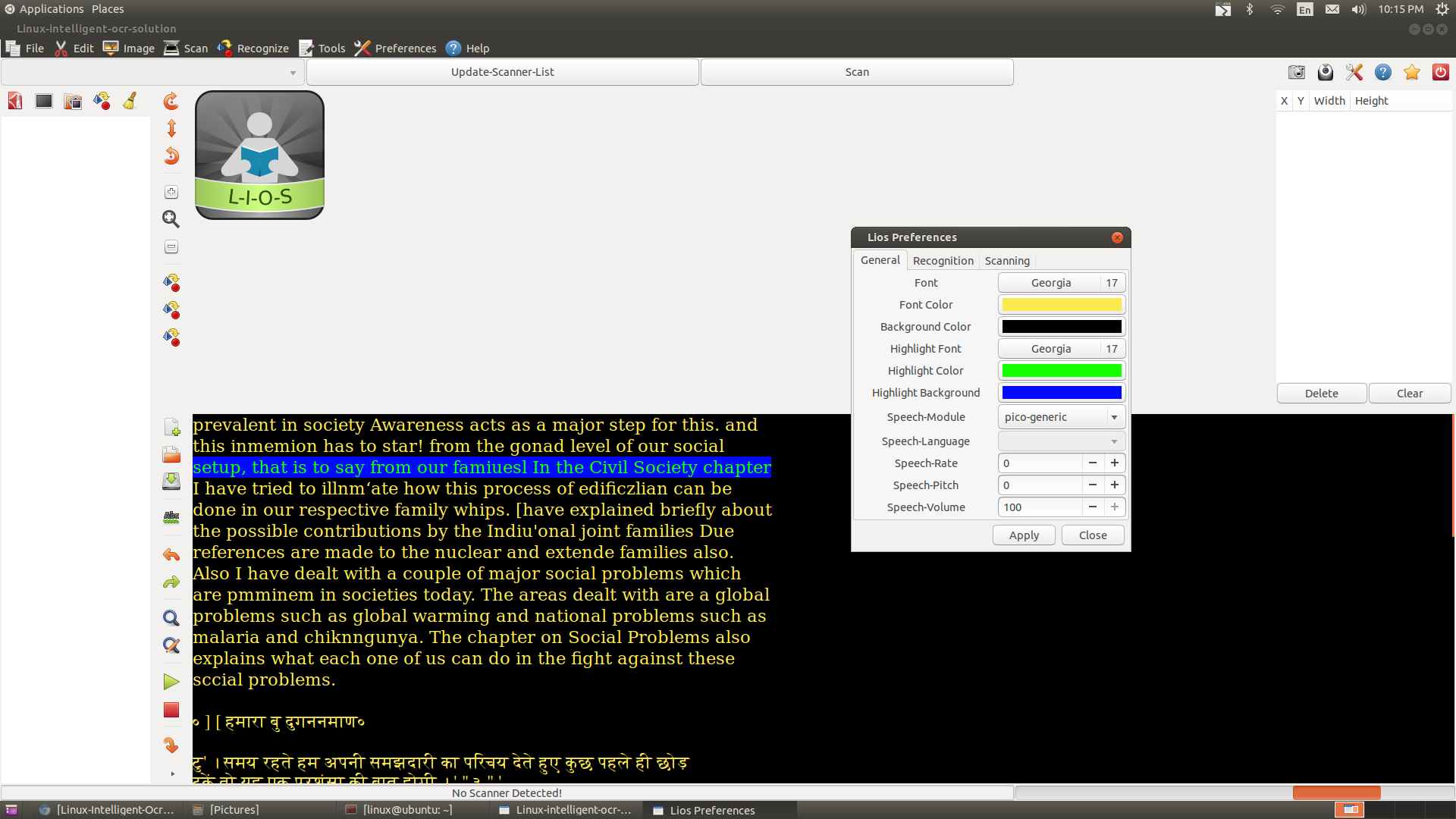
Lios is a free and open source software for converting print in to text using either scanner or a camera, It can also produce text out of scanned images from other sources such as Pdf, Image, Folder containing Images or screenshot. Program is given total accessibility for visually impaired. A Tesseract Trainer GUI is also shipped with this package.
Forum : https://groups.google.com/forum/#!forum/lios
Video Tutorial : https://www.youtube.com/playlist?list=PLn29o8rxtRe1zS1r2-yGm1DNMOZCgdU0i
Tesseract Training Tutorial (beta) : https://www.youtube.com/watch?v=qLpCld4cdtk
Source Code
Github : https://github.com/Nalin-x-Linux/lios-3
Gitlab : https://gitlab.com/Nalin-x-Linux/lios-3
User guide is available in download page
Features
- Import images from Scanner, PDFs, Folder, or Webcam,
- Take and Recognize Screenshot,
- Recognize Selected Areas(Rectangle selection),
- Support two OCR Engines (Cuneiform,Tesseract),
- Tesseract-Trainer - Train your tesseract ocr engine to improve the accuracy
- Full Auto Rotation for any Language(If aspell installed for the language, Eg : "sudo apt-get install aspell-hi" for Hindi,
- Side by side view of image and output
- Advanced Scanner Brightness optimizer
- Text Reader for low vision with Highlighting, With user selected Color, Font, and Background Color,
- Audio converter(espeak),
- Spell-checker(aspell),
- Export as pdf (text/images),
- Dictionary Support for English(Artha)
- Options for save, load and reset settings,
- Text-Cleaner - Post process your output with match-replace dialog
- Other options - Find, Find-and-Replace, Go-To-Page, Go-To-Line, Append file, Punch File, Selection of starting page number, page numbering mode and number of pages to scan, Selection of Scan area, brightness, resolution and time between repeated scanning, Output Insert position, image rotation and zoom options, etc
Project Samples


License
GNU General Public License version 3.0 (GPLv3)Follow Linux-Intelligent-Ocr-Solution
User Reviews
-
Does not work in Xubuntu 22.04. python3-imaging-sane depends no longer available. Gives errors: Cannot connect attribute 'text' for cell renderer class 'lios+ui+gtk+tree_view+CellRendererToggle' since attribute does not exist and IndexError: list index out of range. Won't start at all.
-
Wanted to send kudos to the developers for continuing on this project and to add a recent comment. I'm using the software on elementary OS (an Ubuntu derivative) and am very pleased with its performance so far. It seems capable of handling most scanning tasks and to my surprise handles OCR and text to speech. It's not perfect, but certainly worth checking out!
-
Pretty good software - a little clunky, but the online YouTube Tutorial videos help out a lot. Very flexible, works well with Ubuntu 16.04.1 LTS. Also available in the Ubuntu Software Store.
-
:) Thanx for the software. I use croatian language, Ubuntu 14.04 (Linux). Instead "-", it writes me "—". I would like to disable sound. When I want to select part or whole text, I do not see any changes (different background) and this is confuseing. And the bottom line is very annoing - it is red and always goes left-right. Stop it, please! ;) That are my suggestions. Thank you.
-
Using Ubuntu 14.04 (Linux) The program has nice features and has the potential to be a great program. The voice function is nearly uninteligible and sounds like the voice has a bad cold. I have been unable to save to file. The instructions need to be expanded rather than just list what the program can do. A user's forum would be helpful.
