
 Download
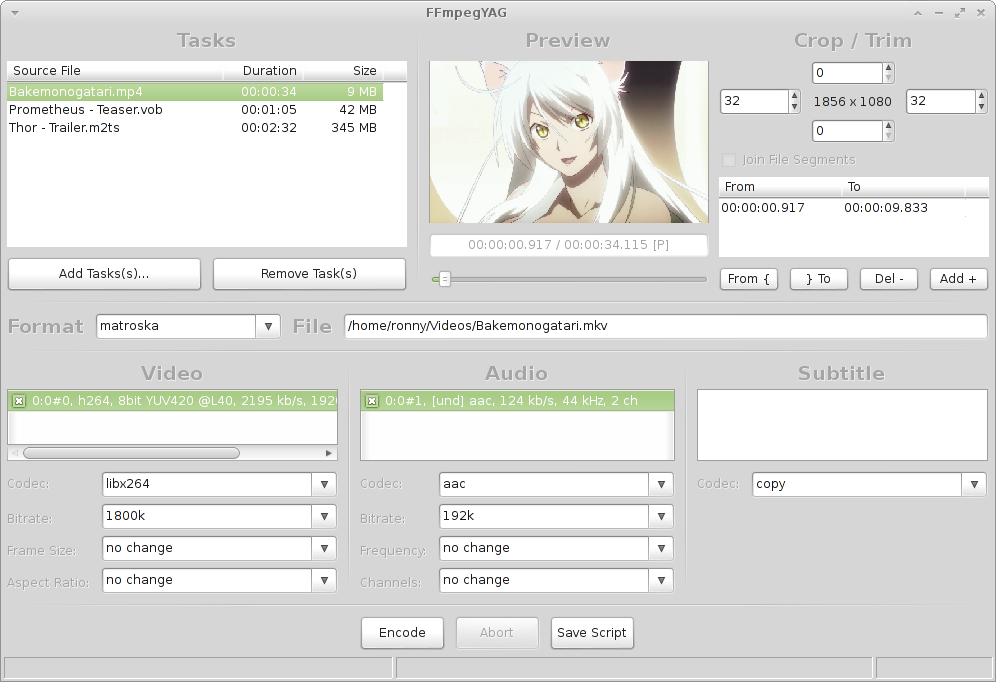
FFmpegYAG is an advanced GUI for the popular FFmpeg audio/video encoding tool.
To use all features (split/concat, x264 10 bit, HE-AAC) it is recommend to use the FFmpeg Hi (http://sourceforge.net/projects/ffmpeg-hi/) build.
Main features:
* batch encoding for multiple tasks
* interactive video preview, real-time video/audio playback
* multiple streams processing for video/audio/subtitles
* trim file to segments (with optional fade in/out filters) and concatenate them
Features
- batch encoding for multiple tasks
- interactive video preview, real-time video/audio playback
- multiple streams processing for video/audio/subtitles
- trim file to segments (with optional fade in/out filters) and concatenate them
Project Samples

License
MIT LicenseFollow FFmpegYAG
Other Useful Business Software
PRTG Catches Network Issues Before They Cause Downtime
Reactive troubleshooting usually means hearing about a problem from frustrated users, not your monitoring tool. PRTG sets threshold-based alerts across devices, servers and applications, notifying your team by email, SMS or push the moment a metric crosses a set limit. That means catching a failing disk or overloaded server before it becomes an outage and getting time back from firefighting. Start a free trial and set your first alerts today.
Rate This Project
Login To Rate This Project
User Reviews
-
I tested this software with the default options, just a mkv input file of 9,962 Kbytes, and defining mp4 the destination video format. It created a 44,100 Kbytes video output, much larger than using FFMpeg in command line (also with the default options) or another GUI frontend software for FFmpeg. With these two programs, the mp4 video created was below 15,000 Kbytes in size. Another problem with these gui frontends, is that the developers tend to stop maintaining and updating it, so some had the last update in 2015, this FFmpegYAG is from 2017, and others simply vanished. Not very reassuring.
-
It works well enough for my purposes. Just curious as to what a GUI for FFmpeg would be like. Needs updated, but it works okay.
-
The interface is terrible. The license is not specified, so it is difficult to understand how to use the program.
-
I just found this project because I want to downconvert a H265 file to H264. I was only looking to convert the video, and use my old trusted program (Video To Video) to resize it and crop the embedded black bars. I was pleasantly surprised to see this program did those things as well and was super easy to learn. That let me cut out the second program and keep better quality by not processing it a second time. I'm very impressed with this software. I'm just afraid the developer may have ditched the project. It doesn't seem to have any updates in a while. Thanks to the dev, I will enjoy the program!
-
Thanks - great work - only jpg/png output does not work
