Download
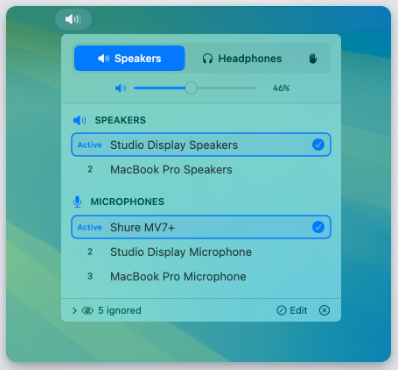
Audio Priority Bar is a lightweight macOS utility that gives users precise control over how audio output is prioritized across different apps and devices, filling a gap in the system audio stack that Apple doesn’t natively expose. Once installed, it places an always-accessible control in the menu bar that lets you assign priority levels to individual audio sources so that more important sounds (like alerts, calls, or music) can override or duck less important ones (like background noise or game audio). This becomes especially useful in multitasking situations — for example, keeping voice calls audible while muting or lowering other playback automatically when needed. The tool maintains simple but powerful state management so priorities persist across app launches and device changes, plus it supports per-device profiles so your rules can differ between headphones, speakers, and external monitors.
Features
- Menu bar audio source priority controls
- Per-app audio level management
- Persistent priority profiles across devices
- Quick reassignments between output devices
- Automatic ducking of background audio
- Lightweight, native macOS user experience
Project Samples