
Menu
▾
▴
fontforge-users — Discussion area for users
You can subscribe to this list here.
| 2004 |
Jan
|
Feb
|
Mar
(5) |
Apr
(8) |
May
(41) |
Jun
(7) |
Jul
(7) |
Aug
(13) |
Sep
(5) |
Oct
(10) |
Nov
(25) |
Dec
(27) |
|---|---|---|---|---|---|---|---|---|---|---|---|---|
| 2005 |
Jan
(25) |
Feb
(6) |
Mar
(32) |
Apr
(33) |
May
(26) |
Jun
(50) |
Jul
(36) |
Aug
(28) |
Sep
(34) |
Oct
(18) |
Nov
(20) |
Dec
(38) |
| 2006 |
Jan
(38) |
Feb
(39) |
Mar
(26) |
Apr
(57) |
May
(17) |
Jun
(17) |
Jul
(38) |
Aug
(53) |
Sep
(95) |
Oct
(44) |
Nov
(26) |
Dec
(31) |
| 2007 |
Jan
(55) |
Feb
(82) |
Mar
(57) |
Apr
(45) |
May
(23) |
Jun
(46) |
Jul
(58) |
Aug
(45) |
Sep
(74) |
Oct
(96) |
Nov
(35) |
Dec
(13) |
| 2008 |
Jan
(106) |
Feb
(55) |
Mar
(54) |
Apr
(38) |
May
(43) |
Jun
(79) |
Jul
(67) |
Aug
(55) |
Sep
(36) |
Oct
(62) |
Nov
(135) |
Dec
(69) |
| 2009 |
Jan
(67) |
Feb
(86) |
Mar
(33) |
Apr
(25) |
May
(41) |
Jun
(44) |
Jul
(25) |
Aug
(70) |
Sep
(74) |
Oct
(30) |
Nov
(32) |
Dec
(33) |
| 2010 |
Jan
(30) |
Feb
(9) |
Mar
(22) |
Apr
(85) |
May
(35) |
Jun
(35) |
Jul
(29) |
Aug
(23) |
Sep
(77) |
Oct
(13) |
Nov
(21) |
Dec
(9) |
| 2011 |
Jan
(3) |
Feb
(49) |
Mar
(91) |
Apr
(19) |
May
(40) |
Jun
(12) |
Jul
(27) |
Aug
(45) |
Sep
(21) |
Oct
(30) |
Nov
(14) |
Dec
(8) |
| 2012 |
Jan
(48) |
Feb
(56) |
Mar
(10) |
Apr
(30) |
May
(35) |
Jun
(51) |
Jul
(27) |
Aug
(154) |
Sep
(48) |
Oct
(39) |
Nov
(10) |
Dec
(52) |
| 2013 |
Jan
(56) |
Feb
(38) |
Mar
(26) |
Apr
(58) |
May
(23) |
Jun
(85) |
Jul
(15) |
Aug
(23) |
Sep
(89) |
Oct
(32) |
Nov
(23) |
Dec
(82) |
| 2014 |
Jan
(21) |
Feb
(15) |
Mar
(38) |
Apr
(9) |
May
(25) |
Jun
(16) |
Jul
(8) |
Aug
(49) |
Sep
(27) |
Oct
(26) |
Nov
(43) |
Dec
(4) |
| 2015 |
Jan
(21) |
Feb
(15) |
Mar
(62) |
Apr
(13) |
May
(8) |
Jun
(12) |
Jul
(12) |
Aug
(15) |
Sep
(41) |
Oct
(7) |
Nov
(30) |
Dec
(11) |
| 2016 |
Jan
(17) |
Feb
(28) |
Mar
(3) |
Apr
(8) |
May
(38) |
Jun
(13) |
Jul
(7) |
Aug
(45) |
Sep
(38) |
Oct
(7) |
Nov
(15) |
Dec
(20) |
| 2017 |
Jan
(17) |
Feb
(35) |
Mar
(34) |
Apr
(32) |
May
(47) |
Jun
(14) |
Jul
(48) |
Aug
(47) |
Sep
(15) |
Oct
(6) |
Nov
(2) |
Dec
(22) |
| 2018 |
Jan
(18) |
Feb
(3) |
Mar
(11) |
Apr
(6) |
May
(5) |
Jun
(11) |
Jul
(10) |
Aug
(1) |
Sep
(4) |
Oct
(6) |
Nov
(16) |
Dec
(26) |
| 2019 |
Jan
(50) |
Feb
(2) |
Mar
(42) |
Apr
(48) |
May
(21) |
Jun
(23) |
Jul
(39) |
Aug
(31) |
Sep
(11) |
Oct
(12) |
Nov
(22) |
Dec
(29) |
| 2020 |
Jan
(39) |
Feb
(25) |
Mar
(11) |
Apr
(24) |
May
(23) |
Jun
(21) |
Jul
(2) |
Aug
(2) |
Sep
(14) |
Oct
(18) |
Nov
(12) |
Dec
(15) |
| 2021 |
Jan
(1) |
Feb
(1) |
Mar
(10) |
Apr
(14) |
May
(3) |
Jun
(4) |
Jul
(4) |
Aug
|
Sep
(15) |
Oct
(7) |
Nov
(24) |
Dec
(2) |
| 2022 |
Jan
(4) |
Feb
(6) |
Mar
(1) |
Apr
(7) |
May
|
Jun
(1) |
Jul
|
Aug
(18) |
Sep
(6) |
Oct
(9) |
Nov
(1) |
Dec
(23) |
| 2023 |
Jan
(4) |
Feb
|
Mar
(39) |
Apr
|
May
|
Jun
|
Jul
(12) |
Aug
(8) |
Sep
(5) |
Oct
(2) |
Nov
(13) |
Dec
(4) |
| 2024 |
Jan
(10) |
Feb
(1) |
Mar
(5) |
Apr
(1) |
May
|
Jun
(3) |
Jul
|
Aug
(8) |
Sep
(22) |
Oct
(3) |
Nov
|
Dec
(1) |
| 2025 |
Jan
(2) |
Feb
(1) |
Mar
(9) |
Apr
(1) |
May
(18) |
Jun
(7) |
Jul
|
Aug
|
Sep
(1) |
Oct
|
Nov
(13) |
Dec
(8) |
| 2026 |
Jan
(8) |
Feb
(2) |
Mar
(6) |
Apr
|
May
|
Jun
|
Jul
|
Aug
(27) |
Sep
(4) |
Oct
(1) |
Nov
|
Dec
|
|
From: Andrew B. <edi...@gm...> - 2026-10-19 06:05:23
|
I'm using a version of FontForge instyalled on my iMac last week, so it's the most current version. I am trying to navigate to a folder where I stored the drawings and SVGs that the font is based on. For whatever reason it seems most of my folders,but not the one containing my work. I have to make copies of each glyph, put the copies on my desktop, and open them from there. I can't even save the .sfd file to the folder I want to work from. That too has to be saved to the Desktop. What's going on here? Second of all, scaling a glyph after importing it is very frustrating. The scale tool does nOT scale proportionally. shift-drag etc makes no difference. I have to double-click the tool to enter percentages. Is this a bug or a feature? |
|
From: Mauro S. <mau...@ic...> - 2026-09-04 02:08:39
|
Oh, found in the palette. Solved this very trivial problem, thank you! Il 04/09/26 03:46, Mauro Sacchetto ha scritto: > I find everything saved and can't go back. > > But if I copy and paste a glyph composed "normally" (i.e., not with > Spiro) into that window, it automatically takes on this characteristic. > > Is there a way to get out of this? > > > > > > > > > Il 04/09/26 02:58, Skef Iterum ha scritto: >> Those are Spiro symbols, implying someone switched to using Spiro on >> this glyph. If they weren't drawn that way, you can probably just >> switch back and get the same segments back. >> >> Skef >> >> On 9/3/26 4:41 PM, Mauro Sacchetto via fontforge-users wrote: >>> A simple question about an event that's mysterious to me. >>> >>> I see all the glyphs as shown in image 1 (https://ibb.co/TDgvSQVL), >>> but only one glyph, the "Combining square below," doesn't have the >>> usual indicators, but instead has dots and red square brackets, as >>> shown in image 2 (https://ibb.co/n8wSypgL). >>> >>> Did I specifically touch something I shouldn't have? >>> >>> How can I restore my normal display? >>> >>> Thanks. >>> >>> m >>> >>> >>> _______________________________________________ >>> fontforge-users mailing list >>> fon...@li... >>> https://lists.sourceforge.net/lists/listinfo/fontforge-users >>> http://fontforge.10959.n7.nabble.com/User-f8781.html >> >> >> _______________________________________________ >> fontforge-users mailing list >> fon...@li... >> https://lists.sourceforge.net/lists/listinfo/fontforge-users >> http://fontforge.10959.n7.nabble.com/User-f8781.html > -- Mauro Sacchetto Santa Croce 1332a 30135 Venezia (VE) tel.: 041 722938 cell.: 348 9690575 e-mail: mau...@ic... |
|
From: Mauro S. <mau...@gm...> - 2026-09-04 01:46:20
|
I find everything saved and can't go back. But if I copy and paste a glyph composed "normally" (i.e., not with Spiro) into that window, it automatically takes on this characteristic. Is there a way to get out of this? Il 04/09/26 02:58, Skef Iterum ha scritto: > Those are Spiro symbols, implying someone switched to using Spiro on > this glyph. If they weren't drawn that way, you can probably just > switch back and get the same segments back. > > Skef > > On 9/3/26 4:41 PM, Mauro Sacchetto via fontforge-users wrote: >> A simple question about an event that's mysterious to me. >> >> I see all the glyphs as shown in image 1 (https://ibb.co/TDgvSQVL), >> but only one glyph, the "Combining square below," doesn't have the >> usual indicators, but instead has dots and red square brackets, as >> shown in image 2 (https://ibb.co/n8wSypgL). >> >> Did I specifically touch something I shouldn't have? >> >> How can I restore my normal display? >> >> Thanks. >> >> m >> >> >> _______________________________________________ >> fontforge-users mailing list >> fon...@li... >> https://lists.sourceforge.net/lists/listinfo/fontforge-users >> http://fontforge.10959.n7.nabble.com/User-f8781.html > > > _______________________________________________ > fontforge-users mailing list > fon...@li... > https://lists.sourceforge.net/lists/listinfo/fontforge-users > http://fontforge.10959.n7.nabble.com/User-f8781.html -- Mauro Sacchetto Santa Croce 1332a 30135 Venezia (VE) tel.: 041 722938 cell.: 348 9690575 e-mail: mau...@ic... |
|
From: Skef I. <gi...@sk...> - 2026-09-04 01:17:53
|
Those are Spiro symbols, implying someone switched to using Spiro on this glyph. If they weren't drawn that way, you can probably just switch back and get the same segments back. Skef On 9/3/26 4:41 PM, Mauro Sacchetto via fontforge-users wrote: > A simple question about an event that's mysterious to me. > > I see all the glyphs as shown in image 1 (https://ibb.co/TDgvSQVL), > but only one glyph, the "Combining square below," doesn't have the > usual indicators, but instead has dots and red square brackets, as > shown in image 2 (https://ibb.co/n8wSypgL). > > Did I specifically touch something I shouldn't have? > > How can I restore my normal display? > > Thanks. > > m > > > _______________________________________________ > fontforge-users mailing list > fon...@li... > https://lists.sourceforge.net/lists/listinfo/fontforge-users > http://fontforge.10959.n7.nabble.com/User-f8781.html |
|
From: Mauro S. <mau...@ic...> - 2026-09-03 23:57:33
|
A simple question about an event that's mysterious to me. I see all the glyphs as shown in image 1 (https://ibb.co/TDgvSQVL), but only one glyph, the "Combining square below," doesn't have the usual indicators, but instead has dots and red square brackets, as shown in image 2 (https://ibb.co/n8wSypgL). Did I specifically touch something I shouldn't have? How can I restore my normal display? Thanks. m |
|
From: Thales M. <tha...@gm...> - 2026-08-27 19:42:56
|
Thanks for sharing that. I usually modify fonts that already have these lookups present, that's why I didn't think of it. Those anchor rules are really complex; One must take their time to grasp it. On Thu, Aug 27, 2026 at 3:27 PM Mauro Sacchetto <mau...@gm...> wrote: > Oh, the solution was just around the corner!! > > I must have messed around with a thousand useless attempts. > > In reality, compound glyphs are created correctly with mark combs under > these conditions: > > 1) have all the useful combing glyphs (Modifiers are also present, but > at this point they are not used); > > 2) create the "mark" lookup in Lookup - GPOS with the relevant classes; > > 3) set the anchors for base and mark; > > 4) in "Preferences - Accents" set PreferSpacingAccents to OFF (the other > two options have no effect). This is essential. > > Now everything works correctly. > > Thank you very much for your extensive help. > > m > > > > > Il 27/08/26 15:40, Thales Martins ha scritto: > > If you delete the spacing grave(U+0060) and the modifier grave(U+02cb) > > and leave only the combining grave(U+0300) and then tweak the > > "PreferSpacingAccents" back and forth, and it still doesn't work, then > > I don't know. Perhaps someone else could give a tip. > > > > > > > > _______________________________________________ > > fontforge-users mailing list > > fon...@li... > > https://lists.sourceforge.net/lists/listinfo/fontforge-users > > http://fontforge.10959.n7.nabble.com/User-f8781.html > > > > > > > > _______________________________________________ > fontforge-users mailing list > fon...@li... > https://lists.sourceforge.net/lists/listinfo/fontforge-users > http://fontforge.10959.n7.nabble.com/User-f8781.html |
|
From: Mauro S. <mau...@gm...> - 2026-08-27 17:25:21
|
Oh, the solution was just around the corner!! I must have messed around with a thousand useless attempts. In reality, compound glyphs are created correctly with mark combs under these conditions: 1) have all the useful combing glyphs (Modifiers are also present, but at this point they are not used); 2) create the "mark" lookup in Lookup - GPOS with the relevant classes; 3) set the anchors for base and mark; 4) in "Preferences - Accents" set PreferSpacingAccents to OFF (the other two options have no effect). This is essential. Now everything works correctly. Thank you very much for your extensive help. m Il 27/08/26 15:40, Thales Martins ha scritto: > If you delete the spacing grave(U+0060) and the modifier grave(U+02cb) > and leave only the combining grave(U+0300) and then tweak the > "PreferSpacingAccents" back and forth, and it still doesn't work, then > I don't know. Perhaps someone else could give a tip. > > > > _______________________________________________ > fontforge-users mailing list > fon...@li... > https://lists.sourceforge.net/lists/listinfo/fontforge-users > http://fontforge.10959.n7.nabble.com/User-f8781.html > > |
|
From: Thales M. <tha...@gm...> - 2026-08-27 13:40:30
|
If you delete the spacing grave(U+0060) and the modifier grave(U+02cb) and leave only the combining grave(U+0300) and then tweak the "PreferSpacingAccents" back and forth, and it still doesn't work, then I don't know. Perhaps someone else could give a tip. On Thu, Aug 27, 2026, 05:18 Mauro Sacchetto via fontforge-users < fon...@li...> wrote: > Thanks for the Python tip; I'll take my time. > > > One last, crucial question. > > When creating composite glyphs, FF uses Modifiers, not Combinings. But > the former shouldn't contain anchors, unlike the latter. For example, > agrave is automatically composed of a + gravemodifier (uni02cb) and not > a + gravecomb (uni0300). This defeats a more precise positioning > calculated with anchors. > > Is there a way to set FF to automatically use Combinings and not Modifiers? > > > > > > Il 26/08/26 16:42, Thales Martins ha scritto: > > Do you know any programming at all? > > > > Take a look at this documentation: > > https://fontforge.org/docs/scripting/python/fontforge.html > > > > As you can see, there are methods like "glyph.anchorPoints" and > > "glyph.addReference" that allow you to look at an anchor, create a > > proper transformation matrix and position the reference to create your > > composites. > > > > Learning Python with chatbots is really fun. Programming in general > > can be really fun but it can also be really annoying and drive you > > crazy. The fun part is when you're developing the ideas, testing, and > > it's all working, and the project is moving forward. The really > > annoying part is when the project gets really really complex, that > > every now and then a bug arises, and you get stuck for 3 weeks turning > > everything upside down and can't for the love of God make it work. And > > just so you know, so you can make an informed decision, the fun part > > is usually 10% of the time, while the annoying, crazy driving part, is > > the other 90%. > > > > On Tue, Aug 25, 2026 at 3:10 PM Mauro Sacchetto via fontforge-users > > <fon...@li...> wrote: > > > > > > I've never used Python scripts; I'm curious where I could find some > > exa > > > > > > _______________________________________________ > fontforge-users mailing list > fon...@li... > https://lists.sourceforge.net/lists/listinfo/fontforge-users > http://fontforge.10959.n7.nabble.com/User-f8781.html |
|
From: Mauro S. <mau...@ic...> - 2026-08-27 08:16:25
|
Thanks for the Python tip; I'll take my time. One last, crucial question. When creating composite glyphs, FF uses Modifiers, not Combinings. But the former shouldn't contain anchors, unlike the latter. For example, agrave is automatically composed of a + gravemodifier (uni02cb) and not a + gravecomb (uni0300). This defeats a more precise positioning calculated with anchors. Is there a way to set FF to automatically use Combinings and not Modifiers? Il 26/08/26 16:42, Thales Martins ha scritto: > Do you know any programming at all? > > Take a look at this documentation: > https://fontforge.org/docs/scripting/python/fontforge.html > > As you can see, there are methods like "glyph.anchorPoints" and > "glyph.addReference" that allow you to look at an anchor, create a > proper transformation matrix and position the reference to create your > composites. > > Learning Python with chatbots is really fun. Programming in general > can be really fun but it can also be really annoying and drive you > crazy. The fun part is when you're developing the ideas, testing, and > it's all working, and the project is moving forward. The really > annoying part is when the project gets really really complex, that > every now and then a bug arises, and you get stuck for 3 weeks turning > everything upside down and can't for the love of God make it work. And > just so you know, so you can make an informed decision, the fun part > is usually 10% of the time, while the annoying, crazy driving part, is > the other 90%. > > On Tue, Aug 25, 2026 at 3:10 PM Mauro Sacchetto via fontforge-users > <fon...@li...> wrote: > > > I've never used Python scripts; I'm curious where I could find some > exa > |
|
From: Thales M. <tha...@gm...> - 2026-08-26 15:45:48
|
Do you know any programming at all? Take a look at this documentation: https://fontforge.org/docs/scripting/python/fontforge.html As you can see, there are methods like "glyph.anchorPoints" and "glyph.addReference" that allow you to look at an anchor, create a proper transformation matrix and position the reference to create your composites. Learning Python with chatbots is really fun. Programming in general can be really fun but it can also be really annoying and drive you crazy. The fun part is when you're developing the ideas, testing, and it's all working, and the project is moving forward. The really annoying part is when the project gets really really complex, that every now and then a bug arises, and you get stuck for 3 weeks turning everything upside down and can't for the love of God make it work. And just so you know, so you can make an informed decision, the fun part is usually 10% of the time, while the annoying, crazy driving part, is the other 90%. On Tue, Aug 25, 2026 at 3:10 PM Mauro Sacchetto via fontforge-users < fon...@li...> wrote: > > I've never used Python scripts; I'm curious where I could find some > examples, especially for managing composite glyphs. Or should I create > one myself? Because I don't know Python. :( > > I opened the file you indicated, but I don't understand anything... > > > > Il 24/08/26 17:04, Thales Martins ha scritto: > > I'm sorry. I wrote a reply earlier that didn't pass through the > > moderation because I attached a file. What I said was that I would > > move to the Python's scripting functionality of FontForge to resolve > > this issue. I'm pretty sure it delivers access to all the variables > > required to do any type of composite generation. And, if you want, you > > can go to FontForge's source code and look into the file > > "fvcomposite.c", because that's probably where the bug you are > > referring to can be found. > > > > There's one more hack that you can try. You could get a professional > > font that already contains all the small caps that you want in > > composite form, and then replace the splines of that with your splines > > by copying and pasting(open both fonts through the same instance of > > FontForge, otherwise the copying and pasting won't work). > > > > > _______________________________________________ > fontforge-users mailing list > fon...@li... > https://lists.sourceforge.net/lists/listinfo/fontforge-users > http://fontforge.10959.n7.nabble.com/User-f8781.html |
|
From: Mauro S. <mau...@ic...> - 2026-08-25 17:07:47
|
I've never used Python scripts; I'm curious where I could find some examples, especially for managing composite glyphs. Or should I create one myself? Because I don't know Python. :( I opened the file you indicated, but I don't understand anything... Il 24/08/26 17:04, Thales Martins ha scritto: > I'm sorry. I wrote a reply earlier that didn't pass through the > moderation because I attached a file. What I said was that I would > move to the Python's scripting functionality of FontForge to resolve > this issue. I'm pretty sure it delivers access to all the variables > required to do any type of composite generation. And, if you want, you > can go to FontForge's source code and look into the file > "fvcomposite.c", because that's probably where the bug you are > referring to can be found. > > There's one more hack that you can try. You could get a professional > font that already contains all the small caps that you want in > composite form, and then replace the splines of that with your splines > by copying and pasting(open both fonts through the same instance of > FontForge, otherwise the copying and pasting won't work). > |
|
From: Mauro S. <mau...@ic...> - 2026-08-25 16:57:50
|
I've already tried everything: inserting the marks into Unicode slots, inserting them into PUA... No luck. Creating dedicated fonts, for example, for small caps, was done with the old PostScript, which allowed a standard of 258 glyphs. The advantage of TrueType and OpenType is that they have overcome this limitation... Il 24/08/26 16:23, Gé van Gasteren ha scritto: > Therefore, I thought you could temporarily copy your PUA .cap marks > into the slots for the combining marks and let the routine run, then > restore the combining marks. > . And another thought you didn’t ask for: > I must confess I don’t feel comfortable using the PUA for a stylistic > variant like small caps. I would instead give it its own font – but I > don’t know your situation. Maybe your application doesn’t let you > combine separate fonts easily. > People with more knowledge may be able to advise how a small-caps > style can be included in a style set. > > On Mon, Aug 24, 2026 at 3:55 PM Mauro Sacchetto via fontforge-users > <fon...@li...> wrote: > > > 1) "If the script works well with the combining marks, you could copy > all your spacing marks into their slots, then let the script do > the work > (after you have adjusted their horizontal positioning...)." > > I'm sorry, but I still don't understand. > > I have ALL the modifiers (uni02b9-uni20ff) and ALL the combining > marks > (uni0300-uni0362) properly placed in their slots. > > In PUA, I added some .cap diacritics so that the acute, grave, and > circumflex accents are slightly wider and less slanted above the > capital > letters, and so on. > > With the anchors and the corresponding "mark" lookups in GPOS, I > position everything appropriately and indeed quickly obtain the > compound > glyphs. > > The problem persists only with the usual three .cap marks (grave, > acute, > and macron): an anomaly because everything else works, and in these > three cases, and only in these three, it doesn't. Don't you think it > could be a FF bug? Because otherwise, in my opinion, this > inconsistent > behavior cannot be explained. > > > 2. I don't understand what you mean by saying that apps use composite > glyphs less and less. In languages like Italian and French, words > with > grave and acute accents are constantly used, while in German, they > use > the umlaut; certainly, not in English... Not to mention Ancient Greek > (polytonic), which has a plethora of breathings and accents. > > > > _______________________________________________ > fontforge-users mailing list > fon...@li... > https://lists.sourceforge.net/lists/listinfo/fontforge-users > http://fontforge.10959.n7.nabble.com/User-f8781.html -- Mauro Sacchetto Santa Croce 1332a 30135 Venezia (VE) tel.: 041 722938 cell.: 348 9690575 e-mail: mau...@ic... |
|
From: Thales M. <tha...@gm...> - 2026-08-24 16:07:37
|
I'm sorry. I wrote a reply earlier that didn't pass through the moderation because I attached a file. What I said was that I would move to the Python's scripting functionality of FontForge to resolve this issue. I'm pretty sure it delivers access to all the variables required to do any type of composite generation. And, if you want, you can go to FontForge's source code and look into the file "fvcomposite.c", because that's probably where the bug you are referring to can be found. There's one more hack that you can try. You could get a professional font that already contains all the small caps that you want in composite form, and then replace the splines of that with your splines by copying and pasting(open both fonts through the same instance of FontForge, otherwise the copying and pasting won't work). On Mon, Aug 24, 2026 at 12:26 PM Gé van Gasteren <gev...@gm...> wrote: > All right, > 1. Re. the FF automation: > I now understand that the routine (creating composite glyphs from the > parts) works well with the combining marks but not with your .cap marks. > Therefore, I thought you could temporarily copy your PUA .cap marks into > the slots for the combining marks and let the routine run, then restore the > combining marks. > > 2. There are two ways to render accented characters: > • Pick up the composite glyph from the font and display it. This is the > classic method, easy on the software. > • Pick up the necessary two (or more) components from the font and > assembling the intended accented letter before displaying it. > This requires having anchor points in the glyphs both for letters and > (combining diacritical) marks, so the marks can be attached and positioned > correctly. > With this method, stacking accents becomes possible and is now supported > in most applications: > > https://community.software.sil.org/uploads/default/original/2X/6/6cade8191daba93a2678088024ed27e5539b723b.png > > 3. And another thought you didn’t ask for: > I must confess I don’t feel comfortable using the PUA for a stylistic > variant like small caps. I would instead give it its own font – but I don’t > know your situation. Maybe your application doesn’t let you combine > separate fonts easily. > People with more knowledge may be able to advise how a small-caps style > can be included in a style set. > > On Mon, Aug 24, 2026 at 3:55 PM Mauro Sacchetto via fontforge-users < > fon...@li...> wrote: > >> >> 1) "If the script works well with the combining marks, you could copy >> all your spacing marks into their slots, then let the script do the work >> (after you have adjusted their horizontal positioning...)." >> >> I'm sorry, but I still don't understand. >> >> I have ALL the modifiers (uni02b9-uni20ff) and ALL the combining marks >> (uni0300-uni0362) properly placed in their slots. >> >> In PUA, I added some .cap diacritics so that the acute, grave, and >> circumflex accents are slightly wider and less slanted above the capital >> letters, and so on. >> >> With the anchors and the corresponding "mark" lookups in GPOS, I >> position everything appropriately and indeed quickly obtain the compound >> glyphs. >> >> The problem persists only with the usual three .cap marks (grave, acute, >> and macron): an anomaly because everything else works, and in these >> three cases, and only in these three, it doesn't. Don't you think it >> could be a FF bug? Because otherwise, in my opinion, this inconsistent >> behavior cannot be explained. >> >> >> 2. I don't understand what you mean by saying that apps use composite >> glyphs less and less. In languages like Italian and French, words with >> grave and acute accents are constantly used, while in German, they use >> the umlaut; certainly, not in English... Not to mention Ancient Greek >> (polytonic), which has a plethora of breathings and accents. > > _______________________________________________ > fontforge-users mailing list > fon...@li... > https://lists.sourceforge.net/lists/listinfo/fontforge-users > http://fontforge.10959.n7.nabble.com/User-f8781.html |
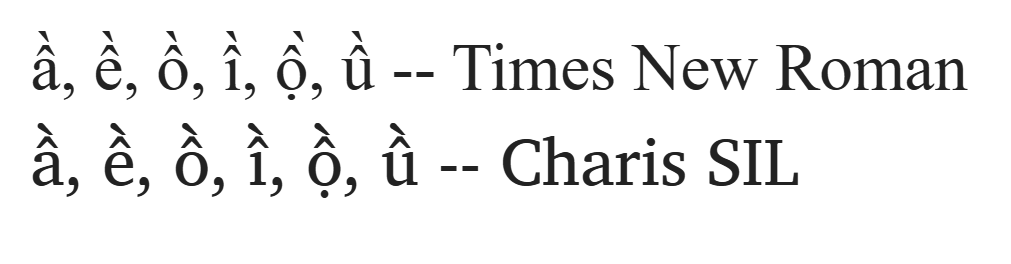
|
From: Gé v. G. <gev...@gm...> - 2026-08-24 14:24:24
|
All right, 1. Re. the FF automation: I now understand that the routine (creating composite glyphs from the parts) works well with the combining marks but not with your .cap marks. Therefore, I thought you could temporarily copy your PUA .cap marks into the slots for the combining marks and let the routine run, then restore the combining marks. 2. There are two ways to render accented characters: • Pick up the composite glyph from the font and display it. This is the classic method, easy on the software. • Pick up the necessary two (or more) components from the font and assembling the intended accented letter before displaying it. This requires having anchor points in the glyphs both for letters and (combining diacritical) marks, so the marks can be attached and positioned correctly. With this method, stacking accents becomes possible and is now supported in most applications: https://community.software.sil.org/uploads/default/original/2X/6/6cade8191daba93a2678088024ed27e5539b723b.png 3. And another thought you didn’t ask for: I must confess I don’t feel comfortable using the PUA for a stylistic variant like small caps. I would instead give it its own font – but I don’t know your situation. Maybe your application doesn’t let you combine separate fonts easily. People with more knowledge may be able to advise how a small-caps style can be included in a style set. On Mon, Aug 24, 2026 at 3:55 PM Mauro Sacchetto via fontforge-users < fon...@li...> wrote: > > 1) "If the script works well with the combining marks, you could copy > all your spacing marks into their slots, then let the script do the work > (after you have adjusted their horizontal positioning...)." > > I'm sorry, but I still don't understand. > > I have ALL the modifiers (uni02b9-uni20ff) and ALL the combining marks > (uni0300-uni0362) properly placed in their slots. > > In PUA, I added some .cap diacritics so that the acute, grave, and > circumflex accents are slightly wider and less slanted above the capital > letters, and so on. > > With the anchors and the corresponding "mark" lookups in GPOS, I > position everything appropriately and indeed quickly obtain the compound > glyphs. > > The problem persists only with the usual three .cap marks (grave, acute, > and macron): an anomaly because everything else works, and in these > three cases, and only in these three, it doesn't. Don't you think it > could be a FF bug? Because otherwise, in my opinion, this inconsistent > behavior cannot be explained. > > > 2. I don't understand what you mean by saying that apps use composite > glyphs less and less. In languages like Italian and French, words with > grave and acute accents are constantly used, while in German, they use > the umlaut; certainly, not in English... Not to mention Ancient Greek > (polytonic), which has a plethora of breathings and accents. |
|
From: Mauro S. <mau...@ic...> - 2026-08-24 13:53:30
|
1) "If the script works well with the combining marks, you could copy all your spacing marks into their slots, then let the script do the work (after you have adjusted their horizontal positioning...)." I'm sorry, but I still don't understand. I have ALL the modifiers (uni02b9-uni20ff) and ALL the combining marks (uni0300-uni0362) properly placed in their slots. In PUA, I added some .cap diacritics so that the acute, grave, and circumflex accents are slightly wider and less slanted above the capital letters, and so on. With the anchors and the corresponding "mark" lookups in GPOS, I position everything appropriately and indeed quickly obtain the compound glyphs. The problem persists only with the usual three .cap marks (grave, acute, and macron): an anomaly because everything else works, and in these three cases, and only in these three, it doesn't. Don't you think it could be a FF bug? Because otherwise, in my opinion, this inconsistent behavior cannot be explained. 2. I don't understand what you mean by saying that apps use composite glyphs less and less. In languages like Italian and French, words with grave and acute accents are constantly used, while in German, they use the umlaut; certainly, not in English... Not to mention Ancient Greek (polytonic), which has a plethora of breathings and accents. Il 24/08/26 15:14, Gé van Gasteren ha scritto: > Sorry, I didn’t make myself clear. I’ll try again: > > 1. This – I think – might be a solution for the difficulties you’re > facing right now: > If the script works well with the combining marks, you could copy all > your spacing marks into their slots, then let the script do the work > (after you have adjusted their horizontal positioning…). > > 2. This is a separate rambling about the use of fonts: > I’m wondering if it’s worth-while to put much attention on composite > glyphs, when applications are using them less and less. > Maybe Thales Martins can shed more light on this matter? > > > > > _______________________________________________ > fontforge-users mailing list > fon...@li... > https://lists.sourceforge.net/lists/listinfo/fontforge-users > http://fontforge.10959.n7.nabble.com/User-f8781.html |
|
From: Gé v. G. <gev...@gm...> - 2026-08-24 13:15:41
|
Sorry, I didn’t make myself clear. I’ll try again: 1. This – I think – might be a solution for the difficulties you’re facing right now: If the script works well with the combining marks, you could copy all your spacing marks into their slots, then let the script do the work (after you have adjusted their horizontal positioning…). 2. This is a separate rambling about the use of fonts: I’m wondering if it’s worth-while to put much attention on composite glyphs, when applications are using them less and less. Maybe Thales Martins can shed more light on this matter? On Mon, Aug 24, 2026 at 1:04 PM Mauro Sacchetto via fontforge-users < fon...@li...> wrote: > > "Precomposing" with anchors speeds up the work considerably, although - > as always - manual adjustments are required. > > Sure, it's possible to copy the accents one by one over the base glyphs, > but using references and anchors, if any changes are made, they're > immediately reflected everywhere without having to edit the glyphs one > by one again. It's a bit like working with styles in a word processor... > I placed 40 acute accents, then I changed their design and now I must > redo everything by hand. ): > > FF actually doesn't do a bad job; it recognizes .cap marks and - this is > the mysterious problem - almost all .sc marks.As I've already written, > grave.sc, acute.sc, and macron.sc, unlike all the others, don't. > > That's why this seems like a small bug to me. > > > > Il 24/08/26 12:39, Gé van Gasteren ha scritto: > > On Sun, Aug 23, 2026 at 10:44 PM Mauro Sacchetto via fontforge-users > > <fon...@li...> wrote: > > > > > > If I set PreferSpacingAccents to OFF, it always uses only modifier > > glyphs > > > > > > Sorry for interrupting with a silly idea maybe, but I wonder why you > > can’t copy the accents you made into the composing counterparts? > > You’d have to adjust their horizontal positions individually, I guess > > – is that the main disadvantage? > > > > Composing diacritical marks are the future; the precomposed characters > > are kept for backward compatibility of course, but these days, apps > > don’t use them as much. > > |
|
From: Mauro S. <mau...@ic...> - 2026-08-24 11:02:10
|
"Precomposing" with anchors speeds up the work considerably, although - as always - manual adjustments are required. Sure, it's possible to copy the accents one by one over the base glyphs, but using references and anchors, if any changes are made, they're immediately reflected everywhere without having to edit the glyphs one by one again. It's a bit like working with styles in a word processor... I placed 40 acute accents, then I changed their design and now I must redo everything by hand. ): FF actually doesn't do a bad job; it recognizes .cap marks and - this is the mysterious problem - almost all .sc marks.As I've already written, grave.sc, acute.sc, and macron.sc, unlike all the others, don't. That's why this seems like a small bug to me. Il 24/08/26 12:39, Gé van Gasteren ha scritto: > On Sun, Aug 23, 2026 at 10:44 PM Mauro Sacchetto via fontforge-users > <fon...@li...> wrote: > > > If I set PreferSpacingAccents to OFF, it always uses only modifier > glyphs > > > Sorry for interrupting with a silly idea maybe, but I wonder why you > can’t copy the accents you made into the composing counterparts? > You’d have to adjust their horizontal positions individually, I guess > – is that the main disadvantage? > > Composing diacritical marks are the future; the precomposed characters > are kept for backward compatibility of course, but these days, apps > don’t use them as much. > > _______________________________________________ > fontforge-users mailing list > fon...@li... > https://lists.sourceforge.net/lists/listinfo/fontforge-users > http://fontforge.10959.n7.nabble.com/User-f8781.html -- Mauro Sacchetto Santa Croce 1332a 30135 Venezia (VE) tel.: 041 722938 cell.: 348 9690575 e-mail: mau...@ic... |
|
From: Gé v. G. <gev...@gm...> - 2026-08-24 10:39:48
|
On Sun, Aug 23, 2026 at 10:44 PM Mauro Sacchetto via fontforge-users < fon...@li...> wrote: > > If I set PreferSpacingAccents to OFF, it always uses only modifier glyphs Sorry for interrupting with a silly idea maybe, but I wonder why you can’t copy the accents you made into the composing counterparts? You’d have to adjust their horizontal positions individually, I guess – is that the main disadvantage? Composing diacritical marks are the future; the precomposed characters are kept for backward compatibility of course, but these days, apps don’t use them as much. |
|
From: Mauro S. <mau...@ic...> - 2026-08-23 20:44:00
|
Of course! If I set PreferSpacingAccents to OFF, it always uses only modifier glyphs. If I set it to ON, it uses .sc, except in those three cases. That's why I suspect there's a small bug in FF... Il 23/08/26 21:28, Thales Martins ha scritto: > Even if you tweak the "PreferSpacingAccents" option? You have to try > all the combinations. > > > > _______________________________________________ > fontforge-users mailing list > fon...@li... > https://lists.sourceforge.net/lists/listinfo/fontforge-users > http://fontforge.10959.n7.nabble.com/User-f8781.html > > > |
|
From: Thales M. <tha...@gm...> - 2026-08-23 20:32:02
|
Even if you tweak the "PreferSpacingAccents" option? You have to try all the combinations. On Sun, Aug 23, 2026 at 4:16 PM Mauro Sacchetto via fontforge-users < fon...@li...> wrote: > The idea seems very suggestive, however... > > I followed your instructions by backgrounding the grave accent in the > modifier and in the combining. > > I created grave.sc in PUA and tried to create agrave.sc. > > However, FF doesn't recognize grave.sc, and the composite glyph only has > the base glyph and no accent :( > > > > > Il 23/08/26 18:58, Thales Martins ha scritto: > > So there's your solution. Delete the glyphs that you don't want(move > > them to the background layer and delete the foreground), generate all > > the composites and then move the marks back to the foreground. > > > > > _______________________________________________ > > fontforge-users mailing list > > fon...@li... > > https://lists.sourceforge.net/lists/listinfo/fontforge-users > > http://fontforge.10959.n7.nabble.com/User-f8781.html > > > > > > > > _______________________________________________ > fontforge-users mailing list > fon...@li... > https://lists.sourceforge.net/lists/listinfo/fontforge-users > http://fontforge.10959.n7.nabble.com/User-f8781.html > |
|
From: Mauro S. <mau...@ic...> - 2026-08-23 18:13:56
|
The idea seems very suggestive, however... I followed your instructions by backgrounding the grave accent in the modifier and in the combining. I created grave.sc in PUA and tried to create agrave.sc. However, FF doesn't recognize grave.sc, and the composite glyph only has the base glyph and no accent :( Il 23/08/26 18:58, Thales Martins ha scritto: > So there's your solution. Delete the glyphs that you don't want(move > them to the background layer and delete the foreground), generate all > the composites and then move the marks back to the foreground. > > _______________________________________________ > fontforge-users mailing list > fon...@li... > https://lists.sourceforge.net/lists/listinfo/fontforge-users > http://fontforge.10959.n7.nabble.com/User-f8781.html > > |
|
From: Thales M. <tha...@gm...> - 2026-08-23 16:59:16
|
So there's your solution. Delete the glyphs that you don't want(move them to the background layer and delete the foreground), generate all the composites and then move the marks back to the foreground. On Sun, Aug 23, 2026, 06:31 Mauro Sacchetto <mau...@gm...> wrote: > Oh, now I see! I can unlink or modify manually the components to > preserve the references. > > I've done other experiments, but I can't make sense of them. > > I create a font from scratch (actually, I copied and pasted it from > somewhere else), but without adding the modifiers and combining marks; > in PUA, I insert the various marks (grave, acute, circumflex, ..., > macron, and breve) in the appropriate slots. The .sc glyphs are composed > correctly with the .sc marks. > > Then I insert the modifiers and combining marks; at this point, > grave.sc, breve.sc, and macron.sc are no longer recognized (all the > others are), and the glyphs in these three cases are composed using the > modifier (gravecomb, etc.) and not the .sc mark. > > I don't understand anything... > > > > > > > > Il 23/08/26 01:08, Thales Martins ha scritto: > > The algorithms are very probably full of bugs, far from perfect. Fonts > > still need a lot of manual work to be produced. You should look into > > Python's FontForge class documentation to see if it's possible to do > > that by code. Chat bots can help you with that. I, every now and then, > > use scripts to do those kinds of things, like when I wrote a script > > that adds composite characters to the same kerning class as their main > > reference. The scripting in FontForge's class is limited though; there > > are some things it won't do, like manipulating splines. > > > > The procedure that I suggested involves using Edit -> Unlink > > Reference. You go and change the spline of the accent that is being > > used by the automatic composite generation to what you want, generate > > the composites, unlink the references to those generated glyphs, and > > change the accent glyph back to what it was before. The downside is > > that, like this, you will end up with accented glyphs containing only > > splines instead of the references to the fundamental glyphs. Using > > layers also helps, as you can store the original splines in a > > different layer, and there are commands to transfer a whole layer to > > another, for all glyphs at the same time. > > > > On Sat, Aug 22, 2026 at 8:10 PM Mauro Sacchetto > > <mau...@gm...> wrote: > > > > Another issue: I create omacron.sc <http://omacron.sc>, FF ignores > > macron.sc <http://macron.sc> and uses the > > modifier (U-02c9). > > > > However, in GPOS lookup "Mark" the correct glyph appears with > > macron.sc <http://macron.sc>. > > > > Since this behavior only occurs with macron, grave, and acute, > > couldn't > > it be a small bug in the automatic glyph construction mechanisms? > > > > > > > > > > > _______________________________________________ > > > fontforge-users mailing list > > > fon...@li... > > > https://lists.sourceforge.net/lists/listinfo/fontforge-users > > > http://fontforge.10959.n7.nabble.com/User-f8781.html > > > > > _______________________________________________ > fontforge-users mailing list > fon...@li... > https://lists.sourceforge.net/lists/listinfo/fontforge-users > http://fontforge.10959.n7.nabble.com/User-f8781.html |
|
From: Mauro S. <mau...@gm...> - 2026-08-23 09:29:23
|
Oh, now I see! I can unlink or modify manually the components to preserve the references. I've done other experiments, but I can't make sense of them. I create a font from scratch (actually, I copied and pasted it from somewhere else), but without adding the modifiers and combining marks; in PUA, I insert the various marks (grave, acute, circumflex, ..., macron, and breve) in the appropriate slots. The .sc glyphs are composed correctly with the .sc marks. Then I insert the modifiers and combining marks; at this point, grave.sc, breve.sc, and macron.sc are no longer recognized (all the others are), and the glyphs in these three cases are composed using the modifier (gravecomb, etc.) and not the .sc mark. I don't understand anything... Il 23/08/26 01:08, Thales Martins ha scritto: > The algorithms are very probably full of bugs, far from perfect. Fonts > still need a lot of manual work to be produced. You should look into > Python's FontForge class documentation to see if it's possible to do > that by code. Chat bots can help you with that. I, every now and then, > use scripts to do those kinds of things, like when I wrote a script > that adds composite characters to the same kerning class as their main > reference. The scripting in FontForge's class is limited though; there > are some things it won't do, like manipulating splines. > > The procedure that I suggested involves using Edit -> Unlink > Reference. You go and change the spline of the accent that is being > used by the automatic composite generation to what you want, generate > the composites, unlink the references to those generated glyphs, and > change the accent glyph back to what it was before. The downside is > that, like this, you will end up with accented glyphs containing only > splines instead of the references to the fundamental glyphs. Using > layers also helps, as you can store the original splines in a > different layer, and there are commands to transfer a whole layer to > another, for all glyphs at the same time. > > On Sat, Aug 22, 2026 at 8:10 PM Mauro Sacchetto > <mau...@gm...> wrote: > > Another issue: I create omacron.sc <http://omacron.sc>, FF ignores > macron.sc <http://macron.sc> and uses the > modifier (U-02c9). > > However, in GPOS lookup "Mark" the correct glyph appears with > macron.sc <http://macron.sc>. > > Since this behavior only occurs with macron, grave, and acute, > couldn't > it be a small bug in the automatic glyph construction mechanisms? > > > > > > > _______________________________________________ > > fontforge-users mailing list > > fon...@li... > > https://lists.sourceforge.net/lists/listinfo/fontforge-users > > http://fontforge.10959.n7.nabble.com/User-f8781.html > |
|
From: Thales M. <tha...@gm...> - 2026-08-23 00:11:06
|
The algorithms are very probably full of bugs, far from perfect. Fonts still need a lot of manual work to be produced. You should look into Python's FontForge class documentation to see if it's possible to do that by code. Chat bots can help you with that. I, every now and then, use scripts to do those kinds of things, like when I wrote a script that adds composite characters to the same kerning class as their main reference. The scripting in FontForge's class is limited though; there are some things it won't do, like manipulating splines. The procedure that I suggested involves using Edit -> Unlink Reference. You go and change the spline of the accent that is being used by the automatic composite generation to what you want, generate the composites, unlink the references to those generated glyphs, and change the accent glyph back to what it was before. The downside is that, like this, you will end up with accented glyphs containing only splines instead of the references to the fundamental glyphs. Using layers also helps, as you can store the original splines in a different layer, and there are commands to transfer a whole layer to another, for all glyphs at the same time. On Sat, Aug 22, 2026 at 8:10 PM Mauro Sacchetto <mau...@gm...> wrote: > Another issue: I create omacron.sc, FF ignores macron.sc and uses the > modifier (U-02c9). > > However, in GPOS lookup "Mark" the correct glyph appears with macron.sc. > > Since this behavior only occurs with macron, grave, and acute, couldn't > it be a small bug in the automatic glyph construction mechanisms? > > > > > > > _______________________________________________ > > fontforge-users mailing list > > fon...@li... > > https://lists.sourceforge.net/lists/listinfo/fontforge-users > > http://fontforge.10959.n7.nabble.com/User-f8781.html > > > > _______________________________________________ > fontforge-users mailing list > fon...@li... > https://lists.sourceforge.net/lists/listinfo/fontforge-users > http://fontforge.10959.n7.nabble.com/User-f8781.html > |
|
From: Mauro S. <mau...@gm...> - 2026-08-22 22:07:45
|
Another issue: I create omacron.sc, FF ignores macron.sc and uses the modifier (U-02c9). However, in GPOS lookup "Mark" the correct glyph appears with macron.sc. Since this behavior only occurs with macron, grave, and acute, couldn't it be a small bug in the automatic glyph construction mechanisms? > > > _______________________________________________ > fontforge-users mailing list > fon...@li... > https://lists.sourceforge.net/lists/listinfo/fontforge-users > http://fontforge.10959.n7.nabble.com/User-f8781.html |
28 messages has been excluded from this view by a project administrator.
