
Audience
Anyone working with a CSV file
About CSV Editor Pro
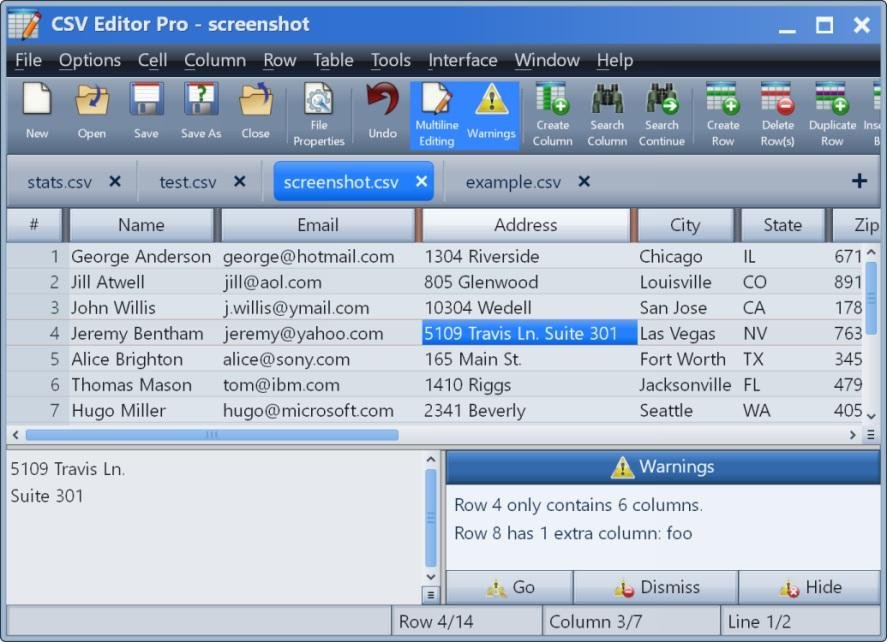
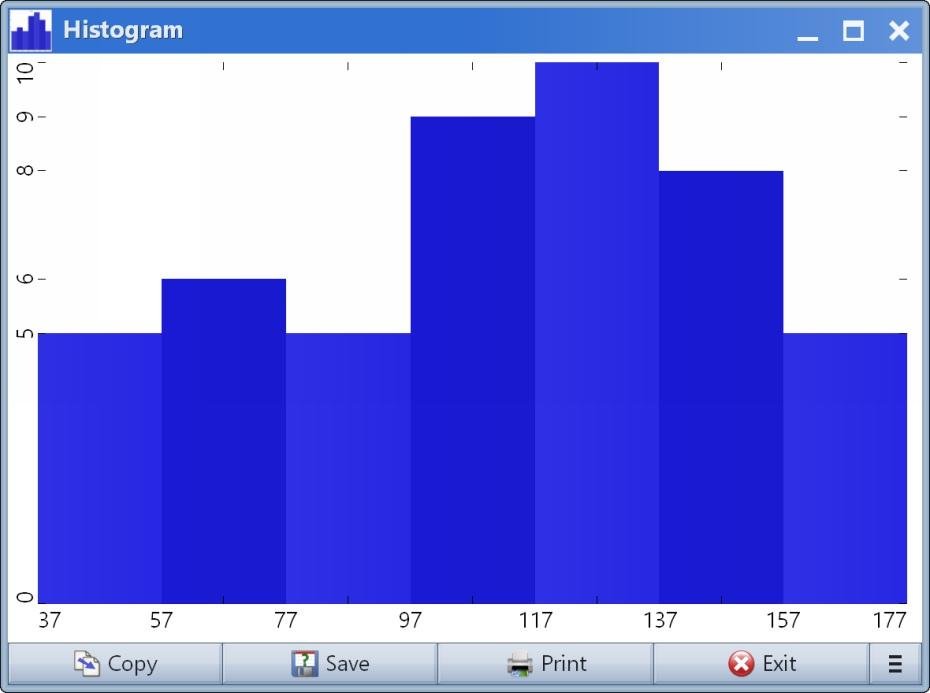
CSV Editor Pro is the professional choice for working with CSV files on Windows. Packed with an arsenal of features and tools, it can save you a tremendous amount of time and effort. Gain analytic insight by generating a graph, histogram, or pie chart. Key capabilities include sorting, filtering, multiline editing, search and replace, deduplicate, unicode, undo, printing, drag and drop, global search and replace, error correction, and much more. The streamlined interface is simple and intuitive.
Other Popular Alternatives & Related Software
JMP Statistical Software
JMP, data analysis software for Mac and Windows, combines the strength of interactive visualization with powerful statistics.
Importing and processing data is easy. The drag-and-drop interface, dynamically linked graphs, libraries of advanced analytic functionality, scripting language and ways of sharing findings with others, allows users to dig deeply into their data, with greater ease and speed.
Originally developed in the 1980’s to capture the new value in GUI for personal computers, JMP remains dedicated to adding cutting-edge statistical methods and special analysis techniques from a variety of industries to the software’s functionality with each release. The organization's founder, John Sall, still serves as Chief Architect.
Learn more
Modern CSV
Modern CSV is a tabular file editor/viewer with advanced editing features and large file handling. It makes up for the weaknesses of spreadsheet programs in handling CSV files while incorporating the strengths of the best text editors. Its features include: multiple cell/row/column editing, fast load times, customizable keyboard shortcuts, data analysis, light and dark themes, regex find/replace, and multiple encoding and delimiter handling.
Learn more
Rons Data Edit
Rons Data Edit is a professional CSV / tabular text Editor for Windows.
The CSV Editor provides a wealth of tools and features designed to flexibly manipulate data. Ideal to remove duplicates and split or merge columns or rows. The interface is modern, clean, and user-friendly and the power and speed of the application allow the handling of large files with ease.
Unlike Excel, the Editor knows that the data is text and does not try to 'adjust' it and introduce workflow interruption with confusing errors. A perfect alternative to Excel for handling CSV data files.
If additional power is needed, Rons Data Edit can run Rons Data Stream 'Cleaners' to run lists of operations in multiple data files. For more information, a complete list of features, a lite free version and a Pro Trial, are available on the Rons Place Software website.
Learn more
Row Zero
Row Zero is the best spreadsheet for big data. Row Zero matches the experience of traditional spreadsheets but can handle 1+ billion rows, process data much faster, and connect live to your data warehouse and other data sources.
Row Zero spreadsheets are powerful enough to pull entire database tables into a spreadsheet, letting non-technical users build live pivot tables, graphs, models, and metrics on data from your data warehouse.
Row Zero also offers advanced security features and is cloud-based, empowering organizations to eliminate ungoverned CSV exports and locally stored spreadsheets from their org.
With Row Zero, you can easily open, edit, and share multi-GB files (CSV, parquet, txt, etc.)
Row Zero has all of the spreadsheet features you know and love, but was built for big data. If you know how to use Excel or Google Sheets, you can get started with ease.
Learn more
Pricing
Starting Price:
$29
Pricing Details:
5 activations. Activations are not restricted to one machine or user.
Free Trial:
Free Trial available.
Integrations
Company Information
Gammadyne Corporation
Founded: 1998
United States
www.gammadyne.com/csv_editor_pro.htm
Videos and Screen Captures
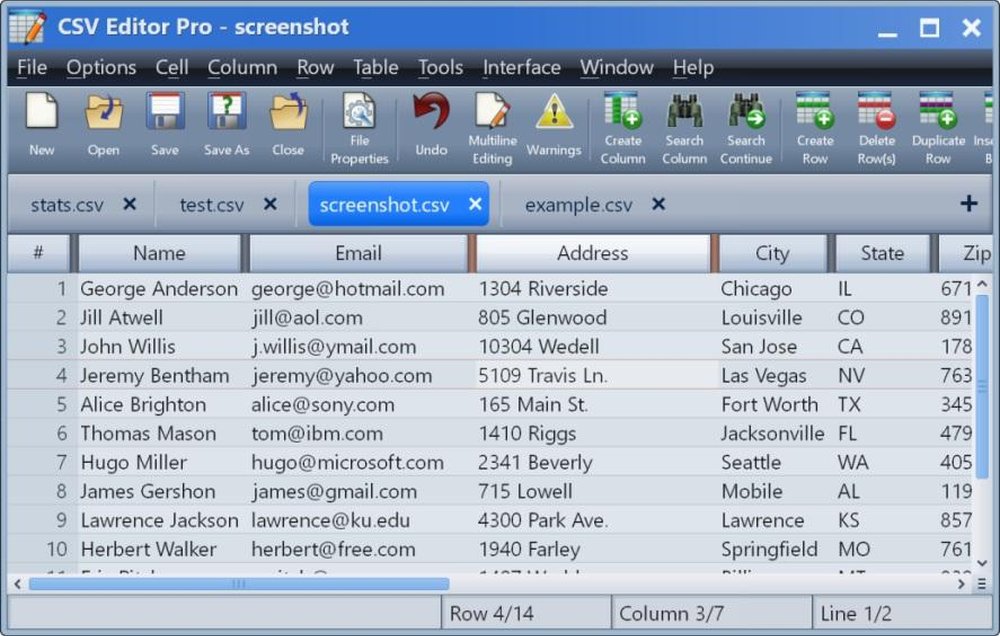
Main interface




Other Useful Business Software
Build Agents and Models on One Platform
Gemini Enterprise Agent Platform is Google Cloud's comprehensive platform for developers to build, scale, govern, and optimize agents and models. Choose from Google's most advanced models and third-party models like Anthropic's Claude Model Family.
Product Details
Platforms Supported
Windows
Training
Documentation
Live Online
Support
Phone Support
Online
CSV Editor Pro Frequently Asked Questions
CSV Editor Pro Product Features
Spreadsheet
Analytics
Supported
Calculators
Supported
Charting
Supported
Audit Trail
Not Supported
Multi-User Collaboration
Not Supported
Templates
Not Supported
