Microsoft SharePointMicrosoft
|
||||||
Related Products
|
||||||
About
Microsoft SharePoint is a secure, enterprise-grade collaboration and content management platform that connects teams, information, and workflows. With AI-powered Copilot and SharePoint agents, users can instantly generate pages, summarize content, and surface insights from within their sites. It enables seamless document management, version control, and real-time collaboration—both inside and outside your organization. Customizable templates and drag-and-drop tools make it easy to design visually engaging intranet sites and portals. SharePoint also provides robust security and compliance features, including access controls, data governance, and conditional policies. Integrated deeply into Microsoft 365, it helps businesses streamline communication, boost productivity, and accelerate their AI transformation.
|
About
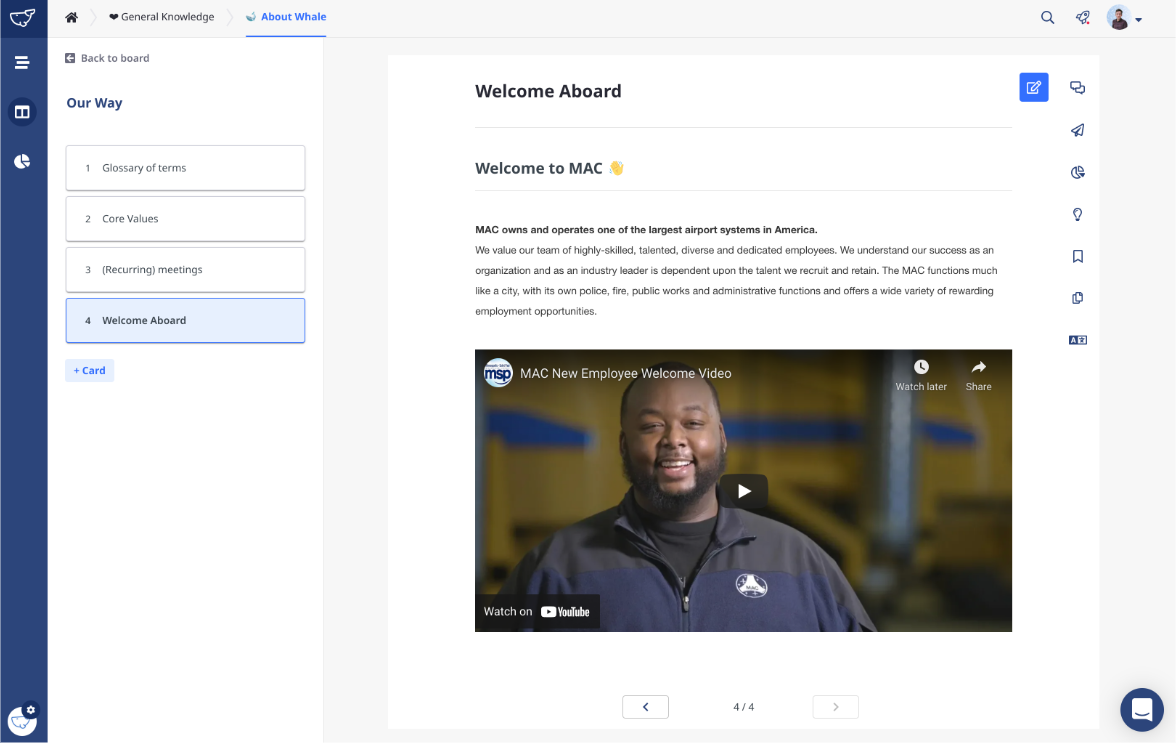
Whale is the #1 rated SOP Software. Whale centralizes all of your standard operating procedures, policies, and tribal knowledge so you can better onboard, train, and grow your teams.
Save your team several hours a week by delivering knowledge in their moment of need with our web application, chrome extension, slack bot, and more.
100+ templates and a powerful editor make it easy to get knowledge out of your experts' heads and into a simple and visually attractive hub.
Grow your team more quickly by making the knowledge they need flow automatically with assignments, flows, and suggestions.
Expert reviews, knowledge gap insights, and reporting dashboards help you understand what's working and what's not.
With the Whale browser extension, you can connect Whale to all of your favorite applications to surface relevant content in your team's tools, websites, and portals. The extension works with every web-based app.
|
|||||
Platforms Supported
Windows
Supported
Mac
Not Supported
Linux
Not Supported
Cloud
Supported
On-Premises
Not Supported
iPhone
Supported
iPad
Supported
Android
Supported
Chromebook
Not Supported
|
Platforms Supported
Windows
Not Supported
Mac
Not Supported
Linux
Not Supported
Cloud
Supported
On-Premises
Not Supported
iPhone
Supported
iPad
Supported
Android
Supported
Chromebook
Not Supported
|
|||||
Audience
Enterprises, IT leaders, and business teams seeking a secure, AI-powered content management and collaboration platform to streamline communication, automate workflows, and enhance knowledge sharing across their organization
|
Audience
Small and Medium-Sized Businesses
|
|||||
Support
Phone Support
Not Supported
24/7 Live Support
Supported
Online
Supported
|
Support
Phone Support
Supported
24/7 Live Support
Supported
Online
Supported
|
|||||
API
Offers API
Not Supported
|
API
Offers API
Supported
|
|||||
Screenshots and Videos |
Screenshots and Videos |
|||||
Pricing
$1.00/one-time/user
Free Version
Not Supported
Free Trial
Not Supported
|
Pricing
$0 per month
Professional
Secure knowledge sharing for super effective teams * All features * Unlimited boards * Unlimited playbooks * Unlimited Cards * Auto-suggest * Google Drive integration * One Drive integration * Browser extension Enterprise Ultimate knowledge control and flexibility that scales *Personal success coach *Custom integration *Fitted to your needs *Customer service priority *Onboarding Workshops
Free Version
Supported
Free Trial
Not Supported
|
|||||
Reviews/
|
Reviews/
|
|||||
Pros & Cons from Real UsersPros
Cons
|
Pros & Cons from Real UsersPros
Cons
|
|||||
Training
Documentation
Supported
Webinars
Not Supported
Live Online
Not Supported
In Person
Not Supported
|
Training
Documentation
Supported
Webinars
Supported
Live Online
Supported
In Person
Supported
|
|||||
Company InformationMicrosoft
Founded: 1975
United States
www.microsoft.com
|
Company InformationWhale
Founded: 2018
Belgium
www.usewhale.io
|
|||||
Alternatives |
Alternatives |
|||||
|
|
||||||
|
|
||||||
|
|
|
|||||
|
|
|
|||||
Categories |
Categories |
|||||
Collaboration Features
Brainstorming
Not Supported
Calendar Management
Supported
Chat / Messaging
Supported
Contact Management
Not Supported
Content Management
Not Supported
Document Management
Not Supported
Project Management
Not Supported
Real Time Editing
Supported
Task Management
Not Supported
Version Control
Not Supported
Video Conferencing
Supported
Intranet Features
Activity / News Feed
Not Supported
Blogs
Not Supported
Calendar Management
Not Supported
Content Management
Not Supported
Discussions / Forums
Not Supported
Employee Directory
Not Supported
Knowledge Management
Supported
Policy Management
Not Supported
Search
Not Supported
Wiki
Not Supported
|
Knowledge Management Features
Artificial Intelligence (AI)
Not Supported
Cataloging / Categorization
Supported
Collaboration
Supported
Content Management
Supported
Decision Tree
Not Supported
Discussion Boards
Supported
Full Text Search
Supported
Knowledge Base Management
Supported
Self Service Portal
Not Supported
Business Process Management Features
Access Controls / Permissions
Supported
Alerts / Notifications
Supported
Business Process Automation
Supported
Business Rules Management
Supported
Collaboration
Supported
Process Change Tracking
Supported
Process Mapping
Not Supported
Process Modeling & Design
Not Supported
Visual Workflow Management
Not Supported
Onboarding Features
Course Management
Supported
Document Management
Supported
E-Verify / I-9 Forms
Not Supported
Electronic Forms
Not Supported
Electronic Signature
Not Supported
Employee Handbook
Supported
Employee Portal
Supported
File Management
Supported
Job Description Management
Supported
Orientation Management
Supported
Self Service Portal
Not Supported
Task Management
Supported
Tax Forms
Not Supported
Training Management
Supported
|
|||||
Integrations
Microsoft 365
Supported
Stackreaction
Supported
ABB Electronic Work Instructions
Supported
AdmiralCloud
Supported
Carbonite
Supported
DEON
Supported
DocuQuest
Supported
ExpanDrive
Supported
HireRoad
Supported
Invu Document Management
Supported
|
Integrations
Microsoft 365
Supported
Stackreaction
Supported
ABB Electronic Work Instructions
Not Supported
AdmiralCloud
Not Supported
Carbonite
Not Supported
DEON
Not Supported
DocuQuest
Not Supported
ExpanDrive
Not Supported
HireRoad
Not Supported
Invu Document Management
Not Supported
|
|||||
|
|