Related Products
|
||||||
About
PhotoSharpener is a web-based AI photo sharpener and upscaler. Users upload JPG, PNG, or WebP images and get a live before/after preview with a comparison slider. The service restores fine detail, reduces compression noise, improves edges on text and UI in screenshots, and can upscale output up to 4x for print or large hero images. It targets marketers, ecommerce teams, designers, and creators who need publication-ready photos without a heavy Photoshop workflow. Accounts receive free trial credits; additional processing uses simple one-time credit packs (no subscription).
|
About
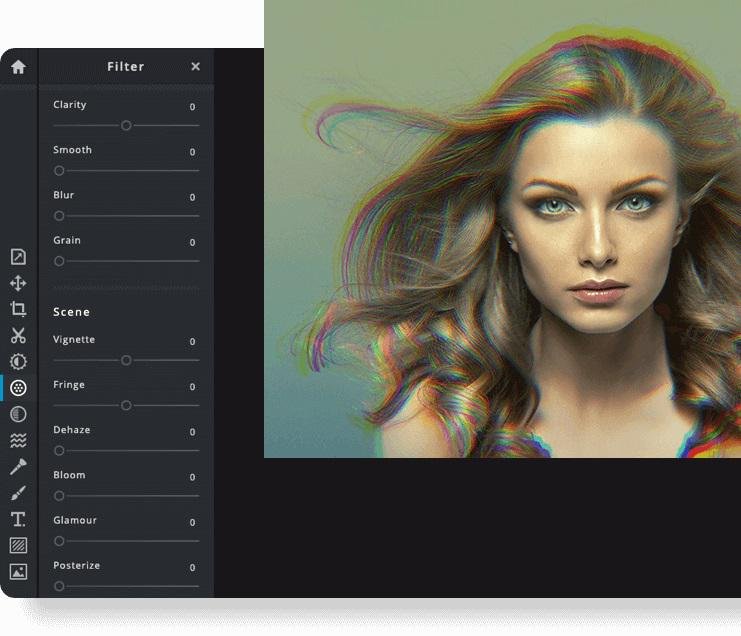
Pixlr the Online Photo Editor that lets you edit photos and create great designs right in your browser for Free. Experience next level, intuitive photo editing and graphical design with AI-powered tools for quick yet professional edits. Our editor opens almost any image format such as PSD (Photoshop), PXD, JPEG, PNG (transparent), WebP, SVG and more. Start from an empty canvas or select one of our professionally crafted templates. Say goodbye to boring and repetitive editing tasks with AI design tools. One click is all it takes to remove backgrounds perfectly from your photos, cut out every strand of hair and more! Let AI and Machine Learning take your photo editing and background removal to a new level! Simpler steps, equally stunning results. Just toggle on and off, or drag sliders from left to right to edit your photos. Achieving unique aesthetic photo effects becomes so much simpler with Pixlr.
|
|||||
Platforms Supported
Windows
Not Supported
Mac
Not Supported
Linux
Not Supported
Cloud
Supported
On-Premises
Not Supported
iPhone
Not Supported
iPad
Not Supported
Android
Not Supported
Chromebook
Not Supported
|
Platforms Supported
Windows
Not Supported
Mac
Not Supported
Linux
Not Supported
Cloud
Supported
On-Premises
Not Supported
iPhone
Supported
iPad
Supported
Android
Supported
Chromebook
Not Supported
|
|||||
Audience
Indie founders, SaaS marketers, ecommerce shops, content creators, and agencies polishing product photos, landing-page imagery, social assets, and archival family photos.
|
Audience
Anyone interested in intuitive online photo editing platform with AI-powered tools
|
|||||
Support
Phone Support
Not Supported
24/7 Live Support
Not Supported
Online
Supported
|
Support
Phone Support
Not Supported
24/7 Live Support
Not Supported
Online
Supported
|
|||||
API
Offers API
Not Supported
|
API
Offers API
Not Supported
|
|||||
Screenshots and VideosNo images available
|
Screenshots and Videos |
|||||
Pricing
Free credits to try
Free Version
Supported
Free Trial
Supported
|
Pricing
$2.49 per month
$1.49/month if billed annually
Free Version
Not Supported
Free Trial
Supported
|
|||||
Reviews/
|
Reviews/
|
|||||
Pros & Cons from Real UsersPros
Cons
|
||||||
Training
Documentation
Supported
Webinars
Not Supported
Live Online
Not Supported
In Person
Not Supported
|
Training
Documentation
Supported
Webinars
Not Supported
Live Online
Supported
In Person
Not Supported
|
|||||
Company InformationPhotoSharpener
Founded: 2024
Portugal
photosharpener.com
|
Company InformationPixlr
Founded: 2008
Sweden
pixlr.com
|
|||||
Alternatives |
Alternatives |
|||||
|
|
||||||
|
|
|
|||||
Categories |
Categories |
|||||
Integrations
Gmail
Not Supported
Google Drive
Not Supported
Prodia
Not Supported
YouTube
Not Supported
|
Integrations
Gmail
Supported
Google Drive
Supported
Prodia
Supported
YouTube
Supported
|
|||||
|
|
|