|
|
|
|
|
|
|
|
|
Related Products
-
Google Workspace
Google Workspace with Gemini integrates premium AI into Gmail, Docs, Drive, Meet, and more, helping businesses work smarter, not harder. Draft emails faster, generate ideas, and summarize documents effortlessly with AI-powered assistance. Manage tasks, schedule meetings, and stay organized across devices with seamless collaboration tools. Whether you're handling client communications, creating content, or running daily operations, Workspace helps businesses stay productive and focused.
Workspace provides companies with professional branding (e.g., name@yourcompany), pooled cloud storage, and strict data privacy, ensuring your business data belongs entirely to you and is never used for advertising purposes.
Gemini, Google’s most powerful AI, is now seamlessly integrated into the apps you already use. Instead of juggling fragmented apps, Workspace offers a unified, highly productive environment.
Save 25% today on any plan (Starter, Standard, or Plus) for your first 3 months by clicking "Save Now" above!
-
Air
Air gives your team's work a memory. Every asset, version, and approval is tracked in one place, and that context powers everything that happens next: finding what's approved in seconds, adapting it for any channel, and scaling it everywhere without breaking brand. Air connects the creative team that makes the work to the marketing team that multiplies it, with a shared system of record keeping everyone aligned.
-
Papirfly
Papirfly is a SaaS leader in Digital Asset Management (DAM) and Templated Content Creation software. Our solutions help global brands organize digital assets, create on-brand marketing content, and distribute it across every channel — from video and social media to web and print.
Serving more than 1 million users across over 1,500 organizations, including Mercedes-Benz, Mondelez, and Goldman Sachs, Papirfly enables marketing teams to maintain brand consistency, scale content creation, and improve creative efficiency across global teams.
Following the 2021 merger of Papirfly and Brandmaster, the Papirfly Group expanded to include Papirfly, Keepeek, Brandpad, and Adgistics — bringing together decades of expertise in Digital Asset Management, brand portals, and on-brand content creation to help organizations activate their brand with clarity and consistency.
-
Adobe Firefly
Adobe Firefly is an AI-powered creative platform that enables users to generate and edit images, videos, and other media using simple text prompts. It provides an intuitive workspace where users can create content on an infinite canvas and experiment with different creative ideas. The platform includes tools for editing images, generating videos, and applying effects like generative fill. Users can also access quick actions such as background removal, resizing, and media conversion. Firefly allows creators to remix and build upon community-generated content for inspiration. With its easy-to-use interface, it simplifies complex creative workflows. Overall, Adobe Firefly empowers users to produce high-quality visual content quickly and efficiently.
Features include:
- Text to Video
- Text to Image
- Generate Sound Effects
- Translate Video
- Image to Video
- Firefly Boards
- Generative Match
- Text to Avatar
-
pCloud Business
pCloud is a cloud-based digital asset management platform and cloud storage that provides access to all your digital content including images, video, audio, docs, and more- anytime, anywhere, on any device. Keep all of your important files safe and centralized in one place. You can share with team members, clients, etc. across the globe and give them controlled access and permissions to your digital library.
Founded: 2013, Baar, Switzerland
Users: 23M+ worldwide (as of early 2026)
Data centers: Luxembourg (EU) and Dallas, Texas (US)
Core Features :
- pCloud Drive - Virtual File System on Windows, macOS, Linux
- Team Folders & Collaboration
- File Versioning, History & Rewind up to 180 days
- Admin Console for User and Team management, storage allocation - 1 or 2 TB per user
- Multi-platform Access - Windows, macOS, Linux, iOS, Android and Web platform
You can test pCloud Business with a 30-day free trial account with up to 10 users
-
MobiOffice
MobiOffice (formerly OfficeSuite) is an easy-to-use office suite alternative, featuring MobiDocs, MobiSheets, and MobiSlides. It allows you to handle text documents, spreadsheets, and presentations efficiently.
MobiOffice supports all major file formats, including Microsoft Office (DOCX, ODT, PPTX), Google formats (Docs, Sheets, Slides), Apple iWork, and more.
Key components:
- MobiDocs lets you create and edit documents with a rich set of formatting tools.
- MobiSheets helps you manage and analyze data effortlessly, visualize trends, and create reports.
- MobiSlides allows you to design stunning presentations with customizable templates and multimedia support.
MobiDocs, MobiSheets, and MobiSlides are available as standalone apps on Windows.
MobiOffice integrates with MobiDrive, MobiSystems' cloud storage solution, for easy document saving and syncing. Start your free 7-day trial today and experience a complete office suite.
-
Filecamp
Filecamp is a cloud-based Digital Asset Management system that allows marketing professionals to organize, share, tag, and distribute their digital assets. All from their own custom-branded, password-protected, easy-to-use, space in the cloud.
Filecamp is used by over 1,600 brands from more than 60 countries around the world.
Thousands of brand managers, marketers, and creatives from global organizations like The Wall Street Journal, Unilever, FSC, and Lego use Filecamp to organize company files; review, comment and approve projects in real-time; distribute brand materials, and make the right content available to others at the click of a button.
Even small companies and freelancers are using Filecamp to share files and collaborate with their clients and partners.
-
CrankWheel
Share your screen instantly while on a phone call with CrankWheel, for an engaging presentation. Send a link by text message, WhatsApp or email and the viewer can view it in any browser, on any device without installing anything. Designed for ease of use, CrankWheel is the best solution for sharing a screen with customers for business deals.
CrankWheel is used to complement calls by insurance agents, mortgage advisors, solar advisors, digital agencies, educators and customer support specialists. Close deals on the first call!
We show you whether they're paying attention. Over 50,000 users share their screen effortlessly with any prospect no matter their technical skill or device choice using our Chrome Extension. CrankWheel works over bad network connections, on obscure devices and old browsers. Mac, PC, iOS, Android, Internet Explorer, Blackberries - it always works!
-
Haast
Haast is the AI engine for marketing compliance. It deploys intelligent agents that automate manual compliance work - from content review to live website and social monitoring - so teams can move faster without increasing risk. Unlike traditional tools, Haast learns your organization’s risk tolerance and applies it consistently across every asset. Marketers can self-check and fix issues before publishing, while legal teams retain full oversight without becoming a bottleneck. Haast analyzes text, images, PDFs, video, and web content to detect real regulatory and brand risks, then suggests actionable fixes. It supports both pre-publication review and continuous monitoring across websites, social channels, and partner content. By embedding directly into existing workflows, Haast replaces slow, manual approval processes with scalable, automated compliance.
-
Adobe Experience Manager
Adobe Experience Manager is a content management platform that integrates digital asset management, content management systems, and digital enrollment tools. The platform features AI-based agents that automate workflows, governance, and content optimization. Experience Production Agent streamlines site updates and content migration, while Content Optimization Agent adapts content for different channels.
The system includes a comprehensive digital asset management solution that facilitates rapid sourcing and delivery of assets, minimizing time spent on content adjustments. Digital forms and guides functionality enables streamlined form creation and e-signature capabilities for enhanced document management.
Additional components include learning manager for educational content delivery and digital guides for documentation management. The platform connects these various elements to create a cohesive system for managing digital content across multiple touchpoints.
|
|
About
Kive is the all-in-one platform to generate ideas, produce professional content, organize assets, and build brands with AI. All your images are instantly searchable with no tagging required. Kive's AI does the work, so you can find your assets in seconds when you need them, but never worry about cleaning folders. Describe it and AI will create it, from product shots to lifestyle images. Connect your existing tools, and iterate on assets with versioning. Discover inspiration, create mood boards and create compelling presentations effortlessly with AI-assisted writing, layout, and imagery selection. Share your vision as stunning micro-sites. Organize, search, and collaborate on your visual content like never before. Kive's intelligent Asset Library is your creative command center. The library keeps your content organized, searchable, and in sync. Find what you need in seconds, collaborate seamlessly, and manage versions with ease.
|
About
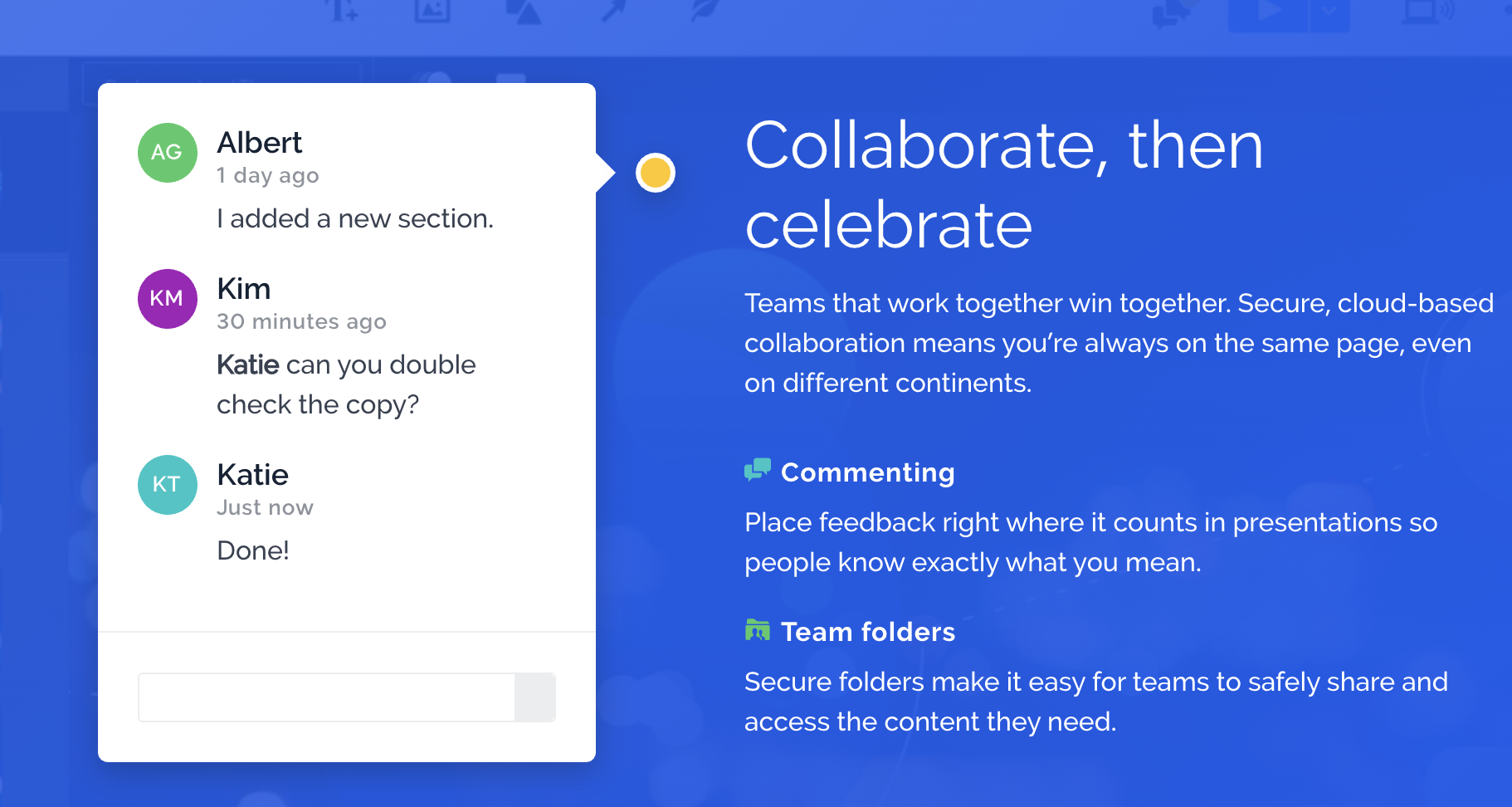
Prezi is a sophisticated online presentation and analytics software solution for business teams. Backed by an entire suite of collaboration, creation, and analytics tools, Prezi Business transforms sales and client presentations into meaningful dialogues, thereby allowing businesses to connect and interact at a whole new level. Powered by Prezi Next, Prezi Business offers a host of features such as cloud-based commenting for seamless collaboration, leaderboard analytics, a dedicated customer success manager, custom design services, training opportunities, and more.
|
Platforms Supported
|
Platforms Supported
|
Audience
Brands, agencies and creatives in need of a tool to generate pro visual assets
|
Audience
Prezi is specifically designed for business presenters or speakers who want to get people invested and engaged through a whole new level of communication.
|
Support
|
Support
|
API
|
API
|
Screenshots and Videos
|
Screenshots and Videos
|
Pricing
|
Pricing
|
Reviews/Ratings
|
Reviews/Ratings
|
|
|
Pros & Cons from Real Users
Pros
- It has a wide range of templates and layouts that you can choose from or customize according to your needs. I can also create my own template from scratch if you want more control over the design and appearance of your presentation. It allows me to add various multimedia elements to your presentation, such as images, videos, audio, tables, graphs, maps, and more. You can also insert animations and transitions to make presentations livelier and more captivating. Prezi has a unique zoom feature that allows you to seamlessly display the big picture and details of your presentation. You can zoom in and out on different parts of your presentation, creating a sense of movement and connection between your topics. This can help you capture your audience's attention and keep them engaged during your presentation. It has a collaboration feature that allows you to work with other people on the same online presentation. You can invite others to edit, comment, or view your presentation in real time. You can also share your presentation with anyone via a link or embed it on a website or blog. The mobile app allows me to access and present your presentations from any device. You can also use your smartphone as a remote control for your presentation. You can also download your presentation to view or present offline.
- Prezi is a mechanism that has been present throughout our company for several years, the main reason why we implemented this platform is because we wanted a service that would help us create slides with a higher quality than any other platform. The main ones I liked about Prezi were: 1- This platform has a great variety in the number of images that you can insert into your slides, this platform has an image search engine built in, which has a fairly extensive library of stock images, which you can easily insert into any slide with just press a click. This image search engine works great and offers immediate results for any type of image you are looking for, this helps a lot since you can create a slide from scratch and use very creative images. 2- One very outstanding thing about this platform is that anyone without prior knowledge can make a slide or presentation within it. The general platform is easy to use, this helps any user, whether old or new, to create a slide easily, and that does not present any complications or elements within this slide. I loved very much the great ease with which this platform for the creation of slides can be handled. 3- Another positive thing about this platform is the unique way in which you can create a very innovative design, I have never really seen a design so proportional and so perfect for slides, this platform helps you get a unique design than ever you can get on other platforms. The designs and templates available within this platform are very professional and formal designs that will help you get a very presentable slide. 4- It is also important to highlight the great variety that this platform has in the number of shapes and objects that you can insert into the slides, you can insert geometric shapes but you can also insert various arrows that help you connect all the information that you insert into your slide, in addition, cartoons, drawings of characters, or even properties, that help you to correctly define all the information that you insert in the slide. 5- I loved the ease with which you can present any type of slide on any computer regardless of whether the Prezi application is installed. This form note has several mechanisms so that you can download your slide in a few steps, you can download it in PDF file, download it in images or you can also download it in an executable file. I really love the executable file option, as you will be able to open this file on any computer and present your filler slide regardless of whether you have an Internet connection and regardless of whether the application is installed.
- Using Prezi has been quite a challenge for us, the goal we set when we started using this platform, we have achieved. I really loved the great variety when it comes to choosing templates in Prezi, as in any other platform, there are free templates and some that are only available in the premium subscription, however, I must admit that all the templates have been magnificent, the free ones provide an optimal and formal design to each presentation, and the Premium templates provide a more complete design, with more structures to insert data and more ways to insert text. I loved the way I was able to insert all kinds of images and videos in every Prezi presentation I made, this helped me create very attractive presentations with a lot of variety of information, I was able to insert videos from my computer but also through direct links, in addition , I loved being able to use my slide and presentation within different computers where Prezi was not installed, each presentation that I downloaded as an executable file, I could open it from any computer and present the slide without an internet connection, that was great and one of the things that I liked the most.
- I liked Prezi video because of the way I can show the presentations within the video conference platforms, I found it very practical how I integrate the presentations with video calls, this would be something like video presentations, which is the term for this situation. Although you have to configure everything before putting the presentation on the screen and frame everything so that it looks professional and presentable without covering the host's face at the end of the day everything is very organized and everything can be explained very easily. In addition, you can share the screen in case you need to explain something else and this cannot be added to the presentation because of how extensive it could be or that it would not fit well within a video within the presentation. Likewise, the presentation can also be stretched so that the host does not come out, but rather the complete presentation simply appears, once said, everything must be prepared before putting it in a video conference. I can view and edit in offline mode within Prezi in Windows without any problem. It was very useful for me to be able to work it this way since with the browser it requires a lot of internet connection and also the browser itself consumes too many resources such as RAM memory, even more so when I have many open windows and also consumes more with this type of platform in which if many elements are added they tend to process everything more slowly. So having Prezi offline helps to have better productivity and to be able to run more applications on my computer without everything crashing or working very slowly. Their plans are very flexible for what it costs to pay for MS Office to only use a few products, in this case if I want to make presentations other than the traditional Microsoft PowerPoint which sometimes becomes very difficult to make presentations professionally then I have a good option that is Prezi. Apart from the individual plans, they are also available for companies, which has benefited me to work collaboratively with colleagues from my company. There are also plans for students that have a lower price and can be very useful for schools since it is very complete at a low cost. I like the ease with which the editor is handled, it's not very difficult to add elements, I just had to grab what I wanted to add and drop it on the presentation screen. In addition, it is very easy to create a path and zoom within the elements so that it does not seem that I am switching between different slides, but that everything happens within a presentation, creating a dynamism within my presentations and attracting more attention from everyone. viewers viewing my slides in a video conference.
- + The main feature that was useful to me was being able to embed the presentations within video call platforms such as Zoom. This was useful to me during the pandemic and is still useful to me due to the practicality of planning meetings through video calls. In general, presentations must be done carefully so as not to overshadow the host, however, I can move the presentation around as I explain the information I am imparting. Despite the fact that the presentation can be moved around, I try to put everything from my presentation to one side when I am creating it, placing an image of a person where I will supposedly be during the video conference and thus facilitate coordination between me on camera and presentation at the same time. + The presentation templates are of a wide variety of themes which can facilitate the creation of presentations quickly and easily. The good thing about this section of this platform is that it facilitates even more than Prezi is, thus simplifying creative thinking and striving to add good information to the presentation, this works more than anything for people who lack creativity or lack of time. It has worked well for me on several occasions when I had a lot of work and little time to focus on making a professional presentation, it also worked for me when I only needed to add a little information to my presentations since it did not require such elaborate features. + Prezi's note taking worked for both editor and presenter notes. On the one hand, the editor's notes are useful when I work collaboratively, this helps me and my team to be able to create a more orderly group presentation, without losing the thread of information. On the other hand, the presenter's notes allowed me to remember certain things such as asking questions, not to forget certain important points that I want to comment on, but not add within the presentation. So for me this feature is a strong point and it is also very simple to be able to add notes both for the editor and in the presentation, and you can also turn them off without having to delete the content. + Ease of portability in different operating systems, even without the need to install the desktop version. On mobile devices such as Android or iOS it is different because you have to download a Prezi presentation viewer, however, the application is not so heavy and it is very complete since the presentations are reproduced correctly without any problem.
Cons
- Prezi can be expensive if you want access to all its features and benefits. The basic version is free but has limited storage space, templates, and privacy options. You need to pay for a subscription plan to get more storage space, access to premium templates, offline editing, analytics, branding, and more. At times it becomes difficult to use if you are not familiar with its interface and functionality. It has a steep learning curve, and it can take some time and practice to master its features and tools. You may also need to watch some tutorials or seek help from other users to learn how to use Prezi effectively. This platform can be distracting or overwhelming if you use too many effects or elements in your presentation. The zoom feature can cause dizziness or confusion for some viewers if you move too quickly or too frequently between different parts of your presentation. You must be careful not to overload your presentation with too much information or graphics that may distract from your main message. Prezi may be incompatible with some devices or platforms if you want to present or share your presentation with others. You need an Internet connection and a web browser to view or present your presentation online. You also need to install a separate desktop app if you want to download or edit your presentation offline. You cannot export your presentation as a PDF or open it with other software.
- The negative things I could notice about this platform were: 1- It is a platform that consumes a lot of computer resources, it does not matter if the user is using the web version or the desktop version, in the same way the platform will consume a lot of computer resources as you insert much more information into the slide . It is important to highlight that the general consumption of this platform is quite high, therefore, it is not at all recommended that it be used on computers with fairly basic characteristics, it can only be used on computers with very good characteristics that are capable of supporting the quality of the slide and the consumption so high of the platform. 2- Another negative feature of this platform is that it is available for mobile devices. There is currently a Prezi app available for mobile devices, but it only supports slide viewing, does not allow you to create a slide from scratch, and does not allow you to log in to edit a pre-built slide. It would be great to be able to create slides on my cell phone, not just on my computer. 3- Another negative aspect is that this platform does not allow or does not favor collaborative work, since you cannot edit a slide in real time with the collaboration of your work team, it does not allow positive editing simultaneously and that all the information that is changed within this slide, be visible in real time, which does not favor us at all in teamwork, since you will not be able to visualize the changes in real time that your colleagues make on a specific slide.
- The main negative things about Prezi is the high consumption, Prezi is a very powerful tool and it will undoubtedly help any presentation to be done correctly and with a very striking design, however, if you do not have a computer that is capable of supporting this consumption, you will have performance problems when using Prezi, that is the most critical negative point of this platform, you cannot use it if you have a computer that does not have the required capabilities. Another of the negative things about this program is that sometimes when you are going to convert a presentation to a PDF file, this program has problems to carry out this process, the conversions are not carried out in their entirety, some presentations are converted to a PDF file but some are not.
- It requires a stable internet connection for the editor to load correctly, there can be no failures or slow internet because if not the editor starts to fail and you have to restart the entire tab again or if you are using the desktop application you have to close everything and reload to continue what was being done. This is annoying because I understand that the editor is very heavy since it is a web application and that the more elements it will take to load, however, when my internet speeds down, Prezi tends to do nothing, even having returned to normal the speed of the internet, this is tedious to have to reload the tab so that everything reloads and continue editing the presentations. Prezi Design is not available for offline connection, I don't understand how the other products do have certain offline functions but the Prezi design creator doesn't work if you don't have an internet connection. This annoyed me because I could really exploit this product while I'm out of my internet connection area, but this platform is not interested in being able to have the user test their products offline in certain aspects. We are already in 2023 and only the presentation visualization application is available, it cannot be edited even on a tablet, it is sometimes uncomfortable to spend all day on the computer to make presentations with Prezi. I would like them to put their hands on creating a good application that allows you to create presentations, just like it happens in Windows. I would have no problem paying a little more for this application, as long as it gives me comfort and portability it would be fine for me.
- - I love the way it worked with Prezi Classic the most, the Next version can be difficult for some new users as it has too many features that are difficult to use or integrate into a presentation. Luckily I still have the Classic version in case I want to do something simple without so many configuration and implementation options for my presentations, however there are certain features that are not available in the Classic version, so for now my only solution is make certain presentations in the old version and after finishing and wanting to apply the new features I just import the presentation to Next version and add what is necessary without using the new version, since for me I have already gotten used to the location of certain tools and the performance that the old version offers. - I recommend this platform for computers with good features, since even though you can create presentations within the web browser, it may consume a large amount of computer memory. Even more knowing that if you are going to add a lot of animations and content to the presentation. Likewise, the desktop version also requires certain specifications to be able to run smoothly even though the desktop version looks like a ported web version, the advantage is that you can use it offline, even so, be careful when using Prezi on low-requirement computers - The template is good for making basic presentations without much editing or for placing little content. But in a professional way I have not found templates that I can use in a work environment since the content that I usually show is more extensive and the templates that are in the Prezi library are not what I am looking for in those cases. Although you can add more features to the templates, it is a bit tedious since you have to think about how to fit everything based on the design of the selected template, so the work of thinking about the design of the presentation still falls within the templates by not being able to provide solutions for long content. Typically what I do when I want new designs for my extensive content is look at sites outside of Prezi for templates. - They should facilitate the conversion of the presentation to PDF, if it is done "automatically" or the final document is not previewed, the presentation may not be very clear or the order of the information is lost. The function of being able to convert presentations to PDF is very good since it allows you to be able to use said presentations on computers that do not support Prezi due to the amount of resources that you must have and it also allows you to print the presentations for more convenience in case you do not have one. a team nearby, but if it could be exported correctly it would be fine. It wouldn't be bad to be able to have something like when you create a website with an editor, there are web versions and mobile versions, because Prezi should be like this or something similar, presentation version and PDF version so that everything looks more professional.
|
Training
|
Training
|
Company Information
Kive
United States
kive.ai/
|
Company Information
Prezi
Founded: 2009
United States
prezi.com
|
Alternatives
|
Alternatives
|
|
|
|
|
|
|
|
|
|
|
|
|
Categories
|
Categories
|
|
|
Sales Enablement Features
|
|
|
|
|
|
|