SimplyShot16motion
|
||||||
Related Products
|
||||||
About
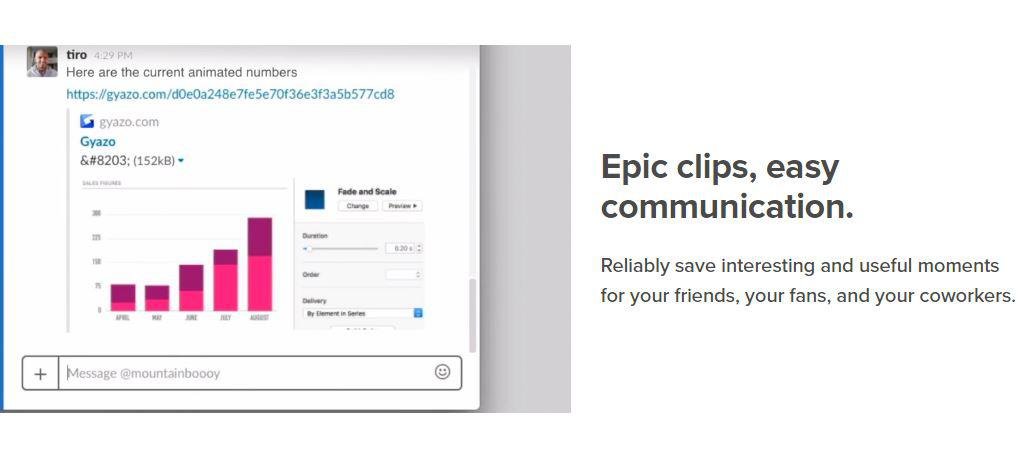
Take screenshots, GIFS, and replays that are ready to share. Save what's on your screen without missing a moment. After you capture we upload and copy a unique link that's private but ready to paste & share instantly. Reliably save interesting and useful moments for your friends, your fans, and your coworkers. Every capture is saved to your account together with its details. Get Gyazo Pro to search and organize all your captures fast. A screenshot or GIF is the perfect way to grab what you see. New screenshot links are copied and ready to paste so you can instantly share anywhere. Sometimes text can miss the point or just take too long to explain something. Send a screenshot or screen GIF and your message is crystal clear. Everyone wants more content for their blog, social media, and website. Capture and edit in seconds to create powerful visual content you can post instantly. Everything you capture is privately tagged for you so it can easily be found.
|
About
SimplyShot is a macOS application for capturing screenshots and recording the screen. It captures areas, windows, full screens, and scrolling pages, with tools for annotation, highlighting, sensitive-information redaction, and adding backgrounds, padding, and shadows. On-device text recognition helps users copy or select text in captures, while searchable local history and editable projects make it easier to find and continue work. Video recording can include system and microphone audio, a camera bubble, click effects, and keystrokes, with exports as video or GIF. Studio supports editing cuts and automatic zooms, adding backgrounds, creating captions locally, and exporting SRT files. Users can pin screenshots above other windows or upload captures to their own S3-compatible storage. The app is designed for Mac users creating annotated images, tutorials, demonstrations, and walkthroughs, and requires macOS 14.6 or later.
|
|||||
Platforms Supported
Windows
Supported
Mac
Not Supported
Linux
Not Supported
Cloud
Supported
On-Premises
Not Supported
iPhone
Not Supported
iPad
Not Supported
Android
Not Supported
Chromebook
Not Supported
|
Platforms Supported
Windows
Not Supported
Mac
Supported
Linux
Not Supported
Cloud
Not Supported
On-Premises
Not Supported
iPhone
Not Supported
iPad
Not Supported
Android
Not Supported
Chromebook
Not Supported
|
|||||
Audience
Companies, teams and any user looking for a software solution to take and share screenshots, GIFS, and replays
|
Audience
Mac users, designers, developers, educators, support teams, and creators making screenshots, tutorials, demonstrations, and walkthroughs.
|
|||||
Support
Phone Support
Not Supported
24/7 Live Support
Not Supported
Online
Supported
|
Support
Phone Support
Not Supported
24/7 Live Support
Not Supported
Online
Supported
|
|||||
API
Offers API
Not Supported
|
API
Offers API
Not Supported
|
|||||
Screenshots and Videos |
Screenshots and Videos |
|||||
Pricing
$3.99 per month
Free Version
Supported
Free Trial
Not Supported
|
Pricing
$29 one-time
A $29 one-time purchase includes one year of updates, with no subscription. A free trial provides 7 days of use.
Free Version
Not Supported
Free Trial
Supported
|
|||||
Reviews/
|
Reviews/
|
|||||
Training
Documentation
Supported
Webinars
Not Supported
Live Online
Not Supported
In Person
Not Supported
|
Training
Documentation
Supported
Webinars
Not Supported
Live Online
Not Supported
In Person
Not Supported
|
|||||
Company InformationGyazo
Founded: 2007
United States
gyazo.com/en
|
Company Information16motion
Founded: 2026
Poland
simplyshot.app/
|
|||||
Alternatives |
Alternatives |
|||||
|
|
||||||
|
|
||||||
|
|
||||||
|
|
||||||
Categories |
Categories |
|||||
Integrations
Amazon S3
Not Supported
Centercode
Supported
Cloudflare R2
Not Supported
Google Cloud Platform
Supported
MCPTotal
Supported
Microsoft 365
Supported
Unity
Supported
|
Integrations
Amazon S3
Supported
Centercode
Not Supported
Cloudflare R2
Supported
Google Cloud Platform
Not Supported
MCPTotal
Not Supported
Microsoft 365
Not Supported
Unity
Not Supported
|
|||||
|
|
|