EXDXF-ProBaby Universe Inc.
|
||||||
Related Products
|
||||||
About
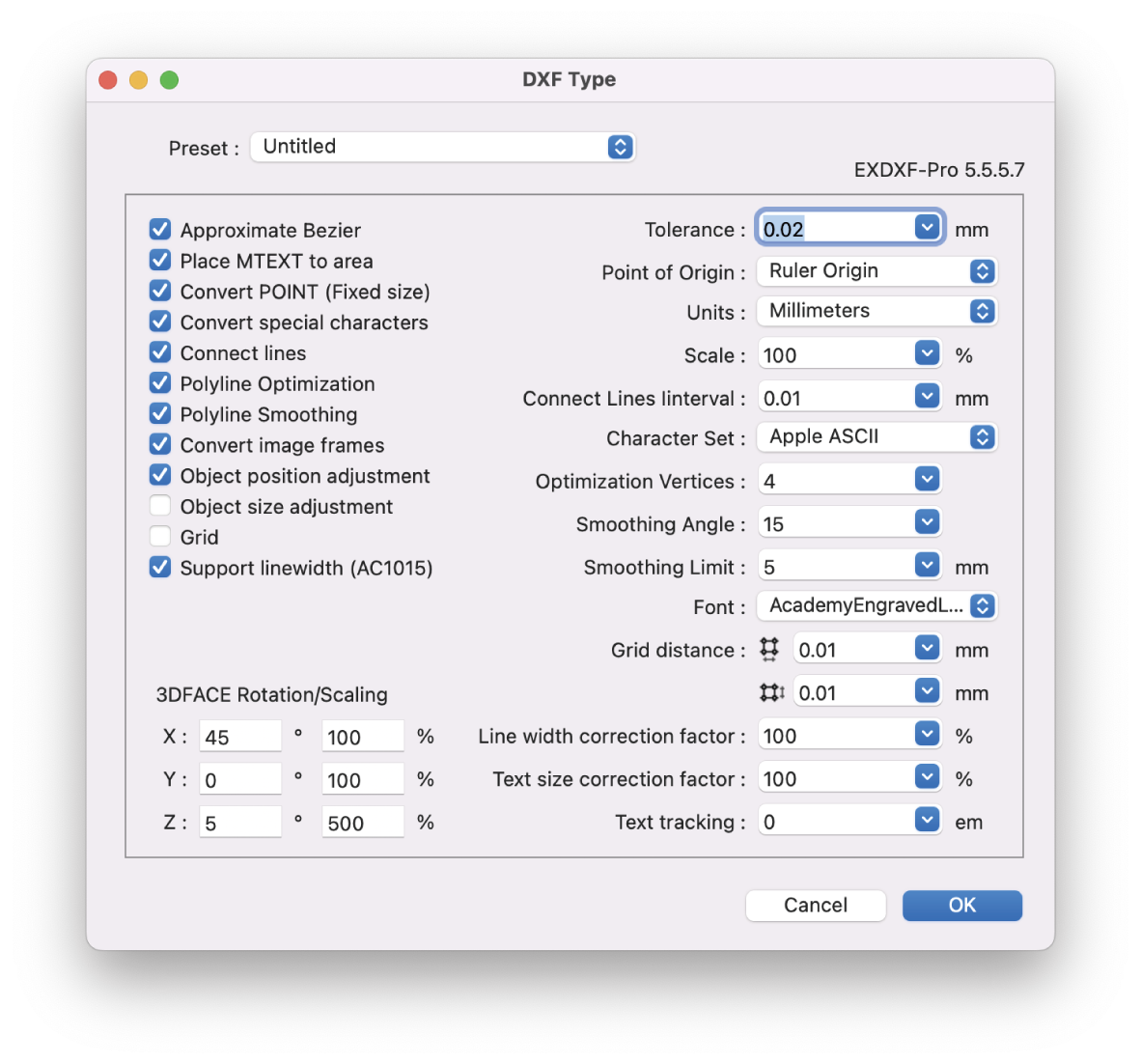
EXDXF-Pro is an ideal DXF convert plug-in for Adobe Illustrator (AI). I can solve data compatibility problems between CAD software and AI. Specific functions include an "Export function" that outputs DXF data from AI and an "Import function" that opens DXF files in AI. Recently, CAD software is offered by many manufacturers, and the software is developed to be compatible with other CAD software. In particular, the file format uses the "dxf" extension to ensure compatibility in the exchange of data between CAD software and to facilitate the exchange of data between designers. CAD software and AI also use this "DXF" for data compatibility. However, compatibility problems are not infrequent.
EXDXF-Pro's "Export Function" can output data in R12 format (AC1009) as "DXF" in R12 format, which is a highly popular format.
|
About
Flux is browser-based PCB design software (EDA) with an AI hardware design assistant. It combines schematic capture, PCB layout, routing, simulation, and design rule checks in one workspace.
Describe a circuit in plain language to generate a schematic, then refine it in the editor. AI helps research parts, place components, route traces, and review designs. Engineers set constraints and approve the final board.
Teams edit projects together in real time, share comments, manage permissions, and reuse community parts and designs. Live component pricing and availability support sourcing. Export Gerber, BOM, and pick-and-place files for manufacturing.
Import Altium ASCII and Cadence EDIF schematics or KiCad component libraries; these imports do not include PCB layouts. Flux runs in a web browser without a desktop installation.
A 14-day trial includes limited AI usage. Paid plans are required afterward for private-project editing/export and AI.
|
|||||
Platforms Supported
Windows
Supported
Mac
Supported
Linux
Not Supported
Cloud
Not Supported
On-Premises
Not Supported
iPhone
Not Supported
iPad
Not Supported
Android
Not Supported
Chromebook
Not Supported
|
Platforms Supported
Windows
Not Supported
Mac
Not Supported
Linux
Not Supported
Cloud
Supported
On-Premises
Not Supported
iPhone
Not Supported
iPad
Not Supported
Android
Not Supported
Chromebook
Not Supported
|
|||||
Audience
Design and drawing work of manufacturing, design, and design professionals
|
Audience
Hardware startups, electronics engineers, product teams, and technical builders designing printed circuit boards with AI assistance and real-time collaboration.
|
|||||
Support
Phone Support
Supported
24/7 Live Support
Not Supported
Online
Not Supported
|
Support
Phone Support
Not Supported
24/7 Live Support
Not Supported
Online
Supported
|
|||||
API
Offers API
Not Supported
|
API
Offers API
Not Supported
|
|||||
Screenshots and Videos |
Screenshots and Videos |
|||||
Pricing
$99 USD per year
Free Version
Not Supported
Free Trial
Supported
|
Pricing
$50/month (billed monthly)
USD. Monthly billing: Explore $50/month; Build $100/month; Pro $250/month. Annual billing (monthly equivalents): Explore $40/month; Build $80/month; Pro $200/month, billed annually. Teams $158/editor/month, or $120/editor/month billed annually. Enterprise: custom pricing.
14-day free trial with limited AI usage; selected plan starts afterward unless canceled. After the trial, editing or exporting private projects and using AI require a paid plan. Public-project/community access remains available. Pro trial requires a $250 hold (monthly) or $200 hold (annual). AI usage is metered in Agent Compute Units (ACUs). Explore includes 40 ACUs/month; Build 120; Pro 400. Optional pay-as-you-go AI usage on Build and Pro costs $2/ACU; Teams supports optional pay-as-you-go and pooled usage.
Free Version
Not Supported
Free Trial
Supported
|
|||||
Reviews/
|
Reviews/
|
|||||
Pros & Cons from Real UsersPros
Cons
|
||||||
Training
Documentation
Not Supported
Webinars
Not Supported
Live Online
Not Supported
In Person
Not Supported
|
Training
Documentation
Supported
Webinars
Not Supported
Live Online
Supported
In Person
Not Supported
|
|||||
Company InformationBaby Universe Inc.
Founded: 1992
Japan
baby-universe.net/plug-ins/cad/exdxf-pro/
|
Company InformationFlux
Founded: 2019
United States
www.flux.ai/p
|
|||||
Alternatives |
Alternatives |
|||||
|
|
|
|||||
|
|
||||||
|
|
||||||
|
|
||||||
Categories |
Categories |
|||||
CAD Features
2 1/2-Axis Milling
Not Supported
2D Drawing
Supported
3-Axis Milling
Not Supported
3D Modeling
Not Supported
4-Axis Milling
Not Supported
5-Axis Milling
Not Supported
Civil
Not Supported
Collaboration
Not Supported
Database Connectivity
Not Supported
Design Analysis
Not Supported
Design Export
Not Supported
Document Management
Not Supported
Electrical
Not Supported
Hole Making
Not Supported
Mechanical
Not Supported
Mechatronics
Not Supported
Presentation Tools
Not Supported
Simulate Cycles
Not Supported
Spiral Output
Not Supported
Structural Engineering
Not Supported
Toolpath Simulation
Not Supported
User Defined Cycles
Not Supported
|
Engineering Features
2D Drawing
Not Supported
3D Modeling
Not Supported
Chemical Engineering
Not Supported
Civil Engineering
Not Supported
Collaboration
Supported
Design Analysis
Supported
Design Export
Supported
Document Management
Not Supported
Electrical Engineering
Supported
Mechanical Engineering
Not Supported
Mechatronics
Not Supported
Presentation Tools
Not Supported
Structural Engineering
Not Supported
PCB Design Features
3D Visualization
Supported
Autorouting
Supported
Collaboration Tools
Supported
Component Library
Supported
Design Rule Check
Supported
Differential Pair Routing
Supported
Schematic Editor
Supported
|
|||||
Integrations
Adobe Illustrator
Not Supported
|
||||||
|
|
|