| CodeSandbox | RazorSQL | Visual Studio Code | ||||
|---|---|---|---|---|---|---|
Related Products
|
||||||
CodeSandbox:
About
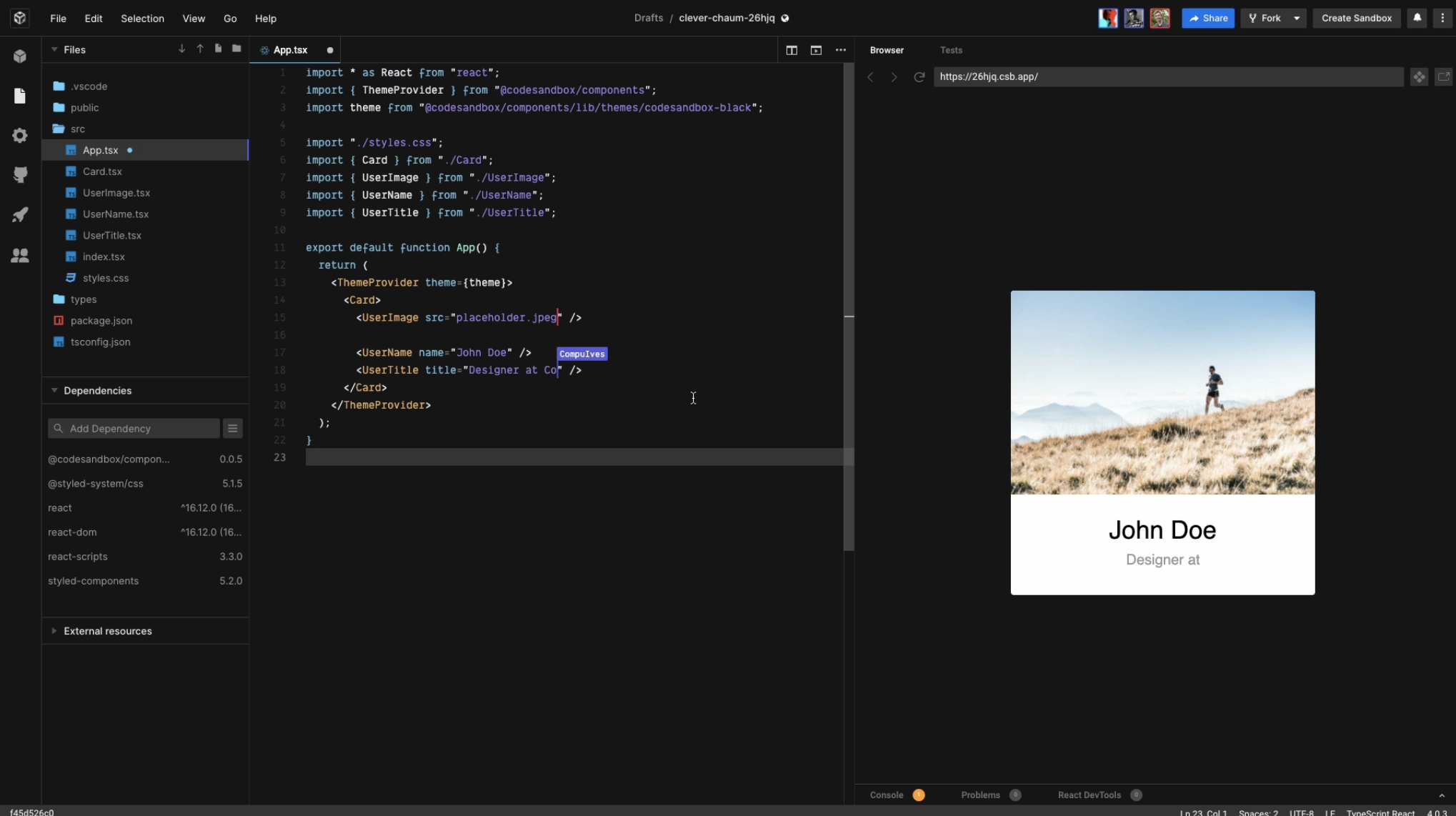
CodeSandbox is a cloud development platform that empowers development teams to code, collaborate, and ship projects of any size from any device in record time.
Run your code in powerful microVMs and build anything without limits. We configure your environment for you and keep your code always ready, behind a URL.
Boxy, the CodeSandbox AI coding assistant, is also now available to all Pro subscribers.
|
RazorSQL:
About
RazorSQL is an SQL query tool, database browser, SQL editor, and database administration tool for Windows, macOS, Mac OS X, Linux, and Solaris. RazorSQL has been tested on over 40 databases, can connect to databases via either JDBC or ODBC. Browse database objects such as schemas, tables, columns, primary and foreign keys, views, indexes, procedures, functions, and more. Visual tools to create, alter, describe, execute, and drop database objects such as tables, views, indexes, stored procedures, functions, triggers, and more. Includes multi-tabular display of queries with options for filtering, sorting, searching, and much more. Import data from various formats such as delimited files, Excel spreadsheets, and fixed-width files. Includes a robust relational database (HSQLDB) that is up and running with no manual configuration out of the box.
|
Visual Studio Code:
About
Visual Studio Code (VS Code) is Microsoft’s open-source AI code editor designed to make coding faster, smarter, and more collaborative. It supports thousands of extensions and nearly every programming language, offering developers a lightweight yet powerful environment for writing, testing, and debugging code. With AI-powered features like GitHub Copilot, Next Edit Suggestions, and Agent Mode, VS Code helps you code with precision, automate complex tasks, and streamline development workflows. It integrates seamlessly with cloud services, remote repositories, and tools like Git, Docker, and Azure. The editor is fully customizable, allowing you to personalize your layout, color themes, and keyboard shortcuts. Whether coding locally or in the browser, VS Code delivers a complete development experience for individuals and teams alike.
|
||||
CodeSandbox:
Platforms Supported
Windows
Not Supported
Mac
Not Supported
Linux
Not Supported
Cloud
Supported
On-Premises
Supported
iPhone
Supported
iPad
Supported
Android
Not Supported
Chromebook
Supported
|
RazorSQL:
Platforms Supported
Windows
Supported
Mac
Supported
Linux
Supported
Cloud
Not Supported
On-Premises
Not Supported
iPhone
Not Supported
iPad
Not Supported
Android
Not Supported
Chromebook
Not Supported
|
Visual Studio Code:
Platforms Supported
Windows
Supported
Mac
Supported
Linux
Supported
Cloud
Supported
On-Premises
Not Supported
iPhone
Not Supported
iPad
Not Supported
Android
Not Supported
Chromebook
Not Supported
|
||||
CodeSandbox:
Audience
Developers interested in a full-stack coding platform
|
RazorSQL:
Audience
DeVops teams looking for a Database management solution
|
Visual Studio Code:
Audience
Developers, data scientists, and engineering teams seeking a customizable, AI-powered code editor that enhances productivity, supports all major languages, and integrates seamlessly with cloud and collaboration tools
|
||||
CodeSandbox:
Support
Phone Support
Not Supported
24/7 Live Support
Not Supported
Online
Supported
|
RazorSQL:
Support
Phone Support
Not Supported
24/7 Live Support
Not Supported
Online
Supported
|
Visual Studio Code:
Support
Phone Support
Not Supported
24/7 Live Support
Not Supported
Online
Supported
|
||||
CodeSandbox:
API
Offers API
Supported
|
RazorSQL:
API
Offers API
Not Supported
|
Visual Studio Code:
API
Offers API
Supported
|
||||
CodeSandbox:
Screenshots and Videos |
RazorSQL:
Screenshots and Videos |
Visual Studio Code:
Screenshots and Videos |
||||
CodeSandbox:
Pricing
$12 per month
Free Version
Supported
Free Trial
Supported
|
RazorSQL:
Pricing
$99.95 one-time payment
Free Version
Not Supported
Free Trial
Not Supported
|
Visual Studio Code:
Pricing
Free
Free Version
Supported
Free Trial
Not Supported
|
||||
CodeSandbox:
Reviews/
|
RazorSQL:
Reviews/
|
Visual Studio Code:
Reviews/
|
||||
RazorSQL:
Pros & Cons from Real UsersPros
Cons
|
Visual Studio Code:
Pros & Cons from Real UsersPros
Cons
|
|||||
CodeSandbox:
Training
Documentation
Supported
Webinars
Not Supported
Live Online
Not Supported
In Person
Not Supported
|
RazorSQL:
Training
Documentation
Not Supported
Webinars
Not Supported
Live Online
Not Supported
In Person
Not Supported
|
Visual Studio Code:
Training
Documentation
Supported
Webinars
Not Supported
Live Online
Not Supported
In Person
Not Supported
|
||||
CodeSandbox:
Company InformationCodeSandbox
Founded: 2017
Netherlands
codesandbox.io
|
RazorSQL:
Company InformationRazorSQL
United States
razorsql.com
|
Visual Studio Code:
Company InformationMicrosoft
Founded: 1975
United States
code.visualstudio.com
|
||||
CodeSandbox:
Alternatives |
RazorSQL:
Alternatives |
Visual Studio Code:
Alternatives |
||||
| CodeSandbox: |
RazorSQL:
|
Visual Studio Code:
|
||||
|
CodeSandbox:
|
RazorSQL:
|
Visual Studio Code:
|
||||
|
CodeSandbox:
|
RazorSQL: |
Visual Studio Code:
|
||||
|
CodeSandbox:
|
RazorSQL:
|
Visual Studio Code:
|
||||
CodeSandbox:
Categories |
RazorSQL:
Categories |
Visual Studio Code:
Categories |
||||
CodeSandbox:
Code Collaboration Features
Audio Conferencing
Supported
Chat / Messaging
Supported
Code Review
Supported
Discussion Threads
Supported
IDE Integration
Supported
Remote Control
Not Supported
Remote Pair Programming
Supported
Screen Sharing
Not Supported
Video Conferencing
Not Supported
Code Editors Features
API
Supported
Auto-Complete
Supported
Code Folding
Supported
Column Editing
Supported
Customizable Themes
Supported
Debugging
Supported
Formatting / Table Editing
Supported
Keyboard Shortcuts
Supported
Multi-Monitor Editing
Supported
Syntax Highlighting
Supported
WYSIWYG
Not Supported
IDE Features
Code Completion
Supported
Compiler
Supported
Cross Platform Support
Supported
Debugger
Supported
Drag and Drop UI
Not Supported
Integrations and Plugins
Supported
Multi Language Support
Supported
Project Management
Not Supported
Text Editor / Code Editor
Supported
|
Visual Studio Code:
Software Documentation Features
Access Roles / User Permissions
Supported
Automatic Documentation Generation
Supported
Collaboration Tools
Supported
Docs Web Hosting
Supported
Feedback Capture
Supported
Markdown Support
Supported
Multiple Formats Support
Supported
Multiple Versions Support
Supported
reStructured Text Support
Supported
Version Control
Supported
Webhooks
Supported
WYSIWIG Editor
Not Supported
Source Code Management Features
Access Controls/Permissions
Not Supported
Bug Tracking
Supported
Build Automation
Supported
Change Management
Supported
Code Review
Supported
Collaboration
Not Supported
Continuous Integration
Not Supported
Repository Management
Not Supported
Version Control
Not Supported
Text Editors Features
API
Supported
Auto-Complete
Supported
Code Folding
Supported
Column Editing
Supported
Customizable Themes
Supported
Debugging
Supported
Formatting / Table Editing
Supported
Keyboard Shortcuts
Supported
Multi-Monitor Editing
Supported
Syntax Highlighting
Supported
WYSIWYG
Supported
|
|||||
CodeSandbox:
Integrations
Amazon Q Developer
Not Supported
Augment Code
Not Supported
Chab
Not Supported
Checkmarx
Not Supported
Claude Fable 5
Not Supported
Claude Fable 5.1
Not Supported
Digma
Not Supported
FlouState
Not Supported
IBM Informix
Not Supported
Kalima
Not Supported
|
RazorSQL:
Integrations
Amazon Q Developer
Not Supported
Augment Code
Not Supported
Chab
Not Supported
Checkmarx
Not Supported
Claude Fable 5
Not Supported
Claude Fable 5.1
Not Supported
Digma
Not Supported
FlouState
Not Supported
IBM Informix
Supported
Kalima
Not Supported
|
Visual Studio Code:
Integrations
Amazon Q Developer
Supported
Augment Code
Supported
Chab
Supported
Checkmarx
Supported
Claude Fable 5
Supported
Claude Fable 5.1
Supported
Digma
Supported
FlouState
Supported
IBM Informix
Not Supported
Kalima
Supported
|
||||
|
CodeSandbox:
|
RazorSQL:
|
Visual Studio Code:
|