
Audience
Developers interested in a full-stack coding platform
About CodeSandbox
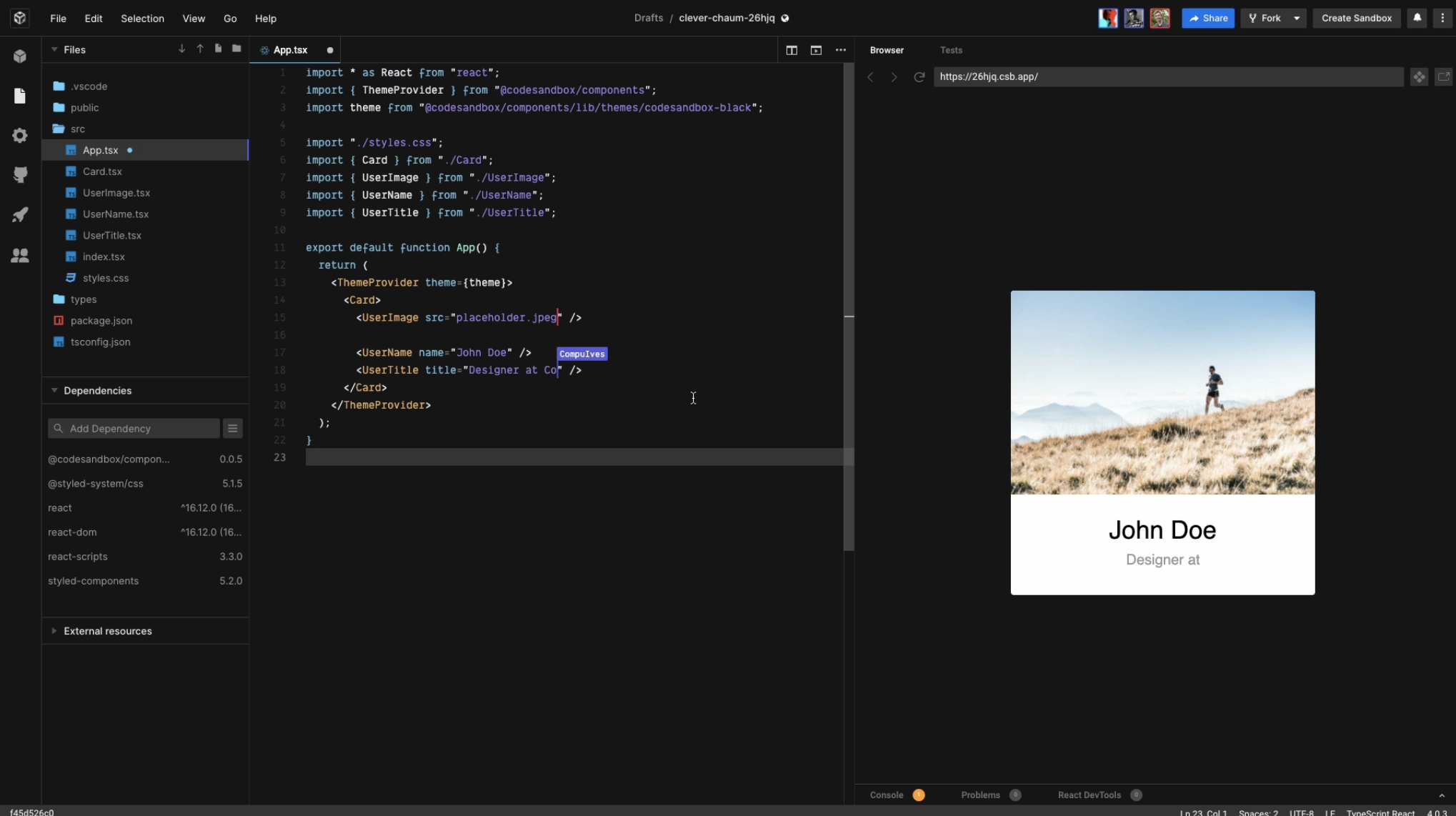
CodeSandbox is a cloud development platform that empowers development teams to code, collaborate, and ship projects of any size from any device in record time.
Run your code in powerful microVMs and build anything without limits. We configure your environment for you and keep your code always ready, behind a URL.
Boxy, the CodeSandbox AI coding assistant, is also now available to all Pro subscribers.
Other Popular Alternatives & Related Software
Devin Desktop
Devin Desktop (formerly Windsurf) is an AI-powered development environment that combines a full-featured IDE with advanced coding agents in a unified workspace. Formerly known as Windsurf, the platform enables developers to manage local and cloud-based AI agents, delegate tasks, review code, and ship software without leaving their editor. Developers can use multiple coding agents simultaneously to research, write, test, debug, and improve code while maintaining full visibility into every change. Devin Desktop includes features such as agent orchestration, shared workspaces, intelligent code completion, contextual code search, and integrated review tools. The platform supports a wide range of models, extensions, language servers, and MCP integrations, allowing teams to work with their preferred tools and workflows. Devin Desktop helps engineering teams accelerate software development, improve productivity, and manage AI-assisted coding at scale.
Learn more about Devin Desktop
Gemini Code Assist
Increase software development and delivery velocity using generative AI assistance, with enterprise security and privacy protection.
Gemini Code Assist completes your code as you write, and generates whole code blocks or functions on demand. Code assistance is available in many popular IDEs, such as Visual Studio Code, JetBrains IDEs (IntelliJ, PyCharm, GoLand, WebStorm, and more), Cloud Workstations, Cloud Shell Editor, and supports 20+ programming languages, including Java, JavaScript, Python, C, C++, Go, PHP, and SQL.
Through a natural language chat interface, you can quickly chat with Gemini Code Assist to get answers to your coding questions, or receive guidance on coding best practices. Chat is available in all supported IDEs.
Enterprises can customize Gemini Code Assist using their organization’s private codebases and knowledge sources so that Gemini Code Assist can offer more tailored assistance.
Gemini Code Assist enables large-scale changes to entire codebases.
Learn more about Gemini Code Assist
Cody
Cody, Sourcegraph’s AI code assistant goes beyond individual dev productivity, helping enterprises achieve consistency and quality at scale with AI.
Unlike traditional coding assistants, Cody understands the entire codebase, enabling deeper contextual awareness for smarter autocompletions, refactoring, and AI-driven code suggestions. It integrates with IDEs like VS Code, Visual Studio, Eclipse, and JetBrains, providing inline editing and chat without disrupting workflows. Cody also connects with tools like Notion, Linear, and Prometheus to enhance development context. Powered by advanced LLMs like Claude Sonnet 4 and GPT-4o, it optimizes speed and performance based on enterprise needs, and is always adding the latest AI models. Developers report significant efficiency gains, with some saving up to six hours per week and doubling their coding speed.
Learn more about Cody
Amp
Amp is a frontier coding agent built to give developers full access to the power of today’s leading AI models directly in their workflow. Available in the terminal and popular editors like VS Code, Cursor, Windsurf, JetBrains, and Neovim, Amp integrates seamlessly into existing development environments. It enables developers to delegate complex coding tasks, refactors, reviews, and explorations to intelligent agents that understand and operate across entire codebases. With support for advanced models such as Claude Opus, Gemini, and GPT-class models, Amp delivers fast, reliable, and highly agentic code generation. The platform is designed for real-world engineering work, handling multi-file changes, deep context, and iterative improvements. Amp helps developers move faster while maintaining confidence in code quality.
Learn more about Amp
Pricing
Starting Price:
$12 per month
Free Version:
Free Version available.
Free Trial:
Free Trial available.
Company Information
CodeSandbox
Founded: 2017
Netherlands
codesandbox.io
Videos and Screen Captures



Other Useful Business Software
Host LLMs in Production With On-Demand GPUs
Deploy your model, get an endpoint, pay only for compute time. No GPU provisioning or infrastructure management required.
Product Details
Platforms Supported
Cloud
iPhone
iPad
Chromebook
On-Premises
Training
Documentation
Videos
Support
Online
CodeSandbox Frequently Asked Questions
Q: What kinds of users and organization types does CodeSandbox work with?
CodeSandbox works with these users and organization types: Mid Size Business, Small Business, Enterprise, Freelance, Nonprofit, Government, and Startup.
Q: What languages does CodeSandbox support in their product?
CodeSandbox supports these languages: English.
Q: What kind of support options does CodeSandbox offer?
CodeSandbox offers support via online.
Q: What other applications or services does CodeSandbox integrate with?
CodeSandbox integrates with: Angular, C#, ChatGPT, Deno, Docker, Elixir, Gatsby, Git, GitHub, Go, Astro, HTML, Java, JavaScript, Netlify, Next.js, Nix, Node.js, Nuxt, PHP, Preact, Python, React, Reason, and Ruby and more.
Q: Does CodeSandbox have an API?
Yes, CodeSandbox has an API.
Q: Does CodeSandbox have a mobile app?
Yes, CodeSandbox has a mobile app for iPad and iPhone.
Q: What type of training does CodeSandbox provide?
CodeSandbox provides training in the form of documentation and videos.
Q: Does CodeSandbox offer a free trial?
Yes, CodeSandbox offers a free trial.
Q: How much does CodeSandbox cost?
Pricing for CodeSandbox starts at $12 per month.
Q: What pricing for support is available for CodeSandbox?
CodeSandbox offers support included with purchase and additional fee / premium available.
Q: What pricing for training is available for CodeSandbox?
CodeSandbox offers training included with purchase.
CodeSandbox Product Features
Code Collaboration
Audio Conferencing
Supported
Chat / Messaging
Supported
Code Review
Supported
Discussion Threads
Supported
IDE Integration
Supported
Remote Pair Programming
Supported
Remote Control
Not Supported
Screen Sharing
Not Supported
Video Conferencing
Not Supported
Code Editors
API
Supported
Auto-Complete
Supported
Code Folding
Supported
Column Editing
Supported
Customizable Themes
Supported
Debugging
Supported
Formatting / Table Editing
Supported
Keyboard Shortcuts
Supported
Multi-Monitor Editing
Supported
Syntax Highlighting
Supported
WYSIWYG
Not Supported
IDE
Code Completion
Supported
Compiler
Supported
Cross Platform Support
Supported
Debugger
Supported
Integrations and Plugins
Supported
Multi Language Support
Supported
Text Editor / Code Editor
Supported
Drag and Drop UI
Not Supported
Project Management
Not Supported
