| CodeSandbox | Cursor | RazorSQL | ||||
|---|---|---|---|---|---|---|
Related Products
|
||||||
CodeSandbox:
About
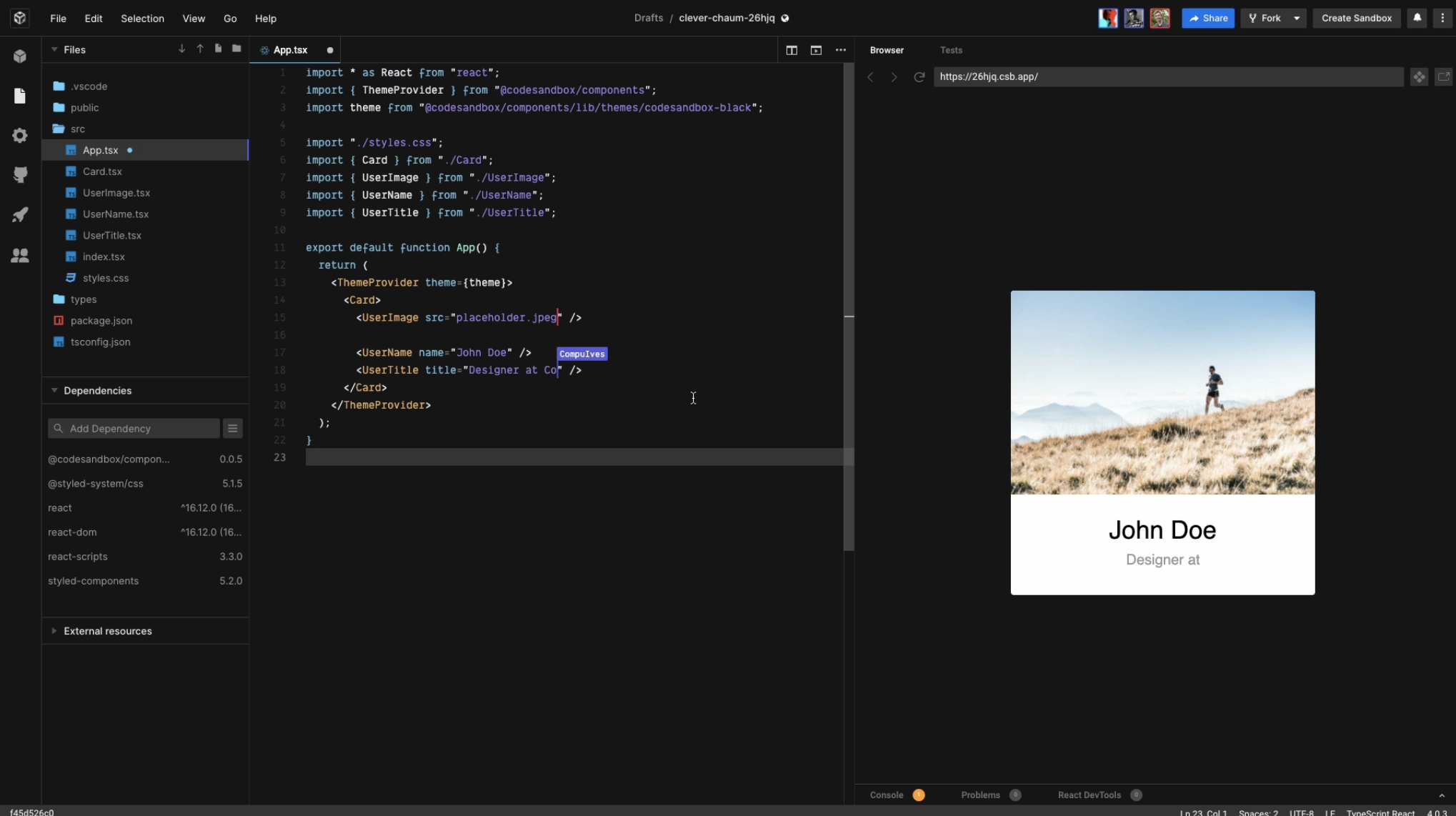
CodeSandbox is a cloud development platform that empowers development teams to code, collaborate, and ship projects of any size from any device in record time.
Run your code in powerful microVMs and build anything without limits. We configure your environment for you and keep your code always ready, behind a URL.
Boxy, the CodeSandbox AI coding assistant, is also now available to all Pro subscribers.
|
Cursor:
About
Cursor is an AI coding agent and development platform for building ambitious software faster. The platform lets developers hand off tasks to agents that can build, test, demo, and prepare features for review. Cursor supports autonomous and parallel agent workflows, including cloud agents that can work on multiple tasks across repositories. It runs across the editor, terminal, Slack, and GitHub, helping teams automate coding, code review, PR workflows, and repetitive engineering work. Cursor also lets users choose from leading AI models for different tasks, including models from OpenAI, Anthropic, Gemini, and Cursor. Built for developers, engineering teams, and enterprises, Cursor helps accelerate software development while keeping humans focused on decisions and review.
|
RazorSQL:
About
RazorSQL is an SQL query tool, database browser, SQL editor, and database administration tool for Windows, macOS, Mac OS X, Linux, and Solaris. RazorSQL has been tested on over 40 databases, can connect to databases via either JDBC or ODBC. Browse database objects such as schemas, tables, columns, primary and foreign keys, views, indexes, procedures, functions, and more. Visual tools to create, alter, describe, execute, and drop database objects such as tables, views, indexes, stored procedures, functions, triggers, and more. Includes multi-tabular display of queries with options for filtering, sorting, searching, and much more. Import data from various formats such as delimited files, Excel spreadsheets, and fixed-width files. Includes a robust relational database (HSQLDB) that is up and running with no manual configuration out of the box.
|
||||
CodeSandbox:
Platforms Supported
Windows
Not Supported
Mac
Not Supported
Linux
Not Supported
Cloud
Supported
On-Premises
Supported
iPhone
Supported
iPad
Supported
Android
Not Supported
Chromebook
Supported
|
Cursor:
Platforms Supported
Windows
Supported
Mac
Supported
Linux
Supported
Cloud
Supported
On-Premises
Not Supported
iPhone
Supported
iPad
Supported
Android
Not Supported
Chromebook
Not Supported
|
RazorSQL:
Platforms Supported
Windows
Supported
Mac
Supported
Linux
Supported
Cloud
Not Supported
On-Premises
Not Supported
iPhone
Not Supported
iPad
Not Supported
Android
Not Supported
Chromebook
Not Supported
|
||||
CodeSandbox:
Audience
Developers interested in a full-stack coding platform
|
Cursor:
Audience
Developers, engineering teams, software companies, startups, enterprise engineering organizations, product teams, DevOps teams, AI coding teams, code reviewers, and technical leaders that need AI coding agents, autonomous development, cloud agents, parallel task execution, code review, CLI workflows, Slack collaboration, GitHub integration, model choice, automations, and secure software development at scale
|
RazorSQL:
Audience
DeVops teams looking for a Database management solution
|
||||
CodeSandbox:
Support
Phone Support
Not Supported
24/7 Live Support
Not Supported
Online
Supported
|
Cursor:
Support
Phone Support
Not Supported
24/7 Live Support
Not Supported
Online
Supported
|
RazorSQL:
Support
Phone Support
Not Supported
24/7 Live Support
Not Supported
Online
Supported
|
||||
CodeSandbox:
API
Offers API
Supported
|
Cursor:
API
Offers API
Supported
|
RazorSQL:
API
Offers API
Not Supported
|
||||
CodeSandbox:
Screenshots and Videos |
Cursor:
Screenshots and Videos |
RazorSQL:
Screenshots and Videos |
||||
CodeSandbox:
Pricing
$12 per month
Free Version
Supported
Free Trial
Supported
|
Cursor:
Pricing
$20/month
Free Version
Supported
Free Trial
Not Supported
|
RazorSQL:
Pricing
$99.95 one-time payment
Free Version
Not Supported
Free Trial
Not Supported
|
||||
CodeSandbox:
Reviews/
|
Cursor:
Reviews/
|
RazorSQL:
Reviews/
|
||||
Cursor:
Pros & Cons from Real UsersPros
Cons
|
RazorSQL:
Pros & Cons from Real UsersPros
Cons
|
|||||
CodeSandbox:
Training
Documentation
Supported
Webinars
Not Supported
Live Online
Not Supported
In Person
Not Supported
|
Cursor:
Training
Documentation
Supported
Webinars
Not Supported
Live Online
Not Supported
In Person
Not Supported
|
RazorSQL:
Training
Documentation
Not Supported
Webinars
Not Supported
Live Online
Not Supported
In Person
Not Supported
|
||||
CodeSandbox:
Company InformationCodeSandbox
Founded: 2017
Netherlands
codesandbox.io
|
Cursor:
Company InformationCursor
Founded: 2022
United States
www.cursor.com
|
RazorSQL:
Company InformationRazorSQL
United States
razorsql.com
|
||||
CodeSandbox:
Alternatives |
Cursor:
Alternatives |
RazorSQL:
Alternatives |
||||
| CodeSandbox: |
Cursor:
|
RazorSQL:
|
||||
|
CodeSandbox:
|
Cursor:
|
RazorSQL:
|
||||
|
CodeSandbox:
|
Cursor:
|
RazorSQL: | ||||
|
CodeSandbox:
|
Cursor:
|
RazorSQL:
|
||||
CodeSandbox:
Categories |
Cursor:
Categories |
RazorSQL:
Categories |
||||
CodeSandbox:
Code Collaboration Features
Audio Conferencing
Supported
Chat / Messaging
Supported
Code Review
Supported
Discussion Threads
Supported
IDE Integration
Supported
Remote Control
Not Supported
Remote Pair Programming
Supported
Screen Sharing
Not Supported
Video Conferencing
Not Supported
Code Editors Features
API
Supported
Auto-Complete
Supported
Code Folding
Supported
Column Editing
Supported
Customizable Themes
Supported
Debugging
Supported
Formatting / Table Editing
Supported
Keyboard Shortcuts
Supported
Multi-Monitor Editing
Supported
Syntax Highlighting
Supported
WYSIWYG
Not Supported
IDE Features
Code Completion
Supported
Compiler
Supported
Cross Platform Support
Supported
Debugger
Supported
Drag and Drop UI
Not Supported
Integrations and Plugins
Supported
Multi Language Support
Supported
Project Management
Not Supported
Text Editor / Code Editor
Supported
|
||||||
CodeSandbox:
Integrations
Aderra
Not Supported
Beamline UI
Not Supported
Claude Sonnet 4.5
Not Supported
CueHQ
Not Supported
Dyad
Not Supported
Greenlight Guru Clinical
Not Supported
Grok 4
Not Supported
Keycard
Not Supported
Opal Zero
Not Supported
Rheos
Not Supported
|
Cursor:
Integrations
Aderra
Supported
Beamline UI
Supported
Claude Sonnet 4.5
Supported
CueHQ
Supported
Dyad
Supported
Greenlight Guru Clinical
Supported
Grok 4
Supported
Keycard
Supported
Opal Zero
Supported
Rheos
Supported
|
RazorSQL:
Integrations
Aderra
Not Supported
Beamline UI
Not Supported
Claude Sonnet 4.5
Not Supported
CueHQ
Not Supported
Dyad
Not Supported
Greenlight Guru Clinical
Not Supported
Grok 4
Not Supported
Keycard
Not Supported
Opal Zero
Not Supported
Rheos
Not Supported
|
||||
|
CodeSandbox:
|
Cursor:
|
RazorSQL:
|