Related Products
|
||||||
About
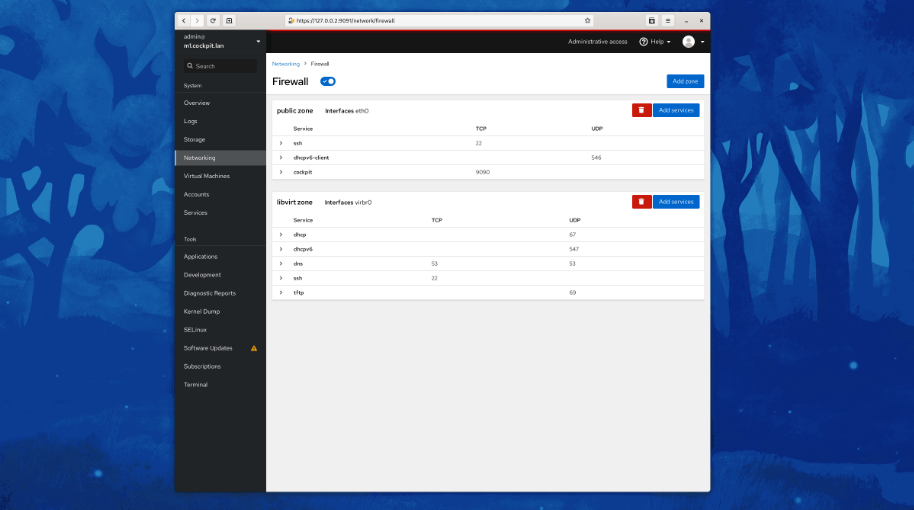
Cockpit is a web-based graphical interface for servers, intended for everyone, especially those who are new to Linux, familiar and expert admins. Thanks to Cockpit intentionally using system APIs and commands, a whole team of admins can manage a system in the way they prefer, including the command line and utilities right alongside Cockpit. See your server in a web browser and perform system tasks with a mouse. It’s easy to start containers, administer storage, configure networks, and inspect logs. Basically, you can think of Cockpit like a graphical “desktop interface”, but for individual servers. Have a favorite app or command-line tool that you use on your servers? Keep using the command line, Ansible, and your other favorite tools and add Cockpit to the mix with no issues. Cockpit uses the same system tooling you would use from the command line. You can switch back and forth between Cockpit and whatever else you like.
|
About
CtrlOps is a local-first desktop app for managing Linux servers with an AI-assisted terminal, real-time monitoring, SSH access, file management, deployments, and backups. It helps developers deploy, debug, and manage servers with AI while keeping everything 100% local, so SSH keys, server IPs, and credentials never touch the cloud. It connects to remote Linux and Ubuntu servers through standard SSH, with no agents to install or maintain on the server. Its AI Terminal lets users describe what they need in natural language, generates bash commands for approval, explains terminal output in plain English, diagnoses errors without requiring sudo access, and gives context-aware suggestions inside the workflow. CtrlOps also includes a visual file manager, multi-server fleet view, infrastructure details, SSH management, deployment automation, backup and restore capabilities, and real-time monitoring across servers.
|
|||||
Platforms Supported
Windows
Supported
Mac
Supported
Linux
Supported
Cloud
Not Supported
On-Premises
Not Supported
iPhone
Not Supported
iPad
Not Supported
Android
Supported
Chromebook
Not Supported
|
Platforms Supported
Windows
Supported
Mac
Supported
Linux
Supported
Cloud
Not Supported
On-Premises
Not Supported
iPhone
Not Supported
iPad
Not Supported
Android
Not Supported
Chromebook
Not Supported
|
|||||
Audience
Admins, professionals and anyone requiring a web-based graphical interface for their servers
|
Audience
Developers, sysadmins, and lean engineering teams that need a local AI-powered command center to manage Linux servers, deployments, backups, and troubleshooting
|
|||||
Support
Phone Support
Not Supported
24/7 Live Support
Not Supported
Online
Supported
|
Support
Phone Support
Not Supported
24/7 Live Support
Not Supported
Online
Supported
|
|||||
API
Offers API
Not Supported
|
API
Offers API
Supported
|
|||||
Screenshots and Videos |
Screenshots and Videos |
|||||
Pricing
No information available.
Free Version
Supported
Free Trial
Not Supported
|
Pricing
$7 per month
Free Version
Not Supported
Free Trial
Supported
|
|||||
Reviews/
|
Reviews/
|
|||||
Training
Documentation
Supported
Webinars
Not Supported
Live Online
Not Supported
In Person
Not Supported
|
Training
Documentation
Supported
Webinars
Not Supported
Live Online
Supported
In Person
Not Supported
|
|||||
Company InformationCockpit
cockpit-project.org
|
Company InformationCtrlOps
United States
ctrlops.io
|
|||||
Alternatives |
Alternatives |
|||||
|
|
||||||
|
|
||||||
|
|
||||||
Categories |
Categories |
|||||
Integrations
Amazon Web Services (AWS)
Not Supported
Ansible
Supported
CentOS
Supported
Debian
Supported
DigitalOcean
Not Supported
Fedora
Supported
Fedora CoreOS
Supported
Google Cloud Platform
Not Supported
Microsoft Azure
Not Supported
Red Hat Enterprise Linux
Supported
|
Integrations
Amazon Web Services (AWS)
Supported
Ansible
Not Supported
CentOS
Not Supported
Debian
Not Supported
DigitalOcean
Supported
Fedora
Not Supported
Fedora CoreOS
Not Supported
Google Cloud Platform
Supported
Microsoft Azure
Supported
Red Hat Enterprise Linux
Not Supported
|
|||||
|
|
|