|
|
||||||
| AWS Cloud9 | CodeSandbox | |||||
|---|---|---|---|---|---|---|
Related Products
|
||||||
AWS Cloud9:
About
AWS Cloud9 is a cloud-based integrated development environment (IDE) that lets you write, run, and debug your code with just a browser. It includes a code editor, debugger, and terminal. Cloud9 comes prepackaged with essential tools for popular programming languages, including JavaScript, Python, PHP, and more, so you don’t need to install files or configure your development machine to start new projects. Since your Cloud9 IDE is cloud-based, you can work on your projects from your office, home, or anywhere using an internet-connected machine. Cloud9 also provides a seamless experience for developing serverless applications enabling you to easily define resources, debug, and switch between local and remote execution of serverless applications. With Cloud9, you can quickly share your development environment with your team, enabling you to pair program and track each other's inputs in real time.
|
CodeSandbox:
About
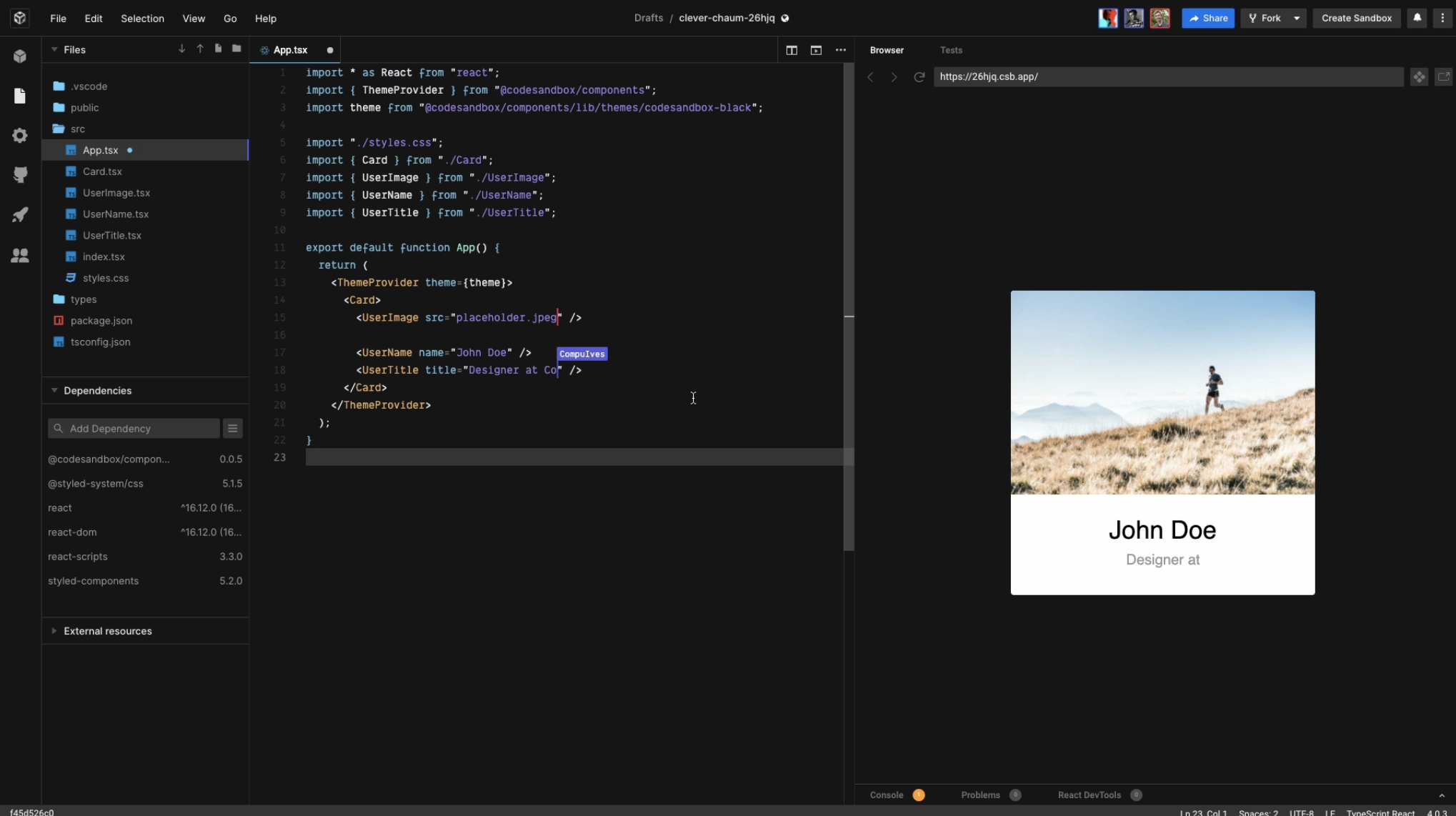
CodeSandbox is a cloud development platform that empowers development teams to code, collaborate, and ship projects of any size from any device in record time.
Run your code in powerful microVMs and build anything without limits. We configure your environment for you and keep your code always ready, behind a URL.
Boxy, the CodeSandbox AI coding assistant, is also now available to all Pro subscribers.
|
|||||
AWS Cloud9:
Platforms Supported
Windows
Not Supported
Mac
Not Supported
Linux
Not Supported
Cloud
Supported
On-Premises
Not Supported
iPhone
Not Supported
iPad
Not Supported
Android
Not Supported
Chromebook
Not Supported
|
CodeSandbox:
Platforms Supported
Windows
Not Supported
Mac
Not Supported
Linux
Not Supported
Cloud
Supported
On-Premises
Supported
iPhone
Supported
iPad
Supported
Android
Not Supported
Chromebook
Supported
|
|||||
AWS Cloud9:
Audience
Developer teams
|
CodeSandbox:
Audience
Developers interested in a full-stack coding platform
|
|||||
AWS Cloud9:
Support
Phone Support
Not Supported
24/7 Live Support
Not Supported
Online
Supported
|
CodeSandbox:
Support
Phone Support
Not Supported
24/7 Live Support
Not Supported
Online
Supported
|
|||||
AWS Cloud9:
API
Offers API
Not Supported
|
CodeSandbox:
API
Offers API
Supported
|
|||||
AWS Cloud9:
Screenshots and Videos |
CodeSandbox:
Screenshots and Videos |
|||||
AWS Cloud9:
Pricing
No information available.
Free Version
Not Supported
Free Trial
Not Supported
|
CodeSandbox:
Pricing
$12 per month
Free Version
Supported
Free Trial
Supported
|
|||||
AWS Cloud9:
Reviews/
|
CodeSandbox:
Reviews/
|
|||||
AWS Cloud9:
Pros & Cons from Real UsersPros
Cons
|
||||||
AWS Cloud9:
Training
Documentation
Supported
Webinars
Not Supported
Live Online
Not Supported
In Person
Not Supported
|
CodeSandbox:
Training
Documentation
Supported
Webinars
Not Supported
Live Online
Not Supported
In Person
Not Supported
|
|||||
AWS Cloud9:
Company InformationAmazon
Founded: 1994
United States
aws.amazon.com/cloud9/
|
CodeSandbox:
Company InformationCodeSandbox
Founded: 2017
Netherlands
codesandbox.io
|
|||||
AWS Cloud9:
Alternatives |
CodeSandbox:
Alternatives |
|||||
| AWS Cloud9: | CodeSandbox: | |||||
|
AWS Cloud9:
|
CodeSandbox:
|
|||||
|
AWS Cloud9:
|
CodeSandbox:
|
|||||
|
AWS Cloud9:
|
CodeSandbox:
|
|||||
AWS Cloud9:
Categories |
CodeSandbox:
Categories |
|||||
AWS Cloud9:
IDE Features
Code Completion
Supported
Compiler
Supported
Cross Platform Support
Supported
Debugger
Supported
Drag and Drop UI
Supported
Integrations and Plugins
Supported
Multi Language Support
Supported
Project Management
Supported
Text Editor / Code Editor
Supported
Application Development Features
Access Controls/Permissions
Supported
Code Assistance
Supported
Code Refactoring
Supported
Collaboration Tools
Supported
Compatibility Testing
Supported
Data Modeling
Supported
Debugging
Supported
Deployment Management
Supported
Graphical User Interface
Supported
Mobile Development
Not Supported
No-Code
Supported
Reporting/Analytics
Supported
Software Development
Not Supported
Source Control
Supported
Testing Management
Not Supported
Version Control
Not Supported
Web App Development
Not Supported
|
CodeSandbox:
Code Collaboration Features
Audio Conferencing
Supported
Chat / Messaging
Supported
Code Review
Supported
Discussion Threads
Supported
IDE Integration
Supported
Remote Control
Not Supported
Remote Pair Programming
Supported
Screen Sharing
Not Supported
Video Conferencing
Not Supported
IDE Features
Code Completion
Supported
Compiler
Supported
Cross Platform Support
Supported
Debugger
Supported
Drag and Drop UI
Not Supported
Integrations and Plugins
Supported
Multi Language Support
Supported
Project Management
Not Supported
Text Editor / Code Editor
Supported
Code Editors Features
API
Supported
Auto-Complete
Supported
Code Folding
Supported
Column Editing
Supported
Customizable Themes
Supported
Debugging
Supported
Formatting / Table Editing
Supported
Keyboard Shortcuts
Supported
Multi-Monitor Editing
Supported
Syntax Highlighting
Supported
WYSIWYG
Not Supported
|
|||||
AWS Cloud9:
Integrations
C#
Supported
HTML
Supported
Java
Supported
JavaScript
Supported
Node.js
Supported
PHP
Supported
Python
Supported
Ruby
Supported
TypeScript
Supported
AWS CodeStar
Supported
|
CodeSandbox:
Integrations
C#
Supported
HTML
Supported
Java
Supported
JavaScript
Supported
Node.js
Supported
PHP
Supported
Python
Supported
Ruby
Supported
TypeScript
Supported
AWS CodeStar
Not Supported
|
|||||
|
AWS Cloud9:
|
CodeSandbox:
|