Related Products
|
||||||
About
Teachers upload their own content or create something new–with drawings, text, images, audio, links, and videos to provide instruction or create assessments. In 1:1 or group settings, students input drawings, text, images, and audio or answer fill-the-blank or multiple choice in response to teacher-created material. Teachers provide individualized, real-time feedback and grading with an array of tools–directly on the canvas, in the help center or with pointed stickers. Students can even ask their peers for help anonymously. Teachers can see who needs help and how students are progressing through the assignment. Teachers and students help each other with digital hand raising–allowing students to even ask their peers anonymously. Create custom or award preset auto-grading stickers, draw and interact directly on students’ canvases, or leave detailed feedback in the Help Center. Create or customize your own content with an array of tools–or transform an assignment from our library.
|
About
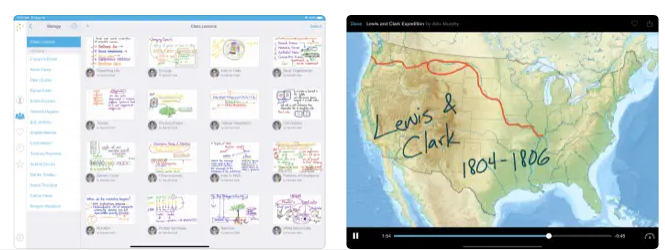
Record your voice and iPad screen to create dynamic video lessons that students and colleagues can access at any time, as needed. Post your videos to Educreations and share them with anyone. You can even share videos via email, Facebook, Twitter, and YouTube, or download and store them in Dropbox or Google Drive. All of your videos are stored safely in the cloud and are accessible everywhere you need them. You control who can see what. Explain any concept and instantly share your thoughts with others. Help students take control of their learning and master each new concept. Replay student work to pinpoint misconceptions, and celebrate their successes. Spend more time engaging students one-on-one. Create time for hands-on learning. Educreations is a unique interactive whiteboard and screencasting tool that's simple, powerful, and fun to use. Annotate, animate, and narrate nearly any type of content as you explain any concept.
|
|||||
Platforms Supported
Windows
Mac
Linux
Cloud
On-Premises
iPhone
iPad
Android
Chromebook
|
Platforms Supported
Windows
Mac
Linux
Cloud
On-Premises
iPhone
iPad
Android
Chromebook
|
|||||
Audience
Real-time digital notebook app connecting teachers and students through instant feedback, monitoring and lesson plans
|
Audience
Educational organizations wanting a tool to create short instructional videos and share them instantly with students
|
|||||
Support
Phone Support
24/7 Live Support
Online
|
Support
Phone Support
24/7 Live Support
Online
|
|||||
API
Offers API
|
API
Offers API
|
|||||
Screenshots and Videos |
Screenshots and Videos |
|||||
Pricing
$17.99 per teacher per month
Free Version
Free Trial
|
Pricing
$8.25 per month
Free Version
Free Trial
|
|||||
Reviews/
|
Reviews/
|
|||||
Training
Documentation
Webinars
Live Online
In Person
|
Training
Documentation
Webinars
Live Online
In Person
|
|||||
Company InformationClasskick
United States
classkick.com
|
Company InformationEducreations
United States
www.educreations.com
|
|||||
Alternatives |
Alternatives |
|||||
|
|
||||||
|
|
||||||
Categories |
Categories |
|||||
Integrations
Clever
Dropbox
Facebook
Google Chrome
Google Classroom
Google Drive
X (Twitter)
YouTube
|
Integrations
Clever
Dropbox
Facebook
Google Chrome
Google Classroom
Google Drive
X (Twitter)
YouTube
|
|||||
|
|
|