CentoculusNona Consult
|
|
|||||
| Centoculus | Paessler PRTG | |||||
|---|---|---|---|---|---|---|
Related Products
|
||||||
Centoculus:
About
Centoculus is a hosted uptime monitoring service for website owners, agencies, and hosting providers. It checks websites and endpoints using HTTP/HTTPS, keywords, SSL, DNS, ping, TCP ports, API requests, cron heartbeats, and mail delivery; check intervals vary by plan. Optional Linux server agents report CPU, memory, disks, and service metrics. Alerts are available by email, mobile push, Telegram, and webhooks. The service provides public or private status pages, including custom-domain options on paid plans, and an Android app for status and incident updates. Paid plans add faster checks, server agents, and status-page options. Customers can order optional technician-led repairs separately; estimates are shown before ordering. A free plan includes 50 monitors and allows commercial use; monthly and annual paid plans are also offered.
|
Paessler PRTG:
About
Paessler PRTG is an all-inclusive monitoring software solution developed by Paessler. Equipped with an easy-to-use, intuitive interface with a cutting-edge monitoring engine, PRTG optimizes connections and workloads as well as reduces operational costs by avoiding outages while saving time and controlling service level agreements (SLAs). The solution is packed with specialized monitoring features that include flexible alerting, cluster failover solution, distributed monitoring, in-depth reporting, maps and dashboards, and more.
PRTG monitors your entire IT infrastructure. All important technologies are supported:
• SNMP: ready-to-use and custom options
• WMI and Windows Performance Counters
• SSH: for Linux/Unix and macOS systems
• Traffic analysis using flow protocols or packet sniffing
• HTTP requests
• REST APIs returning XML or JSON
• Ping, SQL, and many more
|
|||||
Centoculus:
Platforms Supported
Windows
Not Supported
Mac
Not Supported
Linux
Supported
Cloud
Supported
On-Premises
Not Supported
iPhone
Not Supported
iPad
Not Supported
Android
Supported
Chromebook
Not Supported
|
Paessler PRTG:
Platforms Supported
Windows
Supported
Mac
Not Supported
Linux
Not Supported
Cloud
Supported
On-Premises
Supported
iPhone
Supported
iPad
Supported
Android
Supported
Chromebook
Not Supported
|
|||||
Centoculus:
Audience
Website owners, agencies, and hosting providers who want to know about downtime first and get it fixed.
|
Paessler PRTG:
Audience
Caters to tech staff, system administrators, and companies of any size, from small office/home office (SOHO) to enterprises that need their IT network to be reliable and easy to monitor on a real-time basis.
|
|||||
Centoculus:
Support
Phone Support
Not Supported
24/7 Live Support
Not Supported
Online
Supported
|
Paessler PRTG:
Support
Phone Support
Supported
24/7 Live Support
Not Supported
Online
Supported
|
|||||
Centoculus:
API
Offers API
Supported
|
Paessler PRTG:
API
Offers API
Supported
|
|||||
Centoculus:
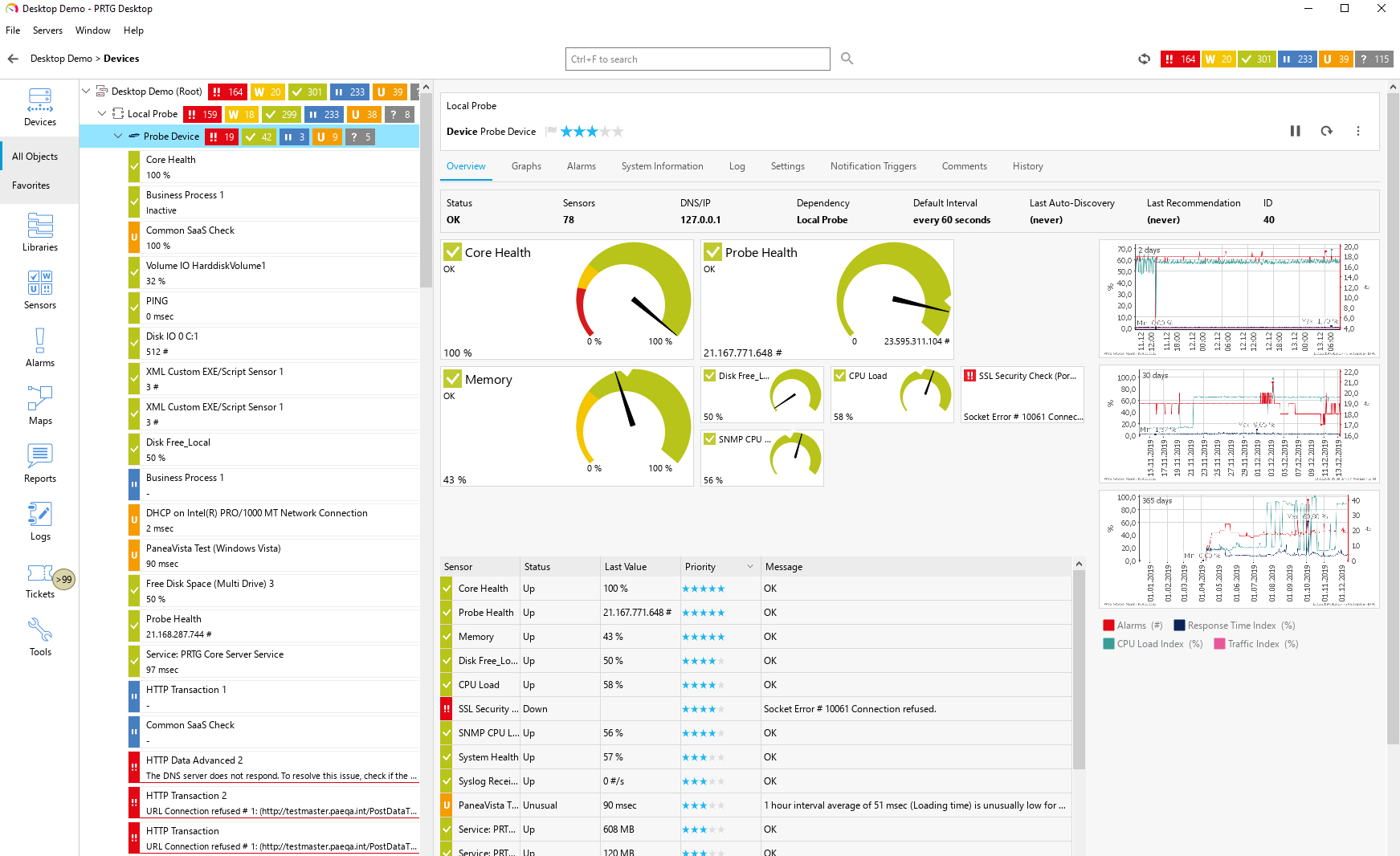
Screenshots and Videos |
Paessler PRTG:
Screenshots and Videos |
|||||
Centoculus:
Pricing
$9.90/month
Pro costs $9.90/month or $104.40 billed yearly ($8.70/month equivalent) and includes 25 monitors, one-minute checks, one server agent, and three status pages. Prices are in USD and exclude VAT; applicable tax is shown at checkout. The free plan includes 50 monitors and permits commercial use. Repairs are paid separately: quick fixes are billed for 5–7 minutes, while deep fixes have a five-minute minimum and are capped at the reserved estimate.
Free Version
Supported
Free Trial
Not Supported
|
Paessler PRTG:
Pricing
$2149 for PRTG 500
PRTG 100
Free of charge • 100 free sensors PRTG 500- Start Small & Upgrade Later From $2,149 500 Sensors PRTG 1000- Small & Medium Sized Environments From $3,899 1000 Sensors PRTG 2500- Medium Sized Environments From $8,099 2,500 Sensors Best Value: PRTG 5000- Large Environments From $14,999 5,000 Sensors PRTG 10000- Very Large Environments From $17,899 10.000 Sensors PRTG Enterprise Custom Pricing • Unlimited sensors • Unlimited server installations All pricing is based on a subscription basis.
Free Version
Supported
Free Trial
Supported
|
|||||
Centoculus:
Reviews/
|
Paessler PRTG:
Reviews/
|
|||||
Paessler PRTG:
Pros & Cons from Real UsersPros
Cons
|
||||||
Centoculus:
Training
Documentation
Supported
Webinars
Not Supported
Live Online
Not Supported
In Person
Not Supported
|
Paessler PRTG:
Training
Documentation
Supported
Webinars
Supported
Live Online
Supported
In Person
Supported
|
|||||
Centoculus:
Company InformationNona Consult
United States
centoculus.com
|
Paessler PRTG:
Company InformationPaessler GmbH
Founded: 1997
Germany
www.paessler.com
|
|||||
Centoculus:
Alternatives |
Paessler PRTG:
Alternatives |
|||||
|
Centoculus:
|
Paessler PRTG:
|
|||||
| Centoculus: |
Paessler PRTG:
|
|||||
| Centoculus: |
Paessler PRTG:
|
|||||
| Centoculus: |
Paessler PRTG:
|
|||||
Centoculus:
Categories |
Paessler PRTG:
Categories |
|||||
Paessler PRTG:
Website Monitoring Features
Availability Testing
Supported
Event Logs
Not Supported
Event-Based Notifications
Supported
FTP Monitoring
Supported
Mail Server Monitoring
Supported
Maintenance Scheduling
Not Supported
Performance Metrics
Supported
Real Time Monitoring
Supported
Transaction Monitoring
Supported
Uptime Reporting
Supported
Database Monitoring Features
Anomaly Detection
Supported
Autodiscovery
Supported
Capacity Planning
Not Supported
Dashboard
Supported
Dependency Tracking
Not Supported
Historical Trend Analysis
Supported
Multitenancy
Not Supported
Notifications / Alerts
Supported
Performance Monitoring
Supported
Permissions / Access Controls
Not Supported
Predictive Analytics
Not Supported
Prioritization
Not Supported
Query Analysis
Not Supported
Resource Optimization
Supported
Troubleshooting
Supported
IT Infrastructure Monitoring Features
Alerts / Notifications
Supported
Application Monitoring
Supported
Bandwidth Monitoring
Supported
Capacity Planning
Not Supported
Configuration Change Management
Not Supported
Data Movement Monitoring
Supported
Health Monitoring
Supported
Multi-Platform Support
Supported
Performance Monitoring
Supported
Point-in-Time Visibility
Supported
Reporting / Analytics
Supported
Virtual Machine Monitoring
Supported
Network Monitoring Features
Bandwidth Monitoring
Supported
Baseline Manager
Supported
Diagnostic Tools
Supported
Internet Usage Monitoring
Supported
IP Address Monitoring
Supported
Real Time Analytics
Supported
Resource Management
Not Supported
Server Monitoring
Supported
SLA Monitoring
Supported
Uptime Monitoring
Supported
Web Traffic Reporting
Supported
System Monitoring Features
Alerts / Notifications
Supported
Antivirus Management
Not Supported
Data Backup / Recovery
Not Supported
Device Monitoring
Supported
Inventory Management
Supported
Patch Management
Supported
Policy-based Automation
Not Supported
Remote Monitoring
Supported
Reporting / Analytics
Supported
Risk Analysis
Supported
Server Monitoring
Supported
Service Configuration Management
Not Supported
VoIP Monitoring Features
Alerts / Notifications
Supported
Call Detail Record (CDR) Analysis
Supported
Call Quality Monitoring
Supported
IP SLA Monitoring
Supported
Jitter Testing
Supported
Latency Monitoring
Supported
MOS Monitoring
Supported
Packet Loss Monitoring
Supported
QoS Monitoring
Supported
Reporting / Analytics
Supported
Troubleshooting
Supported
|
||||||
Centoculus:
Integrations
ALVAO IT Service Management
Not Supported
Active Directory
Not Supported
Aether SMS Gateway
Not Supported
AutoMonX
Not Supported
BackBox
Not Supported
BulkSMS.com
Not Supported
Check Point IPS
Not Supported
Check Point Infinity
Not Supported
EcholoN
Not Supported
Google Analytics
Not Supported
|
Paessler PRTG:
Integrations
ALVAO IT Service Management
Supported
Active Directory
Supported
Aether SMS Gateway
Supported
AutoMonX
Supported
BackBox
Supported
BulkSMS.com
Supported
Check Point IPS
Supported
Check Point Infinity
Supported
EcholoN
Supported
Google Analytics
Supported
|
|||||
|
Centoculus:
|
Paessler PRTG:
|