Admin By Request Endpoint Privilege ManagementAdmin By Request
|
AnyDeskAnyDesk Software
|
|||||
About
Admin By Request EPM gives organizations control over who and what can elevate on their endpoints, without standing up servers, databases, or a dedicated admin team to run it. The model is least privilege: a user or an application receives the specific access its task requires and nothing more. This closes off a common attack route, since permanent local admin rights are what an attacker inherits when malware executes or a credential is stolen.
Removing admin rights does not push users back into support queues. When someone needs a longer stretch of elevated work, they run an Admin Session that expires on its own. When they need only one program elevated, Run As Admin handles that alone and leaves the rest of the system unprivileged. Requests can be approved through the portal, the mobile app, or the API. Files receive an OPSWAT MetaDefender reputation check before elevation, and software that has already been vetted can clear automatically through pre-approval or the AI and Machine Learning approval engine.
A single agent supports Windows, macOS, and Linux and behaves the same whether the endpoint is online or offline. Auditing and inventory are included as standard.
|
About
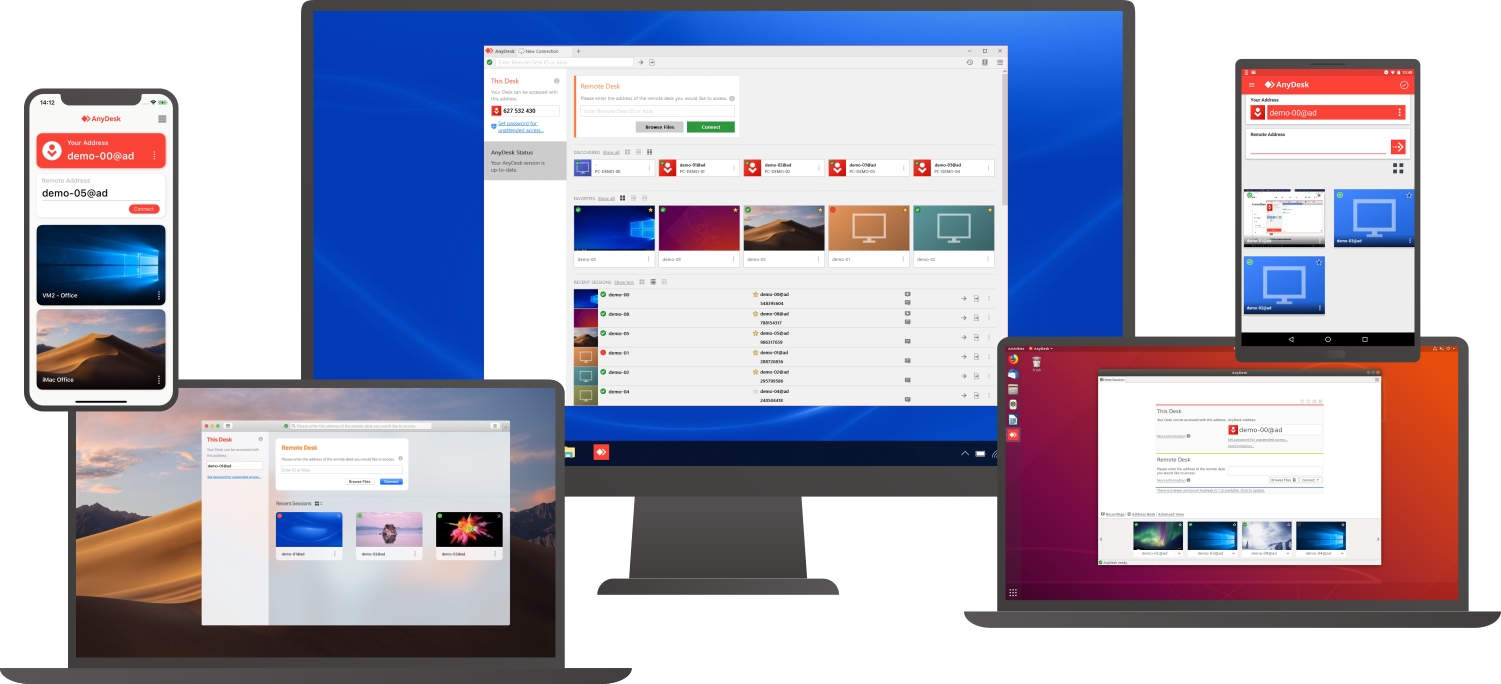
Connect to a computer remotely, be it from the other end of the office or halfway around the world. AnyDesk ensures secure and reliable remote desktop connections for IT professionals and on-the-go individuals alike. AnyDesk works across all your devices and operating systems: Windows, macOS, iOS, Android, Linux, FreeBSD and even your Raspberry Pi! Collaborate and communicate with ease, whether you’re holding online meetings and presentations or working on the same document from the other side of the world. Simply copy and paste or use the new transfer tab to transfer files between computers. No administrative privileges or installation needed. Simply download the 3MB file and you’re off. Require unattended access to your computer when you’re on the road? No problem, you’ll just need to install and set a password. Customize the AnyDesk user interface to give customers a remote desktop experience consistent with your brand.
|
|||||
Platforms Supported
Windows
Mac
Linux
Cloud
On-Premises
iPhone
iPad
Android
Chromebook
|
Platforms Supported
Windows
Mac
Linux
Cloud
On-Premises
iPhone
iPad
Android
Chromebook
|
|||||
Audience
Growing businesses and enterprise organisations that need stronger endpoint access control, compliance, and privileged access management without operational overhead.
|
Audience
Companies that need a remote support, remote desktop, screen sharing, and presentation tool
|
|||||
Support
Phone Support
24/7 Live Support
Online
|
Support
Phone Support
24/7 Live Support
Online
|
|||||
API
Offers API
|
API
Offers API
|
|||||
Screenshots and Videos |
Screenshots and Videos |
|||||
Pricing
Free Plan
Start with our lifetime Free Plan for up to 25 endpoints - all core features, no expiry, no credit card required.
Free Version
Free Trial
|
Pricing
$10.99 per month
Free Version
Free Trial
|
|||||
Reviews/
|
Reviews/
|
|||||
Pros from Real UsersPros
|
Pros & Cons from Real UsersPros
Cons
|
|||||
Training
Documentation
Webinars
Live Online
In Person
|
Training
Documentation
Webinars
Live Online
In Person
|
|||||
Company InformationAdmin By Request
United States
www.adminbyrequest.com/en/endpoint-privilege-management
|
Company InformationAnyDesk Software
Founded: 2013
Germany
anydesk.com
|
|||||
Alternatives |
Alternatives |
|||||
|
|
|
|||||
|
|
|
|||||
|
|
|
|||||
Categories |
Categories |
|||||
Remote Support Features
Diagnostic Tools
File Transfer
Live Chat
Real-time Chat
Remote Control
Screen Sharing
Session Recording
Session Transfer
Surveys & Feedback
Endpoint Protection Features
Activity Log
Antivirus
Application Security
Behavioral Analytics
Device Management
Encryption
Signature Matching
Web Threat Management
Whitelisting / Blacklisting
IT Management Features
Capacity Monitoring
Compliance Management
Event Logs
Hardware Inventory
IT Budgeting
License Management
Patch Management
Remote Access
Scheduling
Software Inventory
User Activity Monitoring
Privileged Access Management Features
Application Access Control
Behavioral Analytics
Credential Management
Endpoint Management
For MSPs
Granular Access Controls
Least Privilege
Multifactor Authentication
Password Management
Policy Management
Remote Access Management
Threat Intelligence
User Activity Monitoring
Single Sign On Features
Biometric
Credential Management
Identity Federation
Multifactor Authentication
Password Management
Policy Management
Social Sign On
User Management
|
Remote Support Features
Diagnostic Tools
File Transfer
Live Chat
Real-time Chat
Remote Control
Screen Sharing
Session Recording
Session Transfer
Surveys & Feedback
Remote Desktop Features
Chat
Cross-Platform Access
File Transfer
Group View
Mobile Device Access
Multi Monitor Support
Record Remote Sessions
Remote Print
Remote Wake
User Management
Screen Sharing Features
Annotations / Drawing Tools
Desktop / Browser Sharing
Mobile Screen Sharing
Presenter Control Management
Remote Control
Screen Capture
Screen Mirroring
Screen Recording
|
|||||
Integrations
Active Directory
Atera
ChatGPT
HaloCSM
HaloITSM
HaloPSA
Jira
MetaDefender Vault
Microsoft Entra ID
Microsoft Power BI
|
Integrations
Active Directory
Atera
ChatGPT
HaloCSM
HaloITSM
HaloPSA
Jira
MetaDefender Vault
Microsoft Entra ID
Microsoft Power BI
|
|||||
|
|