
 Download
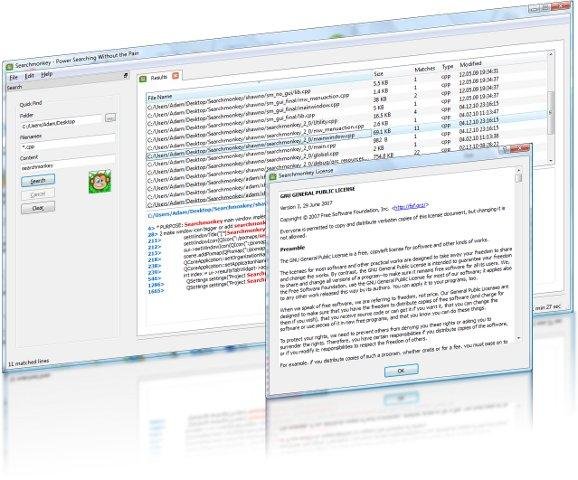
Power searching on your desktop without the pain. Perform powerful desktop searches without having to index your system using regular expressions. Graphical equivalent to find/grep. Available for Windows (JAVA) and Linux (Gnome & KDE) and easy to translate into your locale.
Features
- JAVA, Gnome (GTK) and KDE (Qt) versions available
- Use powerful RegEx expressions to search for files quickly
Project Samples



License
GNU General Public License version 3.0 (GPLv3)Other Useful Business Software
MongoDB Atlas runs apps anywhere
MongoDB Atlas gives you the freedom to build and run modern applications anywhere—across AWS, Azure, and Google Cloud. With global availability in over 115 regions, Atlas lets you deploy close to your users, meet compliance needs, and scale with confidence across any geography.
Rate This Project
Login To Rate This Project
User Reviews
-
Very good search tool, using on Xfce. Having one feature request: it would be great if all files found can be selected all and then do copy/cut/paste.
-
Hello, i have found some bugs and I would like to inform you about them. Thank you!
-
Very good search tool but i have found some bugs. I can inform you about them if you'd like. Thank you!!
-
Hello,i have found some bugs.Do you want to sent you a feedback about them to fix it? Thank you!
-
Excellent, extremely useful search application. Tiny flaw: blank icon for this program on Ubuntu's favorites launcher. The following terminal command made the icon appear correctly: sudo cp /usr/share/icons/hicolor/32x32/apps/searchmonkey.png /usr/share/pixmaps/searchmonkey/searchmonkey-32x32.png

