


| Name | Modified | Size | Downloads / Week |
|---|---|---|---|
| Parent folder | |||
| plativka-1.6.1-linux.tar.gz | < 7 hours ago | 13.8 MB | |
| Plativka-1.6.1-macos-arm64.dmg | < 7 hours ago | 136.2 MB | |
| Plativka-1.6.1-macos-x86_64.dmg | < 7 hours ago | 143.5 MB | |
| Plativka-1.6.1-windows-x64-setup.exe | < 7 hours ago | 88.7 MB | |
| Plativka-Desktop-1.6.1-macos-arm64.dmg | < 7 hours ago | 91.7 MB | |
| Plativka-Desktop-1.6.1-macos-x86_64.dmg | < 7 hours ago | 102.0 MB | |
| Plativka-Desktop-1.6.1-windows-x64-setup.exe | < 7 hours ago | 104.3 MB | |
| SHA256SUMS.txt | < 7 hours ago | 714 Bytes | |
| Plativka v1.6.1 source code.tar.gz | < 7 hours ago | 13.8 MB | |
| Plativka v1.6.1 source code.zip | < 7 hours ago | 13.9 MB | |
| README.md | < 7 hours ago | 3.7 kB | |
| Totals: 11 Items | 707.9 MB | 0 | |
What's new / Що нового
English
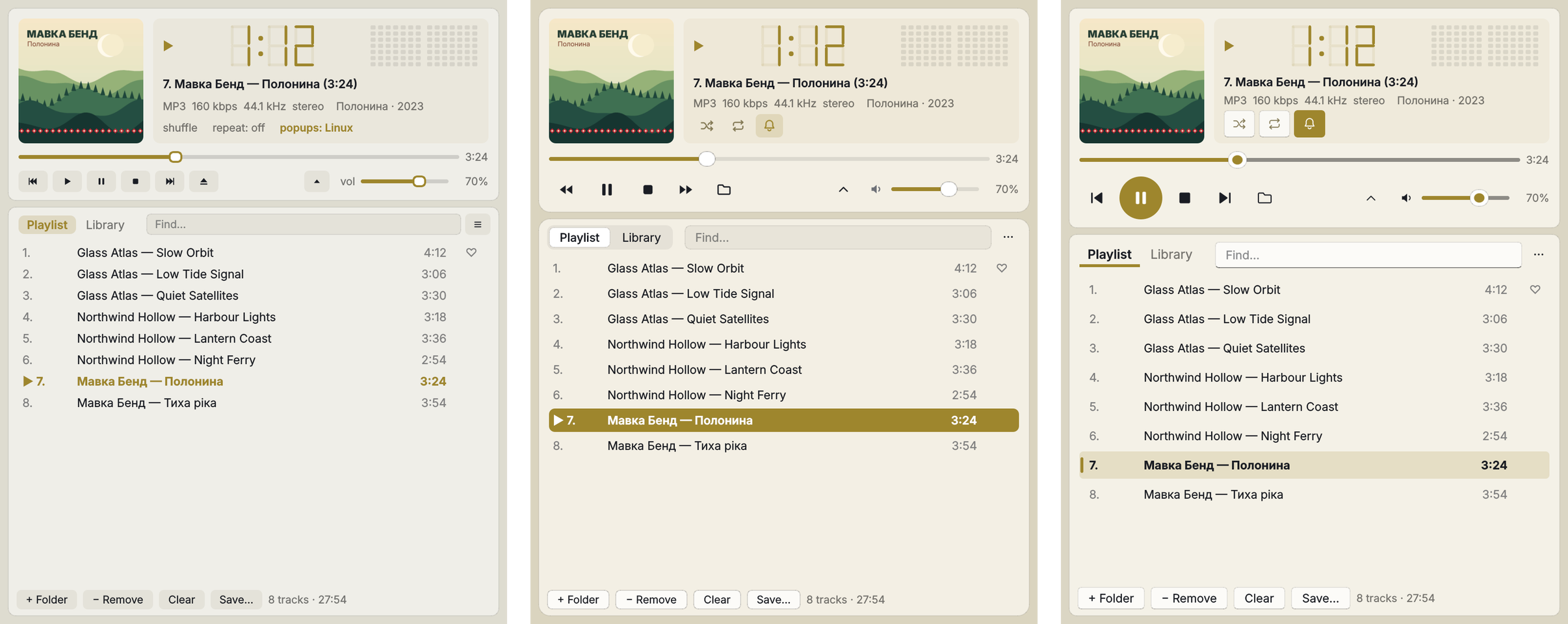
- Skins: the cards stand out from the window again — in the macOS and Windows 11 skins the window and the panels had almost the same colour, so the buttons and the playlist blended together. The Plativka skin has not changed.
- macOS skin on a Mac: the window background is now light enough for the blurred desktop to show through.
- The playing track stays readable when it is also selected (it was dark text on a dark bar in the macOS skin).
- The speaker icon next to the volume mutes the sound, and a second click brings the previous volume back.
Українська
- Скіни: картки знову помітно виділяються на тлі вікна — у скінах macOS і Windows 11 вікно й панелі мали майже однаковий колір, тож кнопки й список зливалися. Скін «Платівка» не змінився.
- Скін «macOS» на Mac: фон вікна тепер достатньо прозорий, щоб крізь нього було видно розмитий робочий стіл.
- Трек, що грає, читається, навіть коли він ще й виділений (у скіні macOS був темний текст на темній плашці).
- Іконка динаміка біля гучності вимикає звук, а другий клік повертає попередню гучність.
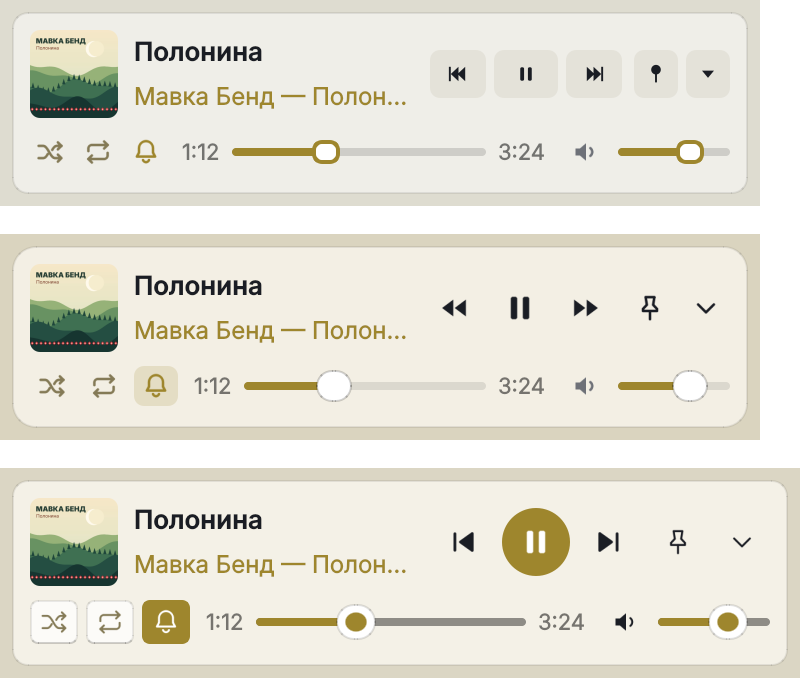
How to use / Як користуватися: skins — ☰ → View → Skin (on a Mac: the View menu) or Shift+T; compact view — W, mini player — E. Скіни — ☰ → Вигляд → Скін (на Mac — меню «Вигляд») або Shift+T; компактний вигляд — W, міні-плеєр — E. Guide · Інструкція
Download / Завантажити
| Terminal version / Консольна | Desktop / Віконна | |
|---|---|---|
| macOS · Apple Silicon | Plativka-1.6.1-macos-arm64.dmg |
Plativka-Desktop-1.6.1-macos-arm64.dmg |
| macOS · Intel | Plativka-1.6.1-macos-x86_64.dmg |
Plativka-Desktop-1.6.1-macos-x86_64.dmg |
| Windows 10/11 | Plativka-1.6.1-windows-x64-setup.exe |
Plativka-Desktop-1.6.1-windows-x64-setup.exe |
| Linux | plativka-1.6.1-linux.tar.gz → ./install.sh |
same archive → ./install.sh --desktop |
The desktop DMG opens like the terminal one: the first time, allow it in System Settings → Privacy & Security → "Open Anyway". / Віконний DMG відкривається так само: першого разу дозвольте в «Системні параметри → Приватність і безпека → Усе одно відкрити».
Installation guides / Інструкції: macOS · Windows · Linux
