
 Download
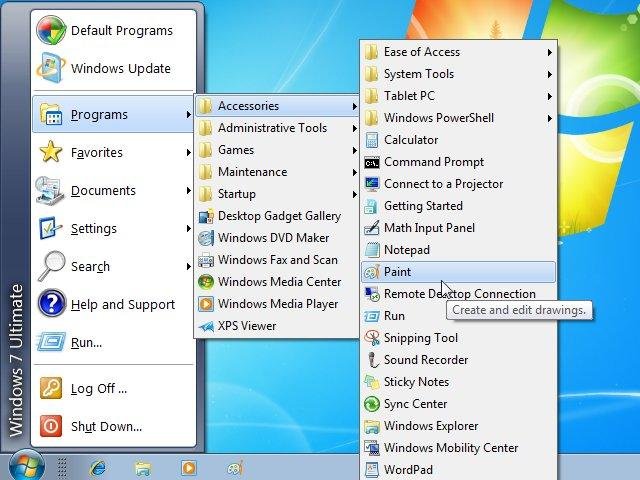
Classic Shell adds some missing features to Windows 7, 8, 8.1 and Vista like a classic start menu, toolbar for Explorer and others.
Note: The software available here is not the latest version. Visit the new website www.classicshell.net to download the latest version and to access the new forums and documentation.
Features
- Classic Start Menu for Windows 7, 8, 8.1, 10
- Toolbar for Windows Explorer
- Classic copy UI (Windows 7 only)
- Show file size in Explorer status bar
- Title bar and status bar for Internet Explorer
Project Samples




License
MIT LicenseOther Useful Business Software
Our Free Plans just got better! | Auth0
You asked, we delivered! Auth0 is excited to expand our Free and Paid plans to include more options so you can focus on building, deploying, and scaling applications without having to worry about your security. Auth0 now, thank yourself later.
Rate This Project
Login To Rate This Project
User Reviews
-
Saving my life EVERY DAY !
-
Classic Shell is a great application! Be sure to download it from sourceforge! We should be able to pay for a non-GPL license instead of upgrade to a proprietary application. I dislike the dishonesty it now does by suggesting to upgrade with no license change being identified. It feels like they are disbanding the GPL version in favor for a proprietary non-open source version. Even if the source was shown under a proprietary-only license, I could at least determine if it contains spyware or adware. Not to mention, I am interested in learning and supporting it's source code to the features I like. We need to donate for the GPL code, or pay for a open-source proprietary version. But not until the suggested upgrade specifies the intent. Even if it becomes nagware (with the GPL source-code, we can disable the nagware). Or we need to fork this code (donations, or large portion thereof, still going towards the original owner).
-
This is a good product. In Windows 7, you can get the classic start menu back. Something that existed even in Vista. In Windows 8, you get a start menu. Now with 8.1 coming out, I will still use Classic Shell simply because I want control over my start menu. I do have a compatibility issue with Novell ZenWorks 11.2 and right-clicking a ZenWorks icon revels a gray context menu with no text. I took a star off for that since there has been a ticket for it since 2012 and no progress. We still use Classic Shell and I still highly recommend using it!!!!

