
 Download
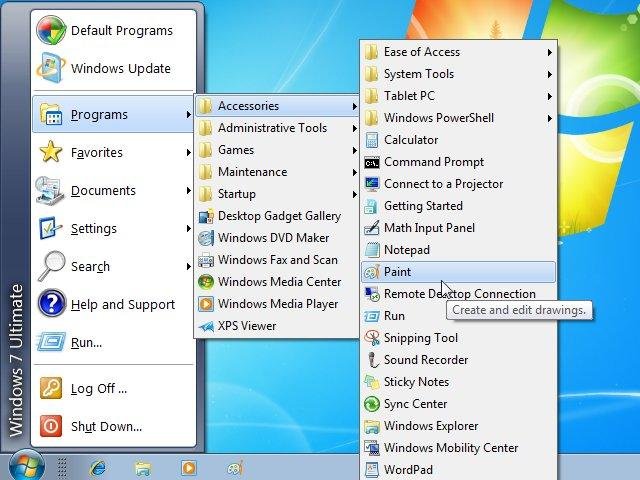
Classic Shell adds some missing features to Windows 7, 8, 8.1 and Vista like a classic start menu, toolbar for Explorer and others.
Note: The software available here is not the latest version. Visit the new website www.classicshell.net to download the latest version and to access the new forums and documentation.
Features
- Classic Start Menu for Windows 7, 8, 8.1, 10
- Toolbar for Windows Explorer
- Classic copy UI (Windows 7 only)
- Show file size in Explorer status bar
- Title bar and status bar for Internet Explorer
Project Samples




License
MIT LicenseOther Useful Business Software
MongoDB Atlas runs apps anywhere
MongoDB Atlas gives you the freedom to build and run modern applications anywhere—across AWS, Azure, and Google Cloud. With global availability in over 115 regions, Atlas lets you deploy close to your users, meet compliance needs, and scale with confidence across any geography.
Rate This Project
Login To Rate This Project
User Reviews
-
wow, what a dejavu XP 😂
-
It's 2024, and I'm still using it on each and every Windows PC I use. It's been a while since there's any updates, bugs are rampant icons are missing every now and then, but hey, it's still better than the START menu with TILES and unnecessary s*** that I don't need to know and software that I don't intend to use... and 95% of the time Classic Shell performs as expected, bringing back fond memories of the good old days, real functionality, and actual efficiency while using a Windows PC to get some work done. The modern START only makes users feel efficient, and functional, but yet it's but merely a delusion. THIS IS THE REAL DEAL, Classic Shell - with no updates, still saving the day in 2024. Thank you, and God bless you Sir, Ivo Beltchev, for making such a great software. Thank you!
-
👍👍👍👍👍
-
Win10 start menu experience was a nightmare every time. Especially on older (2008 year CPU based) machine. Hard to say how thankful I am for ClassicShell. Sad found it just in the end of it's development life span.
-
Spectacular program. Stopped working on my Windows 7 however, and the forum won't let me login for help.

