Webmin - Dahdi HW module Wiki
This Webmin module aids in configuring the Dahdi interface to Asterisk
Status: Alpha
Brought to you by:
blanchae


This is a tutorial on using the Webmin - Dahdi HW Module __ ver 0.971 __
This is information on how to install the Webmin - Dahdi HW module: [Howto Install]. You must have Webmin previously installed in order for this module to work.
The module will be installed under the Webmin - Hardware tab. When you first run the module it will check the version of Webmin and notify if you need to upgrade to a more current Webmin version. This module requires Webmin version 1.5.1 or higher to work. Here's information on [Upgrading Webmin].
If you are using FreePBX, you must remove the FreePBX - Dahdi Module if present for this module to work properly. To remove (un-install) the FreePBX - Dahdi Module, go to FreePBX - Module Admin - Dahdi Config - Uninstall - Process - Apply Configuration changes.
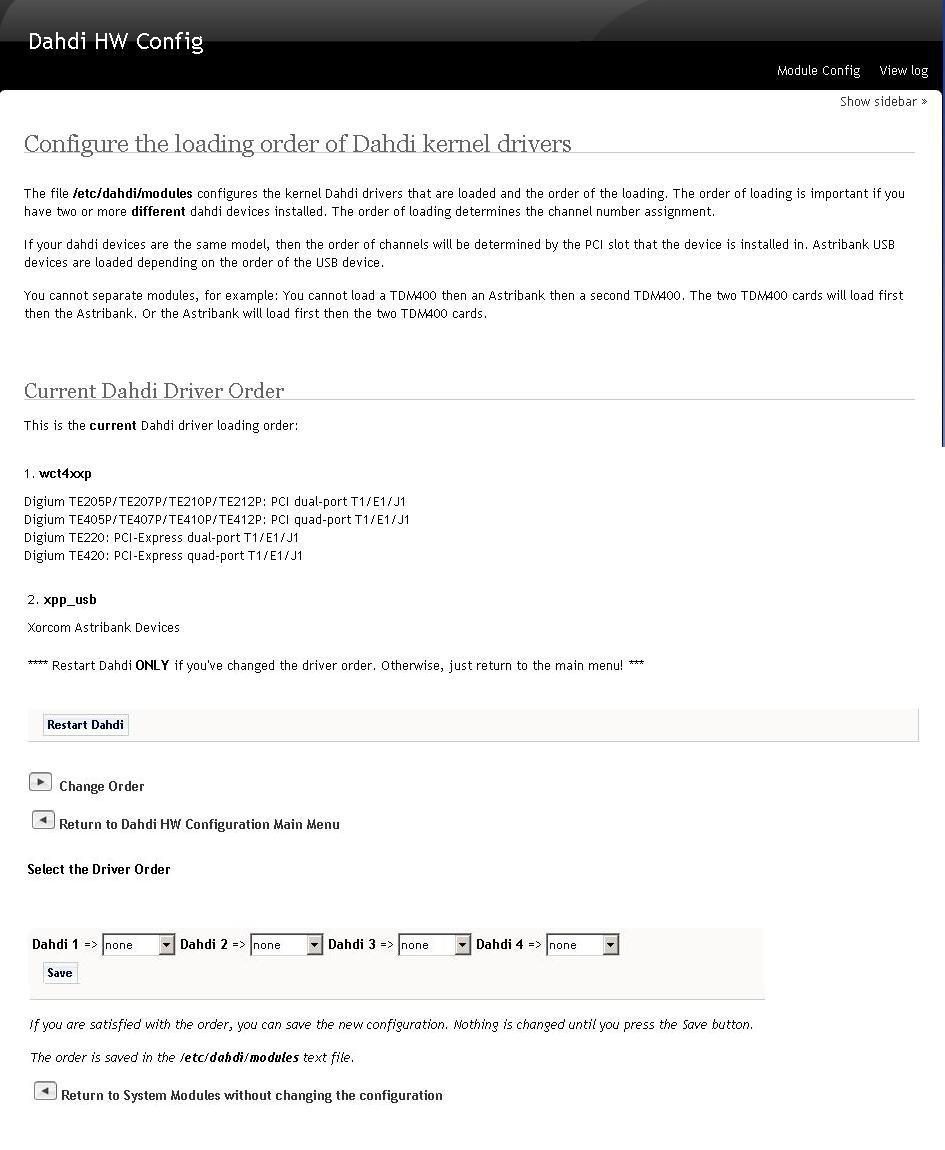
Here's project screenshots (edited to fit in the limited resources of Github):
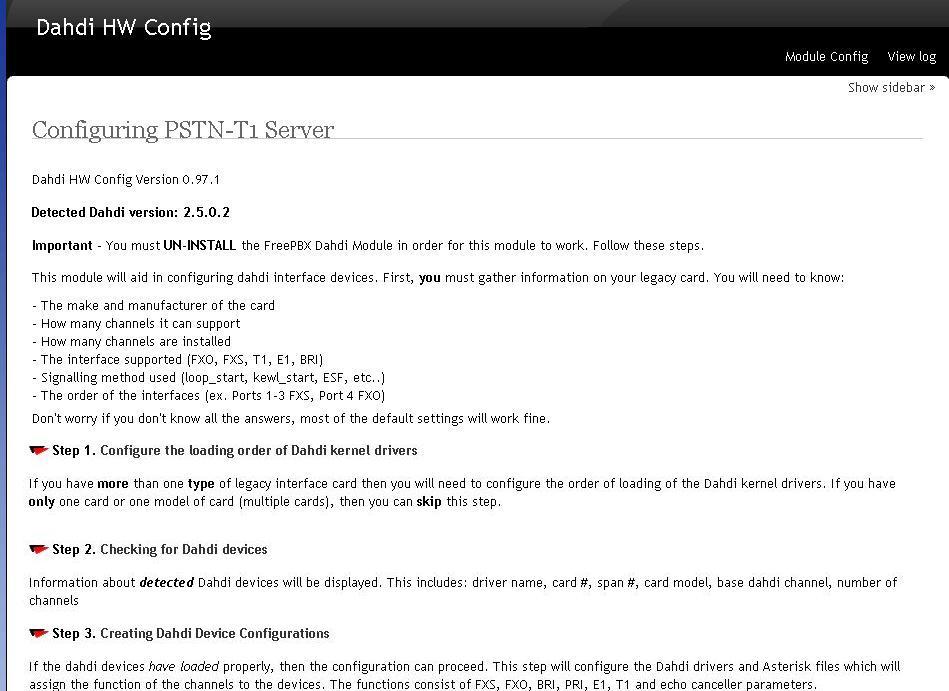
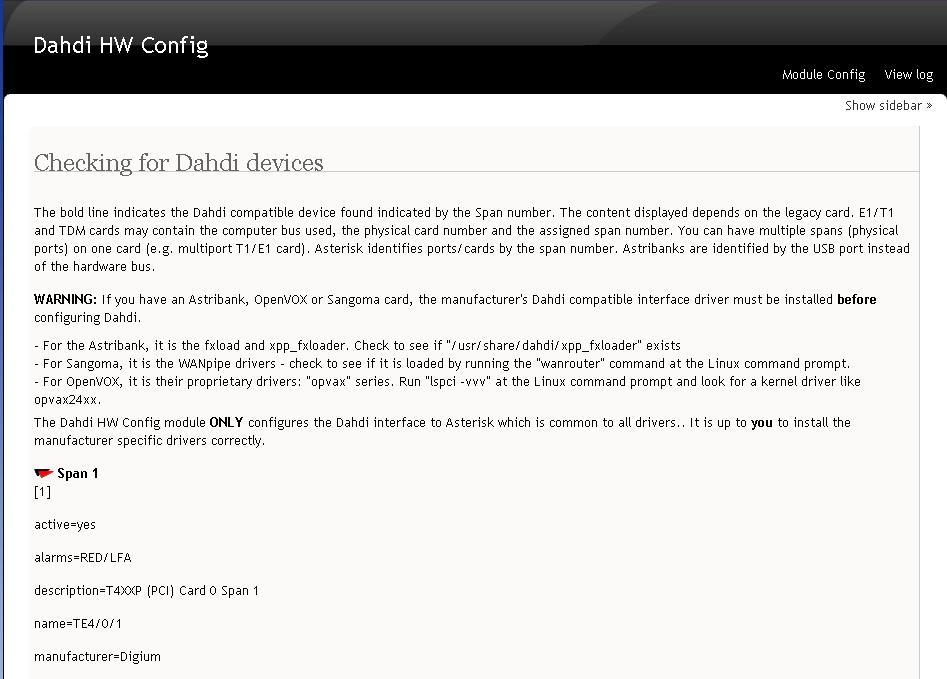
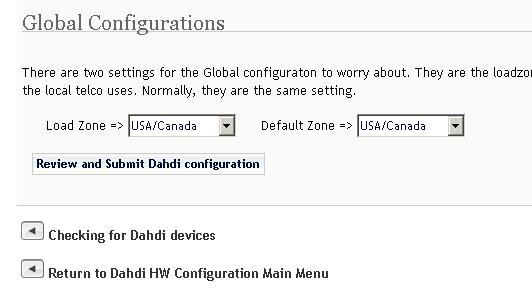
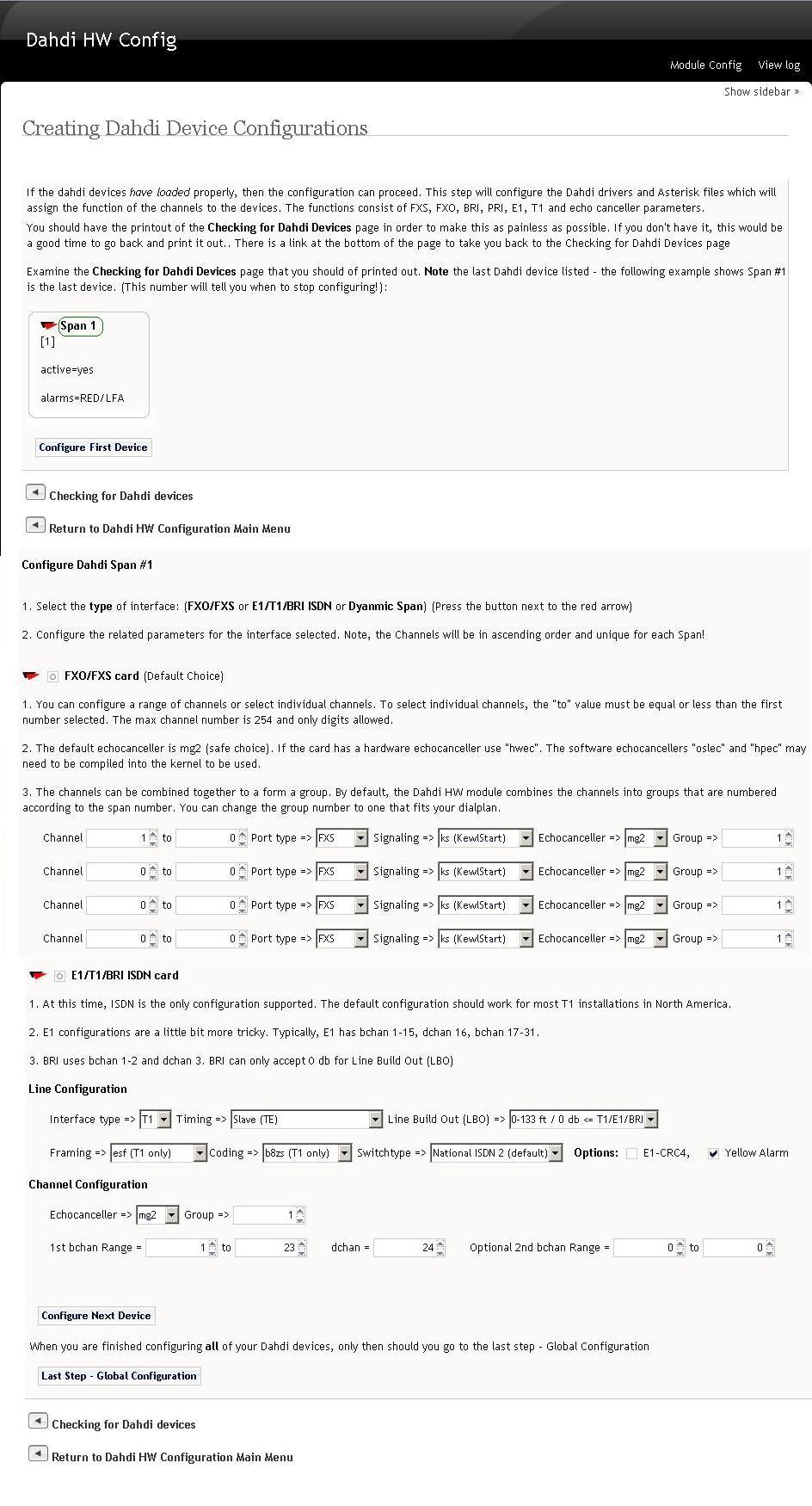
The main menu gives you an overview of the operation and the responsibilities of the user (you). You must gather information about your legacy card that you are configuring. The more the better.
There are 3 options (Steps) that you can choose:
Discussion: using
Wiki: Create Configs
Wiki: Howto Install
Wiki: Upgrading Webmin
Wiki: Webmin Dahdi HW module Wiki Home

