YXFileousaa
|
||||||
Related Products
|
||||||
About
Your computer desktop is cluttered and confused, and the files or applications you want to find are always out of reach?
With YXFile you can tagging file, search file, launch apps.
Tag Any File:
YXFile can tag any file type on any file system: the tagging is stored in a database. YXFile won't mess up with your file names or leave hidden files on your disk. Move or rename a file under the same disk partition, its tags will not be lost
Search everything:
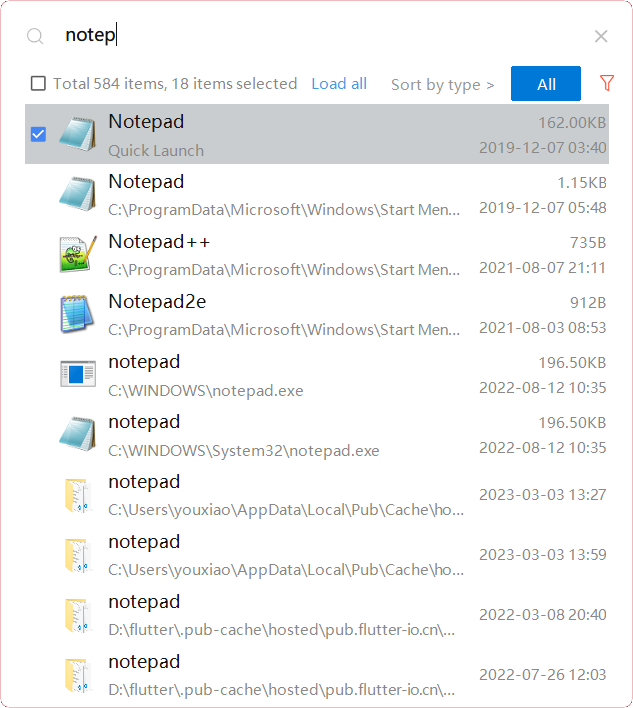
Search files and folders by name. as well as file tags and launch items.
Launch Apps:
One of the most powerful and favorite benefits of YXFile users is the Launch App feature. You can type the name of the program or application you want to open, or use a shortcode, click return, and YXFile opens the program.
|
About
ranger is a console file manager with VI key bindings. It provides a minimalistic and nice curses interface with a view of the directory hierarchy. It ships with rifle, a file launcher that is good at automatically finding out which program to use for what file type. The examples/ directory contains several scripts and plugins that demonstrate how ranger can be extended or combined with other programs. These files can be found in the git repository. UTF-8 Support (if your Python copy supports it). Multi-column display. Preview of the selected file/directory. Common file operations (create/chmod/copy/delete/...) Renaming multiple files at once. VIM-like console and hotkeys. Automatically determine file types and run them with the correct programs. Change the directory of your shell after exiting ranger. Tabs, bookmarks, mouse support, etc.
|
|||||
Platforms Supported
Windows
Supported
Mac
Not Supported
Linux
Not Supported
Cloud
Not Supported
On-Premises
Not Supported
iPhone
Not Supported
iPad
Not Supported
Android
Not Supported
Chromebook
Not Supported
|
Platforms Supported
Windows
Not Supported
Mac
Not Supported
Linux
Supported
Cloud
Not Supported
On-Premises
Not Supported
iPhone
Not Supported
iPad
Not Supported
Android
Not Supported
Chromebook
Not Supported
|
|||||
Audience
Individual users who want to improve the efficiency of their computer use
|
Audience
Any user looking for a solution to organize and manage different file types
|
|||||
Support
Phone Support
Supported
24/7 Live Support
Not Supported
Online
Not Supported
|
Support
Phone Support
Not Supported
24/7 Live Support
Not Supported
Online
Supported
|
|||||
API
Offers API
Not Supported
|
API
Offers API
Not Supported
|
|||||
Screenshots and Videos |
Screenshots and Videos |
|||||
Pricing
$39/user
One-time payment for lifetime access to Yfile
Free Version
Not Supported
Free Trial
Supported
|
Pricing
Free
Free Version
Supported
Free Trial
Not Supported
|
|||||
Reviews/
|
Reviews/
|
|||||
Training
Documentation
Supported
Webinars
Not Supported
Live Online
Not Supported
In Person
Not Supported
|
Training
Documentation
Supported
Webinars
Not Supported
Live Online
Not Supported
In Person
Not Supported
|
|||||
Company Informationousaa
Founded: 2016
China
yxfile.cc/
|
Company Informationranger
ranger.github.io
|
|||||
Alternatives |
Alternatives |
|||||
|
|
||||||
|
|
||||||
|
|
||||||
|
|
||||||
Categories |
Categories |
|||||
Integrations
No info available.
|
Integrations
No info available.
|
|||||
|
|
|