WorkerRalf Hoffmann
|
YXFileousaa
|
|||||
Related Products
|
||||||
About
Worker is a two-pane file manager for the X Window System on UN*X. The directories and files are shown in two independent panels supporting a lot of advanced file manipulation features. The main focus is to make managing files easy with full keyboard control, also assisting in finding files and directories by using the history of accessed directories, live filtering, and access to commands by using the keyboard. Worker is free software developed by Ralf Hoffmann and released under the GNU General Public License V2 or later. VFS support for fast and easy access to archives and remote sites. Execute external programs by entering the name and arguments including unlimited history. Powerful mechanism to bind external programs to buttons, hotkeys, or file types (e.g. gimp, tar, diff, mount), including inserting names of selected files, source and target directories, and much more. Text viewer both separately and in an embedded pane.
|
About
Your computer desktop is cluttered and confused, and the files or applications you want to find are always out of reach?
With YXFile you can tagging file, search file, launch apps.
Tag Any File:
YXFile can tag any file type on any file system: the tagging is stored in a database. YXFile won't mess up with your file names or leave hidden files on your disk. Move or rename a file under the same disk partition, its tags will not be lost
Search everything:
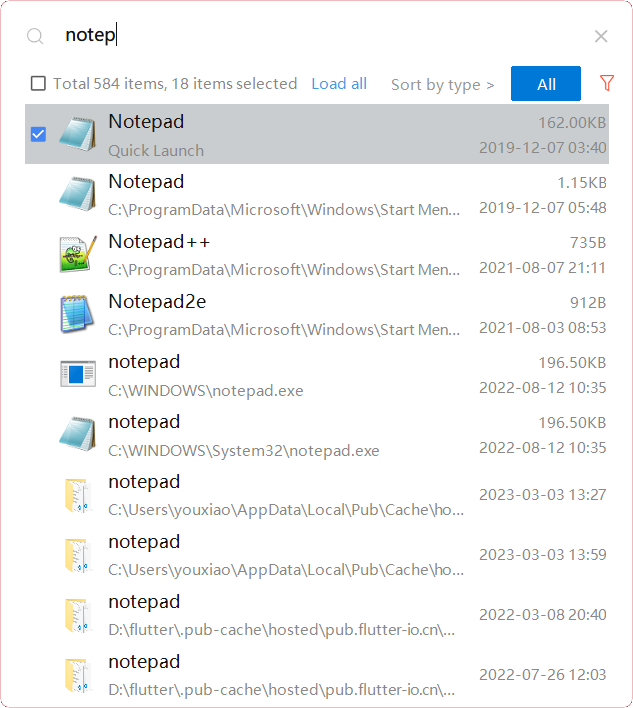
Search files and folders by name. as well as file tags and launch items.
Launch Apps:
One of the most powerful and favorite benefits of YXFile users is the Launch App feature. You can type the name of the program or application you want to open, or use a shortcode, click return, and YXFile opens the program.
|
|||||
Platforms Supported
Windows
Mac
Linux
Cloud
On-Premises
iPhone
iPad
Android
Chromebook
|
Platforms Supported
Windows
Mac
Linux
Cloud
On-Premises
iPhone
iPad
Android
Chromebook
|
|||||
Audience
Any user requiring a two-pane solution to manage their folders and files in an organized way
|
Audience
Individual users who want to improve the efficiency of their computer use
|
|||||
Support
Phone Support
24/7 Live Support
Online
|
Support
Phone Support
24/7 Live Support
Online
|
|||||
API
Offers API
|
API
Offers API
|
|||||
Screenshots and Videos |
Screenshots and Videos |
|||||
Pricing
Free
Free Version
Free Trial
|
Pricing
$39/user
One-time payment for lifetime access to Yfile
Free Version
Free Trial
|
|||||
Reviews/
|
Reviews/
|
|||||
Training
Documentation
Webinars
Live Online
In Person
|
Training
Documentation
Webinars
Live Online
In Person
|
|||||
Company InformationRalf Hoffmann
Founded: 2001
United States
www.boomerangsworld.de/cms/worker/
|
Company Informationousaa
Founded: 2016
China
yxfile.cc/
|
|||||
Alternatives |
Alternatives |
|||||
|
|
||||||
|
|
||||||
|
|
||||||
Categories |
Categories |
|||||
Integrations
No info available.
|
Integrations
No info available.
|
|||||
|
|
|