liteCamRSUPPORT Co. Ltd.
|
||||||
Related Products
|
||||||
About
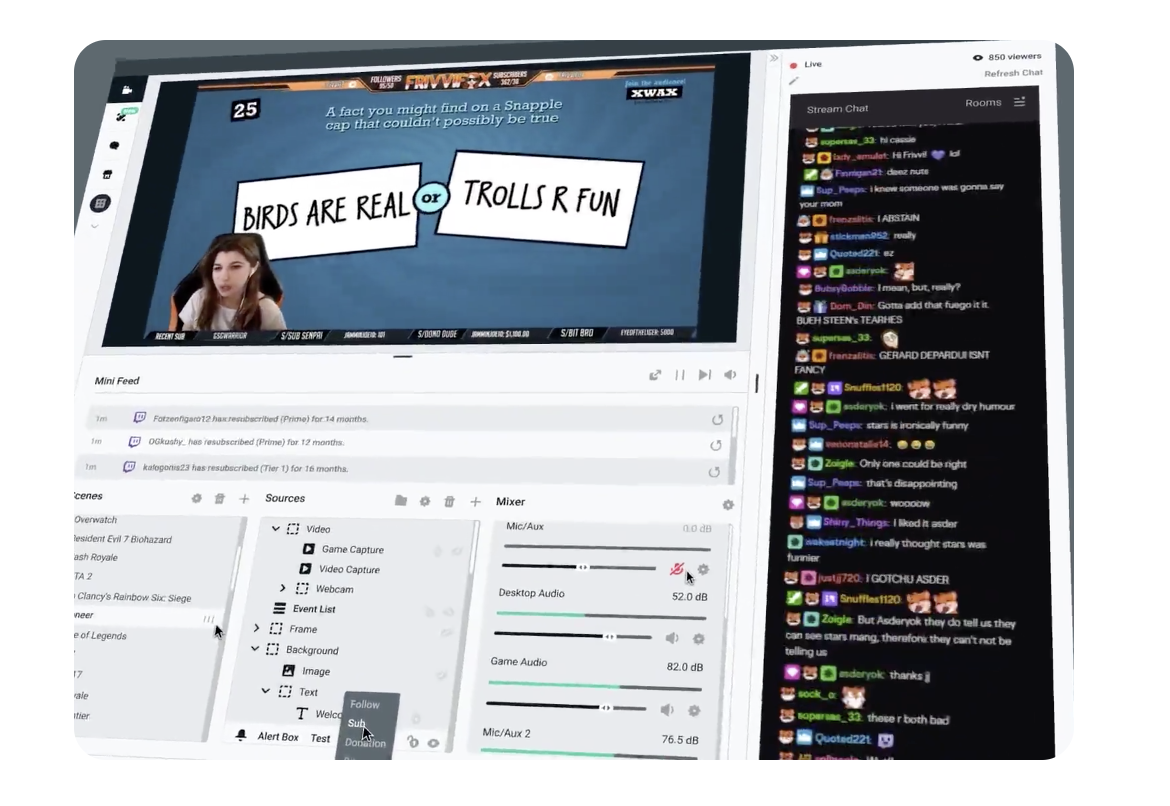
Streamlabs provides a comprehensive set of tools and features for live streamers and content creators. Streaming software, alerts, donations, sponsorship opportunities, stream overlays, and a variety of other tools are available to help creators monetize their content and increase viewer engagement.
Streamlabs OBS is an all-in-one live streaming software to go live and grow your audience. One simple, feature-packed streaming software with everything you need to stream to Twitch, YouTube and Facebook in seconds. Free stream overlays and hundreds more with Prime. Look professional when you stream on Twitch, YouTube, and Facebook. Recognize your supporters live on stream with fully customizable alerts. Apps to give you more control, automation, better analytics, and new ways to interact with viewers.
|
About
Record anything from streaming videos to presentations in full 1080p HD and create professional high quality content.
liteCam HD is the most intuitive and powerful professional screen recording software for Windows PC around. Capture and record anything on your computer screen in full HD from streaming videos, webinars, live game play, and more. liteCam HD allows you to create and record high definition, professional quality videos in no time. Make anything from instructional videos, tutorials, demonstrations and presentations with just a click of a button.
Send, share and watch videos
Convert your recorded videos into MP4 or WMV format. Choose from small to high resolution files, and then instantly upload your videos to Youtube or elsewhere.
Lossless high compression
The RSUPPORT Screen Capture Codec (RSCC) offers you higher compression, and 30% faster speeds compared to TechSmith Screen Capture Codec (TSCC).
|
|||||
Platforms Supported
Windows
Supported
Mac
Supported
Linux
Not Supported
Cloud
Not Supported
On-Premises
Not Supported
iPhone
Not Supported
iPad
Not Supported
Android
Not Supported
Chromebook
Not Supported
|
Platforms Supported
Windows
Supported
Mac
Not Supported
Linux
Not Supported
Cloud
Not Supported
On-Premises
Not Supported
iPhone
Not Supported
iPad
Not Supported
Android
Not Supported
Chromebook
Not Supported
|
|||||
Audience
Live Streamers and Content Creators
|
Audience
End users in general, students, video enthusiasts
|
|||||
Support
Phone Support
Supported
24/7 Live Support
Supported
Online
Supported
|
Support
Phone Support
Supported
24/7 Live Support
Not Supported
Online
Supported
|
|||||
API
Offers API
Not Supported
|
API
Offers API
Not Supported
|
|||||
Screenshots and Videos |
Screenshots and Videos |
|||||
Pricing
$0
Free Version
Supported
Free Trial
Not Supported
|
Pricing
$14.99
liteCam HD : $19.99
liteCam Pro : $29.99 liteCam Android : $14.99 liteCam Game : $19.99
Free Version
Supported
Free Trial
Not Supported
|
|||||
Reviews/
|
Reviews/
|
|||||
Pros & Cons from Real UsersPros
Cons
|
Pros & Cons from Real UsersPros
Cons
|
|||||
Training
Documentation
Supported
Webinars
Not Supported
Live Online
Not Supported
In Person
Not Supported
|
Training
Documentation
Supported
Webinars
Not Supported
Live Online
Not Supported
In Person
Not Supported
|
|||||
Company InformationStreamlabs
Founded: 2014
United States
streamlabs.com
|
Company InformationRSUPPORT Co. Ltd.
Founded: 2001
South Korea
www.litecam.net
|
|||||
Alternatives |
Alternatives |
|||||
|
|
|
|||||
|
|
||||||
|
|
||||||
Categories |
Categories |
|||||
Live Streaming Features
Access Control
Not Supported
Audience Analytics
Not Supported
Audience Engagement
Not Supported
Browser-based
Not Supported
Customizable Branding
Supported
Encoding
Supported
Event Scheduling
Supported
Live Streaming Production
Not Supported
Moderation
Not Supported
Monetization Tools
Not Supported
Multi-Screen / Split-Screen
Supported
Multiple Camera Feeds
Supported
Multistreaming
Not Supported
Session Recording
Not Supported
Social Media Integration
Supported
Streaming Platform Integration
Not Supported
Screen Recording Features
Annotations / Drawing
Supported
Audio Capture
Supported
Backup
Supported
Collaboration Tools
Not Supported
File Sharing
Supported
Multi-Screen Recording
Supported
Screen Capture
Supported
Speech-to-Text
Not Supported
Video Editing
Supported
YouTube Uploading
Supported
|
||||||
Integrations
YouTube Live
Supported
Basket Score
Supported
Bonterra DonorDrive
Supported
Cloudbot
Supported
Facebook
Supported
Facebook Live
Supported
Firebot
Supported
Fourthwall
Supported
Mix It Up
Supported
Patreon
Supported
|
Integrations
YouTube Live
Supported
Basket Score
Not Supported
Bonterra DonorDrive
Not Supported
Cloudbot
Not Supported
Facebook
Not Supported
Facebook Live
Not Supported
Firebot
Not Supported
Fourthwall
Not Supported
Mix It Up
Not Supported
Patreon
Not Supported
|
|||||
|
|
|