+
+

Related Products

  • Filerev
    3 Ratings
    Visit Website
  • Secure Eraser
    15 Ratings
    Visit Website
  • CirrusPrint
    2 Ratings
    Visit Website
  • LALAL.AI
    5,443 Ratings
    Visit Website
  • Synchredible
    30 Ratings
    Visit Website
  • Files.com
    338 Ratings
    Visit Website
  • FormAssembly
    525 Ratings
    Visit Website
  • Crowdin
    944 Ratings
    Visit Website
  • Admin By Request Endpoint Privilege Management
    106 Ratings
    Visit Website
  • BranditScan
    69 Ratings
    Visit Website

About

SWEEPR Cleaner is a downloadable Windows desktop utility for routine PC cleanup and maintenance. It scans for temporary files and system or browser caches, identifies duplicate files, removes applications and associated data, and provides memory and startup controls. A file-shredding tool lets users erase selected files. The free tier includes basic temporary-file scanning and task-manager insights. Paid Pro plans add full cache cleaning, duplicate-file management, deeper application removal, and automated optimization features. Designed for individual desktop users, SWEEPR Cleaner brings common storage cleanup and basic optimization tasks together in one utility for maintaining personal Windows PCs. Its on-demand workflow is intended for users who want to run cleanup tasks when needed, rather than depend on a continuously running background service.

About

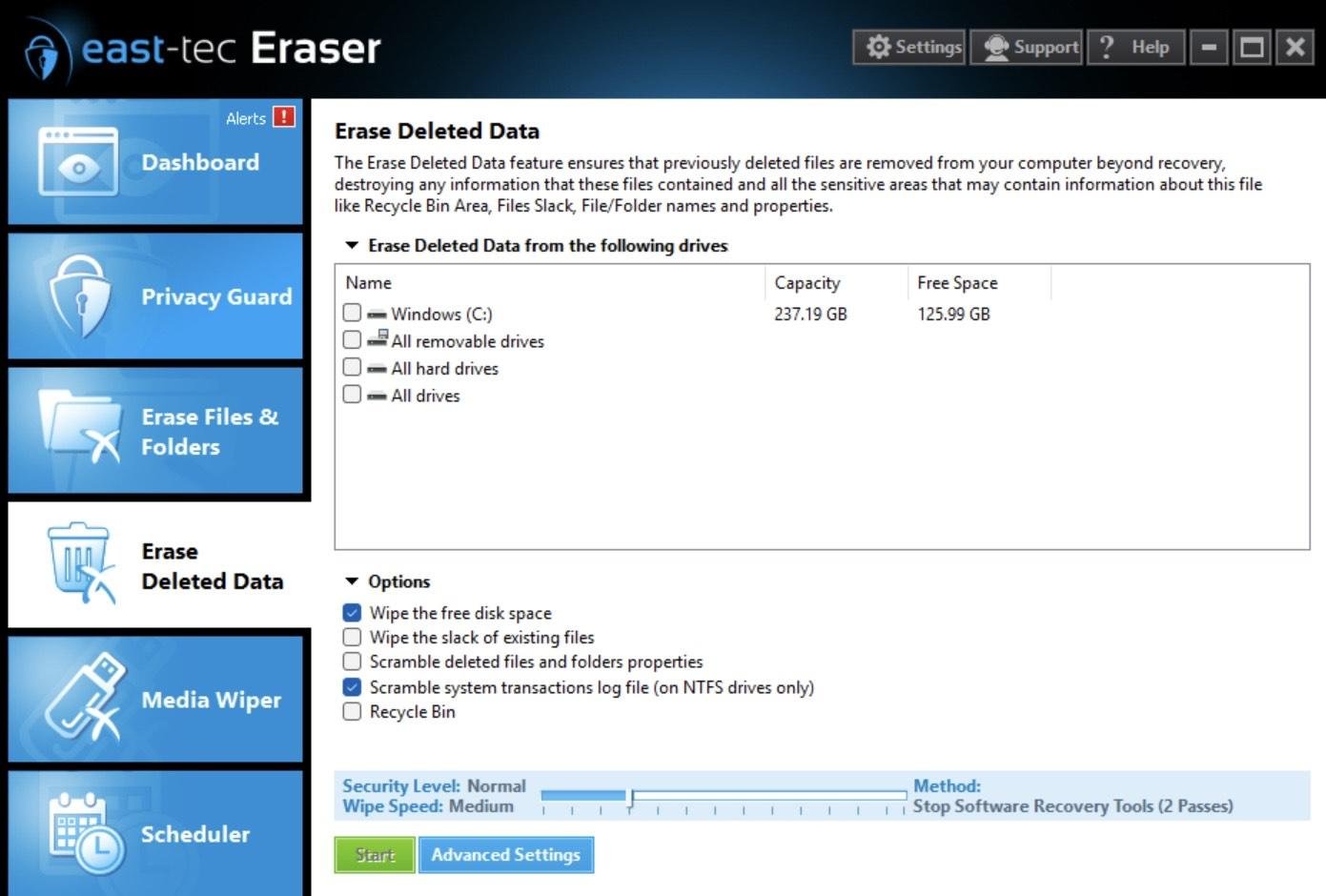
East-tec Eraser is a powerful privacy tool that keeps your PC clean and your sensitive data secure. It removes thousands of unnecessary junk files to boost performance, while also permanently erasing all traces of your computer and internet activity, like browser history, cookies, chat logs, deleted files, and confidential documents, so nothing can ever be recovered. It works with all major browsers (Chrome, Firefox, Edge) and cleans traces from over 350 apps, including Microsoft Office, Teams, and WhatsApp. You can schedule cleanups, get real-time alerts, and even use a "panic key" to instantly hide your activity. East-tec Eraser uses deletion methods that exceed government standards and includes safety features to prevent accidental data loss. With both simple and advanced options, it’s ideal for all users. Trusted since 1998, it's a complete solution for protecting your digital privacy.

Platforms Supported

Windows Supported
Mac Not Supported
Linux Not Supported
Cloud Not Supported
On-Premises Supported
iPhone Not Supported
iPad Not Supported
Android Not Supported
Chromebook Not Supported

Platforms Supported

Windows Supported
Mac Not Supported
Linux Not Supported
Cloud Not Supported
On-Premises Not Supported
iPhone Not Supported
iPad Not Supported
Android Not Supported
Chromebook Not Supported

Audience

Everyday desktop users.

Audience

Any user in need of an online privacy protection solution to erase files

Support

Phone Support Not Supported
24/7 Live Support Not Supported
Online Supported

Support

Phone Support Not Supported
24/7 Live Support Not Supported
Online Supported

API

Offers API Not Supported

API

Offers API Not Supported

Screenshots and Videos

No images available

Screenshots and Videos

Pricing

£9.99/month
Pro is £9.99 month-to-month, with a promotional first month at £1.99 before renewal at £9.99/month. Six-month and annual options are also listed. A free tier includes basic temporary-file scanning and task-manager insights; paid plans add further cleanup and optimization features.
Free Version Supported
Free Trial Not Supported

Pricing

$39.95 per year
Free Version Not Supported
Free Trial Supported

Reviews/Ratings

Overall 0.0 / 5
ease 0.0 / 5
features 0.0 / 5
design 0.0 / 5
support 0.0 / 5

This software hasn't been reviewed yet. Be the first to provide a review:

Review this Software

Reviews/Ratings

Overall 4.3 / 5
ease 4.7 / 5
features 4.7 / 5
design 4.7 / 5
support 3.0 / 5

Pros & Cons from Real Users

Pros

  • Good overall product.
  • You can select a setting between HDD and SDD. Just don't forget it. Your laptop, or Desktop tower, you got's HDD for Storage, and SSD's for serious speed. Only thing better is a Quantium from IBM. That's going to set us all back, but until that day, arrival, You can use East Tec to overwrite anything. East Tec comes with warnings. Pop Up Windows, and the general software disclaimer all good venders give to us all, to read and heed. The "intransitive verb" : to pay attention " The transitive verb" : to give consideration or attention to:
  • Works online as well as offline Delete files beyond recovery or repair Works on removable devices Clears temp & cache to improve PC performance Simple to use Free trial available

Cons

  • Kills expensive installed Edge Browser extensions.
  • Well, there is always something any one of us don't like. East Tec Employees don't like it either. It is always the unknown process of a software, despite its current development. East Tec Eraser, our critique here, it is what it seemingly overwrites according to it's expressed surface profile, yet it's depth is in the realm of " you better have a back up, and know, despite that backup, your machine will never work the same as it did the moment before you initiated the East Tec Commands that you thought you understood, and then initiated. In other words you need to go to code to know exactly what your east tec command will be cause to change your system. Then at the best and easiest solution to the "de-fault" you just caused, it will most often only need you to re-install your software, and re-set it to the way you liked it. And then get it on with business as usual. No harm done, but redoing a few settings will be necessary. If you do not understand the East Tec Process, you will "Blank your drive." You will lose everything you thought to be functioning before you activated it, and find out after it's east tec reboot , that what you expected to be there after the re-boot; is now gone. You don't know, then don't initiate your overwrite. East tec will let you tone it down a bit with it's numerous necessary selections, However, be that as it may, In this , My critique, after 3 or 5 runs, at all different selections, It still rendered "Firefox 94version", back to its first install performance. I got a lot of settings called "about:config" . Each time I ran East Eraser, using all options, "ALL" you know "all". That "East Tec Run" reset that browser to all its defaults, and what else? I will never know. I am a simple "end User" I don't code. East tec without knowledge of exactly where it is going to go within your Machine, is the exact same wishful thinking, as running "Bleach Bit" as if you know what your doing. You can, from me, ask that fruitless question: how does he know that? Fruitless just like I said. Shalom if you can. Actually, Shalom is not an option. It is a "Command" Mine and yours. Let's all Handle it well. Peace.
  • Subscription based model - becomes expensive in long run. It should be one time purchase license due to the nature of product.

Training

Documentation Not Supported
Webinars Not Supported
Live Online Not Supported
In Person Not Supported

Training

Documentation Supported
Webinars Not Supported
Live Online Not Supported
In Person Not Supported

Company Information

SWEEPR Cleaner
Founded: 2026
United Kingdom
sweeprcleaner.com

Company Information

East-Tec
Founded: 1997
Romania
www.east-tec.com/eraser/

Alternatives

Alternatives

Secure Eraser

Secure Eraser

ASCOMP Software
Kingshiper PC Cleaner

Kingshiper PC Cleaner

Kingshiper Software
BitRaser File Eraser

BitRaser File Eraser

Stellar Information Technology
Drive Genius

Drive Genius

Prosoft Engineering
Latent

Latent

FatTail Labs

Categories

Disk Cleanup Supported

Categories

Data Destruction Supported
Disk Cleanup Supported
System Utilities Supported

Integrations

No info available.

Integrations

No info available.
Claim SWEEPR Cleaner and update features and information
Claim east-tec Eraser and update features and information